Introduction
The Photo to Relief endpoint makes a plaque from a supplied picture, with controls for carving direction, millimeter dimensions, background removal and bending.
| Field | Value |
|---|---|
| Input | Image |
| Output | 3D model |
| Input photograph | One |
| Delivered files | Untextured GLB, STL and 16-bit grayscale depth PNG |
| Relief presets |
|
| Carving direction |
|
| Depth override |
|
| Physical long side |
|
| Base thickness |
|
| Background removal |
|
| Curvature controls |
|
| Mesh sampling |
|
| Measured completion time | Default-setting tests: 56–76 seconds; preview loading takes additional time |
| Charge per relief | Fixed for every supported setting; failed tasks are not charged |
Key features & highlights
Hair and silk become carved detail
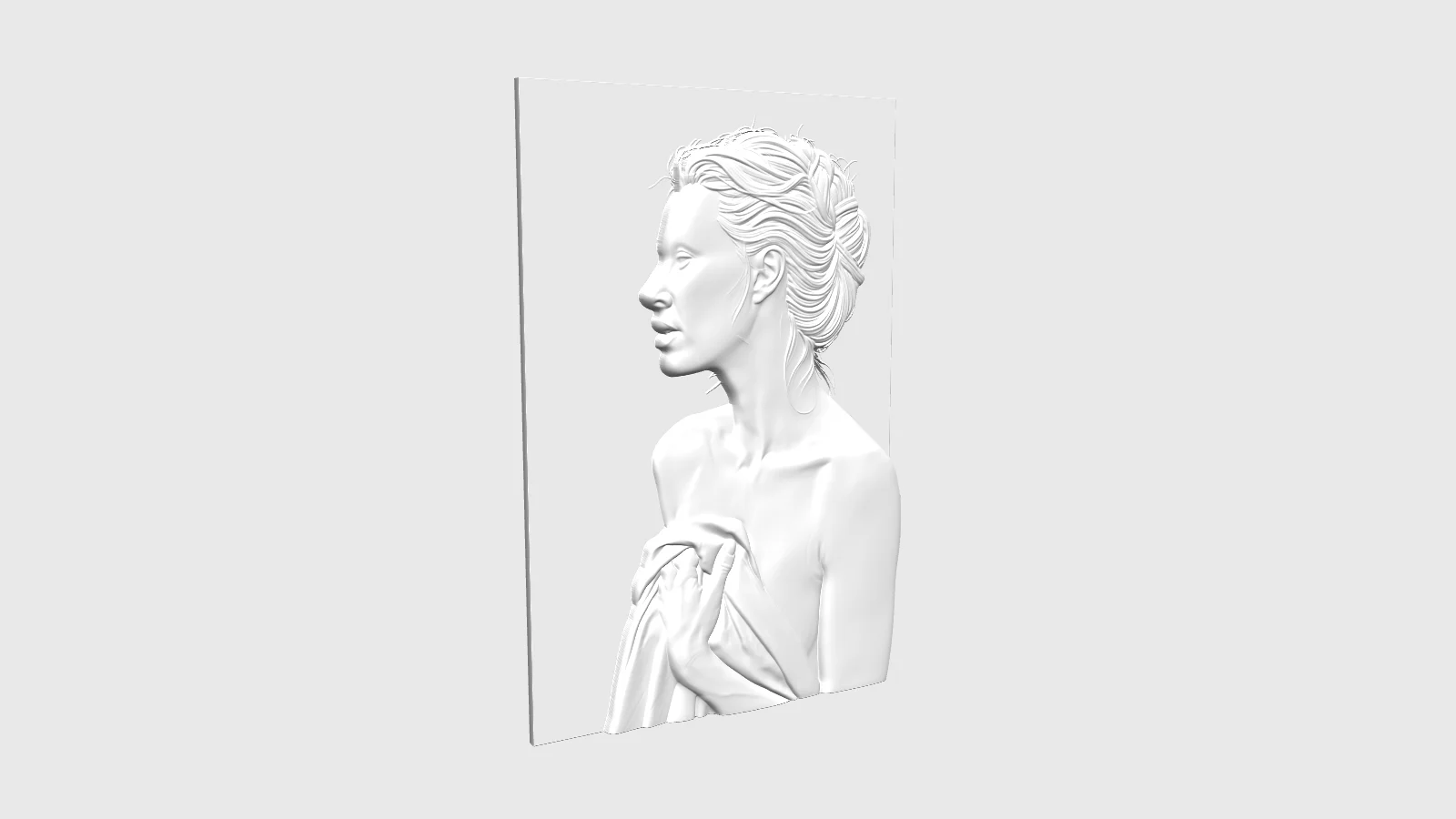
A profile photo became a relief plaque with default settings in our new sample. The render shows separate hair strands and folds in the silk as depth, with GLB, STL and a 16-bit depth map delivered together. This is a view of the generated geometry; it does not show a physical print.
A cat portrait ready for slicing
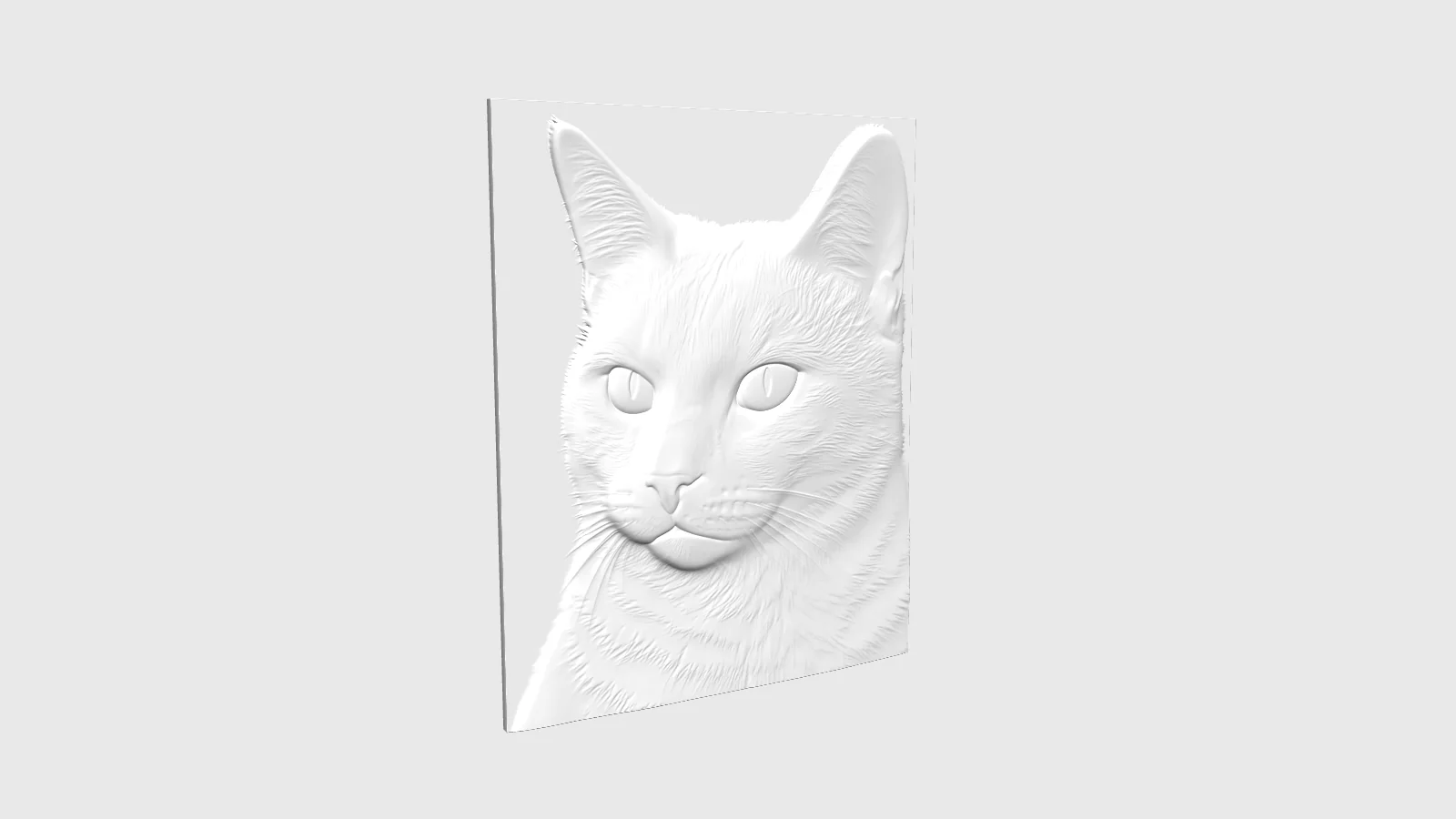
The cat sample returned a 40 MB GLB and an 85 MB STL at mesh_resolution 1024, together with its depth PNG. Open the GLB to examine the relief, then use the STL in your printing workflow; a preview this large can take time to load.
Oak detail with the plate still present
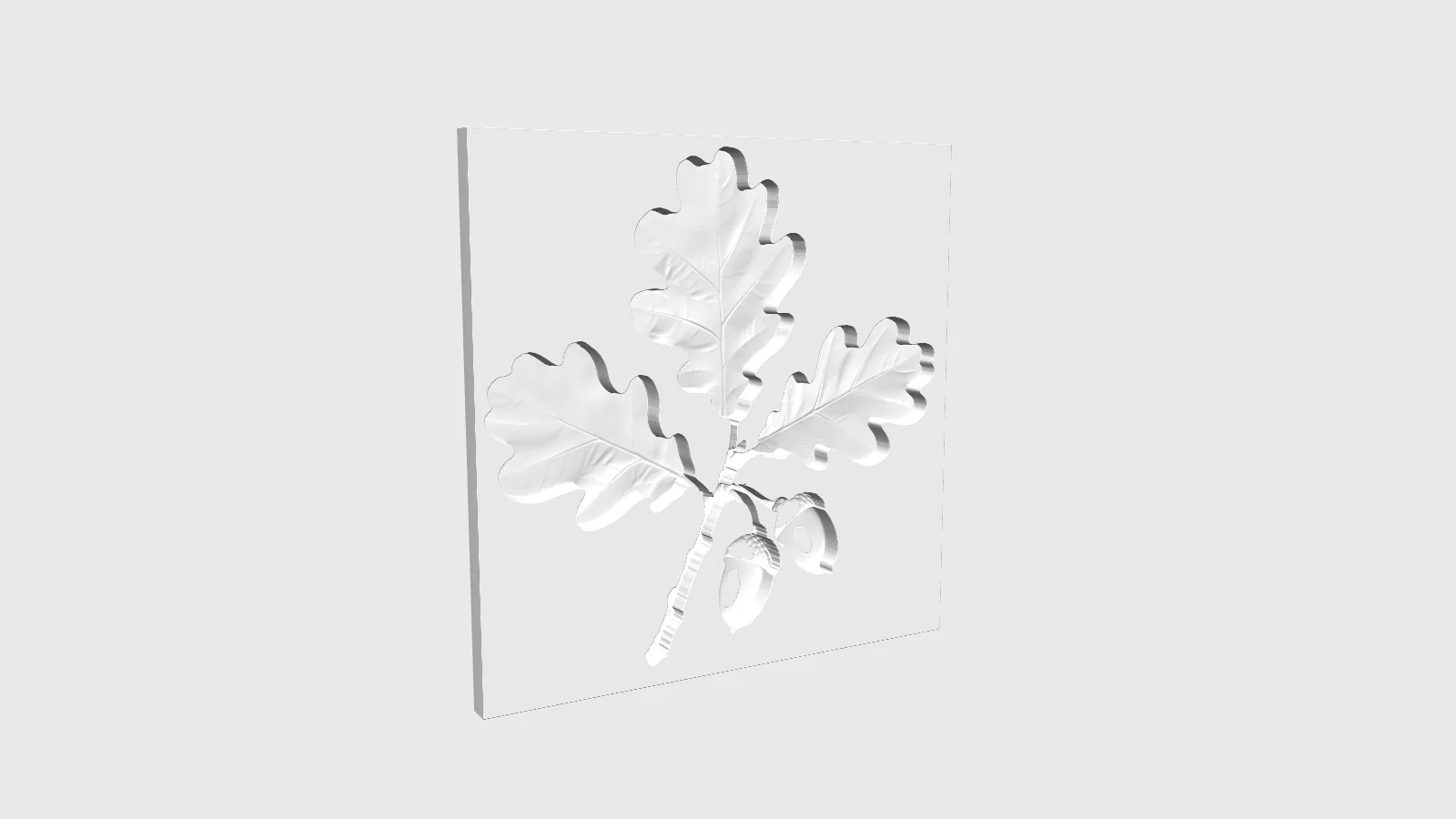
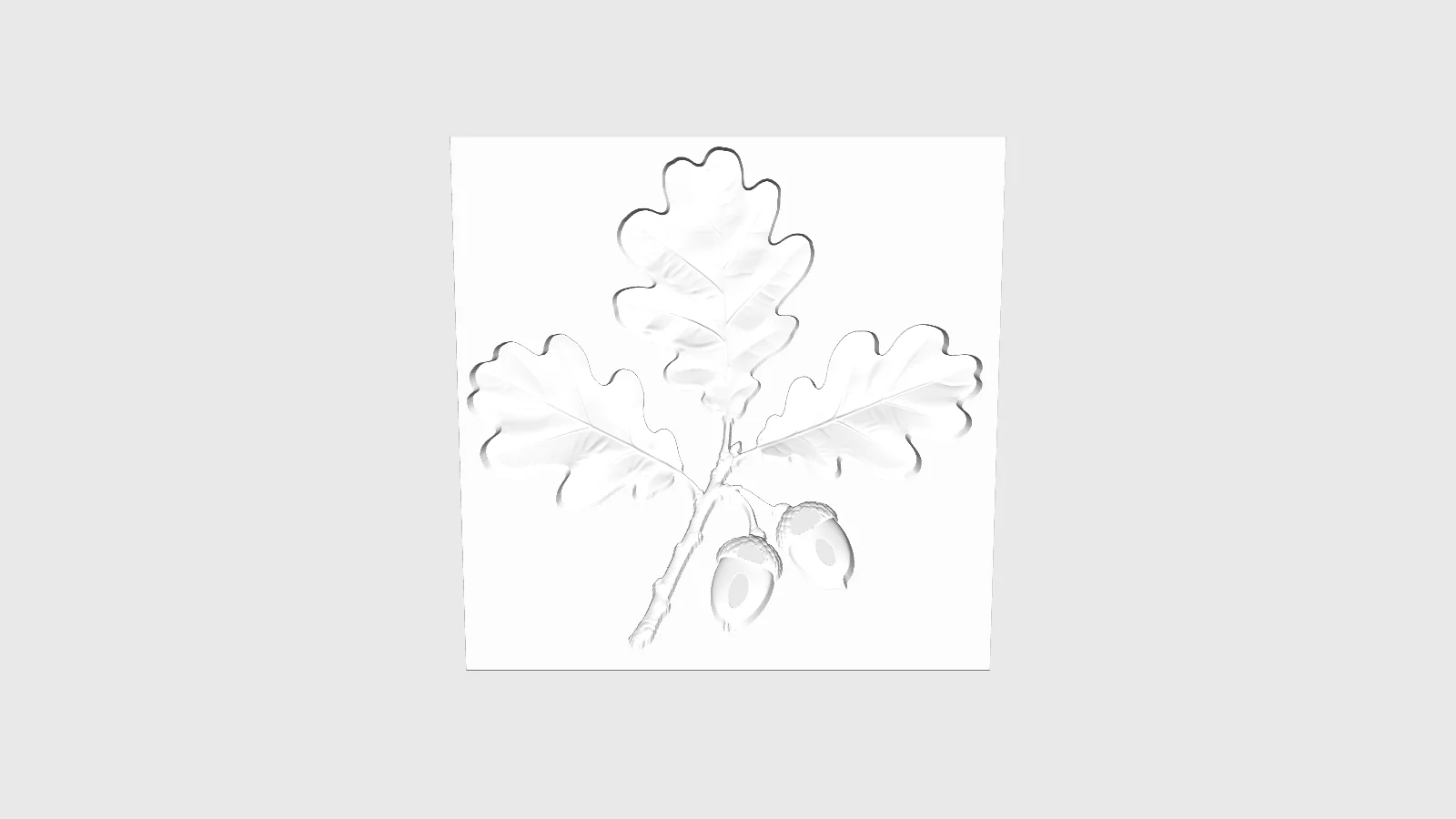
Our 120 mm oak test combined engrave, high and remove_base with a 0.05 threshold. Leaves and acorns appeared clearly, but the base remained. Raising the threshold cuts away more background; the result depends on the depth gap between the subject and its surroundings.
Request parameters
| Parameter | Required | Description |
|---|---|---|
image_url | Yes | Required JPEG, PNG or WebP photo, at least 32 x 32 pixels and at most 20 MB; no image is supplied by default. at least 1 characters |
relief_height | No | Choose low (default, approximately 3 mm depth) or high (approximately 6 mm); |
carving_mode | No | emboss is the default and raises the subject above the plate; engrave cuts nearer portions inward. Both modes use the same price. |
carving_depth_mm | No | Optional depth override from 0 to 60 mm; when omitted, |
size_mm | No | Long dimension of the photograph on the relief, measured flat before bending: 20–250 mm, default 60 mm. Physical size leaves the charge unchanged. |
base_thickness_mm | No | Optional plate thickness of 0.1–10 mm; no numeric default is specified here. Omit it when |
remove_base | No | Off by default; enable to request background and plate removal, leaving the subject. Success depends on depth separation, and the option costs no extra. Default: |
removal_threshold | No | Background-removal threshold from 0.01 to 1, default 0.01; it acts when |
bend_mode | No | off (default) keeps a flat plate; convex bends outward and concave bends inward. Curvature mode adds no fee. |
bend_axis | No | xz (default) curls the left and right sides; yz curls the top and bottom. The axis matters when bending is enabled and has no billing effect. |
bend_angle | No | Bending angle in degrees, from 0 to 360 and defaulting to 60; use with convex or concave mode. The selected angle does not affect cost. |
mesh_resolution | No | Number of mesh points along the long dimension: 512–1024, default 1024. Lower values reduce detail and file size, at the same per-relief price. |
Pricing
$0.96 / relief
Each completed relief has one fixed charge; all supported settings are included, and failures are not charged.
Use cases
Portrait keepsakes with fabric detail
Use a profile photograph for a commemorative plaque. Our silk portrait sample turned hair strands and fabric folds into visible depth with the default settings.
Pet photographs for printed plaques
Take a pet photo through to an STL for slicing. The tested cat relief returned a 40 MB GLB and 85 MB STL at mesh_resolution 1024, so allow time for file handling.
Depth maps for CNC carving
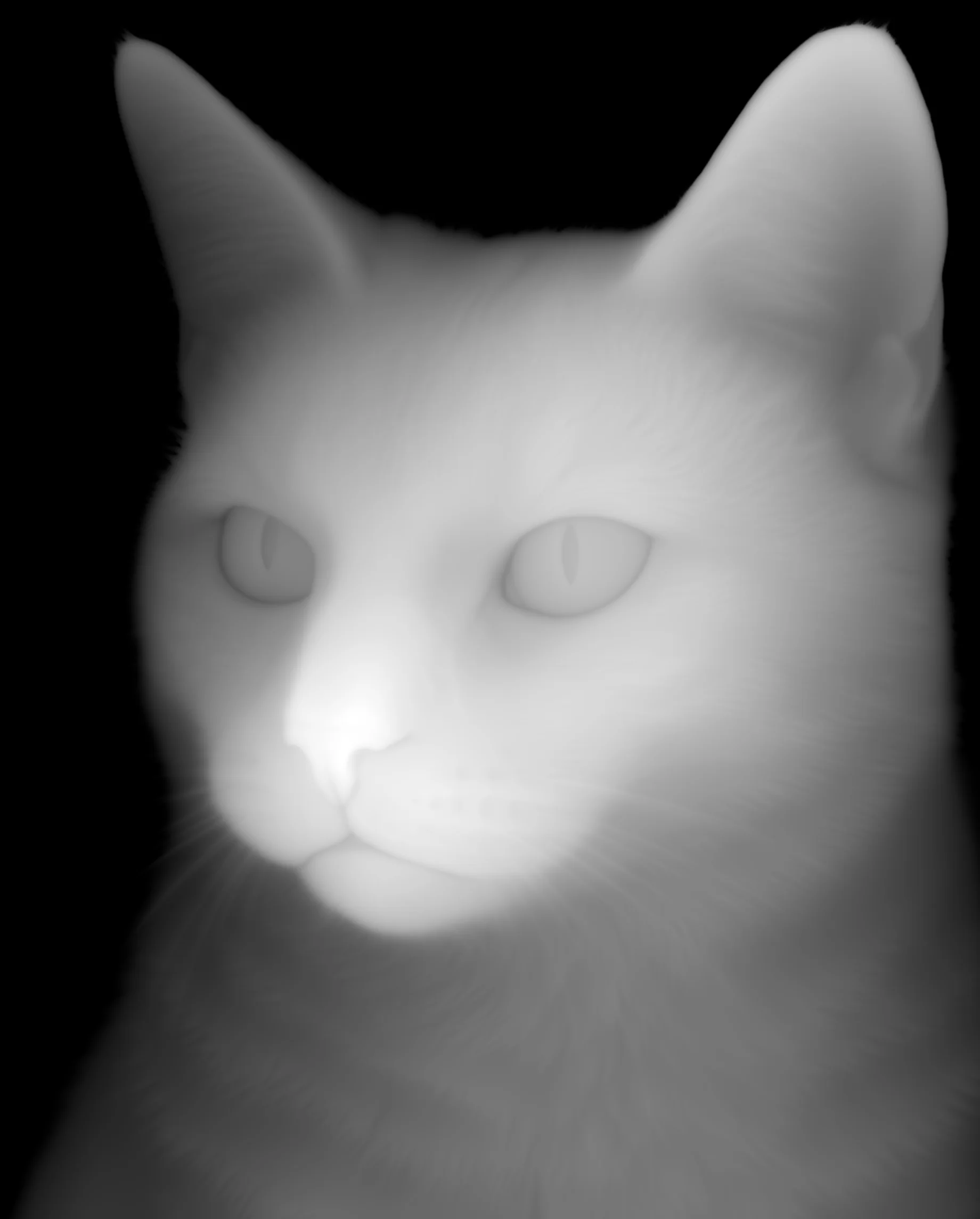
Bring the supplied 16-bit grayscale PNG into a relief-carving workflow. Its bright areas represent raised detail, giving you a height reference alongside the mesh files.
Engraved botanical panels
Prepare decorative designs with engrave mode and a chosen physical size. Our 120 mm oak run showed clear leaves and acorns, while also showing why a removal request needs visual review.
Curved badges and display pieces
Shape a relief with convex or concave bending and select which pair of edges curls. A tested 100 mm portrait at convex 90 degrees showed a visible curve, with hair and clothing detail retained.
Prompt guide & pro tips
Prepare the source photograph
Choose a JPEG, PNG or WebP with a clear subject and simple background, at least 32 x 32 pixels and up to 20 MB. For portraits, use photos you have the right to use, feature adults only and avoid impersonation.
Set size and carving direction
Enter
image_urland choose emboss or engrave, then setsize_mmfor a 20–250 mm long side. Leaverelief_heightat low, choose high, or setcarving_depth_mmto override the preset depth.Decide on the plate and curve
Keep the base or request
remove_base, omittingbase_thickness_mmwhen removal is enabled. For curvature, select a bend mode and axis, then set the angle; background removal may still leave part of the plate.Inspect and download the files
Allow large GLB files time to load, then inspect the relief from several angles. Download the STL for slicing or the depth PNG for carving, and check the dimensions in your destination software.
Photo to Relief: choose the source image
Meshy Relief converts one photograph into a plaque with raised or recessed surface detail. Use this image-to-3d endpoint for a portrait keepsake, a pet plaque, a badge or a decorative carving panel. In its unbent form the plaque has a flat back, and the returned geometry has no textures.
The input is an image_url, not a written scene request. Choose a clear subject against a simple background; JPEG, PNG and WebP inputs must be at least 32 x 32 pixels and no more than 20 MB. For photos of people, use images you have the right to use, adults only, and no impersonation.
Controls for depth, size and curvature
| Parameter | Range or choices | Default and purpose |
|---|---|---|
image_url | One JPEG, PNG or WebP; up to 20 MB; at least 32 x 32 pixels | Required source photograph |
relief_height | low, high | low; approximately 3 mm depth, or approximately 6 mm with high |
carving_mode | emboss, engrave | emboss raises the subject; engrave cuts nearer parts inward |
carving_depth_mm | 0–60 mm | Optional; overrides the preset depth |
size_mm | 20–250 mm | 60 mm; photograph's long side, measured flat before bending |
base_thickness_mm | 0.1–10 mm | Optional plate thickness; omit when remove_base is enabled |
remove_base | true, false | false; requests removal of background and plate |
removal_threshold | 0.01–1 | 0.01; higher cuts away more background when removal is enabled |
bend_mode | off, convex, concave | off; convex curves outward, concave inward |
bend_axis | xz, yz | xz curls left and right edges; yz curls top and bottom |
bend_angle | 0–360 degrees | 60; used with a curved bend mode |
mesh_resolution | 512–1024 | 1024 mesh points along the long side |
Set physical dimensions separately from mesh sampling. size_mm describes the intended extent of the photograph on the model, while mesh_resolution controls how densely the shape is sampled. Lower sampling produces smaller files with less detail. Setting carving_depth_mm replaces the preset depth; leaving it out uses the approximate depth associated with low or high.
Requesting a separate subject
Enable remove_base when you want the subject without its plate, and leave base_thickness_mm out of that request. Removal depends on the depth difference between subject and background. A higher removal_threshold cuts away more of the background, but an enabled switch does not establish that the generated plate has disappeared. Inspect the outline and back in the returned model.
Three files for different stages
- GLB: rotate the untextured relief to examine its shape and curvature.
- STL: bring the geometry into slicing software for a printing workflow.
- Depth PNG: use the 16-bit grayscale image in a CNC or relief-carving workflow; brighter areas represent greater height.
Meshy says GLB uses meters and STL uses millimeters. If a file imports at an unexpected scale, check the destination application's units and compare its dimensions with your requested size. The size setting is measured before bending, so do not treat it as the span of the curved plaque.
Preparing prompts and source photographs
There is no prompt field on Photo to Relief. The page's prompt examples are briefs for preparing a source photograph, not text to submit to this endpoint. Describe the person or object, clothing or material, mood, lighting and setting when planning that photograph; then send the finished image URL.
A portrait brief might call for an adult in their thirties wearing a silk robe, with a calm expression, soft studio light and a plain backdrop. Look for visible folds and separated hair rather than surrounding clutter. For a botanical panel, keep the leaves and acorns readable against a simple background. These are input-composition suggestions, not measured outcomes for every scene.
What our samples showed
The new silk-profile sample used default settings and returned a plaque with hair strands and fabric folds carved in depth, together with all three files. Its displayed image is a render of the geometry, not evidence of a completed physical print.
At mesh_resolution 1024, the cat sample returned a 40 MB GLB and an 85 MB STL. The 120 mm oak returned a 100 MB GLB and a 150 MB STL; its leaves and acorns were clear, but its plate remained despite high, engrave and remove_base with a threshold of 0.05. That observation is why removal needs visual checking.
A separate portrait test combined high, engrave, 100 mm and convex bending at 90 degrees. It finished in 69 seconds with visible curvature and clear hair and clothing folds. Default-setting runs took 56–76 seconds in our tests. These timings describe those runs; loading a large GLB preview takes additional time.
Pricing and choosing another model
Each completed relief has a fixed charge. Size, depth, sampling, removal and bending settings do not change that rate, and failed tasks are not charged. Refer to the Meshy Relief model page for the current price before submitting a request.
Use Relief when the intended object is a plaque with detail on one side. For a complete object, consider Seed3D 2.0 or Tripo H3.1. Before fabrication, review the returned shape, check background removal and confirm dimensions in your printing or carving software.
API quick start
# Generate the idempotency key once; reuse it when retrying after a lost response.
export SPICY_IDEMPOTENCY_KEY="${SPICY_IDEMPOTENCY_KEY:-$(uuidgen)}"
curl -X POST https://api.spicyapi.ai/api/v1/jobs/createTask \
  -H "Authorization: Bearer $SPICY_API_KEY" \
  -H "Content-Type: application/json" \
  -H "Idempotency-Key: $SPICY_IDEMPOTENCY_KEY" \
  -d '{
  "model": "meshy/relief/image-to-3d",
  "input": {
    "bend_axis": "xz",
    "bend_mode": "off",
    "carving_mode": "emboss",
    "image_url": "https://example.com/reference.png",
    "relief_height": "low"
  }
}'

# Copy data.taskId from the response into TASK_ID, then poll the status.
TASK_ID="TASK_ID_FROM_RESPONSE"
curl "https://api.spicyapi.ai/api/v1/jobs/recordInfo?taskId=$TASK_ID" \
  -H "Authorization: Bearer $SPICY_API_KEY"
See the API reference for authentication, the complete schema, polling, and error handling.