Introduction
Write the action and any dialogue, then select the clip length, shape and resolution.
| Field | Value |
|---|---|
| Input | Text |
| Output | Video |
| Publisher | xAI |
| Starting material | Written scene; required opening image; or 1-7 reference images |
| Prompt limit | Up to 4,096 characters |
| Clip length | 1-15 seconds; default 6 seconds |
| Text and image animation size | 480p (default), 720p, 1080p |
| Reference video size | 480p or 720p |
| Text canvas ratios | 16:9 (default), 9:16, 1:1, 4:3, 3:4, 3:2, 2:3; image animation also offers auto |
| Image animation guidance | Required opening image; optional ending image; up to 4 timed keyframes; 1 optional reference image |
| Loop constraint | Matching opening and closing frame; cannot combine loop with |
| Generated audio | Enabled by default; disabling it leaves the rate unchanged |
| Billing | By video second and resolution tier; reference-to-video adds a charge per reference image; failed requests are not charged |
| File retention | Generated video files are deleted after 14 days |
Key features & highlights
A whisper followed by a visible reply
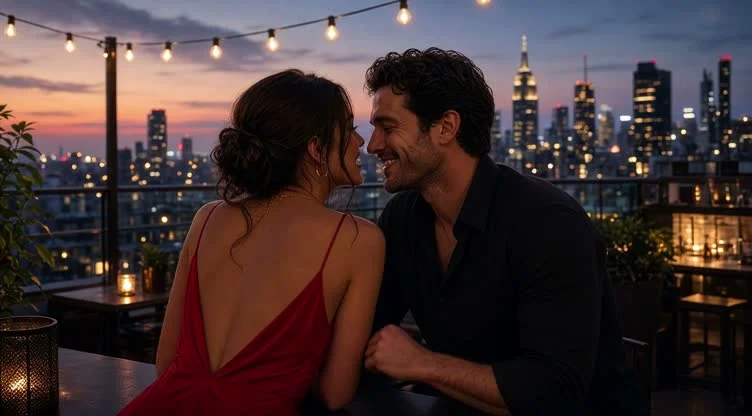
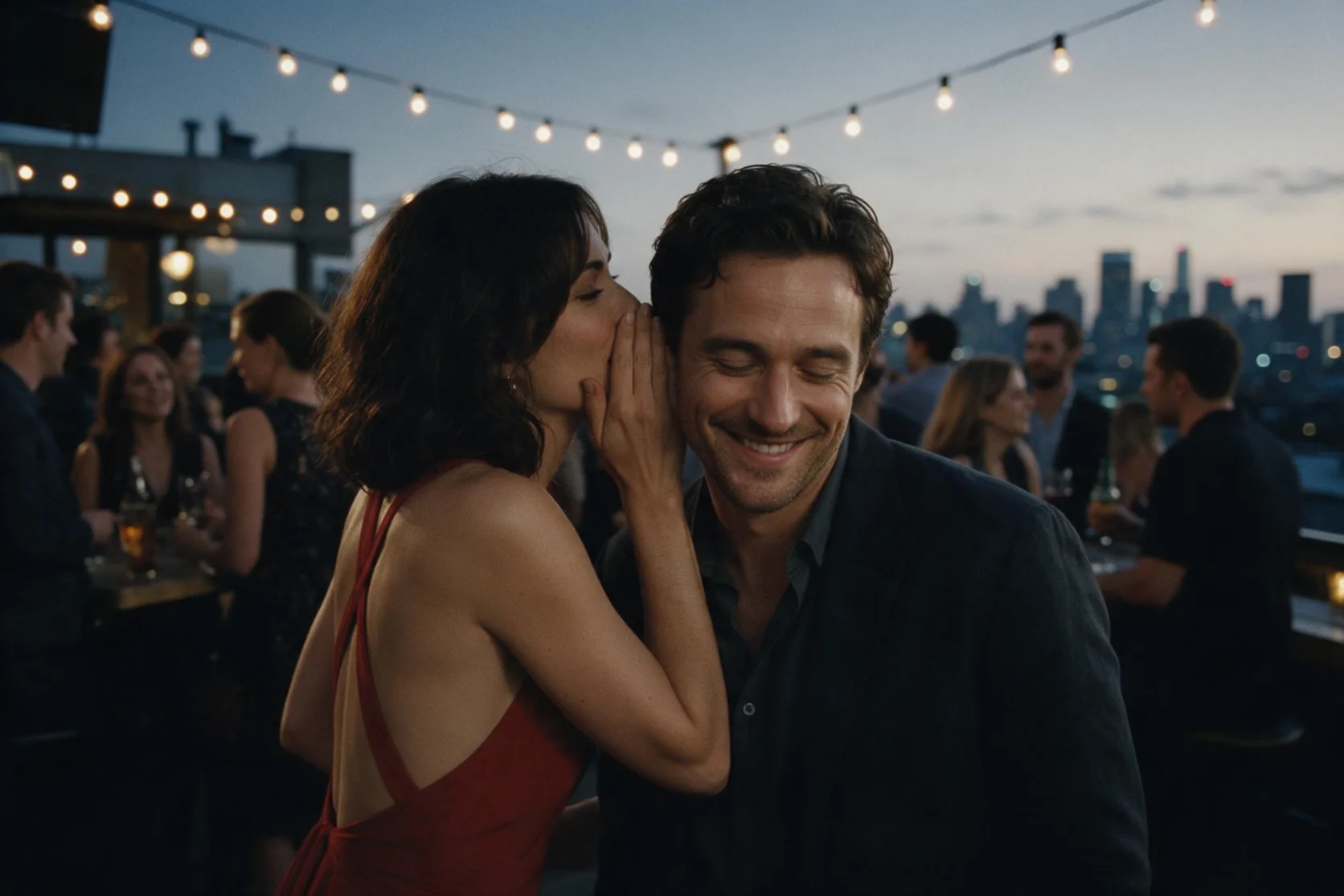
At a rooftop bar at dusk, a woman in a red backless dress leans toward a man and whispers, "Let's get out of here." Our six-second 480p sample includes that line on the soundtrack, followed by his smile and the hand-taking action. Use the example to plan a brief exchange: identify the speaker, quote the line, and describe the other person's response. Review the returned speech and movement together.
A crossing with a spoken line
In our tests, a small fishing boat crossed the sunrise fjord beneath circling gulls. The six-second result included sound and the captain delivering the quoted dialogue.
Reach the greenhouse at second three
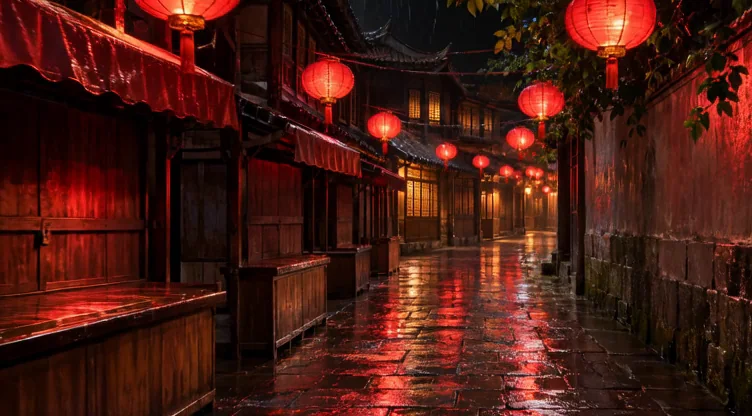
In our tests, a rainy lantern alley gave way to a bright Victorian greenhouse at the requested three-second keyframe. The complete shot ran six seconds with sound.
A crane that rocks back to its start
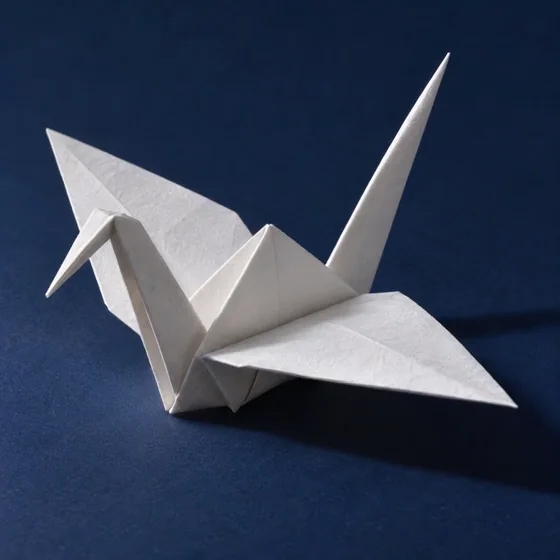
In our tests, the white origami crane moved gently on a blue table through a four-second loop. Its opening and closing frames matched.
Put a dancer and an origami bird in one studio
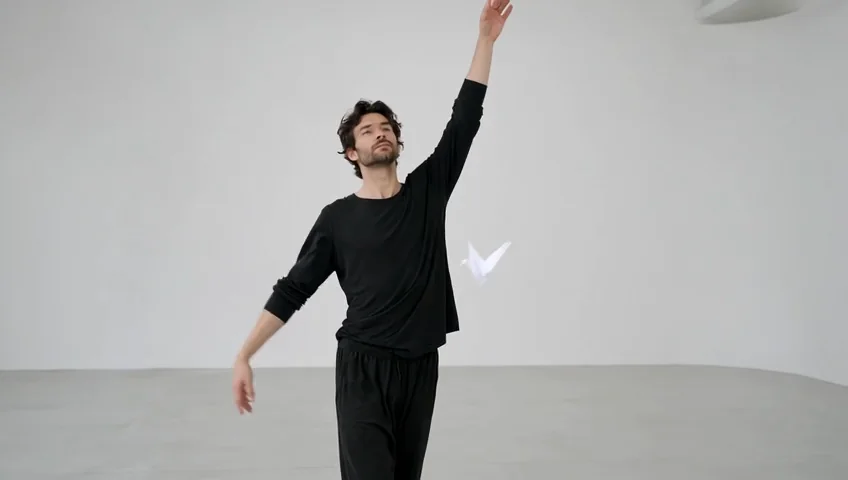
In our tests, the dancer in black rehearsal clothes moved slowly through a white studio while a paper crane floated nearby. Two uploaded references guided the six-second 848x480 result.
Request parameters
| Parameter | Required | Description |
|---|---|---|
prompt | Yes | Describe the action, setting and optional quoted dialogue in up to 4,096 characters; prompt length is not a billing tier. at least 1 characters · at most 4096 characters |
aspect_ratio | No | Select 16:9, 9:16, 1:1, 4:3, 3:4, 3:2 or 2:3; the default is 16:9 and shape does not set the per-second rate. |
resolution | No | Choose 480p, 720p or 1080p; 480p is the default and higher tiers cost more per second. |
duration_seconds | No | Request 1–15 seconds, with 6 seconds used by default; longer output increases the seconds billed. |
generate_audio | No | Generate a soundtrack by default, or disable it for a result without an audio track; the rate is unchanged. Default: |
Pricing
Text-led clips are billed by second at the selected resolution rate; audio on or off costs the same, and failed requests carry no charge.
| Specification | Price |
|---|---|
| $0.028 / second |
| $0.0505 / second |
| $0.09 / second |
Use cases
Dialogue-led story moments
Build a short interaction around one quoted line and a visible response. The rooftop sample pairs a whispered invitation with a smile and a hand-taking action in a six-second clip with sound.
Transitions with a planned arrival
Guide a change of setting with an intermediate image at a chosen second. Our alley-to-greenhouse test reached the sunny greenhouse at second three of a six-second shot.
Repeating motion from a still
Animate an opening image with loop enabled for motion that returns to its start. Our loop test followed the matching-frame setting; inspect the playback join before using the clip in a repeating placement.
Scenes assembled from references
Supply separate images for people, props, or locations and assign each an @image role in the prompt. The reference workflow accepts one to seven images, with a charge for each supplied reference.
Silent inserts for an existing edit
Disable generated audio when the sequence will use an existing soundtrack. Our audio-off test returned no audio track, while the selected duration and resolution still determine the video rate.
Prompt guide & pro tips
Pick the source for the scene
Choose text for a written shot, image-to-video for a required opening still, or reference-to-video for a composition guided by several images.
Describe action and sound
Name the subject, clothing, setting, light, and a manageable action. Put a spoken line in quotation marks and identify who delivers it.
Choose timing and output
Set 1-15 seconds, a supported aspect ratio, and the resolution tier. For still animation, add timed keyframes and choose an ending image or loop when needed.
Review and save the clip
Watch the movement, listen to any dialogue, and inspect a loop join or timed transition. Download accepted videos within 14 days, before the generated files are deleted.
Create a scene from a written brief
Grok Imagine Video 1.5 text-to-video turns a scene description into a clip lasting 1-15 seconds. Use this endpoint when words define the shot and you do not need a particular image to establish its opening composition. Generated sound starts enabled, and dialogue placed in quotation marks can be spoken in the soundtrack.
The rooftop example gives that workflow a concrete shape: a woman whispers a brief invitation, and the man responds by smiling and taking her hand. Plan a similarly contained moment with a subject, setting, action, and any sound the shot needs.
Parameters and output choices
| Parameter | What to supply | Default or boundary |
|---|---|---|
| prompt | Scene, movement, lighting, and optional quoted dialogue | Up to 4,096 characters |
aspect_ratio | 16:9, 9:16, 1:1, 4:3, 3:4, 3:2, or 2:3 | 16:9 |
| resolution | 480p, 720p, or 1080p | 480p |
duration_seconds | Requested clip length | 1-15 seconds; default 6 |
generate_audio | Enable or disable the generated soundtrack | Enabled |
Set shape and resolution as request controls rather than leaving them inside the scene description. A vertical placement can use 9:16, while a wide composition can use 16:9. Select duration around the action and dialogue you want to fit into the shot.
Sound and silence
Put the actual spoken words in quotation marks and identify the speaker in the same sentence. Describe the other person's response separately when there are several people. For example, ask a woman in her thirties in a red evening dress to whisper a line, then describe a man in his forties smiling in reply.
Set generate_audio to false for a video without an audio track. Our audio-off test returned that silent result. This choice suits inserts that will sit under an existing edit's soundtrack; it does not reduce the generation rate.
Write a prompt around one moment
- Establish who or what is in view, including adult ages and wardrobe when people appear.
- Give the scene a specific location and light, such as a rooftop at dusk with warm string lights.
- Describe the main movement and a visible response in a readable sequence.
- Add a short quoted line when speech matters, naming who says it.
- Finish with framing or camera direction that supports the action.
A useful draft is a compact shot description rather than a list of visual adjectives. Keep the dialogue brief enough to fit the chosen running time. Listen to the delivered line and watch the response before deciding whether another request is needed. Prompting advice is a way to state your intention clearly, not a promise about every delivery.
What our supplied tests establish
The new rooftop sample ran for six seconds at 480p in 16:9 with sound. It shows the woman in a red backless dress whispering "Let's get out of here," followed by the man's smile and hand-taking action. The requested line is audible on the soundtrack.
A separate six-second 16:9 text test at 480p measured 752x416 pixels. Treat this as an observed file size, rather than assuming every clip in a resolution tier shares those exact dimensions. Our reference-led test measured 848x480 at its 480p setting, so inspect your own file when delivery dimensions matter.
These observations cover the supplied scenes and audio switch. They do not establish that every prompt will preserve the same speech delivery, movement, or framing. Review the particular result against the brief you submitted.
Pricing in words
Video is billed by the second at the chosen resolution rate. Longer clips increase the seconds billed, and higher resolution tiers have higher per-second rates. Sound enabled and sound disabled use the same rate. Failed requests are not charged. Check the current price on the Grok Imagine Video 1.5 model page before selecting settings.
Limits and workflow alternatives
The publisher applies its own content filter; flagged requests are refused and not charged. Keep the prompt within 4,096 characters and the requested running time within 1-15 seconds. Download generated files within 14 days because they are deleted after that period.
Choose the sibling image-to-video endpoint when a supplied opening frame, an ending image, timed intermediate frames, or loop mode is part of the brief. Choose reference-to-video when separate images should guide people, props, or a location; it accepts one to seven references and offers 480p or 720p. For a still-image task, Grok Imagine Image 2.0 provides image generation and editing. Pick the endpoint around the required deliverable and the material you already have.
API quick start
# Generate the idempotency key once; reuse it when retrying after a lost response.
export SPICY_IDEMPOTENCY_KEY="${SPICY_IDEMPOTENCY_KEY:-$(uuidgen)}"
curl -X POST https://api.spicyapi.ai/api/v1/jobs/createTask \
  -H "Authorization: Bearer $SPICY_API_KEY" \
  -H "Content-Type: application/json" \
  -H "Idempotency-Key: $SPICY_IDEMPOTENCY_KEY" \
  -d '{
  "model": "xai/grok-imagine-video-1.5/text-to-video",
  "input": {
    "prompt": "A slow aerial shot drifting over a misty pine forest at sunrise",
    "resolution": "480p",
    "aspect_ratio": "16:9",
    "duration_seconds": 6
  }
}'

# Copy data.taskId from the response into TASK_ID, then poll the status.
TASK_ID="TASK_ID_FROM_RESPONSE"
curl "https://api.spicyapi.ai/api/v1/jobs/recordInfo?taskId=$TASK_ID" \
  -H "Authorization: Bearer $SPICY_API_KEY"
See the API reference for authentication, the complete schema, polling, and error handling.