
You want Grok to fix code in Cursor, but a built-in model selection and a key pointed at an external API are different setups. Use Cursor’s built-in Grok 4.6 for its documented agent integration, or call SpicyAPI directly when your application needs to manage requests, tools and usage. For a SpicyAPI key inside Cursor, open Cursor Settings → Models and check for a custom base-URL override. The setup values and fallback below let you choose the right path before buying usage.
Two Grok routes with different contracts
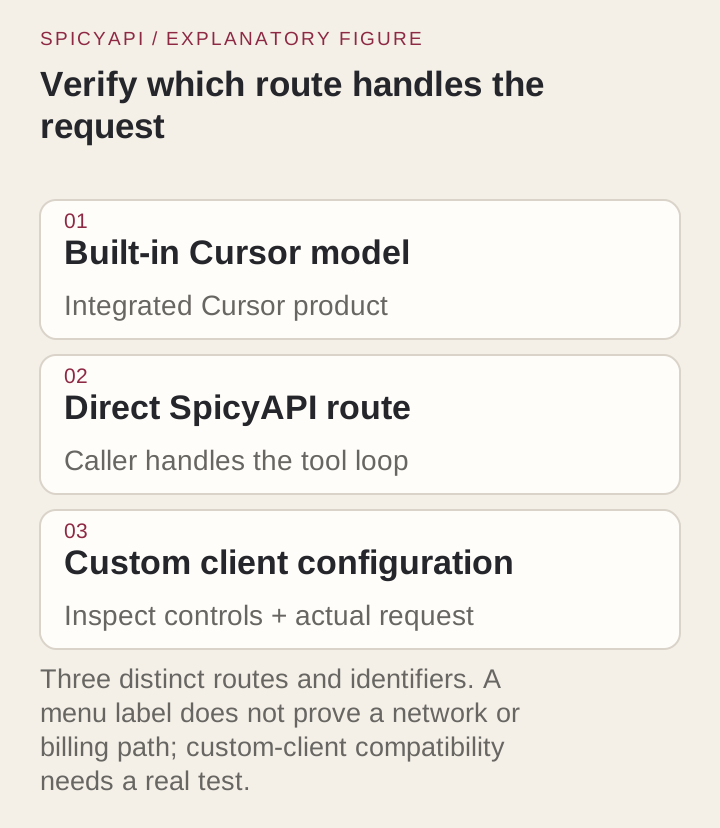
Cursor's Grok 4.6 documentation lists grok-4.6, a 256k context window and four effort levels: low, medium, high and xhigh, with high as the default. The built-in integration has access to Cursor's agent tools.
The SpicyAPI model page identifies xai/grok-4.6/chat. Its documented OpenAI-compatible Chat Completions request name is xai/grok-4.6, sent to https://api.spicyapi.ai/v1/chat/completions. This route accepts text and image parts, has a 500,000-token input limit and exposes its own request controls. Its current schema does not accept file or PDF parts. A tool definition is an input to the model; the caller must provide the execution loop.
| Decision | Built-in Cursor Grok | Direct SpicyAPI Grok |
|---|---|---|
| Selection identifier in the relevant surface | grok-4.6 in Cursor's documentation | xai/grok-4.6 in a Chat Completions request; catalogue endpoint xai/grok-4.6/chat |
| Who constructs and manages the coding workflow? | Cursor's integrated product | Your application or a verified compatible client |
| Input window | 256k tokens | 500,000 tokens |
| File edits and tests | Cursor manages the agent tools | Your caller executes tools and applies edits |
The 500,000-token API limit does not enlarge Cursor’s 256k window. For a code fix, send the defining files, failure and tests rather than the whole repository.
Try it in Playground first
- Open Grok 4.6 and switch to Playground.
- In the message box paste the question below, choose the Low reasoning option and press Run model:
> A delivery-window parser must accept a local time HH:MM from 00:00 through 23:59. The current function returns true for any string matching two digits, a colon and two digits. Explain which inputs it accepts incorrectly, and propose a small correction.
- Check whether the answer rejects 24:00 and 12:60. If it does, the same question is ready to run from the API or from your editor.
Use the built-in path when that is the task
- Open the model picker and explicitly select Grok 4.6 if your account offers it. Use an explicit selection rather than Auto when you want this particular model; check it again in a new chat.
- Choose the effort for the task; the documented model default is
high. The India-only Start plan fixes Grok atmediumwithout Fast mode. - Open the disposable parser project below and ask for a correction limited to
is-time.mjs. - Inspect the applied diff and the actual test result. A correct explanation without an applied edit is a different outcome from a completed agent task.
Built-in selection does not require a SpicyAPI base URL or key. Use your current plan’s allowance and Fast setting when budgeting; the introductory promotion in the launch article has ended.
Connect your key or choose the direct API
Cursor’s API-key help documents Cursor Settings → Models → provider → key → Save for OpenAI, Anthropic, Google, Azure and AWS Bedrock. It does not document a custom endpoint for Grok 4.6.
- Open Cursor Settings → Models and look for an OpenAI base-URL override and an option to add a custom model.
- If both controls are available, enter
https://api.spicyapi.ai/v1as the base URL, your SpicyAPI key as the provider key, andxai/grok-4.6as the custom model. Save the configuration. - Select that custom model in a new chat and send the small parser question below. Check that the request appears in your SpicyAPI logs before sending a larger task.
- If the controls are absent or verification rejects the model, use built-in Grok for Cursor’s agent, or run the direct API example. Pasting a SpicyAPI key into a provider-key field alone is not sufficient.
Custom keys cover chat, not Tab completion. BYOK requests still pass through Cursor’s backend for prompt construction, and Cursor’s zero-retention promise does not apply to them. Provider charges and any organization-plan client fee are separate.
Keep the three identifiers separate
| Configuration value | Direct SpicyAPI value | Use |
|---|---|---|
| Base URL | https://api.spicyapi.ai/v1 | For a client that appends /chat/completions |
| Full endpoint | https://api.spicyapi.ai/v1/chat/completions | For curl or a caller sending the complete URL |
| Request model | xai/grok-4.6 | Value in the JSON body |
| Catalog task | xai/grok-4.6/chat | The model-task listing, rather than Cursor’s built-in picker name |
Keep the base and full endpoint distinct. Putting the full endpoint in a base field can produce /chat/completions/chat/completions when the client appends its own path. An “unknown model” error calls for checking the model value; changing the prompt or effort will not repair the target.
Start with a direct request that has one purpose
First send one direct request to check the key and model before troubleshooting the IDE.
This example creates one billable code-review request when you run it. It uses the key from your environment. max_tokens: 4000 limits the visible reply only; reasoning tokens are billed as output and are not limited by that cap. reasoning_effort: low reduces reasoning work but does not set a fixed spending ceiling.
: "${SPICY_API_KEY:?Set SPICY_API_KEY first}"
curl --no-buffer --fail-with-body --dump-header response-headers.txt \
  https://api.spicyapi.ai/v1/chat/completions \
  -H "Authorization: Bearer $SPICY_API_KEY" \
  -H "Content-Type: application/json" \
  -H "Idempotency-Key: $(uuidgen)" \
  --data '{
    "model": "xai/grok-4.6",
    "messages": [
      {"role": "system", "content": "Review only the code shown. Explain the smallest correction and its acceptance cases. Do not claim that you executed anything."},
      {"role": "user", "content": "A delivery-window parser must accept a local time HH:MM from 00:00 through 23:59. The current function returns true for any string matching two digits, a colon and two digits. Explain which inputs it accepts incorrectly, and propose a small correction."}
    ],
    "reasoning_effort": "low",
    "max_tokens": 4000,
    "stream": true,
    "stream_options": {"include_usage": true}
  }'
Read the choices[].delta.content pieces in the stream for the correction and the final usage chunk for token counts; the docs describe the stream format.
If the direct call fails, fix its key, model or rejected field before adding the IDE. Those errors will persist inside a custom client.
Let an Agent prepare the call
For repeated code review, ask your coding Agent to use the SpicyAPI Skill: “Read xai/grok-4.6/chat, then adapt the example to my input; show the request before running it.” The CLI lookup is spicyapi models get xai/grok-4.6/chat --json; the MCP lookup is spicyapi_model_get with model: "xai/grok-4.6/chat". Chat calls use a compatible client or the chat API; the media task commands do not generate chat replies.
Make the coding fixture executable
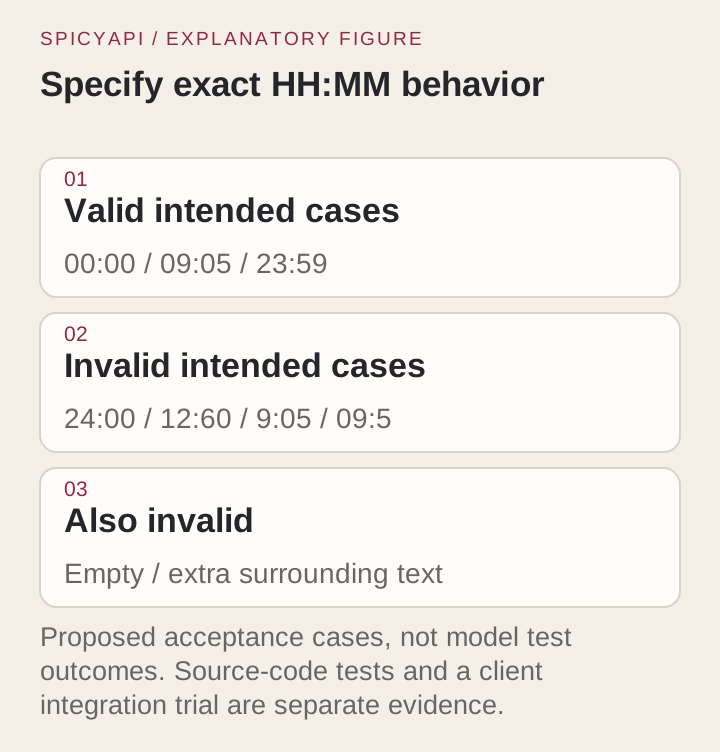
The requirement is deliberately narrow: accept exactly HH:MM, hours 00–23 and minutes 00–59, with no surrounding whitespace. Start with this buggy is-time.mjs:
export function isTime(value) {
  return typeof value === 'string' && /^\d{2}:\d{2}$/.test(value);
}
Save the acceptance cases as is-time.test.mjs:
import assert from 'node:assert/strict';
import test from 'node:test';
import { isTime } from './is-time.mjs';

const cases = [
  ['00:00', true], ['09:05', true], ['23:59', true],
  ['24:00', false], ['12:60', false], ['99:99', false],
  ['9:05', false], ['09:5', false], ['', false],
  ['09:05x', false], [' 09:05 ', false], ['09:05\n', false],
  [null, false], [905, false],
];
for (const [value, expected] of cases) {
  test(JSON.stringify(value), () => assert.equal(isTime(value), expected));
}
Run node --test is-time.test.mjs. The initial function fails three cases: it accepts 24:00, 12:60 and 99:99. Keep the whitespace, final-newline and non-string cases to prevent a later correction from broadening the format. Ask the coding agent:
Correct only is-time.mjs to satisfy the supplied tests. Preserve exactly two digits, reject surrounding whitespace, and return false for non-string input. Do not add a date library or change the tests. Run the tests if your tools permit, and report the actual result.
One solution is:
export function isTime(value) {
  if (typeof value !== 'string' || value.length !== 5) return false;
  return /^(?:[01]\d|2[0-3]):[0-5]\d$/.test(value);
}
The range check rejects out-of-range hours and minutes; the type and length checks keep the five-character format explicit. This solution passes all fourteen cases. Ask the agent to produce its own correction, then run the same tests on that patch and read the diff: a one-function fix should not touch configuration, formatting elsewhere or dependencies, and should not add a date library for a five-character time.
Verify a custom client's plain-text path first
Send the same parser question through the custom client. If no provider task appears, check the selected model and request target; the client may still be using its built-in route or failing before sending.
Once plain text works, add streaming and then tools without changing the other settings.
Use streaming for long reasoning
Use stream: true for high or xhigh effort and long outputs (the example already does); a non-streamed answer that takes longer than about 100 seconds can be cut off, and a cut-off request that returns no answer is not charged. A normal final answer ends with finish_reason: stop; tool_calls means your app has a next step, and length means the answer was truncated, even if the code looks plausible. If a direct stream completes but the IDE stalls, check the IDE's event handling before changing the model. Details: text and streaming documentation.
Tool support requires a caller that executes tools
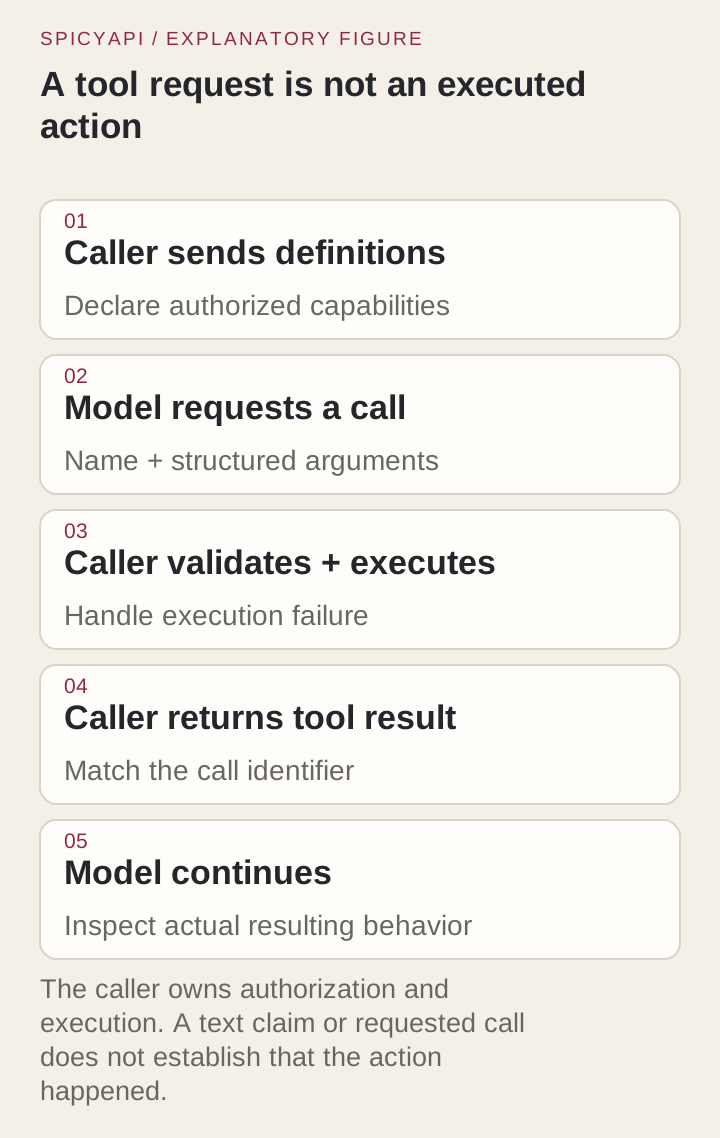
The API accepts up to 128 tools, tool_choice, and parallel_tool_calls (boolean, default true). Your application must supply the tool implementations.
A tool loop must validate requested arguments, execute an allowed operation, append its actual result as a tool message and call the model again. A text answer alone cannot apply the patch or run Node.
For example, after the assistant requests a harmless get_acceptance_cases function, the caller returns its actual result with the matching ID:
[
  {"role":"assistant","content":null,"tool_calls":[{"id":"call_example","type":"function","function":{"name":"get_acceptance_cases","arguments":"{}"}}]},
  {"role":"tool","tool_call_id":"call_example","content":"00:00 pass; 23:59 pass; 24:00 fail; 12:60 fail; surrounding whitespace fail"}
]
Append the actual assistant message and tool result to the original conversation; the JSON above shows their shape. Validate the function name and arguments before dispatch, and bound the file scope, tool turns and spend.
For this fixture, let the first tool return the acceptance cases. Then add a file-edit tool limited to is-time.mjs and a test command limited to node --test is-time.test.mjs.
Match each tool result to its tool_call_id, even when results arrive out of order. For this one-file task, parallel_tool_calls: false can simplify your own harness.
If chat works but tools fail in a custom client, inspect its rejected field or tool schema before changing the model.
Keep repository context relevant to the correction
The parser needs its function, specification and tests, not an entire application. For a real bug, include the failure, defining files and affected call sites. Ask for missing information before accepting a broad refactor.
The direct route accepts up to 256 messages; tokens and message count are separate limits. Previous answers, tool results and images occupy context too. For long sessions, preserve the current source and actual test outcome alongside a concise decision summary. A custom IDE may summarize or omit selected files, so a larger API window cannot repair context the client never sent.
Treat image and file inputs as different capabilities
The hosted route accepts text and image_url parts; it does not accept PDF or file parts. For a visual UI bug, pair a fetchable screenshot with the specification. For example, a screen showing 24:00 can illustrate the parser’s invalid-input state. The textual fixture itself needs no image.
For a PDF specification, extract the relevant text locally and inspect table order and footnotes before sending it. That is an extraction workflow, not native PDF input. If a custom IDE cannot forward an image or adds an unsupported file field, use the supported direct request or its text equivalent.
Choose effort and output caps for the work
The direct API accepts low, medium, high and xhigh; the default is high, and none is not accepted. Use explicit low for the small parser request. Raise effort for a harder correction when the lower setting misses its acceptance cases.
If the IDE hides effort controls, its selected mode may differ from your direct request. Compare the actual patch and usage rather than the apparent thoroughness of the explanation.
max_tokens defaults to 4,096 and accepts up to 450,000 visible-reply tokens. Keep it small for a one-function patch. Reasoning can make billed output many times longer than that patch, especially at the default high effort. Use lower effort for routine fixes, budget from usage, and set API-key daily and total spend limits, plus workspace daily/monthly budgets, for agent loops; this Chat Completions endpoint has no per-call quote ceiling.
Leave temperature and top-p at their defaults while you compare effort settings.
Read token prices with the billing categories intact
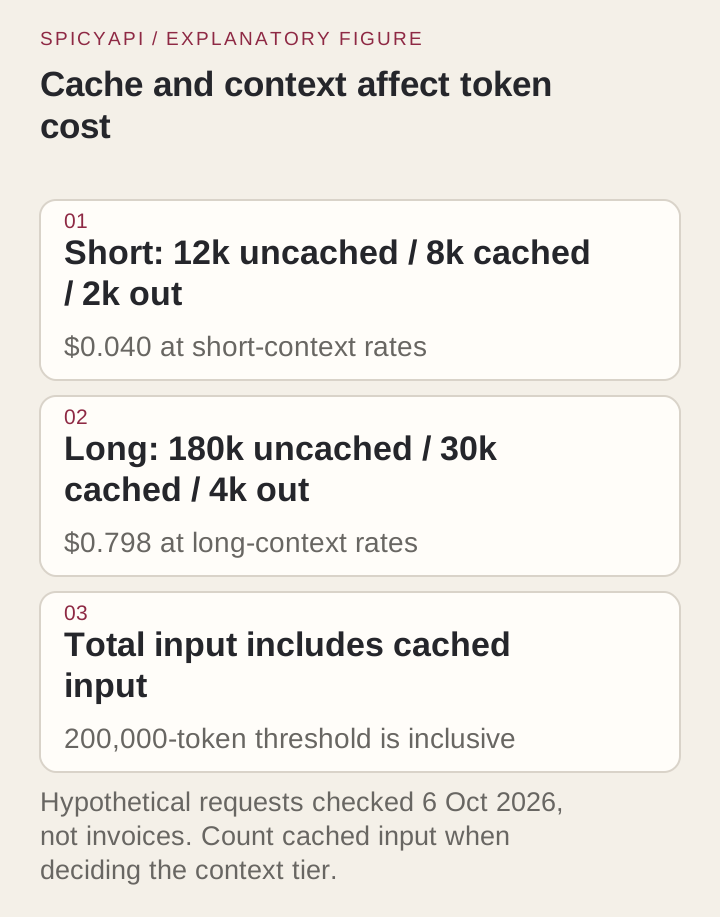
SpicyAPI rates are $2.00 uncached input, $0.50 cached input and $6.00 output per million tokens. At 200,000 total input tokens or more, including cached input, the whole request uses $4.00, $1.00 and $12.00 respectively. These are customer-facing catalogue prices, not a record of a new client charge.
For a hypothetical direct request with 12,000 uncached input tokens, 8,000 cached input tokens and 2,000 billed output tokens, the catalogue arithmetic is:
Uncached input: 12,000 / 1,000,000 × $2.00 = $0.0240
Cached input:    8,000 / 1,000,000 × $0.50 = $0.0040
Output:         2,000 / 1,000,000 × $6.00 = $0.0120
Total: $0.0400
The total input in that example is 20,000, not 12,000. If the usage field reports total input and a cached subset, do not bill the cached tokens twice: subtract the cached subset to obtain uncached input. Use the actual response categories and the platform record when reconciling a real request.
A long-context illustration with 180,000 uncached input, 30,000 cached input and 4,000 billed output totals 210,000 input. Its arithmetic is $0.720 + $0.030 + $0.048 = $0.798 at the long rates. The threshold applies to the full request categories, not just the portion beyond 200,000. Reducing unnecessary context can therefore change both token quantity and the applicable tier.
These are assumed token counts. Budget without cache savings until usage reports a hit; settlement uses measured usage, including reasoning output.
Compare a Cursor price with a direct price carefully
Cursor's Models and Pricing page lists Grok 4.6 standard rates of $2 input, $0.50 cached input and $6 output per million tokens; Fast rates are $4, $1 and $12. Fast is enabled by default on eligible Pro plans, so check the selector before starting a long task. Built-in Grok draws from the Cursor Models pool and your plan’s allowance. Subscription allowances, speed selection and account-specific terms affect what a user pays; the listed rates are not a prediction of a monthly bill.
For the same 12,000 uncached input, 8,000 cached input and 2,000 output tokens, Cursor standard totals $0.040, Fast $0.080, and the direct API $0.040, the same as Cursor standard at these listed rates. These calculations compare stated token rates under artificial equal usage; they do not show that the two products perform the same work. Actual agent sessions may consume different token counts.
An integrated agent may make several calls to read files, apply a patch and rerun tests. Compare total spend for the completed correction, not one token rate.
Cursor’s API-key help lists an additional $0.25 per million tokens for Teams and Enterprise BYOK, counting input, output and cached input once. The 22,000-token example adds $0.0055 to the provider charge. Individual BYOK has no such organization-plan token fee; the fee does not establish support for a particular custom model.
For your first task, record the total spend and whether the applied correction passes its tests.
“Other Models” in Cursor’s usage view is a billing pool, not proof that the request went to an external provider. Use the provider’s task record to identify a direct call.
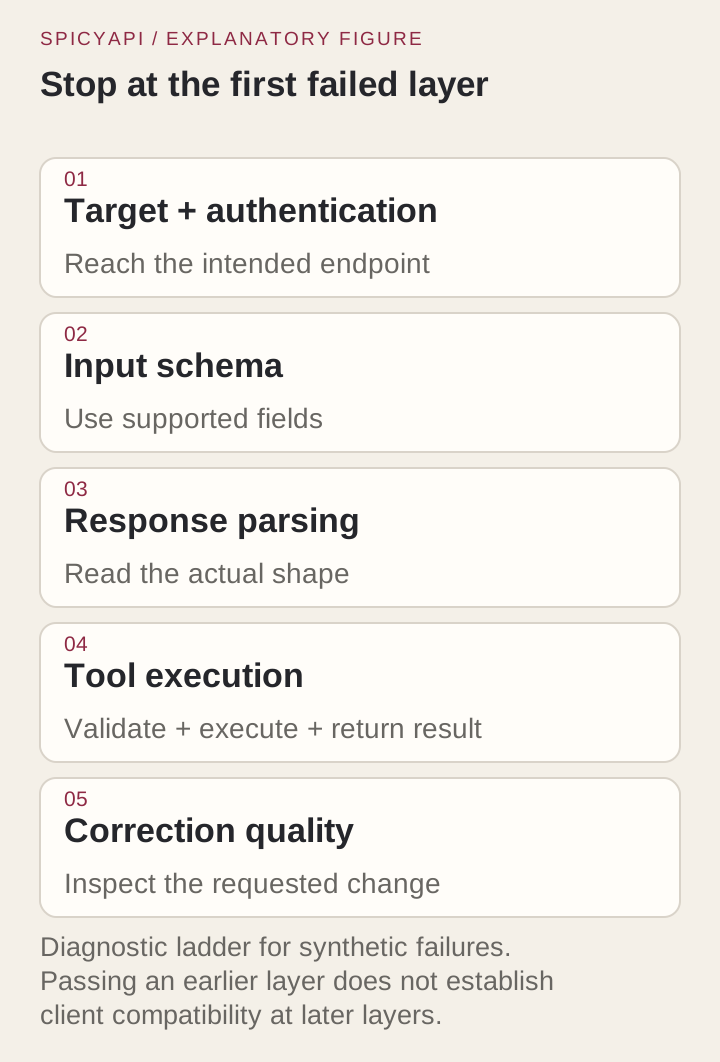
Diagnose failures in the order they become observable
- Target or key: inspect a 401, unknown model or duplicated path before changing effort.
- Rejected field: remove unsupported parameters or content parts, then add capabilities one at a time.
- Empty or stalled UI: compare the direct response with the client’s parser, finish reason and completion marker.
- No tool execution: inspect the caller’s tool dispatch and permissions.
- Incorrect patch: check the failed acceptance case and the files actually changed.
Make the next change address the failed layer; increasing the prompt will not fix a rejected parameter.
Use a second fixture to expose conversation mistakes
After the strict parser passes, change one requirement: allow leading and trailing whitespace, but retain two-digit time components. The new cases distinguish 09:05 , which should now pass, from 9:05, which still fails. Apply trim() after the type check and before the existing length/range check; keep both revisions’ tests separate.
Send the corrected source and changed requirement in the next turn: a request ID does not provide conversation memory. If the new patch accepts 9:05 or edits the old function, the follow-up tests expose that error.
Choose the route that matches the evidence you need
Choose built-in Cursor for integrated edits and test execution. Choose the direct API for your own tool loop and usage controls. Use the custom-key setup for chat when its connection check succeeds; built-in Cursor remains the straightforward choice for integrated file edits and tests.

For this parser, keep the correction limited to the function and run all fourteen tests on the applied patch.