To animate a sketch and keep it looking like a sketch, send the cleaned drawing as the opening frame, ask for one small action, and watch whether the lines stay lines until the last frame. Image-to-video models start from your picture but are free to reinterpret it, so the common failure is a clip that opens as your drawing and slowly turns into shaded, photographic footage.
SpicyAPI has no dedicated sketch-to-video task. The route is: prepare the drawing, optionally develop it with an image model, then run an image-to-video task. It keeps the look of your drawing; it does not keep editable stroke paths.
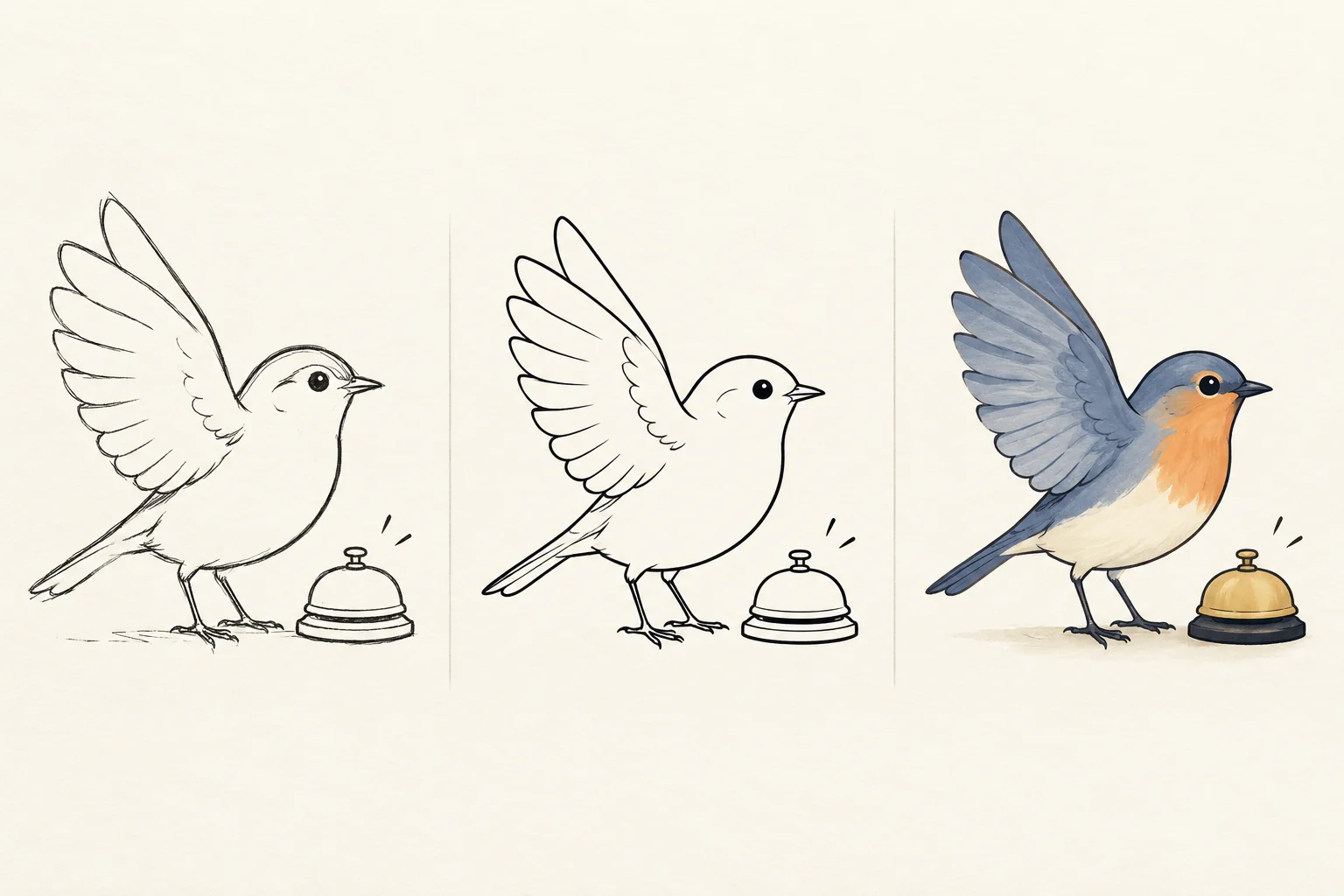
The examples below use one scene: a hand-drawn bird in angular folded-paper style, drawn as an unfilled ink outline on cream paper, with an open wing and a small desk bell the bird taps. Hollow shapes and blank paper make drift easy to spot.
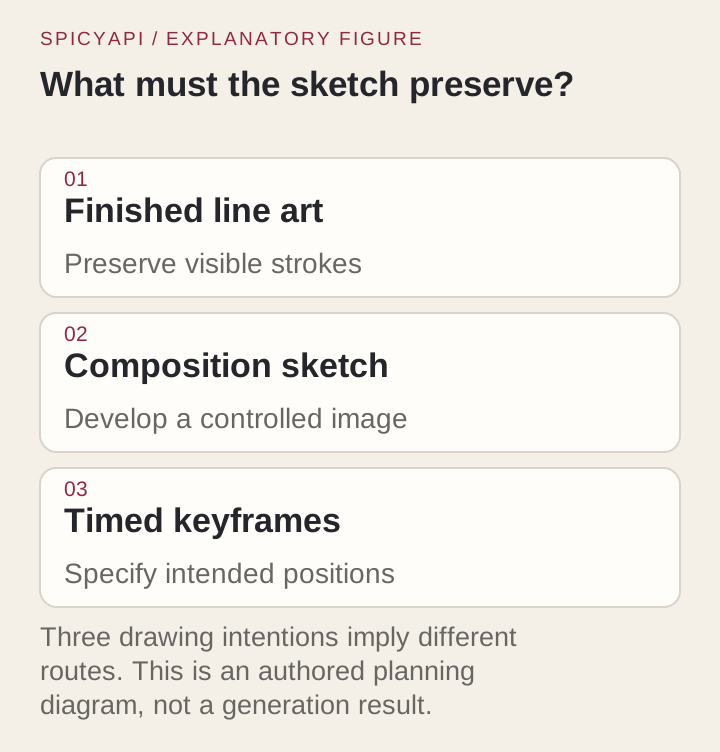
| What you want | What must survive | Where to start |
|---|---|---|
| The original line drawing moves | Stroke style, silhouette, paper | Clean drawing as the opening frame, small action |
| A sketch becomes a finished illustration, then moves | Composition, key character traits | Approve the developed still, then animate it |
| A sketch becomes a realistic scene | Layout and action idea | Say in the prompt that the medium may change |
| The exact strokes move predictably | Editable paths and layers | Layer or vector animation, not a video model |
Decide what "keep the sketch" means
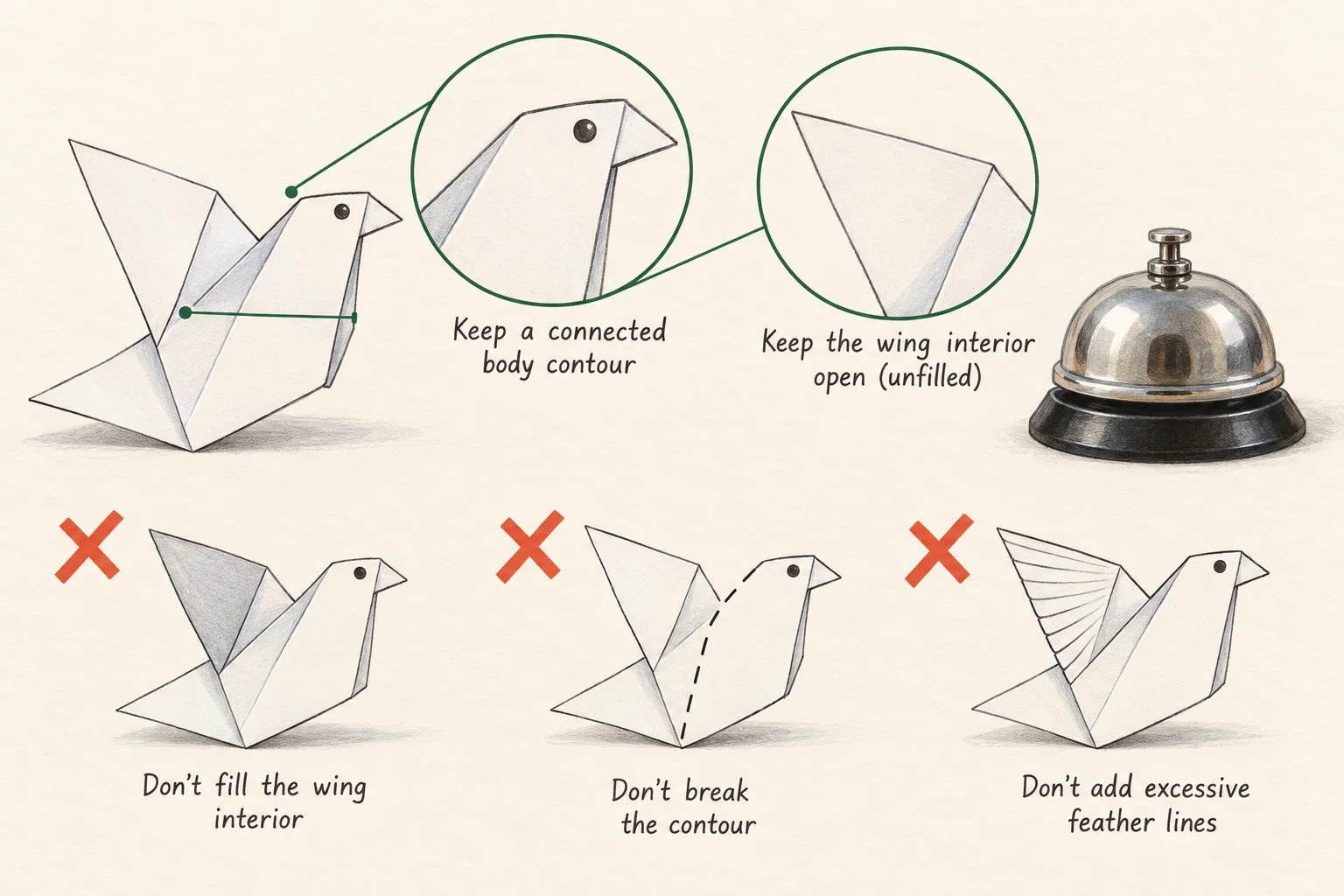
Write down what must not change before you prompt. For the bird: the black outline stays unfilled, the wing interior stays open, the page stays cream and mostly blank, line weight stays loose, and the bell stays a simple outline. These four checks are what you hold the clip against (see "Test line retention first").
Also decide how strict you are. "Recognizably my drawing" is achievable with a video model. "My actual strokes, editable" is not: the model synthesizes new frames and may redraw a contour while keeping the style.
Describe the motion as precisely: "the right wing lifts once and taps the bell; the body stays put" can be checked, "bring it to life" cannot. A small action shows whether the style survives before you add rotation or staging.
Why sketches drift
The model reads your image plus the prompt and synthesizes a sequence; it does not trace strokes. Words like realistic, cinematic lighting, detailed feathers push it to treat the marks as a description of a physical animal. Ambiguous marks do the same: a construction oval can be read as a shadow, an open outline as an unfinished shape.
The drift is gradual. The first frames match your upload; later frames add soft shading, texture or filled areas, so check the middle and the end, not the opening.
Fixes follow the cause. Prompt asked for realism: rewrite it around flat ink animation. Ambiguous input: clean it. Still reinvents the medium after both: use controlled animation.
Direct animation or an image stage first
Animate the drawing directly when it is already the finished artwork: one approved source, one instruction to move it. That is the route for the bird.
Add an image stage when the sketch is only a plan, for example to fix proportions, add a palette or turn a rough storyboard into a coherent illustration. Approve the new still before animating; if it filled the body or replaced the paper, the video model is not at fault.
Skip the image stage when your only problem is a skewed or badly lit scan. Ordinary image editing fixes that without a generative redesign.
Prepare the opening frame
- Remove capture artifacts you do not want animated: shadows, fingers, desk edges, a tilted border. Otherwise the model may animate the page as a physical object instead of the drawing as a flat figure.
- Scan or photograph in even light and straighten the page. Crop to the shape you want, because the frame sets the clip's proportions, and leave room for the movement.
- Erase construction ovals and stray guide lines unless they are part of the style; the model cannot tell an unfinished mark from an expressive one.
- Keep subtle paper texture, but not a strong shadow across the subject.
- Leave space for the action: the wing needs room to lift, the bell should be within easy reach. If the bird must reach across half the page, the model stretches the body or invents a second limb.
- Keep arrows and labels out of the submitted image; they can appear in the clip. Put them in a separate review sheet.
- Export JPEG, PNG without transparency, or WEBP. Wan 2.6 accepts 240 to 8,000 pixels per side, up to 20 MB, while the upload field is capped at 10 MB, so stay under 10 MB.
Write a prompt that continues the drawing
Name the medium first, then one action, the camera and the boundaries:
Continue this flat black-ink drawing on cream paper. The bird stays in the same
position and lifts its right wing once to tap the small outlined desk bell.
The wing lowers again. Preserve the loose ink contours, unfilled shapes and
blank paper background. No camera movement and no scene change.
Audio: one soft bell tap, otherwise quiet.
Keep the language flat. Feather detail, glossy eyes and volumetric light pull toward a physical animal. Say what to keep ("unfilled body, no new scenery") briefly rather than listing every forbidden photographic feature. Only the Wan 2.6 family (Wan 2.6 and Wan 2.6 Flash) has a separate negative_prompt field; on LTX 2.5 and H3 LoRA the boundary goes in the main prompt.
Fix the camera for the first test. A slow push-in feels polished but hides whether the figure moved. Test camera moves separately.
Run the first test on Wan 2.6
Try it in the Playground before any code:
- Open Wan 2.6 image to video, stay on the Playground tab in Form view and log in to run.
- Under Input image, add the cleaned drawing with Choose a file or Asset URL.
- Paste the prompt above into Prompt, and enter
shading, color fill, photographic texture, camera movementin Negative prompt. - Set Resolution to 720p, Duration to 5 and Shot structure to Single take; fix a Seed.
- Run the model and check the whole clip against the four line checks below.
Open Wan 2.6 with this prompt filled in →
To run the same request from code, upload the drawing and create the task with the CLI. spicyapi files upload prints a spicy:// address; paste it as image_url:
spicyapi files upload ./bird.png   # copy the spicy:// address it prints
cat > input.json <<'EOF'
{
  "image_url": "spicy://f/PASTE_ADDRESS",
  "prompt": "Continue this flat black-ink drawing on cream paper. The bird stays in the same position and lifts its right wing once to tap the small outlined desk bell. The wing lowers again. Preserve the loose ink contours, unfilled shapes and blank paper background. No camera movement and no scene change. Audio: one soft bell tap, otherwise quiet.",
  "negative_prompt": "shading, color fill, photographic texture, camera movement",
  "duration_seconds": 5,
  "resolution": "720p",
  "shot_type": "single",
  "seed": 14327
}
EOF
spicyapi tasks create --model alibaba/wan-2.6/image-to-video --input-file input.json --wait
The five-second 720p run costs $0.45. Waiting, results and retries are in the image-to-video guide.
To let an Agent run the test, add the MCP server (spicyapi_upload_file, spicyapi_task_create, spicyapi_task_wait; it stops for your price confirmation). npx skills add spicyapi-ai/spicy-skill installs the Skill that teaches an assistant to use the CLI or MCP.
Pick a task by the control you need
All three accept an opening image; they differ in controls.
| Task | Duration | Controls that matter for drawings | Price per second |
|---|---|---|---|
| Wan 2.6 image-to-video | 5, 10 or 15 s | negative_prompt, single take or multi-shot, prompt expansion off by default, sound | $0.09 at 720p, $0.135 at 1080p |
| LTX 2.5 image-to-video | 5 to 20 s | Optional closing frame, up to 4K, sound | $0.09 at 720p, $0.13 at 1080p, $0.19 at 2K, $0.30 at 4K |
| H3 LoRA image-to-video | 3 to 15 s | Optional closing frame, LoRAs optional (up to three of your own), sound | $0.05 at 480p, $0.075 at 540p, $0.10 at 768p, $0.20 at 1080p |
Prices as listed in the catalogue in October 2026; the model page shows the live rate.
- Need a "must not appear" list: Wan 2.6. Keep shot type on single so the drawing stays one continuous take; multi-shot cuts break continuity and switch prompt expansion on.
- Need a planned end pose: LTX 2.5 or H3 LoRA. The closing frame sets the intended end pose, not the route, and longer LTX clips wander further from it. H3 works without a LoRA, so a 3 s, 480p closing-frame test ($0.15) is the cheapest way to try this.
- Have a LoRA trained for a drawing style: H3 LoRA, which also takes a closing frame. It must be trained for MiniMax H3; an SDXL line-art LoRA will not work. Start concept LoRAs at a scale of 0.6 to 0.8, since at 1 they can pull the clip away from your frame.
- Iterating on a budget: Wan 2.6 Flash takes the same opening frame at $0.0225 per second at 720p, picture only. Use it to settle prompt and action, then rerun the keeper on Wan 2.6 if you want sound; expect a different take, so recheck the line checks on the final model.
Start with 5 seconds, keep the seed fixed and change one prompt instruction at a time to make the takes easier to compare; a fixed seed does not guarantee identical frames.
Use a closing frame only for a reason
A second drawing helps when you need a specific destination, such as the wing lowered after the tap. It must show the same scene: same paper, framing, scale and line language. If the bird is larger in the closing image, the model has to decide whether it moved closer, grew or was redrawn.
Watch the last moments. Some clips move plausibly and then snap into the closing composition, with a sudden contour redraw or object jump. That suits a stylized cut, not a gentle action.
If both ends show the same pose, a layer animation with a clean return to the original drawing is usually more exact than a generated loop.
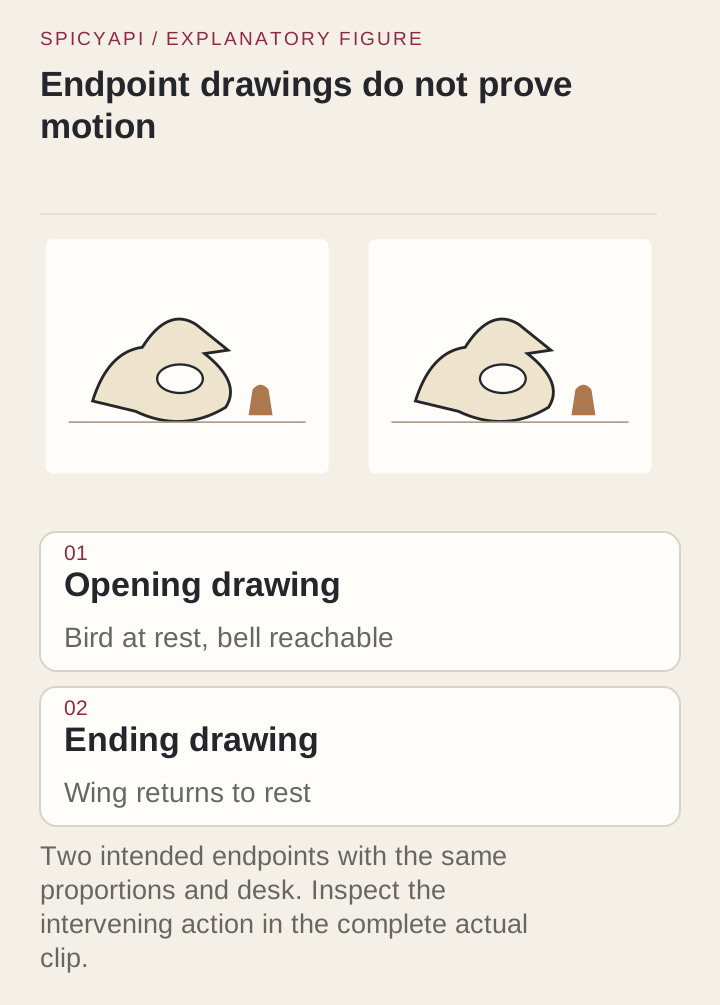
Test line retention first
Run one drawing, one action, one camera condition. Before submitting, define four checks: the outline stays black ink, the body stays unfilled, the page stays cream and mostly blank, the wing makes one understandable move toward the bell. A clip can pass some and fail others, and which ones fail tells you what to change.
If the cause is unclear, run a second condition with only the bell moving and the bird still. If the lines hold there but not with the wing tap, limb motion is what triggers the redraws.
Keep the input identical across conditions. If you change contrast, crop and prompt together you cannot tell which helped; save a cleaned input as a separate version.
Watch at normal speed, then step through the part where contours look unstable. Stills from the start, middle and end miss flicker between them.
What to inspect
- Silhouette: body, head and wing arrangement survive the tap.
- Topology: the open wing stays open, the beak stays attached, no extra limb appears, the bell stays one connected outline.
- Line rhythm: small variation reads as hand-drawn; disappearing contours and constantly rewritten marks read as instability. A loose doodle tolerates more than an instructional diagram.
- Scale: a push-in makes lines look heavier. Compare at the same scale, at full resolution and delivery size.
A moving drawing cannot keep every pixel fixed, so judge structure and medium, not pixel identity.
Fixing common failures
The model fills the drawing or adds texture. Check the input first: a gray wash inside the bird gives the model tonal information to develop, so prepare an unfilled version if unfilled shapes matter. Remove "detailed feathers", "realistic shadows" and "cinematic depth" from the prompt and describe the medium positively. Keep the movement small: a full 3D turn forces the model to invent the back and underside, and texture comes with it. If an image stage caused the fill, fix the still before running more video. If a hybrid is acceptable (ink bird, watercolor bell), specify it.
The lines flicker. A slight wobble is part of a doodle's charm; an eye that appears and disappears or a wing that gains new strokes each frame is not. Reduce moving parts: fix the body and head and test only the wing. Make thin faint lines bolder in the input, since they vanish at delivery size, and save that as a new input version. If the downloaded clip is stable but your social upload shimmers, the problem is compression, so compare the same segment before and after export.
Only the camera moves. A slow zoom can hide a still figure. Fix the camera and give the action a visible consequence, such as a wing reaching the bell and the bell tilting. Do not stack flight, spin and falling paper onto a static result; ask for a smaller, clearer gesture first.
Build a longer piece from short moments
Approve a small motion vocabulary first (wing tap, head turn, page transition), then treat each as an editing unit. Stretching one unresolved request to 15 seconds just gives a defect more time.
Use the same paper tone, stroke weight and proportions across all input frames; inconsistency between shots starts before generation. Cuts are safer than dissolves, which create double contours that look like errors. Use consistent source drawings for a recurring character instead of re-describing it in every prompt. A quiet bell tap or room tone can tie shots together; if the generated sound is wrong, add your own track.
Watch the assembled film at delivery size: repeated small line changes that were fine in one clip become tiring over a longer edit.
Budget
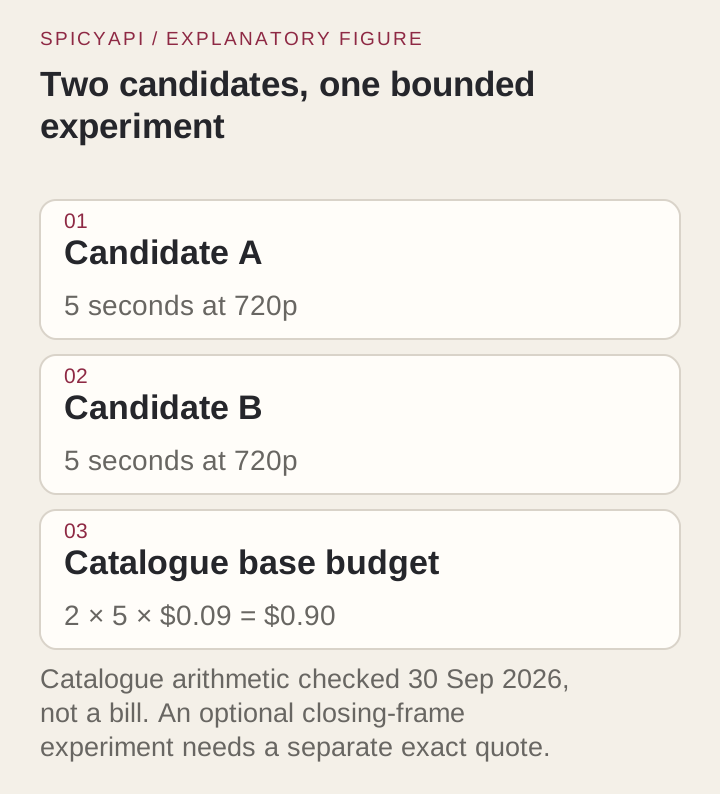
At the rates above, a 5-second Wan 2.6 test costs $0.45 at 720p and $0.675 at 1080p, so two 720p candidates cost $0.90. A 3-second H3 LoRA test at 480p costs $0.15. LTX 2.5 at 5 seconds costs $0.45 at 720p. Image-stage generations and extra candidates cost extra.
Set a stopping rule. If both candidates abandon the line-art medium, change the route or the input before generating more. If the drawing holds but the gesture fails, simplify the motion.
When another route fits better
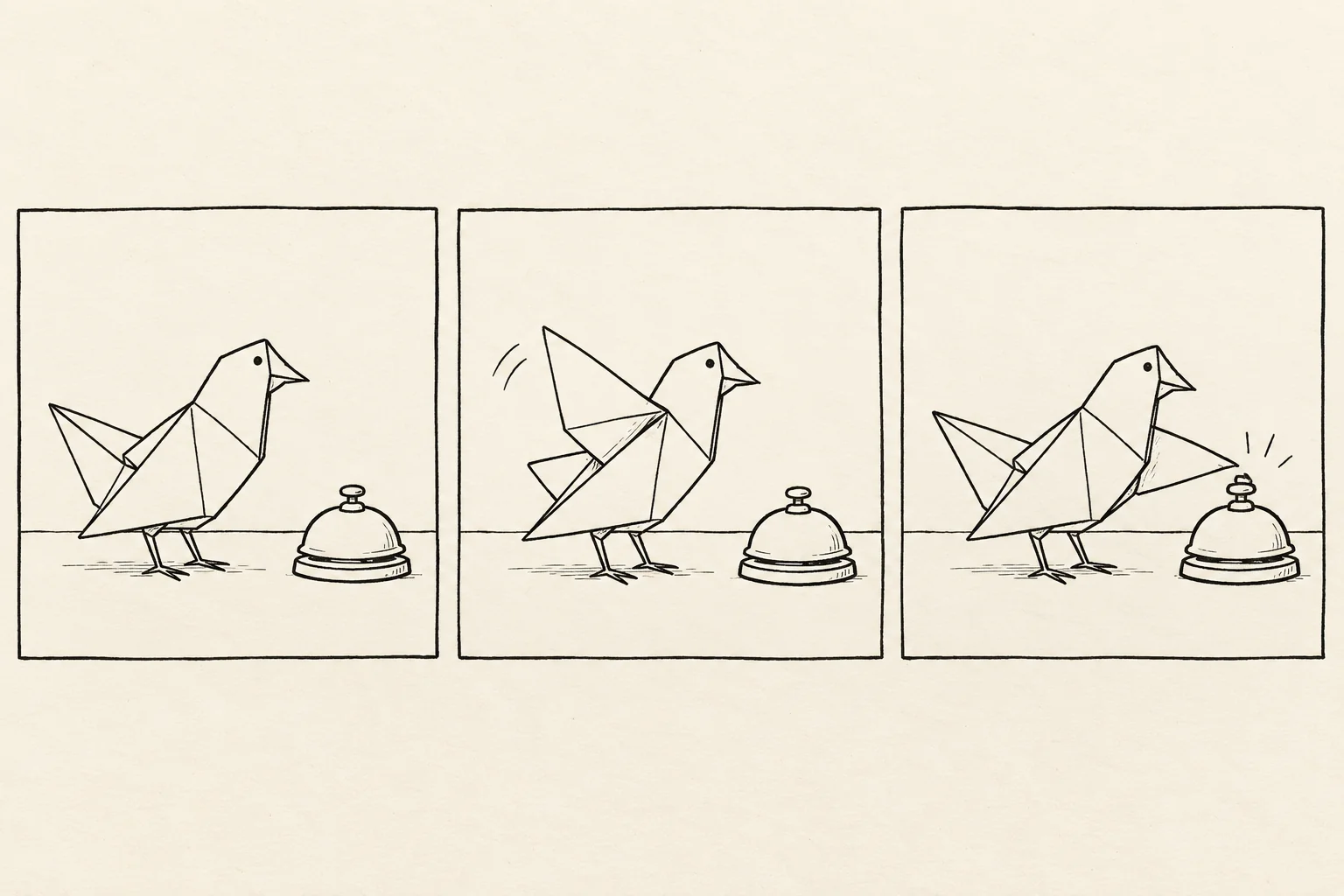
If strokes must remain editable, or timing must repeat exactly, use traditional or layer animation. Reveals also suit it better than articulated motion: a pan or drawn highlight over an architectural plan, or a stroke-by-stroke logo reveal from editable paths. For the bird, separate the wing, body and bell into layers, rotate the wing around a pivot, tilt the bell and return both. Every contour change is yours.
For research-grade sketch conditioning, the SketchVideo repository (one or two sketch keyframes with dedicated control modules) documents its own setup, weights and constraints; it is a separate project, not a SpicyAPI task.
Summary
If the original strokes must move predictably, use layer animation; otherwise the next test is a 5-second fixed-camera wing tap from the clean drawing on Wan 2.6, checked across the full clip for unfilled shapes, connected contours and stable paper. If the sketch should become an illustration or realistic scene, approve that still before animating.