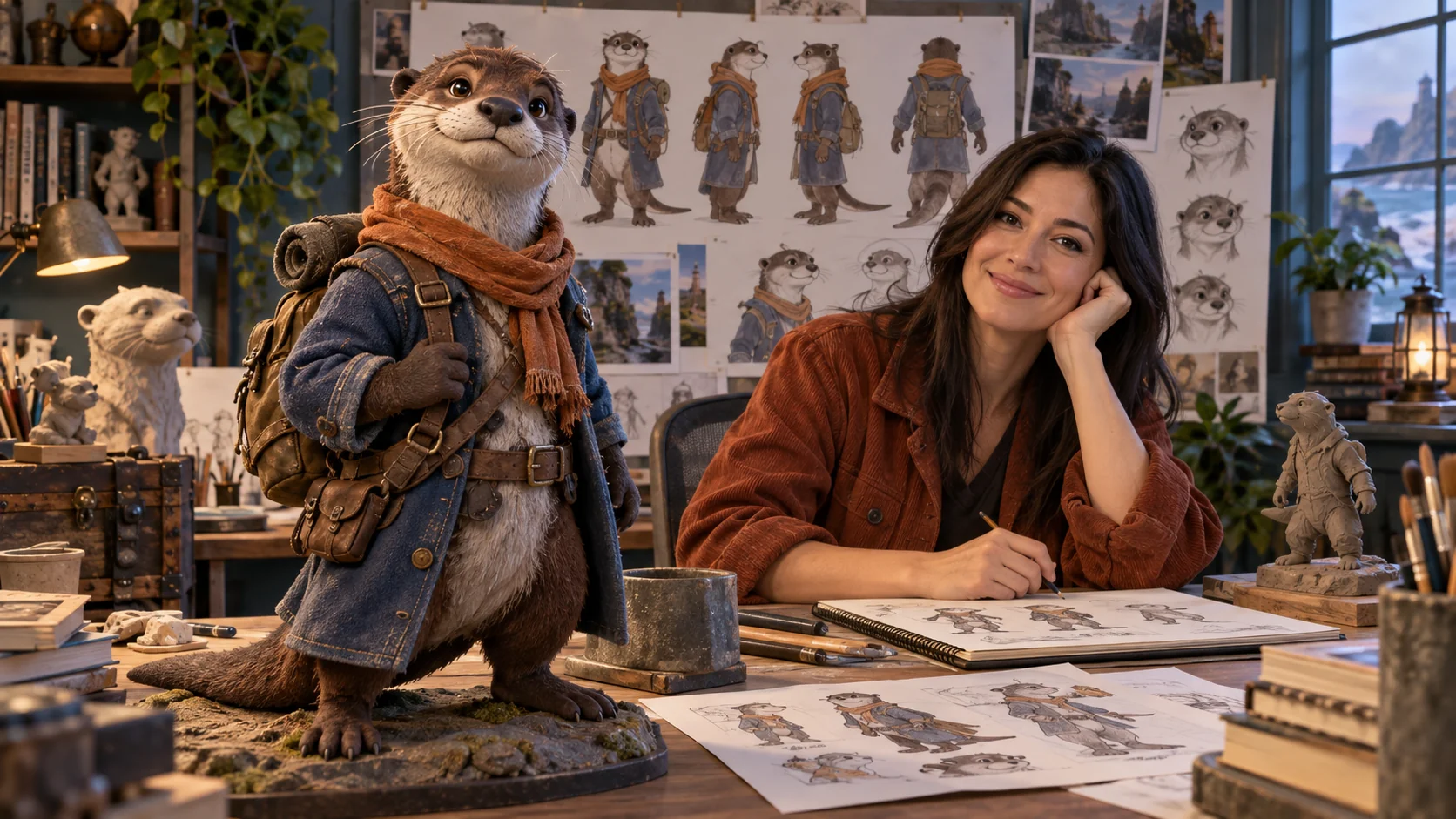
Your fursona keeps changing between images: the otter turns into a fox, the throat patch spreads across the chest, the broad tail becomes a fluffy one. Prompts like "beautiful furry art" don't say which of those details is the character. Describe the character as visible structure, then match the tool to the job. Both routes are uncensored, with no platform filter, so the work is the brief. Keep every character an adult and fictional.
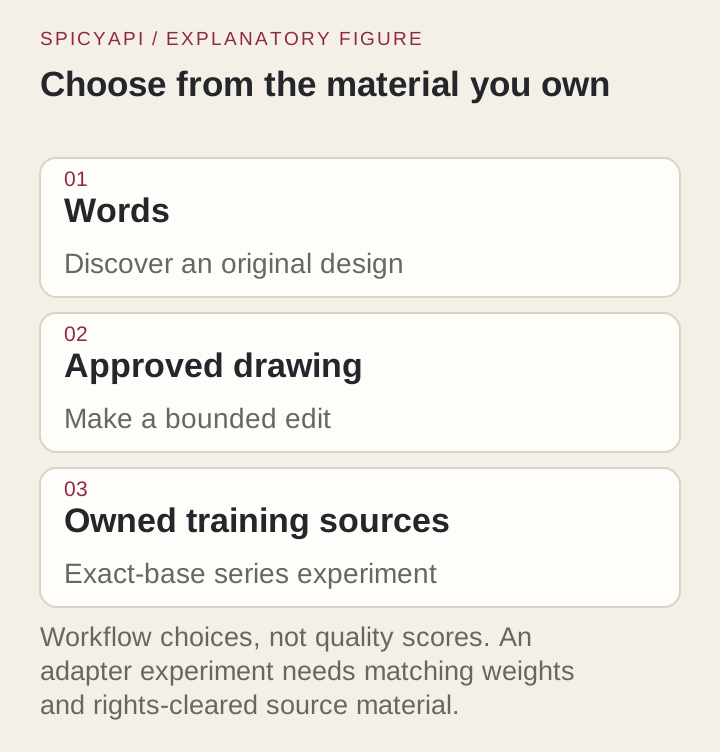
Start with Prefect Pony XL when you are inventing a stylised character from tags ($0.015 an image). Use Qwen Image 2512 LoRA when the scene needs full sentences ($0.03). Once a design is approved, use the Qwen edit task so the keeper stays the source.
| You have | Use | Price | Watch for |
|---|---|---|---|
| An idea, want a stylised solo character | Prefect Pony XL | $0.015 | No negative prompt, image input or LoRA slot; two-person briefs are risky |
| A scene with relationships (who holds what, where the tail is) | Qwen Image 2512 LoRA text-to-image | $0.03 | Prose model; its catalogue examples are photographic, so name the medium |
| An approved image that needs a new outfit, pose or angle | Qwen Image 2512 LoRA edit | $0.03 | Compare against the source each time; edits can drift |
| Rights-cleared images of one character and many scenes to make | The same Qwen tasks with a LoRA whose base matches | $0.03 | Wrong-base weights fail or do nothing useful |
Write the character as a spec
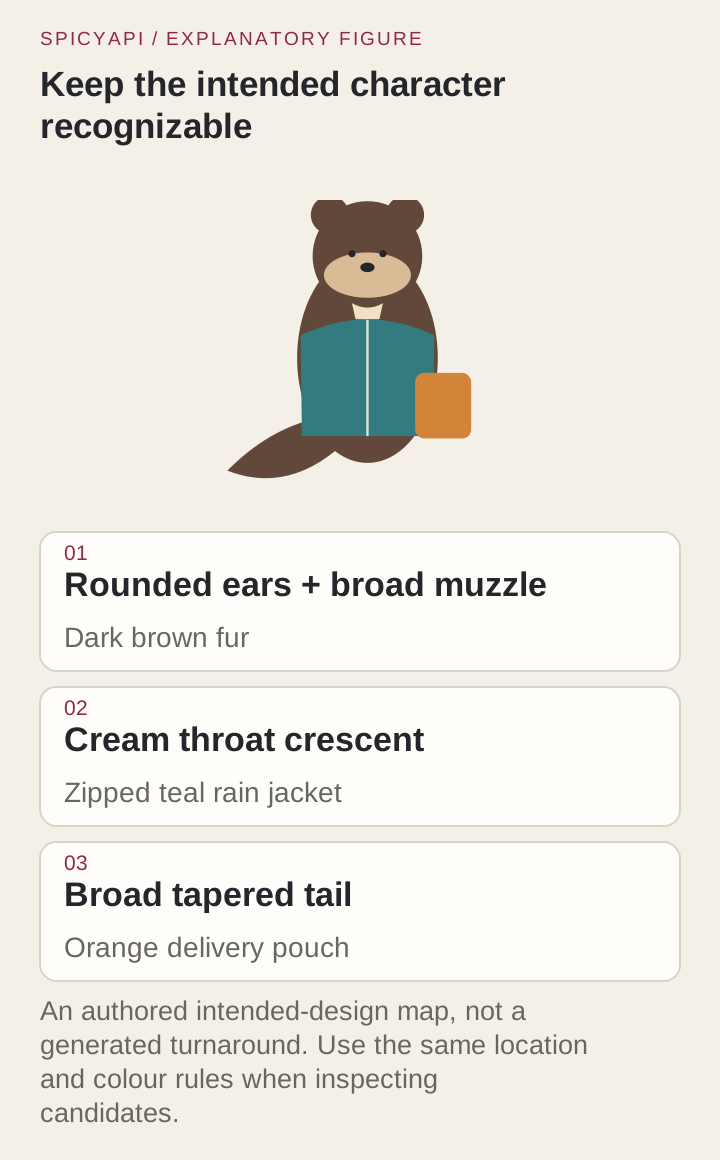
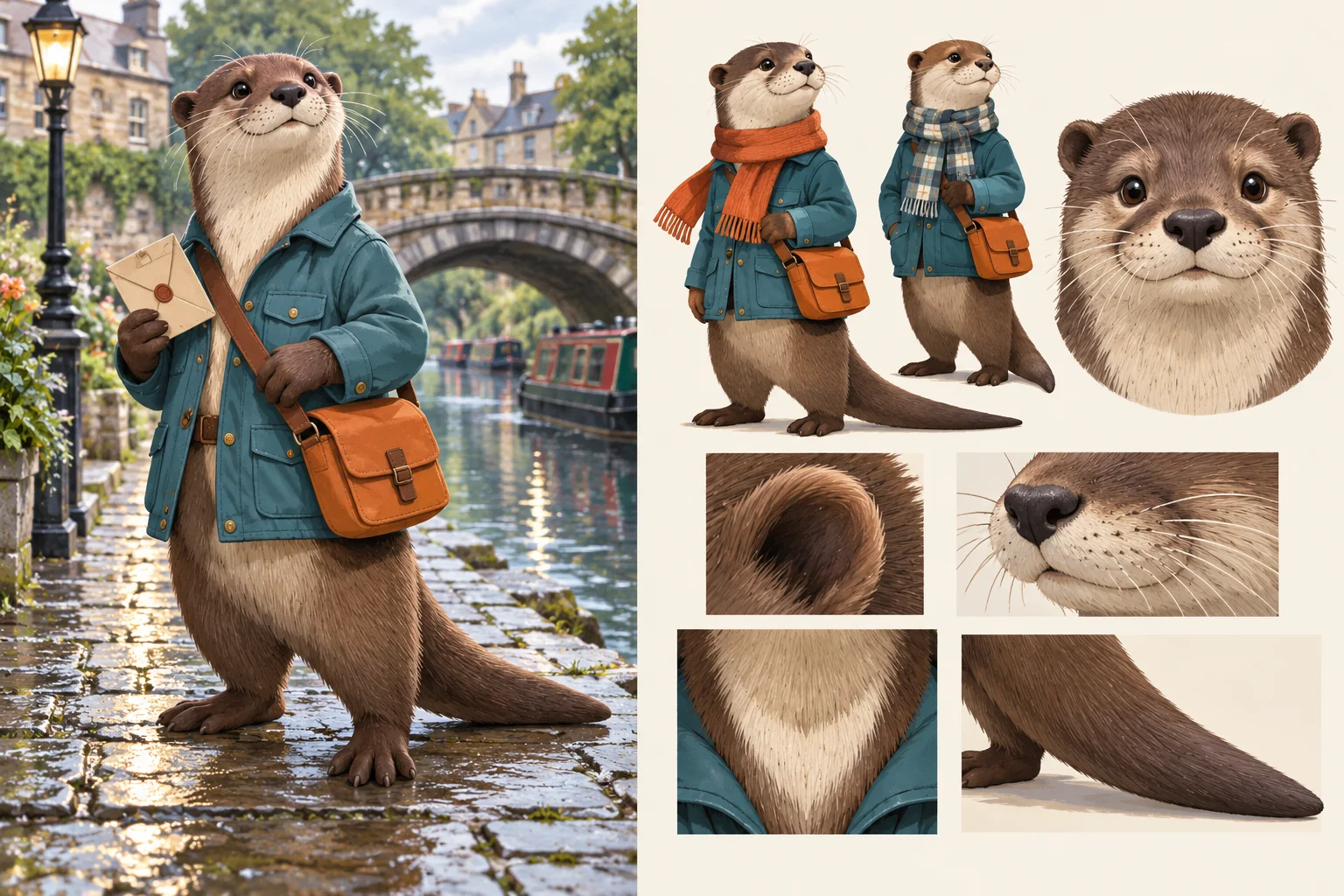
The example through this guide is Rowan, an original adult river-otter courier: rounded ears, short broad muzzle, dark-brown fur, a cream crescent on the throat, plantigrade legs, rounded paws, a broad tapered tail, a teal rain jacket and a small orange delivery pouch. The first image is Rowan beside a canal footbridge after rain.
Name structure, not just the species. "Otter" is a category; "rounded ears, short broad muzzle, broad tapered tail" is something you can check. Decide how stylised the proportions are (enlarged head, adult torso) instead of "cute but realistic". Pick the two or three features that carry the design, and fix the rest:
| Species | Features that usually carry identity | Common drift |
|---|---|---|
| Canine (wolf, fox) | Ear shape, muzzle length, tail fullness | Fox ears on a wolf, a cat-short muzzle |
| Feline | Ear size, whisker pads, tail thickness, stripe or spot layout | Spots becoming stripes, canine muzzle |
| Avian | Beak shape, wing-arm arrangement, feather-to-clothing boundary | Beak turning into a muzzle, feathers read as fur |
| Reptile, dragon | Snout, scale pattern, horns, tail posture | Mammal ears, smooth skin |
| Hybrid | Which parts come from which species | A different hybrid each run unless the split is written |
Then decide how animal and human anatomy meet, and keep it the same in every prompt. Rowan has plantigrade legs and rounded paws that can hold a pouch strap. A digitigrade character needs the footwear and trousers written to follow the leg, because a human boot hides or contradicts it. For hands, state the action (a padded palm wrapping a strap, two rounded digits pinching an envelope) instead of "detailed hands".
Write markings relative to the body, not the screen: "cream crescent under the muzzle, curved lower edge", not "patch on the left". If a marking is asymmetric, state the anatomical side. Choose the shot that exposes the feature you are testing: a chest-up or three-quarter view for the crescent, full body for the tail, and never every marking in a distant scene. Establish silhouette and main colours first, then the principal marking, then detail; spots, stripes and jewellery added to an unstable base multiply the misses. Cover the small details and check the ears, muzzle and tail still read as the species at thumbnail size. Keep a flat authored sheet of front, side and back views with a few colour swatches; lamps and rain shift apparent colour, and the sheet lets you tell lighting from a changed coat.
Prompts you can paste
Prose, for Qwen Image 2512 LoRA text-to-image:
An original adult anthropomorphic river-otter courier stands beside a canal footbridge after rain. Rounded ears, a short broad muzzle, dark-brown fur, a cream crescent on the throat, plantigrade legs and a broad tapered tail visible behind the legs. The courier wears a zipped teal rain jacket and carries a small orange delivery pouch, with one rounded paw holding the strap. Full-body editorial illustration, calm expression, soft overcast light, simple readable bridge background, room around the ears, feet and tail.
Write an acceptance sentence under the prompt, such as: "Adult otter silhouette, cream throat crescent, teal jacket, orange pouch, entire broad tail in frame." It lets you reject an impressive image that fails the design. Keep the brief consistent: no close-up and full body together, no pouch both in hand and across the shoulder, no fully visible tail against an opaque wall; a contradictory brief makes a miss impossible to diagnose.
If it comes back photographic, add a medium such as "flat editorial colour with visible ink contours".
Tags, for Prefect Pony XL:
score_9, score_8_up, adult anthropomorphic river otter, solo, rounded ears, short broad muzzle, dark brown fur, cream throat crescent, broad tapered tail, plantigrade legs, rounded paws, teal rain jacket, zipped jacket, orange delivery pouch, holding pouch strap, standing, full body, calm expression, canal footbridge, after rain, soft overcast lighting, editorial illustration, simple readable backgroundSpecies swaps keep the frame but need the otter-specific tags removed. For a heron, delete rounded ears, short broad muzzle, broad tapered tail, plantigrade legs, rounded paws, cream throat crescent and use:
score_9, score_8_up, adult anthropomorphic heron, solo, long pointed beak, pale grey feathers, long neck, folded wings, long legs, teal rain jacket, zipped jacket, orange delivery pouch, standing, full body, calm expression, canal footbridge, after rain, soft overcast lighting, editorial illustration, simple readable backgroundFor a wolf, replace the ear, muzzle and tail tags with pointed ears, long muzzle, thick tail with pale tip, drop or keep cream throat crescent on purpose, and keep plantigrade legs or switch to digitigrade legs. For a dragon, drop rounded ears, short broad muzzle, dark brown fur, cream throat crescent, broad tapered tail, rounded paws and use short snout, curved horns, scaled tail, small wings, scales. Keep the clothing and setting tags unchanged.
The Pony Diffusion V6 XL card, for the lineage Prefect Pony XL merges from, describes anthro, feral and humanoid species and lists source_furry and rating_safe as data-selection tags. Add source_furry first if species keeps coming back as human; as a merge, Prefect may respond differently. It also says the model needs no negative prompt or "masterpiece" padding; the endpoint has no negative field, so say what you want in positive terms. Weighting or embedding syntax from a gallery or local UI is plain text here.
Keep the first tag string short. A long stack of quality words, media and body types hides the requirements; if the jacket becomes armour, fix the wardrobe tags, not the quality prefix. When copying from a community anthro prompt collection, check whether each example is tags or prose and whether it needs a reference image.
Try it in the Playground
- Run the Rowan tag prompt on Prefect Pony XL → It opens the model with the prompt filled in; stay on the Playground tab, in Form view, and sign in with a funded account to run.
- Keep Output size at
832*1216(it leaves room for the tail) and keep Output format on PNG. - Set a Seed if you want to compare small prompt changes on the same frame, then press Run model.
- For an edit, open Qwen Image 2512 LoRA edit, replace the sample image under Images with your keeper (up to three), replace the sample prompt, and press Remove item under Style LoRAs so no adapter loads. The form opens with a sample adapter that would otherwise run.
Run it from code
The same Rowan call as the Playground, as one command (the prompt is the tag version above):
cat > input.json <<'EOF'
{ "prompt": "score_9, score_8_up, adult anthropomorphic river otter, solo, rounded ears, short broad muzzle, dark brown fur, cream throat crescent, broad tapered tail, plantigrade legs, rounded paws, teal rain jacket, zipped jacket, orange delivery pouch, holding pouch strap, standing, full body, calm expression, canal footbridge, after rain, soft overcast lighting, editorial illustration, simple readable background", "size": "832*1216", "seed": 42017, "output_format": "png" }
EOF
spicyapi tasks create --model prefect/pony-xl/text-to-image --input-file input.json --wait
Creating and waiting for tasks are covered in the tasks guide and generating and editing images. The edit task below uses the same call with another model and fields.
Or let an Agent run it. With the MCP server, ask your assistant to run the Rowan prompt on Prefect Pony XL; spicyapi_task_create stops for your price confirmation. npx skills add spicyapi-ai/spicy-skill installs the Agent Skill, which has a coding assistant read the live model schema instead of guessing fields.
Why a "Pony" label is not enough
Pony is a lineage of versions and merges, so the exact base matters. A gallery image can also hide a character LoRA, a pose-control image, inpainting and manual repainting, so copying only its prompt will not reproduce it. A consistent turnaround usually means the creator arranged the views by hand, trained an adapter or edited against a source. If you need sampler, CFG or clip-skip control, use a local workflow; the hosted route is enough for discovery images.
Edit from the approved image
When Rowan is approved, a fresh text-to-image request describes another possible Rowan. Point an edit at the actual keeper instead. Send the keeper as image_urls with no loras, or follow the first image's shape by leaving the aspect ratio unset. Its base is Qwen-Image-Edit-2511 even though the family says 2512, so check the declared base of any adapter before loading it (compatibility notes).
Prompts address sources as Picture 1, Picture 2 and Picture 3. A bounded edit with a preservation clause:
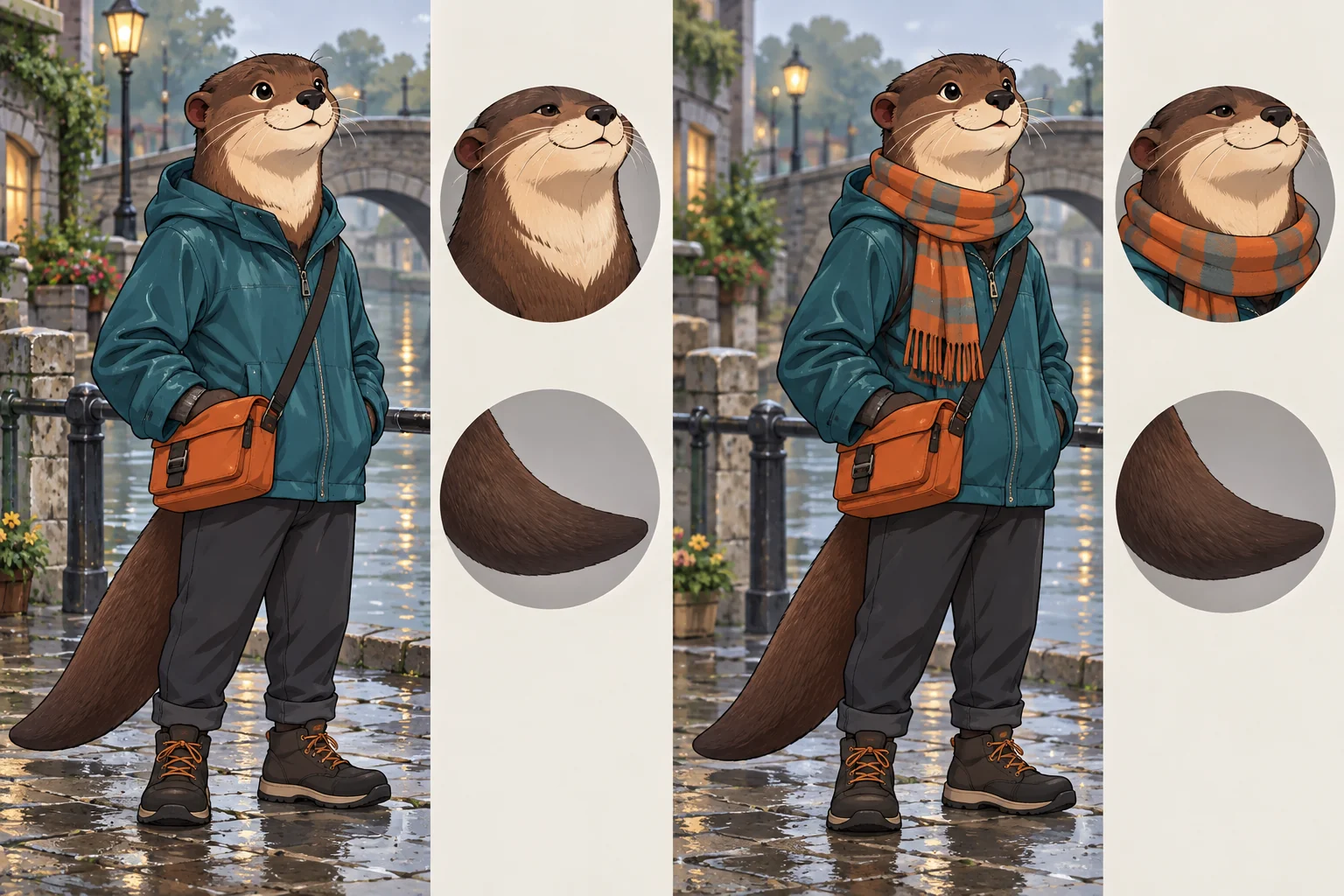
Picture 1 is the character. Add a loosely tied orange checked scarf above the teal jacket. Keep the rounded ears, short broad muzzle, dark-brown fur, cream throat crescent, tail, pose, orange pouch and canal background exactly as they are.
Check that the scarf does not hide the crescent, that the collar and jacket colour held, and that the ears and tail match the source at equal scale. If an edit drifts, go back to the keeper rather than editing the drifted result again. Branch every variant (scarf, café, night) from the keeper so errors don't accumulate.
Add a LoRA only for a specific gap
An adapter carries a style or a character, but it also imports poses, clothing and rendering habits. If Rowan's only problem is a tail cropped out of a close frame, change the framing instead. A character LoRA pays off when many scenes must keep one design and you hold the rights to the training images; a style LoRA when a series needs one ink treatment. Test each alone before combining them.
One furry comic artist describes collecting about five good front, three-quarter and side views and fixing inconsistencies in an editor first, so the training set agrees with itself (thread).
For each weights file note the declared base, revision, direct download URL, licence, trigger phrase and the creator's recommended strength. A gallery page is not a weights file and a gated link has no sign-in on the loader, so a load error is a file-access problem, not a prompt problem. Never put an SDXL/Pony adapter on a Qwen task or a generation adapter on the edit task. Run loras: [] first, then one adapter on the same scene and settings, with the strength near the creator's recommendation.
A small first trial
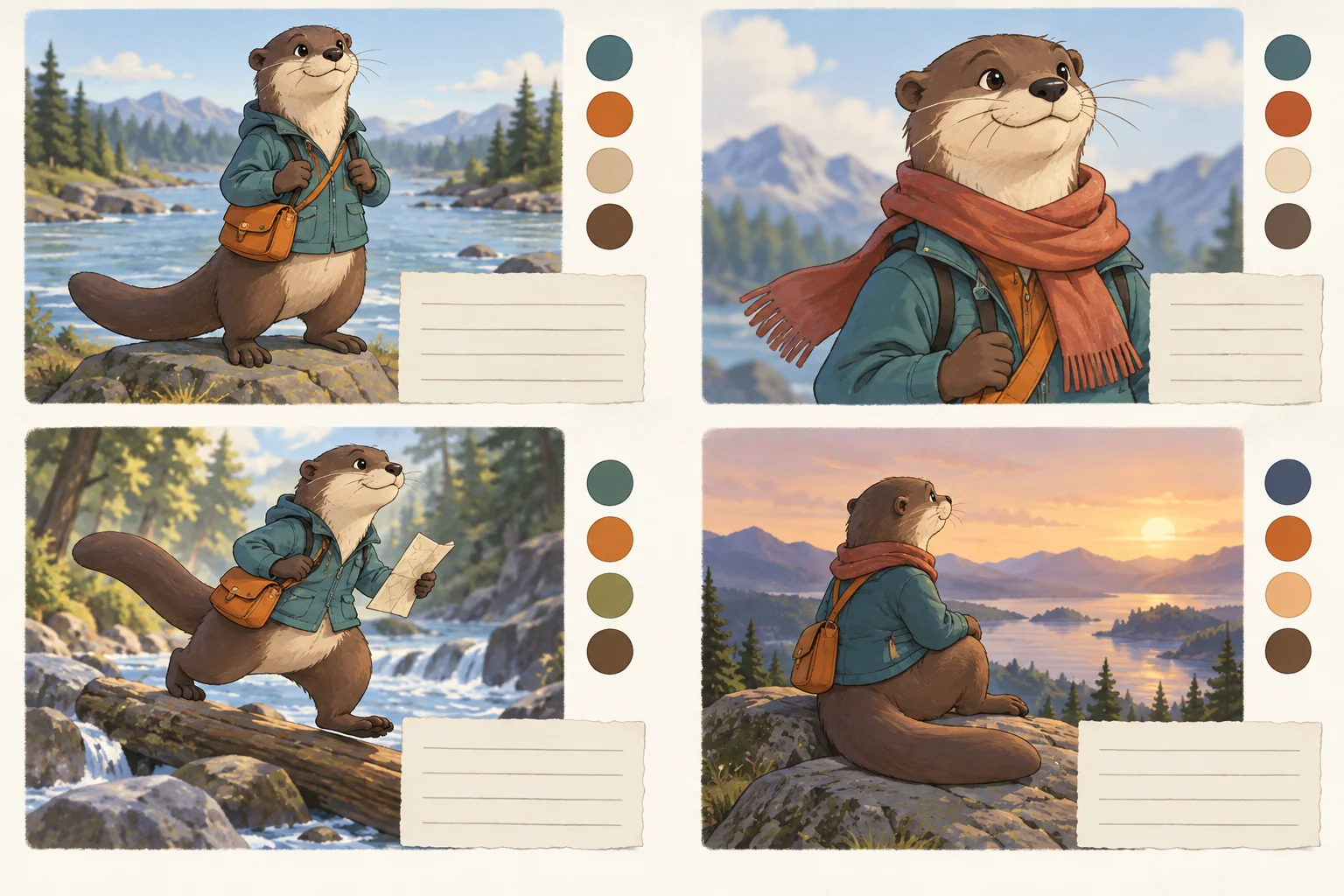
Four Pony images are enough to learn a lot: 832*1216, PNG, seed 42017. One is the core tag prompt. Two changes only the framing line, leaving more space behind the legs for the tail. Three changes only the medium to flat-colour editorial art. Four combines the revisions that helped. Stop as soon as one image meets the brief; if all four miss the same feature, rewrite it or switch task.
Check the whole character, then fix the right thing
Judge the silhouette at delivery size first (ears, muzzle, torso and tail together), then the identity map (crescent location and shape, jacket and pouch colours), then the tail base (a tip can look right while the tail joins the body in an impossible place), then the hand-object contact (does the paw hold the strap? count visible digits and check the unused hand), expression and medium (patches of photographic fur inside flat art usually need finishing), and last the crop. A banner crop that removes the tail no longer shows the tail. Name each miss specifically, such as "triangular ears and fluffy tail; crescent and jacket correct".
| What went wrong | Try this |
|---|---|
| Wrong species cues (foxlike ears, fluffy tail) | Check the prompt for borrowed canine or fluffy-tail language; shorten the scene, plain background, a frame that exposes the tail |
| Species fine but proportions off | Same structure in a simpler medium; if the result changes, note which cues helped |
| Marking moved or spread | Edit from the keeper and compare with the identity map; re-state body-relative location |
| Hands fail on an object | Isolate the action, name the grip, drop the second character and busy background |
| Tail missing or cropped | Taller size (832*1216, 768*1344) and empty space behind the legs |
| Same small error every image | Fix it in an editor; do not regenerate the whole picture |
| One tool keeps failing the design | Draw a rough silhouette yourself and edit from that |
Do not answer every miss with a long list of unwanted words; describe what you want instead.
Series and two-character scenes
For a series (parcel delivery, café, night crossing) keep a compact identity paragraph and the approved keeper together, and separate permanent features from scene lines. A reference sheet generated in one image can disagree between views about tail length or marking placement; fix it by hand before using it as the design authority. For comics, keep props and fastenings the same (pouch strap attachment, jacket zip).
Two characters add role binding: coats swap, species blend, a tail attaches to the wrong body. Define each design alone first, then name each by visible role (Rowan, with otter ears, teal jacket and orange pouch, hands an envelope to an adult heron librarian with a long beak, pale feathers and a maroon waistcoat: "the otter courier extends the envelope; the heron librarian receives it"), choose separated silhouettes and one clear contact point (a calm exchange across a desk before an embrace in a crowd), and avoid "they hold the parcel". On the edit task, give each source its own Picture number; two source images make the roles inspectable but do not guarantee two perfect identities. Check Pony's output closely here: it can draw two same-sex figures for a mixed pair, so check the result. See also two-character guide.
Cost
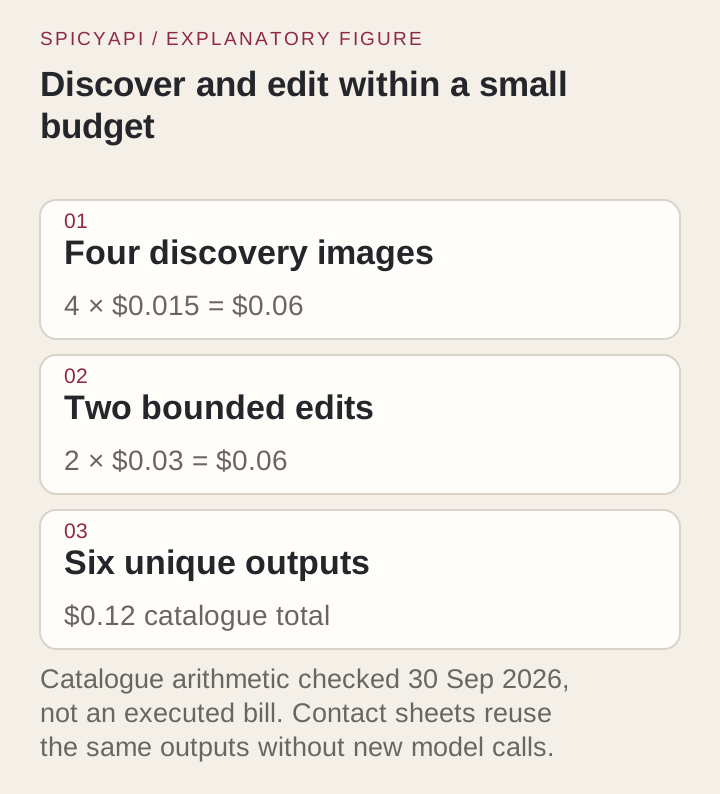
Catalogue prices are $0.015 an image for Pony and $0.03 for Qwen generation and edit; confirm on the model page before you submit. The four-image Pony trial is $0.06; two Qwen edits add $0.06, so six images cost $0.12. The cheaper route is the one that gives usable designs, so count approved images, not completed tasks. Training a LoRA is separate from the per-image fee: the endpoint loads your weights, it does not create them.
Keep a character package
Save the approved source image, identity sheet, prompt, task, size or ratio, seed, adapter revision and, for edits, the input as well as the output. Add one line on why it was approved ("rounded ears, throat crescent and tail correct; strap repaired by hand"). Before publishing images or prompts, confirm the rights to the character, the source drawing and any adapter; access to a file is not blanket permission. More on this: consistent characters.
FAQ
Can I paste a NovelAI or Stable Diffusion furry prompt into Pony?
Treat it as a brief. Species, markings and clothing carry over; quality tags, weighting and sampler settings may do nothing here, and the endpoint has no CFG, steps or clip-skip field.
Why does the edit change my character's face?
The edit follows your words and the first image together, so a vague preservation line lets features move. List what must stay, edit one thing at a time and compare with the source at the same scale.
Can I load a furry LoRA I found online?
Only if it is a direct weights-file link, you may use it, and its declared base matches the task: SDXL/Pony adapters do not fit the Qwen tasks, and generation adapters do not fit the edit task.
Next step
Pick the feature that is still failing. Wrong species: simplify to structure and a clear silhouette. Drifting markings: work from the approved image and the identity sheet. Failing hands: isolate the action. The same small fix every time: finish it in an editor. Then run one more image, not twenty.
A good furry prompt describes a character you can recognise, not just a style you admire: start with the ears, muzzle, markings, tail and anatomy that make the design yours, then pick the route that fits the job and judge every image against those visible choices.