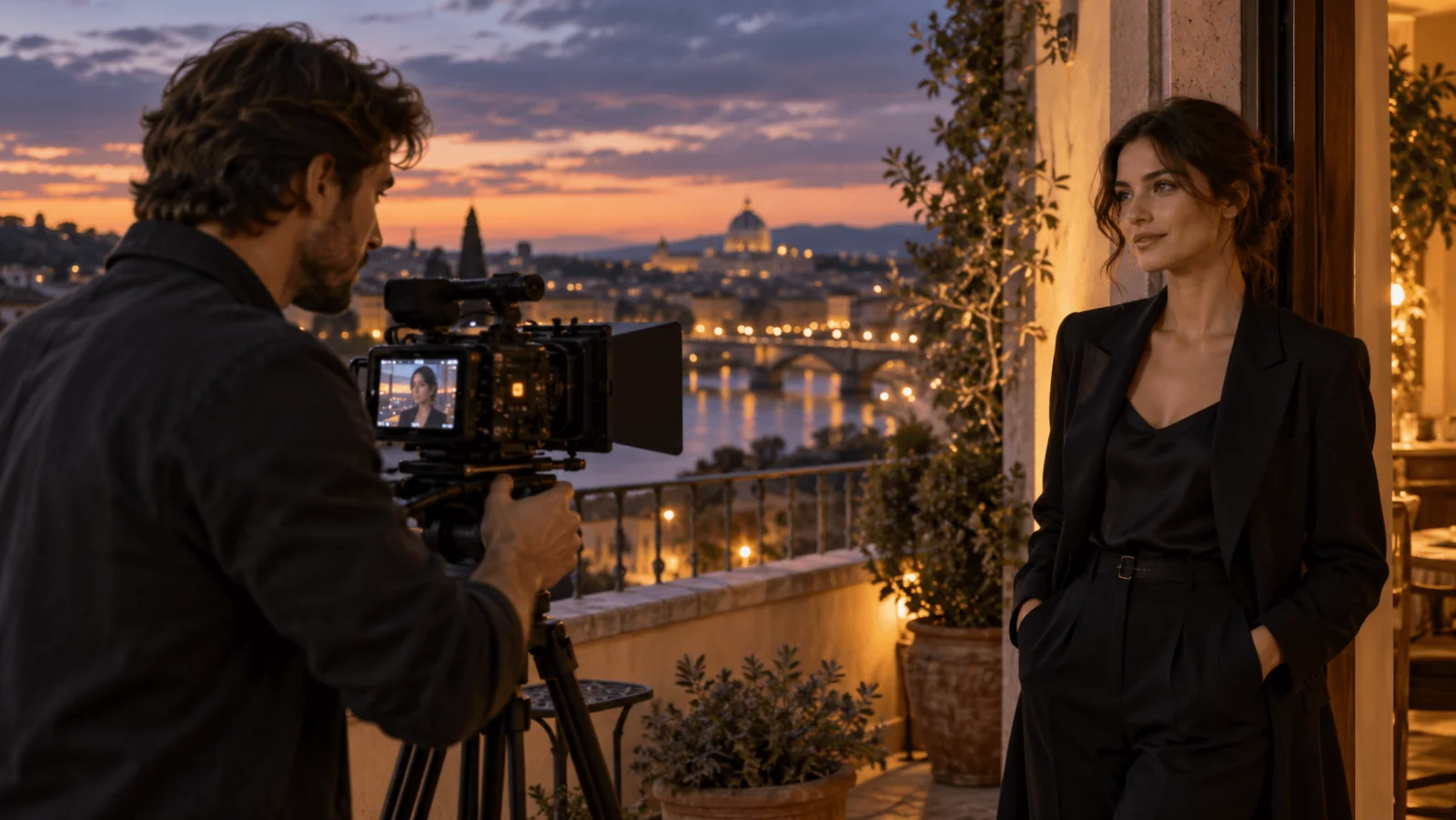
Make two shots from one approved portrait: a quiet slow push-in, then a slow sideways camera move that shows the setting. Start both on MiniMax H3 image-to-video at 768p, five seconds, $0.185 per clip. Move to Seedance 2.5 if you need to switch the soundtrack off or run longer, or to LTX 2.5 if the delivery must be 4K. Each shot gets one subtle action, one restrained camera move and a list of what must not change.
Choose the route
| Need | Route | Starting settings | Five seconds |
|---|---|---|---|
| Cheapest usable draft | MiniMax H3 | resolution: "768p"; 4–15 s | $0.185 |
| Soundtrack you can turn off, or clips up to 30 s | Seedance 2.5 | resolution: "720p", generate_audio: false; 4–30 s | $1.3865 |
| 4K delivery up to 20 s | LTX 2.5 | resolution: "4k"; 5–20 s | $1.50 |
All prices are per five-second clip. LTX at 720p costs $0.45, so pay for 4K only when the delivery needs it. Seedance costs the same with sound on or off.
Three things the table does not show:
- Sound. H3 and LTX always return a generated soundtrack and have no field to turn it off. Seedance is the only route with a
generate_audioswitch. - Frame shape. None of the three lets you choose an aspect ratio for image-to-video. The output takes the shape of your source image, so crop or extend the portrait to your delivery format before upload.
- Adult-oriented projects. All three accept a fictional adult source image. Seedance's input check can reject photos of real, identifiable people (nothing is charged), so use fictional or cleared source images there. For heavier adult-oriented work there are dedicated MiniMax H3 Spicy and Seedance 2.5 Spicy routes.
Pick a source that leaves room to move
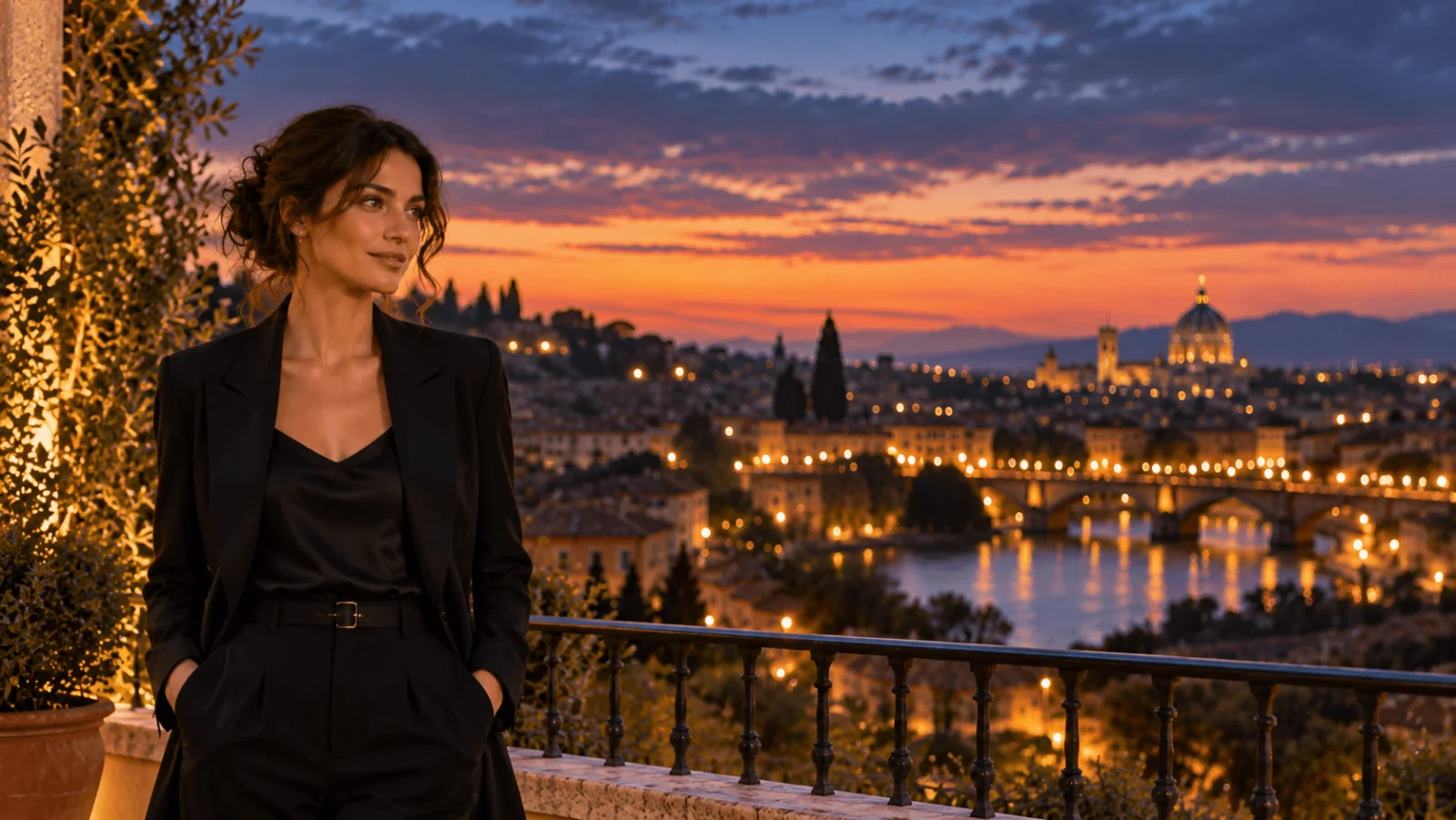
Both shots start from the same approved still, so the face, clothing and light begin identical; check later frames against it. Choose one with both eyes visible, the hair inside the frame and the shoulders clear of the background. Leave empty space on the side the subject looks toward: that is where the gaze lands in shot one and where the camera reveals the setting in shot two.
Our example is a fictional adult woman in a black blazer over a satin top, hands in her pockets, on a terrace above a lit river city at dusk. Warm light falls on her face from the left, and she looks right into open space. The image already contains everything the video needs. Asking the model to add rain, change the coat, turn the head and invent a new location in the same clip turns animation into a redesign.
Blur, doubled jewellery or a hand merged with the railing in the still will be worse in motion. Fix the still first. Keep hands out of the action; in this source they are in pockets, so they never need to move.
Shot one: the quiet push-in
For a true close-up, crop a chest-up version of the same approved still to your delivery ratio before uploading; the push-in alone only tightens a waist-up frame. Describe motion only; the still already fixes who and where. Each prompt names one subject action, one camera move, what stays fixed and what to exclude. Use this prompt on MiniMax H3 with the approved still:
A restrained cinematic portrait of the adult woman in the supplied image. She remains in place, breathes naturally and blinks slowly, then makes one small eye movement toward the open space on screen right, followed by a subtle closed-mouth smile. Very slow camera push-in. Preserve her face, black blazer, hairstyle and the warm terrace light. No head turn, no walking, no new objects or text. No speech.
Try it in the Playground
- Open MiniMax H3 image-to-video with the prompt filled in (or open the page and paste the prompt into Prompt). Stay on the Playground tab, Form view, and sign in with a funded account to run.
- Add your approved still under Input image.
- Set Resolution to 768p and Duration to 5.
- Run it, then repeat with the shot-two prompt on the same still.
The push-in adds motion without showing a new side of the face. If the eyes or jaw still change, remove it: ask for a locked camera, breathing and one blink.
Shot two: the slow slide that shows the setting
The second shot has a different job. The face stays quiet and the camera reveals the skyline. A railing in the foreground, the woman in the middle and the lit city behind give three layers that shift against each other during a sideways move, which is what makes it read as camera movement rather than a zoom.
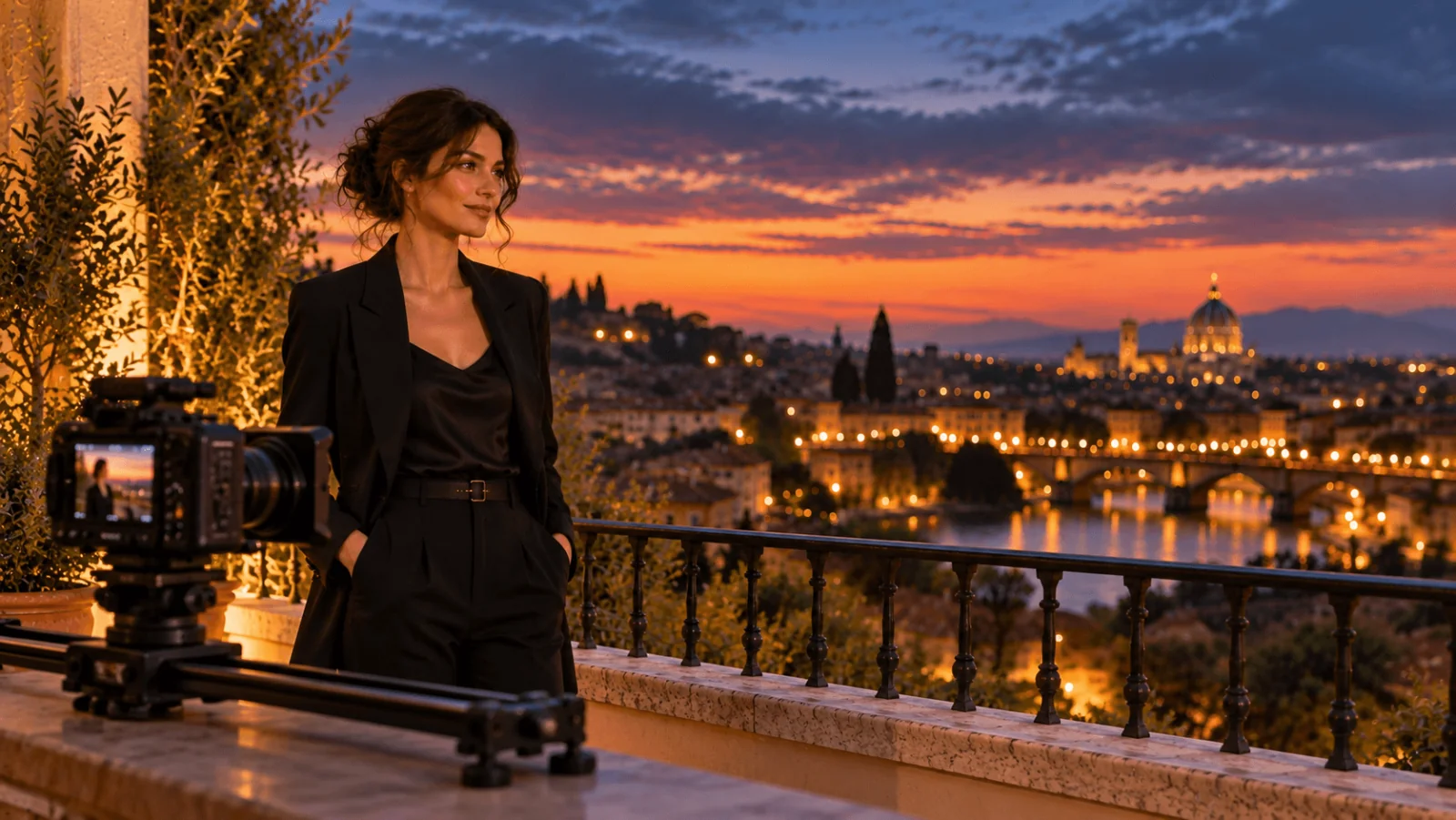
Use the same source and settings:
A medium portrait of the adult woman from the supplied image on the same dusk terrace. The camera slides slowly and steadily a short distance to the right along the railing, revealing more of the lit city on screen right. She stays in frame, holds her pose and shifts her gaze slightly toward the city lights. Keep her face, black blazer and hairstyle unchanged, and the warm light constant. No orbit, no walking, no speech, no text.
Name what the move reveals, not just its label. If the camera direction confuses the model, simplify to "a little more of the city appears beside her right shoulder".
Do not ask for a camera orbit or a full profile from this source. It shows a three-quarter view, and a move to the opposite cheek needs a second approved still.
Call it from code
Install the Python SDK (pip install spicyapi), set SPICY_API_KEY and run shot one from your approved still. It costs $0.185:
import uuid

from spicyapi import SpicyClient, output_assets

client = SpicyClient()
still = client.upload_file("./approved-still.png")  # local file -> spicy:// address
task = client.create_task(
    model="minimax/h3/image-to-video",
    input_data={
        "image_url": still["uri"],
        "prompt": (
            "A restrained cinematic portrait of the adult woman in the supplied image. "
            "She remains in place, breathes naturally and blinks slowly, then makes one small "
            "eye movement toward the open space on screen right, followed by a subtle "
            "closed-mouth smile. Very slow camera push-in. Preserve her face, black blazer, "
            "hairstyle and the warm terrace light. No head turn, no walking, no new objects "
            "or text. No speech."
        ),
        "resolution": "768p",
        "duration_seconds": 5,
    },
    idempotency_key=str(uuid.uuid4()),  # new key per new request; reuse only to retry the same one
)
final = client.wait_for_terminal(task["taskId"])
print(output_assets(final)[0]["url"])
For shot two, swap in the slide prompt. Uploads, waiting and errors: Python SDK reference.
Or let an Agent run it
When an assistant should make the clips, the official tools show the price and ask you before a paid call.
- CLI.
spicyapi files upload ./approved-still.png, thenspicyapi tasks create --model minimax/h3/image-to-video --input-file input.json --waitwith the returnedspicy://address asimage_urlininput.json.npx @spicyapi/cliworks without installing; see the CLI docs. - MCP server. Add the MCP server and ask for the push-in on your still. The assistant uploads the file with
spicyapi_upload_file, callsspicyapi_task_create(it stops for your price confirmation), thenspicyapi_task_wait. - Skill.
npx skills add spicyapi-ai/spicy-skillinstalls the Agent Skill, so a coding assistant reads the live model schema instead of guessing fields.
Cut the two clips together
Put the push-in first and the slide second. End shot one on the glance toward screen right and start shot two with her already looking that way, so the cut lands on the same eyeline. Use the cleanest two to three seconds of each rather than the full five.
Keep one soundtrack. If you used H3 or LTX, mute the clips' own audio and lay one music bed or ambience underneath. On Seedance, switch generated audio off and do the same. If you want shot-specific ambience, use Seedance with generated audio on and a line such as "quiet distant street ambience, no speech".
All three routes also accept an optional closing frame. It helps when a clip has to land on a specific approved image, but longer clips drift further from it, so leave it out of first drafts.
Repair only what failed
| Visible failure | Next action |
|---|---|
| Eyes or jaw change during the push-in | Go back to the original still; replace the push-in with a locked camera and a single blink. |
| Smile shows unstable teeth | Ask for a subtle closed-mouth smile and remove speech. |
| Hair crawls across the cheek | Remove wind and head movement; keep only breathing. |
| Face leaves the frame | Add space in the source before generating; the model has no aspect field to fix it. |
| Railing or signs bend during the slide | Slow the move and shorten it, or crop the sign out of the source; lettering is not reliably preserved. |
| The two clips differ in light or colour | Regenerate the weaker one from the same still; do not swap in a new source. |
| One second is excellent, the rest drifts | Trim around the stable stretch and use it as a short insert. |
Four five-second H3 drafts cost $0.74, so two shots at four drafts each is $1.48. A stable two seconds from one draft can already serve the cut. On Seedance 2.5 and LTX 2.5, fix the seed and change only the prompt, so you can see what the edit changed; it does not guarantee an identical clip. H3 has no seed setting: keep the winning prompt as written and re-roll.