You have a 30–40 second scene and want it to cut together as a drama, not as six pretty clips. Write the scene's change in one sentence, split it into visible actions, and give each action its own shot: one still, one motion prompt, one cut point. The six-shot example below costs $9.9828 on Seedance 2.5 image-to-video at 720p, and one shot you have to redo costs $1.6638. Grouping shots into longer requests does not change the per-second total, but it changes what a redo costs (see the long-take section).
A story that fits six shots
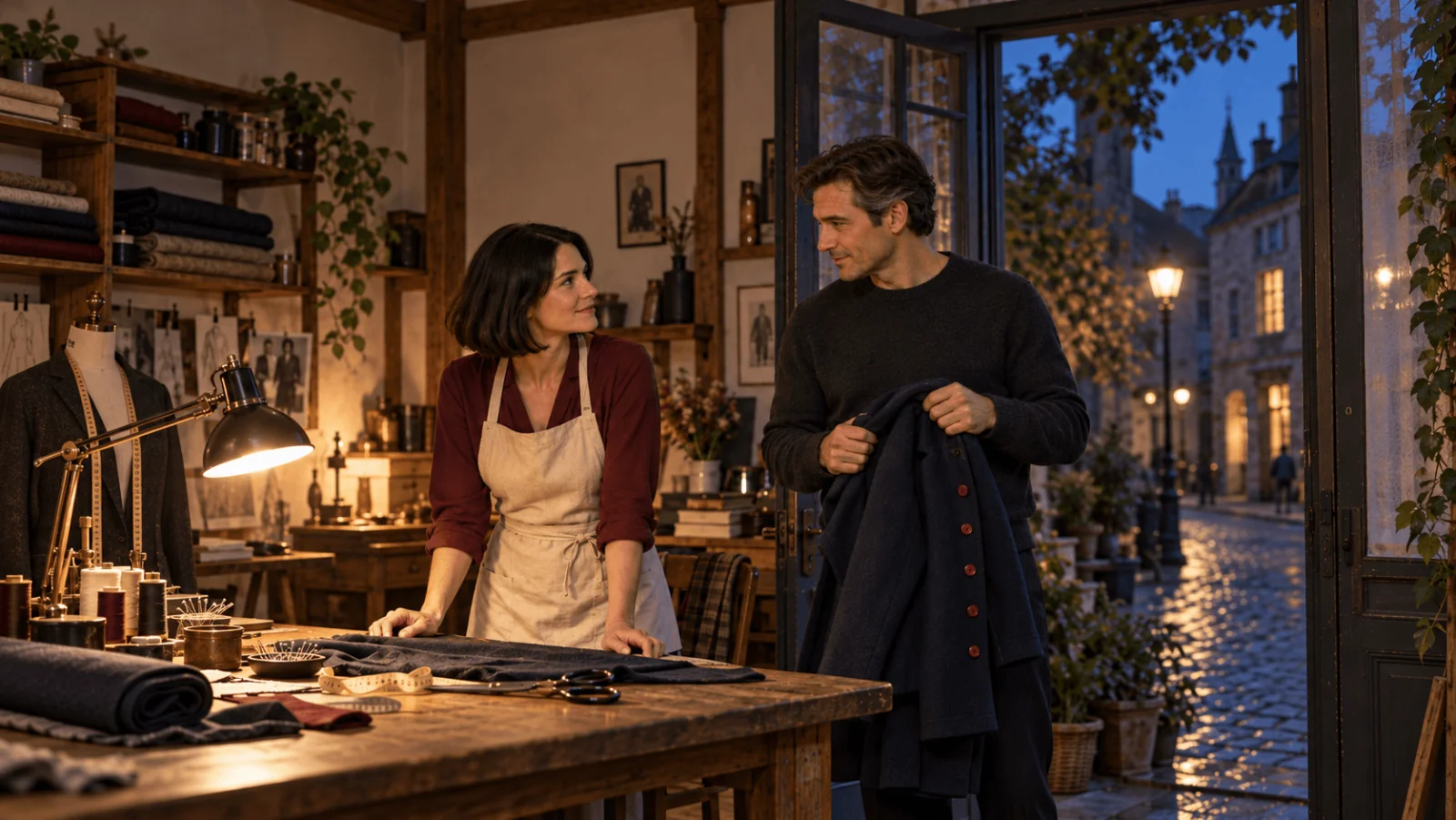
Sofia, an adult tailor in a burgundy blouse and cream apron, is closing her workshop. Jonas, a man in his forties wearing a charcoal sweater, arrives carrying a navy coat with one missing red button. She sees the damage, hesitates, then chooses to help. The film ends with her accepting the repair, not with a finished sewing job.
The lamp stays on throughout. The coat is carried, then placed on the table; Jonas never wears it. That keeps continuity simple for the model.
| Final edit | Framing | Opening still | One action to animate | Cut when |
|---|---|---|---|---|
| 0–6 s: closing | wide | Sofia beside the lit desk lamp, hand resting on the worktable | Her hand settles and her gaze turns toward the doorway | Her attention reaches the doorway |
| 6–12 s: arrival | medium | Jonas in the doorway, navy coat over his forearms | He takes one small step inside | The coat is visible without blocking his face |
| 12–18 s: problem | close insert | Coat flat on the worktable; loose thread at one missing button position | A slow camera push toward the missing position | The audience can read the defect |
| 18–24 s: hesitation | close-up | Sofia looking down at the coat | She glances from the coat toward Jonas | Her face settles, before a second gesture begins |
| 24–30 s: decision | medium | Sofia beside the table, hand away from the coat | She draws the coat a short distance toward herself | The acceptance gesture is complete |
| 30–36 s: resolution | two-shot | Both adults visible across the table, lamp still lit | Jonas relaxes his shoulders; Sofia gives a small nod | The emotional change is visible |
Wide places the people and the lamp, a close-up carries a decision or reaction, an insert lets the audience read an object, and a two-shot closes the resolution. Change at most one of shot size or angle between neighbouring cuts. Trim awkward starts and ends in the edit; a 31-second cut can tell this story better than keeping every generated frame.
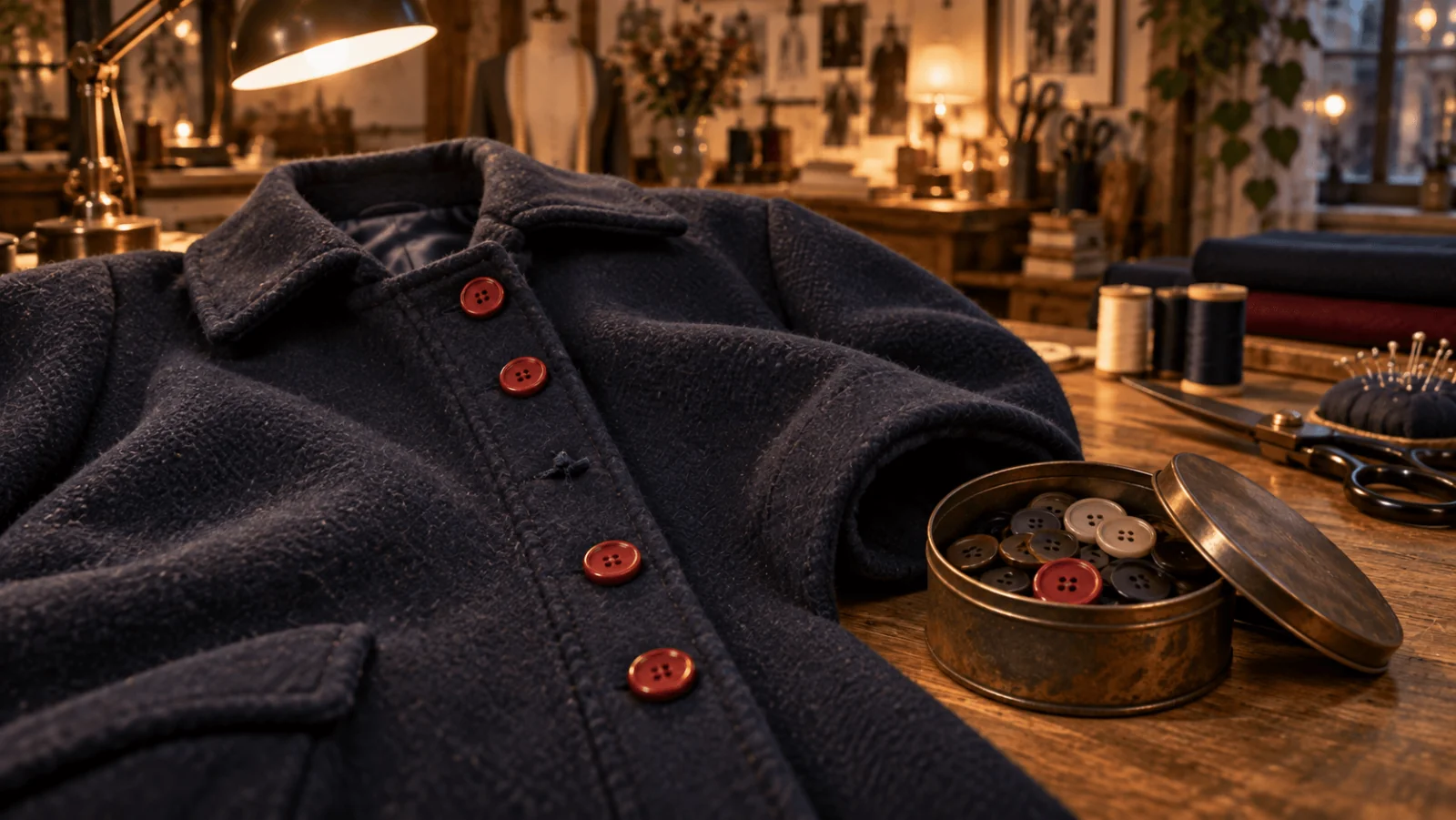
The coat prop: one red button is missing, with loose thread left in its place.
How to get from a scene to shots
- State the change. "Sofia is closing, Jonas arrives with a damaged coat, and she decides to help." Cut any shot that does not set up, show or react to it.
- List the visible beats. Turn thoughts into things a camera can see: "she hesitates" becomes "her eyes move from the coat to Jonas and her hand stops".
- Give each beat one action. One subject, one gesture, at most one camera move. "She reads the label, realises, stands, walks round the table and confronts him" is four shots.
- Record the connection. For every shot, write what is visible at its start, what has changed by its end, and what it cuts to.
- Count cuts against seconds. Six shots in 36 seconds is one cut every six seconds, which suits quiet drama; an action scene with eighteen cuts in fifteen seconds needs fewer, longer beats before you generate.
One long take or separate clips
Seedance 2.5 accepts 4 to 30 seconds per request, but longer runs drift: confirm the motion at a short length, and expect several shorter takes to hold better than one 30-second take. Most shots work best at 10 to 15 seconds, with drift beyond about 20. The choice for this film:
| Plan (720p) | Requests | Cost | Fits | Costs you |
|---|---|---|---|---|
| Six 6 s clips | 6 | $9.9828 | Each beat has its own subject or angle, as here | Six stills to prepare and five joins to hide |
| Two 6 s clips and two 12 s clips | 4 | $9.9828 | Neighbouring beats share one camera and room (shots 3–4, 5–6) | Beat timing is set by your prompt, not your cut |
| One 30 s take | 1 | $8.319 | A single continuous space with no angle changes | A failed gesture means paying for all 30 seconds again |
The saving from one long take disappears the first time you re-run it: one six-second shot costs $1.6638 to replace, the whole take $8.319. Group by camera setup: shots 1 and 2 change subject and keep their own requests; shots 3 and 4 share the coat on the table and become one 12-second request, as do shots 5 and 6. For shots 3 and 4, the coat-on-table still must also frame Sofia's seat position; if it cannot, keep shot 4 as its own request.
For a grouped request, write consecutive time ranges with no gaps, the last ending at the total duration. Use that still as the Input image and set Duration to 12:
Close insert, continuous. 0–6s: Slow push toward the navy coat flat on the worktable until the missing red-button position and loose thread fill the lower frame. 6–9s: Hold on the missing button. 9–12s: The camera eases up and across to Sofia looking down at the coat; her eyes move toward the doorway. The desk lamp stays lit. No other camera movement, no text. Sound: quiet room tone. No speech or music.
To chain shots, turn on Return last frame under Advanced parameters: the final frame comes back as an image to use as the next shot's Input image. To pin an ending, add a still as Closing frame; it fixes the ending, not the middle, so keep the two frames close in light and composition. The last-frame chain guide covers the ffmpeg joining.
Make the starting images do the continuity work
Prepare the character portraits and room view before the six shot images. A cheap route is Seedream 5.0 Flash image-to-image at $0.029 per image: add the approved portraits and room view under Images, set Aspect ratio to match the film (9:16 for vertical) and describe the shot in Prompt. Six stills, each retried once, plus two portraits and a room view is about 15 images, roughly $0.44. Build every shot still from the same approved references; do not regenerate an unrelated "tailor shop" per angle, or the doorway and table may swap sides.
Repeat these details in every image brief: burgundy blouse, cream apron, charcoal sweater, navy coat, red buttons, warm desk lamp, doorway on the same side of the room. For the defect close-up, show empty stitching and loose thread where one button belongs; a complete row of buttons will not read as damage because the prompt says "broken coat".
Image-to-video has no aspect-ratio choice, so the still carries the framing: make a vertical still for a vertical film, keep both faces away from the edges, and size each side between 300 and 6000 pixels.
For shot and reverse shot, keep Sofia on screen left looking right and Jonas on screen right looking left, with both cameras on the same side of the line between them and their relative heights unchanged. If both look left after the cut, rebuild that still.
Copy these motion prompts
Try it in the Playground
- Open the Seedance 2.5 image-to-video page and stay on the Playground tab, in Form view. Sign in with a funded account to run.
- Add the approved opening still under Input image; it becomes the first frame.
- Paste one of the prompts below into Prompt.
- Set Duration to 6 and Resolution to 480p for a cheap check, or 720p for the keeper; leave Generate audio on or off as you planned.
- Run, then repeat for each shot.
For the opening shot, upload the approved lamp still as image_url and use:
Locked wide shot of the workshop. Sofia, the adult tailor in the burgundy blouse and cream apron, slowly lowers her hand to the worktable, then pauses and looks toward the doorway. The lamp remains lit for the entire shot. She stays beside the table. No other person enters the frame. No text.
For Jonas's arrival:
Locked medium shot of the adult man in the charcoal sweater standing in the workshop doorway. He takes one small step forward while holding the navy coat across both forearms. The coat remains a carried object, not clothing he is wearing. His expression is hesitant. Keep his face visible. No camera orbit, no text.
For the decision:
Medium view of the adult tailor beside the worktable. She gently slides the navy coat a short distance toward herself, then rests her hand beside it. The missing red-button position stays visible. Her expression changes from hesitation to a small reassuring smile. The desk lamp stays lit. Locked camera. No sewing action.
"Locked" is prompt wording only (there is no camera-lock input); the fixed-camera guide covers frames that still move. To judge a prompt cheaply, render at 480p ($0.1234 per second, $4.4424 for all six shots) and change one clause at a time; render the keepers at 720p, or 1080p at $0.6823 per second.
Or call it from code
The same shot from the CLI (npx @spicyapi/cli works without installing); the image-to-video guide has the Python SDK and the other fields:
spicyapi tasks create --model bytedance/seedance-2.5/image-to-video \
  --input-json '{"image_url":"https://.../still.png","prompt":"<paste the prompt>","duration_seconds":6,"resolution":"720p","generate_audio":false}' --wait
Or let an Agent run it. An assistant can make this call through the CLI above, the MCP server (spicyapi_upload_file for each still, then spicyapi_task_create, which stops for your price confirmation) or the Skill (npx skills add spicyapi-ai/spicy-skill).
Dialogue and sound
generate_audio is on by default and costs the same on or off. Put one continuous room-tone bed under the whole cut so six separately rendered rooms do not sound like six rooms.
Keep spoken lines short: one each for Jonas and Sofia ("Can you fix this?" fits shot 2), recorded or voiced separately (set generate_audio to false, same price, so generated voices do not fight the recording), because audio rendered with the picture cannot be corrected without re-rendering the clip. If the mouth is on screen, follow the lip sync workflow; otherwise a voiceover or subtitle is enough.
When to use reference-to-video instead
Choose reference-to-video when you want the model to compose a shot from character and room references rather than animate an approved frame. It accepts up to 30 reference images, 10 reference clips and 10 audio files. Reference mode and first-frame mode are mutually exclusive: if the opening frame must be exact, stay on image-to-video.
Assign the images in order and name each role:
@Image1 is Sofia, the adult tailor. @Image2 is Jonas, the adult customer. @Image3 supplies the workshop layout. Show Sofia on the left side of the worktable and Jonas near the doorway on the right. Jonas carries the navy coat. Sofia looks toward him. Warm desk lamp remains lit, medium two-person composition, restrained movement.
On the reference-to-video page, add the portraits and the room view as Reference images, set Aspect ratio to 9:16, Duration to 6 and Resolution to 720p. Image-only requests cost the same $0.2773 per second at 720p; adding reference clips lowers the per-second rate to $0.1659 but their length is added to the billed seconds, so quote first.
Fix the failed shot, not the whole film
| Problem in one shot | Concrete repair |
|---|---|
| Lamp switches off before the ending | Keep every hand away from the switch, in the still and the prompt; animate Sofia turning toward the doorway while her hand stays on the table. |
| Jonas appears to wear the repair coat | Replace the starting still with one where both forearms visibly support it; keep "carried object" in the motion prompt. |
| Missing button becomes a complete row | Hold the approved prop still as a close-up in the edit. |
| Hand merges with coat during the slide | Cut from Sofia's look to a separate still of the coat nearer her, then to the nod. |
| Jonas and Sofia change face in the final two-shot | Rebuild that opening still from the approved portraits; a longer prompt cannot fix a wrong source face. |
| Generated dialogue changes wording | Drop dialogue from the prompt and add the line as a recorded voiceover or subtitle. |
Redoing only the failed gesture costs $1.6638, while regenerating all six shots costs another $9.9828, so keeping a defect shot as an approved still is a real saving. Prices are catalogue prices from 3 October 2026; add about $0.45 for the stills.
FAQ
How many shots should a 30–40 second AI short drama have?
About one visible action per five to eight seconds suits quiet drama. Start from the beats, not a number.
Can one Seedance 2.5 request generate the whole scene?
It can run up to 30 seconds, so a single-room scene fits. The cost is that one bad gesture means regenerating everything, which is why the plan keeps the beats in separate or small grouped requests.
Can I make the shots vertical for TikTok or Reels?
Yes. Generate vertical stills, because image-to-video follows the still's shape, or use reference-to-video with Aspect ratio set to 9:16.