Wan 2.2 Animate needs one character image and a driving video. The image supplies appearance; the video supplies the body movement, the facial expression and the duration. Choose animate to make the pictured character perform the move in the image's own setting, or replace to put that character into the driving video's scene. For a first attempt, use one fully visible adult, a six-second gesture and no cuts.
Open Wan 2.2 Animate character animation. At the October 3, 2026 listed prices, six seconds costs $0.318 at 480p or $0.66 at 720p. Neither mode invents a new location from the prompt: the background always comes from one of your two files.
Choose the mode before recording
| Your intended result | Mode | Background and camera in the result |
|---|---|---|
| The reference character performs a recorded gesture | animate | The character image's own setting, with movement and camera from the driving video |
| The character replaces the performer in an existing room | replace | The driving video's scene and camera movement; needs one visible performer and plausible body proportions |
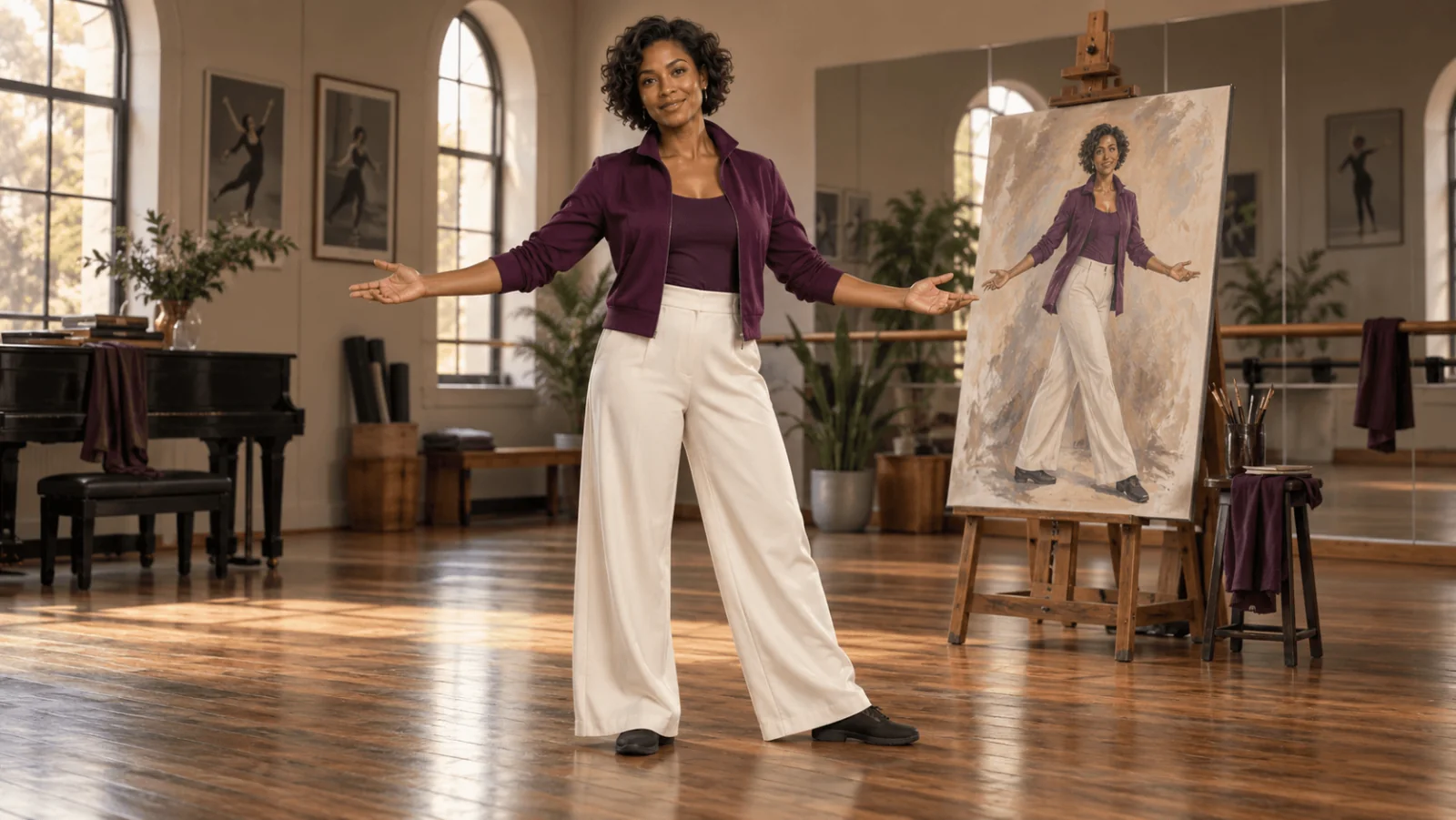
For example, an illustrated adult woman in a plum jacket and ivory trousers can perform a welcoming sidestep. If the rehearsal room is irrelevant, use animate with a plain-background character image. If its arched window and wooden floor must stay in the shot, use replace and examine how the new body meets that floor. A driving video with several people gives replace no way to choose who is swapped; use one performer, or see the last section.
The official Wan-Animate project describes both tasks, including how replacement matches the scene's lighting and colour. Its preprocessing guide warns that a large body-proportion mismatch between the character and the performer causes artifacts in replacement.
Prepare a character image that shows the moving parts
Use a full-body image, shoes included, in a relaxed front-facing stance with the arms slightly away from the torso and the same outfit you want animated. A plain, evenly lit background keeps the animate result clean, because that background becomes the scene. A headshot leaves trouser legs, footwear and body shape unspecified, and a longer wardrobe description in the prompt does not supply those views.
The file must be a JPEG, PNG or WebP under 10 MB, and it must contain a recognisable face or person; otherwise the task is rejected with invalid_request.
Here is a nonexplicit fictional-adult image brief you can use in an image generator:
Full-body character reference of a fictional adult woman, about 30, with short dark curls, a plum rehearsal jacket, ivory trousers and flat charcoal shoes. Comfortable balanced stance, arms relaxed slightly away from the torso, both hands and both shoes visible. Plain quiet studio background, readable face and clothing, no lettering, no other people.
A stylised figure is fine, but limb lengths very different from the performer's make floor contact and reach harder to judge.
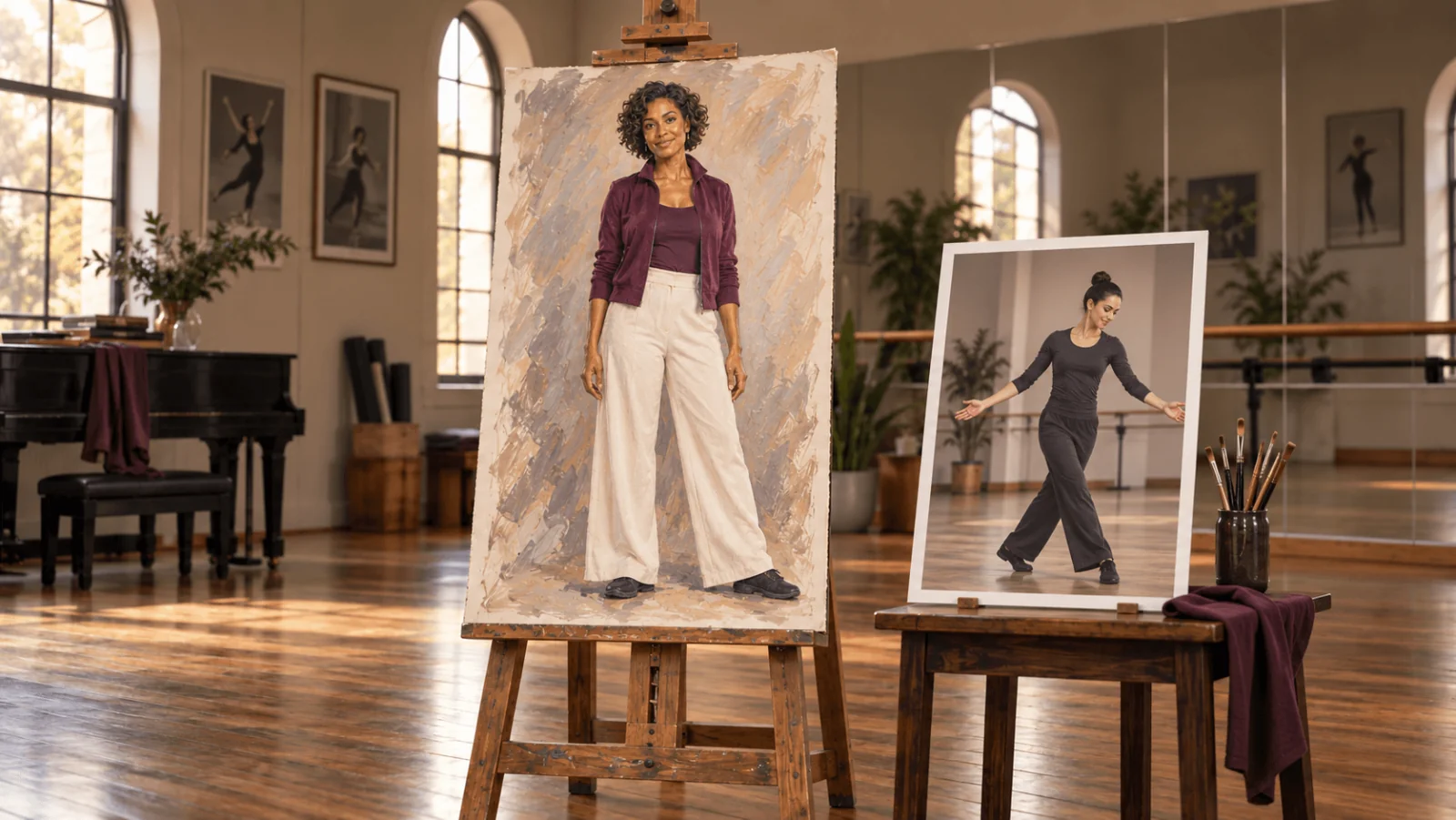
Illustration: the character design supplies appearance, the performer's motion supplies movement. Not a Wan output.
Record a six-second move with a usable beginning and ending
Fix the camera on a stable support for your first driver so the body movement is easy to read. Both modes can carry camera movement from the driving video; animate keeps the character image's setting, while replace keeps the video's scene. Frame one adult performer so both shoes and the full open-arm span stay visible. Start in a neutral, front-facing stance that resembles the character image, then record a short pause, one sideways step, a shallow open-arm gesture, lowered arms and a final pause. Keep the hands away from the face and avoid anyone crossing in front.
The performer's face matters: expression is copied from the video along with the movement, so keep the face in view and large enough to read. The reference should already have the tempo you want; the prompt cannot turn a fast spin into a slow greeting or recover a foot landing hidden behind a chair.
Trim the footage before uploading. With FFmpeg installed, this command starts one second into a recording and exports a six-second MP4, scaled down to at most 720 pixels high with the original proportions kept:
ffmpeg -ss 1 -i rehearsal.mov -t 6 \
  -vf "scale=-2:'min(720,ih)'" \
  -c:v libx264 -crf 18 -pix_fmt yuv420p driving-six-seconds.mp4
Avoid letterbox bars or padding: in replace they become part of the scene.
The source must run 2–30 seconds; shorter or longer files are rejected before anything is charged. Upload an MP4 up to 90 MB, or pass a direct MP4 or MOV URL. A page that merely plays the video is not a direct file URL, and the task fails with the charge refunded. The source duration sets the output duration, so no duration_seconds field exists to stretch a two-second performance to six.
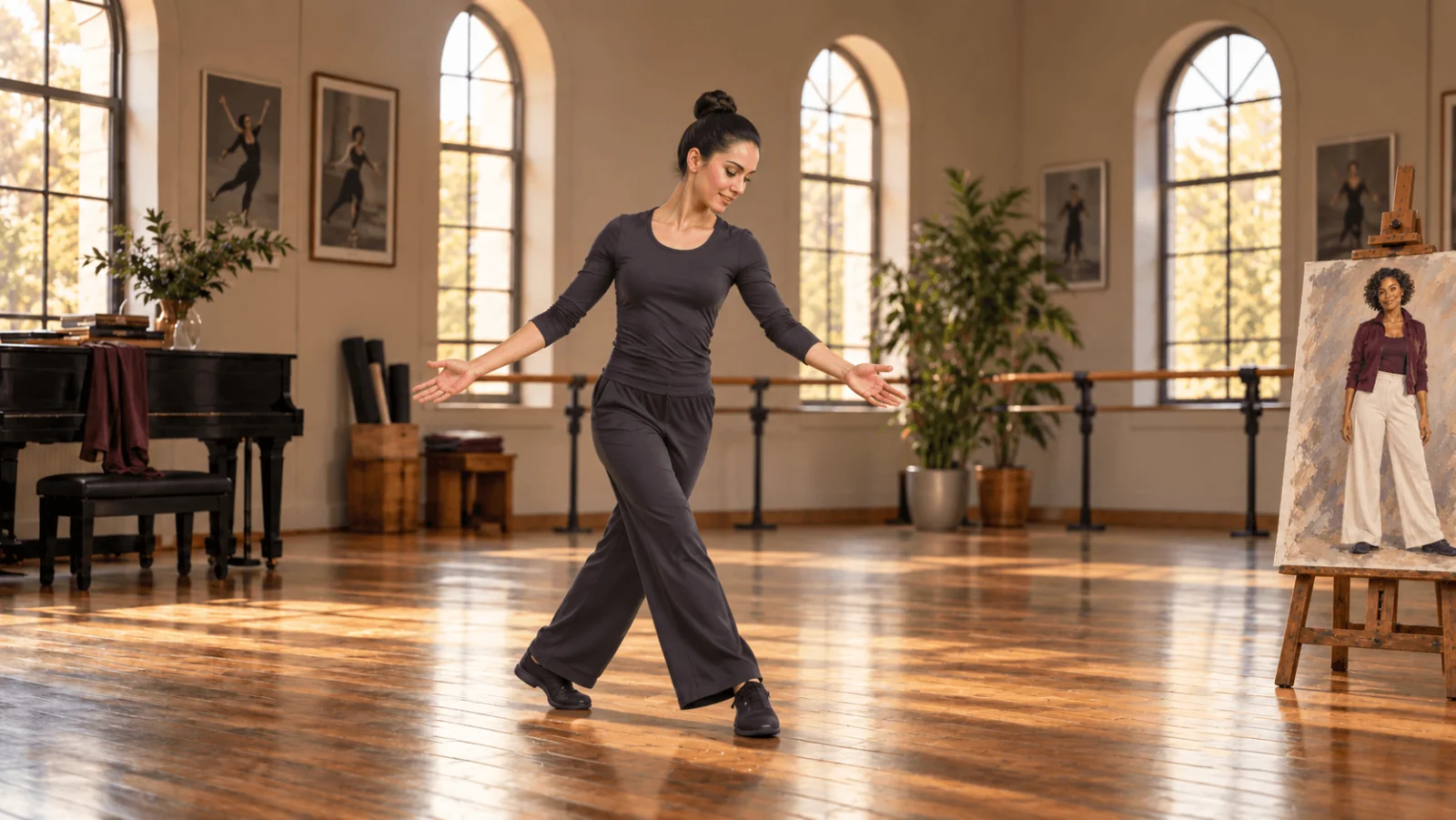
Illustration: full-body framing leaves room for the sidestep and keeps floor contact visible.
Try it in the Playground first
- Open the character animation page and stay on the Playground tab in Form view. Sign in with a funded account to run.
- Drop your character image into Input image and your trimmed MP4 into Input video. Both also accept an Asset URL.
- Set Animation mode to Animate the image or Replace in the video.
- Set Resolution to 480p while you check identity and silhouette; re-render the take you keep at 720p.
- Paste the supporting prompt below, and set a Seed such as
42so two runs over the same driving video are comparable. - Check the price estimate and run it.
Animate the fictional adult woman in the supplied image using the supplied performance. Keep the single welcoming sidestep and shallow open-arm gesture readable, with grounded feet and a relaxed ending. Retain the plum jacket, ivory trousers, short curls and flat shoes. No added lettering.
The prompt supports the recorded move; who appears comes from the image. For the scene-replacement version, choose Replace in the video and ask to keep the supplied room's camera, lighting and floor rather than requesting a new location.
| Field | Current contract |
|---|---|
Input image (image_url) | Required character image; JPEG, PNG or WebP, under 10 MB |
Input video (video_url) | Required driving video; 2–30 seconds, MP4 upload up to 90 MB or a direct MP4/MOV file URL |
Animation mode (animation_mode) | animate or replace; default animate |
Resolution (resolution) | 480p or 720p; default 720p |
Prompt (prompt) | Optional, at most 2,000 characters |
Seed (seed) | Optional integer 0–2,147,483,647; zero requests randomness |
There is no LoRA, aspect-ratio or audio-input field on this task, so do not borrow them from another Wan endpoint.
Billing is per delivered second: $0.053 at 480p and $0.11 at 720p, so a 12-second source lists at $0.636 or $1.32. Only resolution changes the rate; mode, prompt and seed do not. Each task is first quoted at the 30-second maximum and the difference is refunded once it settles against the real length, so trim idle rehearsal time first, but keep the contact events the finished shot needs.
Then run it from code
Install the Python SDK (pip install spicyapi), set SPICY_API_KEY in your server environment, and run:
import uuid
from spicyapi import SpicyClient, output_assets

client = SpicyClient()  # reads SPICY_API_KEY from the environment

image = client.upload_file("./character.png")             # local files become spicy:// URIs
video = client.upload_file("./driving-six-seconds.mp4")

task = client.create_task(
    model="alibaba/wan-2.2-animate/character-animation",
    input_data={
        "image_url": image["uri"],
        "video_url": video["uri"],
        "animation_mode": "animate",
        "resolution": "720p",
        "prompt": "Animate this fictional adult character using the supplied sidestep and open-arm "
                  "performance. Retain the plum jacket and ivory trousers. No added lettering.",
        "seed": 42,
    },
    idempotency_key=str(uuid.uuid4()),
)

final = client.wait_for_terminal(task["taskId"])
if final["state"] != "succeeded":
    raise RuntimeError(f"{task['taskId']} ended as {final['state']}: {final.get('errorCode')}")
print(output_assets(final)[0]["url"])  # copy the clip to your own storage now
Quotes, polling, downloads, retries and error codes are covered in the tasks guide and the Python SDK reference.
Or let an Agent run it
When an assistant should run the generations, all three official tools show the price and ask you before a paid call.
- CLI. Upload each file with
spicyapi files upload ./character.png, put the returnedspicy://addresses intoimage_urlandvideo_urlof aninput.jsonwith the fields above, then runspicyapi tasks create --model alibaba/wan-2.2-animate/character-animation --input-file input.json --wait. See the CLI docs. - MCP server. Add the MCP server to your assistant, then ask: "Animate /path/to/character.png with /path/to/driving.mp4 on Wan 2.2 Animate, animate mode, 480p." It uploads both files with
spicyapi_upload_file, then callsspicyapi_task_create, which stops for your price confirmation. - Skill.
npx skills add spicyapi-ai/spicy-skillinstalls the Agent Skill, which has a coding assistant read the live model schema instead of guessing fields.
Change the input that explains the failure
| Returned problem | First useful revision |
|---|---|
| Feet slide while the upper body works | Use a source where the weight shift and both shoe contacts are visible; reduce the step size |
| A sleeve merges with a hand | Separate the hands from the torso in the driving gesture; remove conflicting wardrobe references |
| Character changes during a turn | Use a character image closer to the source orientation, or a source with a smaller turn |
| The face looks flat or wrong | Expression comes from the video; use a take where the face stays in view and large, with no extreme head turns |
| The replacement floats in the room | Compare body proportions and floor contact; use a driver closer to the intended character's build |
| Arms leave the frame | Re-record wider or trim to a move that fits |
| Output resembles the original performer rather than the replacement | Confirm replace mode and the actual character image; use a source with one clearly visible performer |
| The wrong performance occurs | Confirm the actual uploaded video, then remove prompt actions absent from it |
For replace, compare the floor, window edges and foreground objects against the original.
Rights and when another task fits better
You need the rights to both files and consent from anyone filmed or pictured. Wan 2.2 Animate is listed as an uncensored model: SpicyAPI adds no content filter, so that responsibility is yours.
If only the face should change, Video Face Swap keeps the rest of the original clip. If one person among several must be replaced, or the clip's original audio must stay, use Character Swap, which analyses the clip and lets you pick the person before editing. If no specific performance has to be copied, image-to-video is simpler.