What would I look like as an anime character? In our tests, the answer was a drawn version of the person already in the picture: recognisable hair, clothing and pose, with simplified facial features, line art or larger anime eyes. The strength of that change varied. A close portrait became a convincing anime character, while people farther from the camera stayed closer to their photographic appearance.
You can try your own picture with Photo to Anime for $0.05 per image. Start with a sharp, well-lit photo where your face is large in the frame. Our examples also show an important limit: the surroundings can remain partly photographic, and adding a request for a different anime style barely changed our matched selfie result.
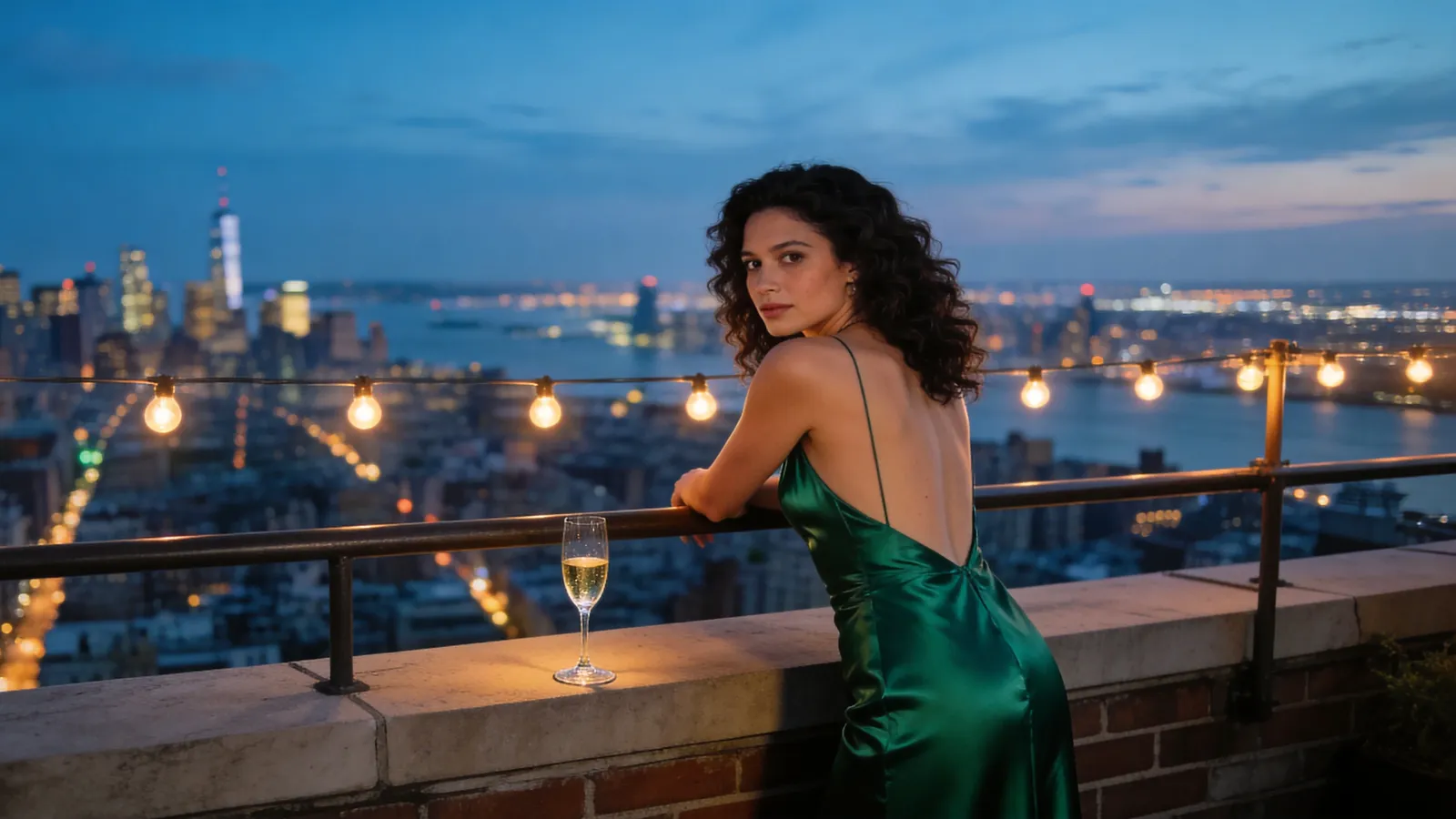
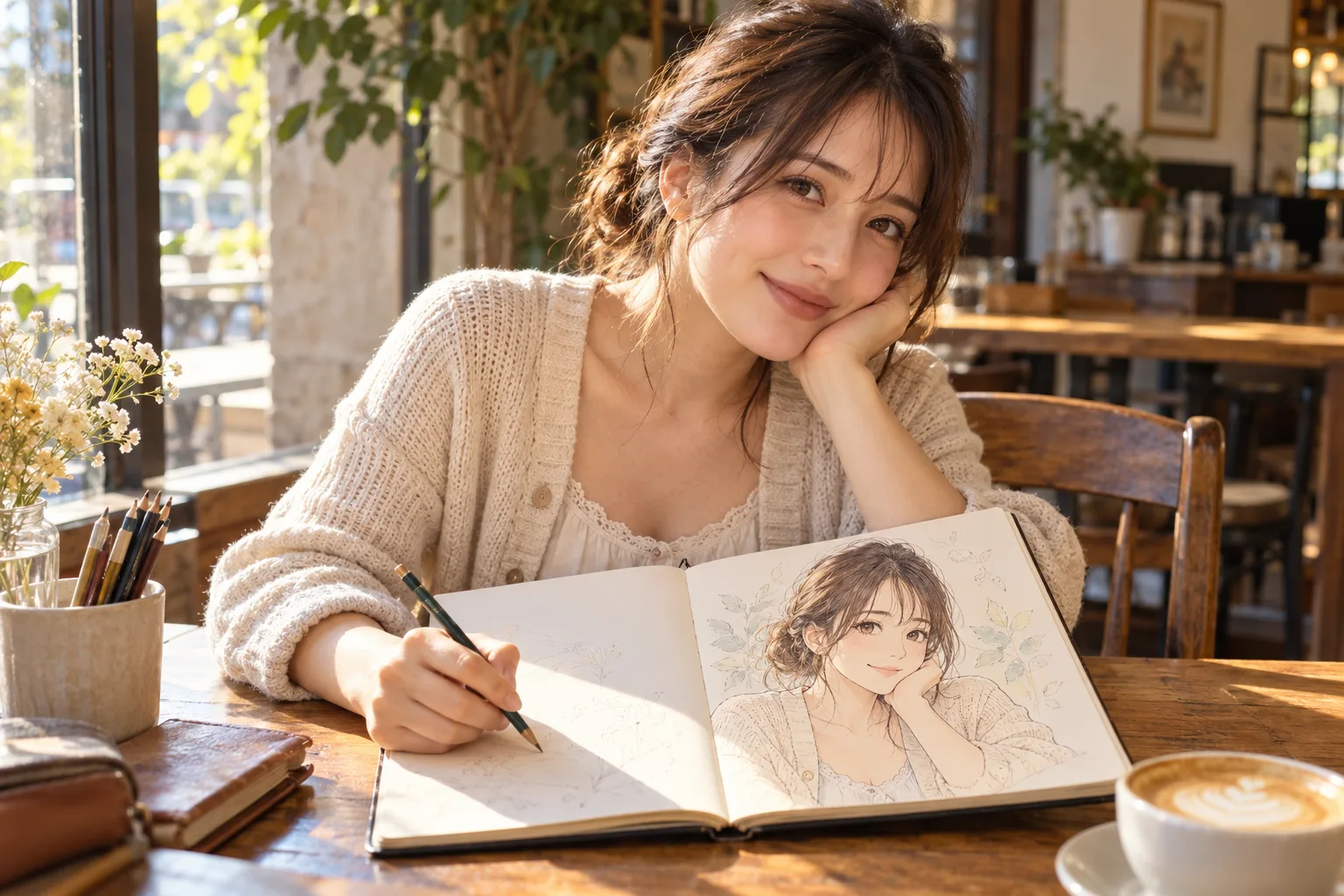
The before-and-after pictures below come from our own runs, using seed 1027 and no prompt unless noted. All people in our tests are generated fictional adults. The café cover is an illustration; the comparisons below show the tested tool's results.
What the before-and-after pictures actually show
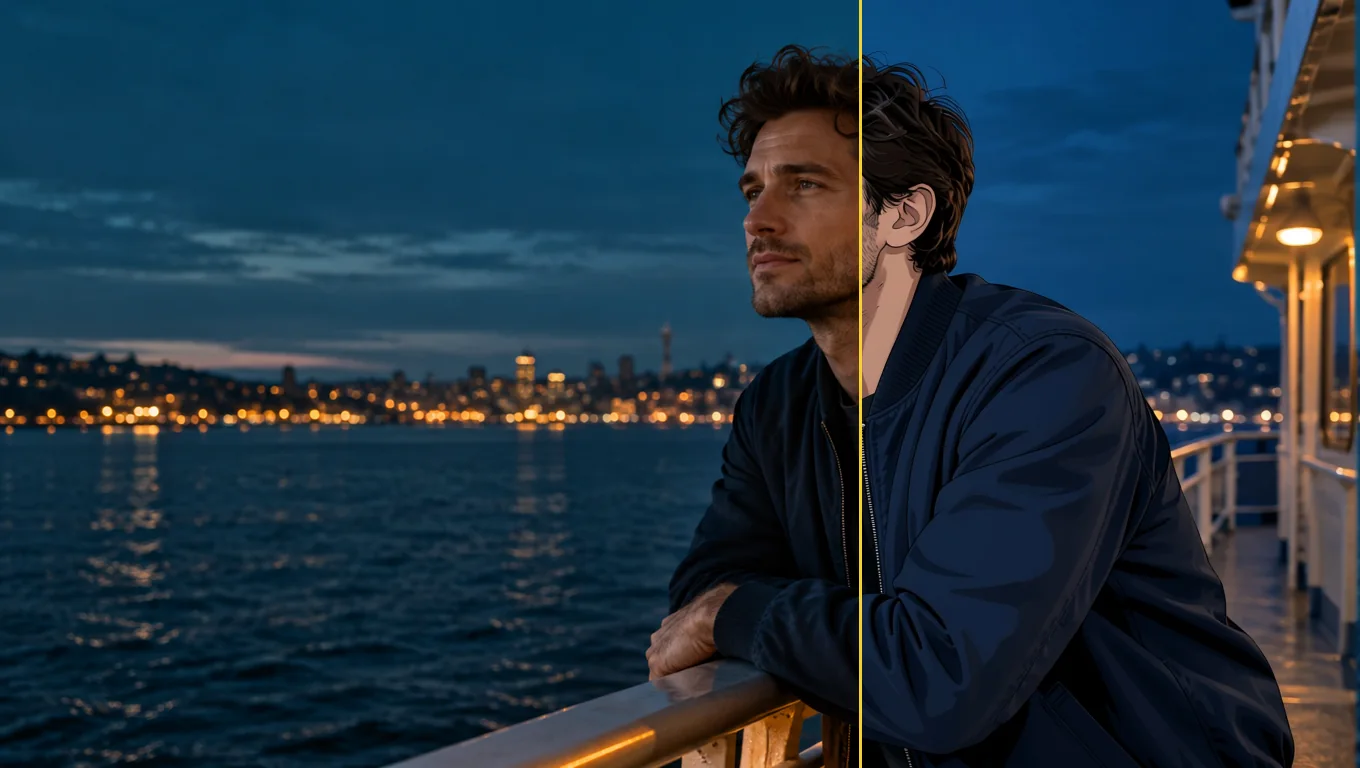
A selfie: familiar curls, a more illustrated face
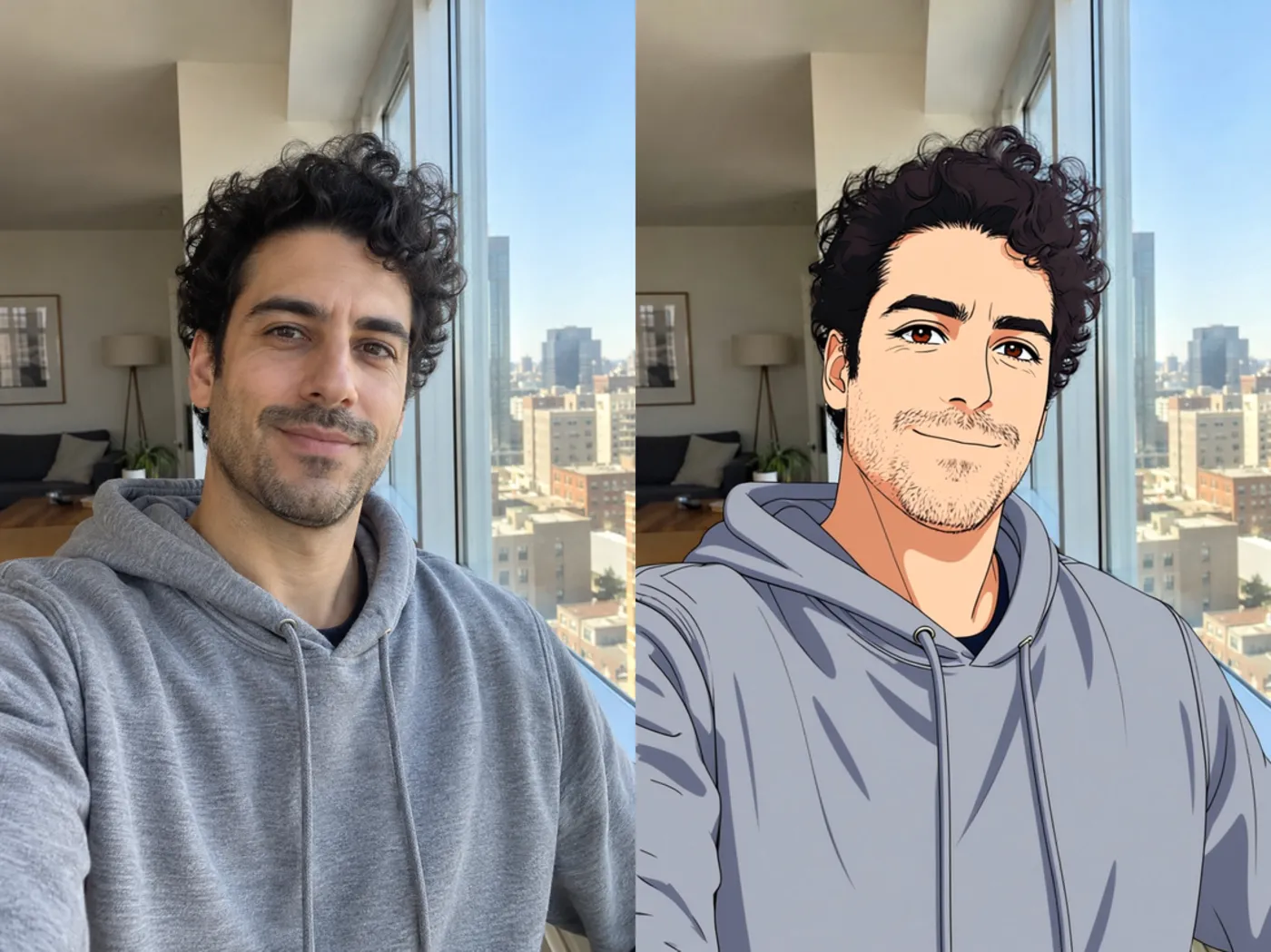
The original selfie is on the left; the result is on the right.
The selfie came back with clean line art and cel shading. The man's curls, stubble and grey hoodie remained recognisable, along with the city view and window frame. You can still connect the drawn person to the original, rather than seeing an unrelated character in similar clothes.
The face leaned toward a western-comic or modern anime look rather than the large-eyed look someone might picture when asking this question. That distinction matters: an anime rendering can preserve your features without giving you dramatically enlarged eyes. This run took 17 seconds, with a 1024 × 1536 input becoming an 832 × 1248 output.
Look at both the person and the room when judging your own result. Here, the retained window and city view help keep the setting familiar. If your goal is mainly to recognise yourself in a drawing, those unchanged scene details may be useful rather than disappointing.
A rainy street: the person changes more than the surroundings
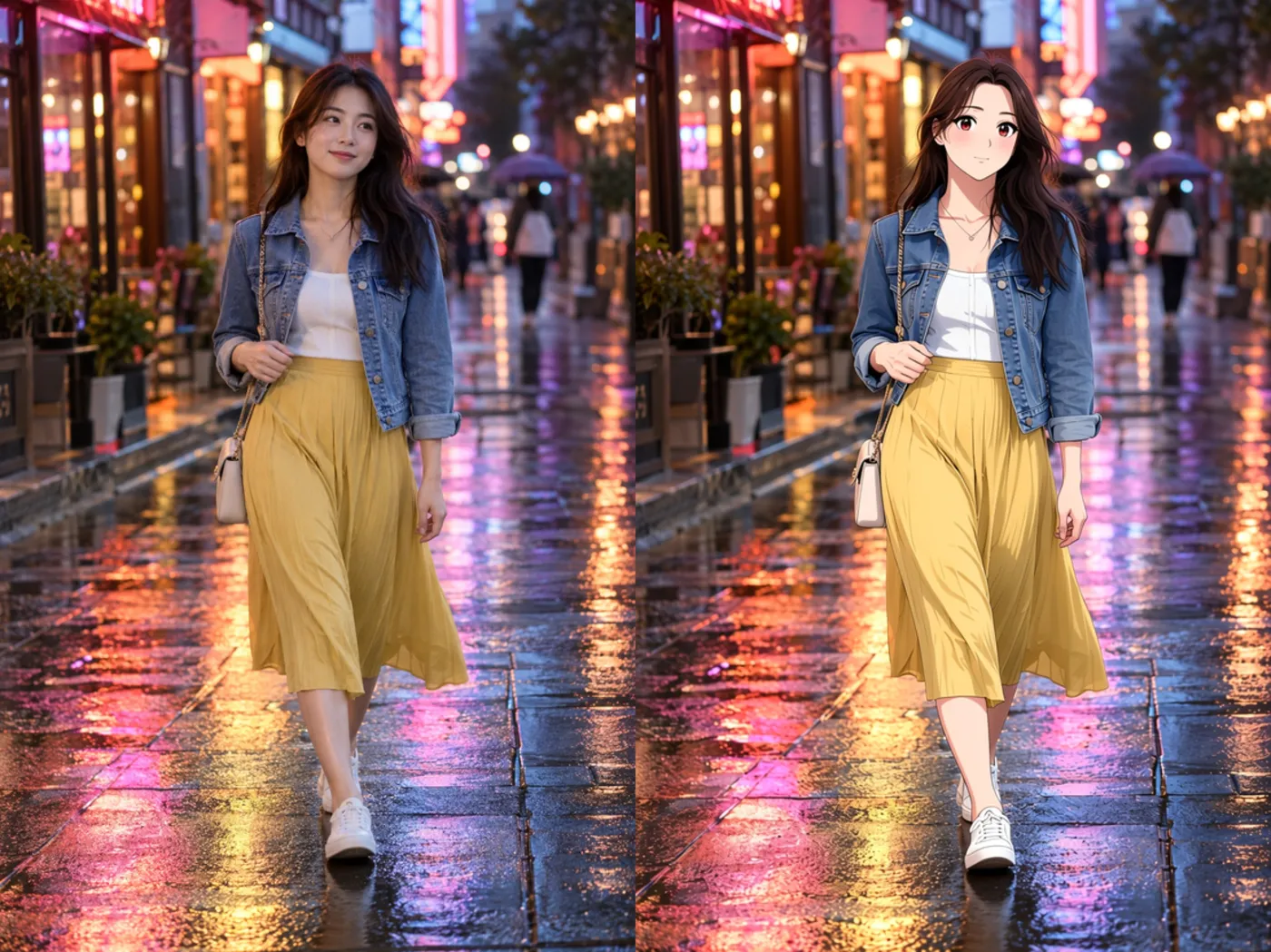
The full-body street photo is on the left; the result is on the right.
The woman gained larger eyes and a simplified face, giving her a more classic anime appearance. Her denim jacket and yellow skirt stayed identical. The wet neon street remained close to a photograph, with a light painted look instead of a complete redraw.
This is a useful example if you want to keep a favourite outfit and location. It also sets a realistic expectation for an anime AI filter: the person can look drawn while the surrounding street still looks mostly photographic. Do not assume the whole frame will become a uniformly illustrated scene just because the face changes.
The run took 24 seconds. It shows a successful change to the person, but the busy background is part of the result you must be willing to keep.
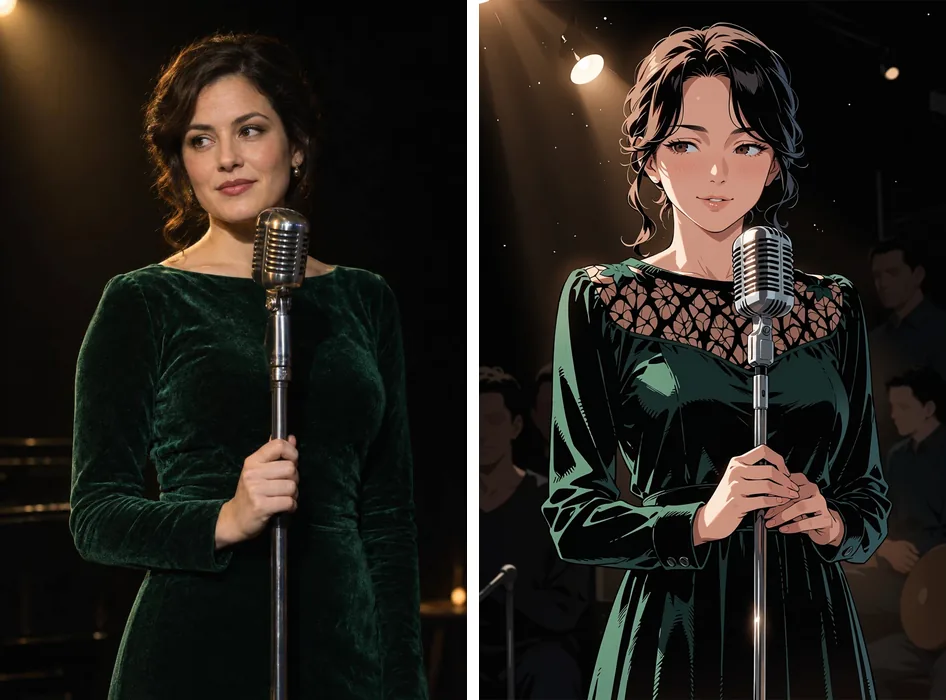
A close portrait: the strongest character look in our people tests
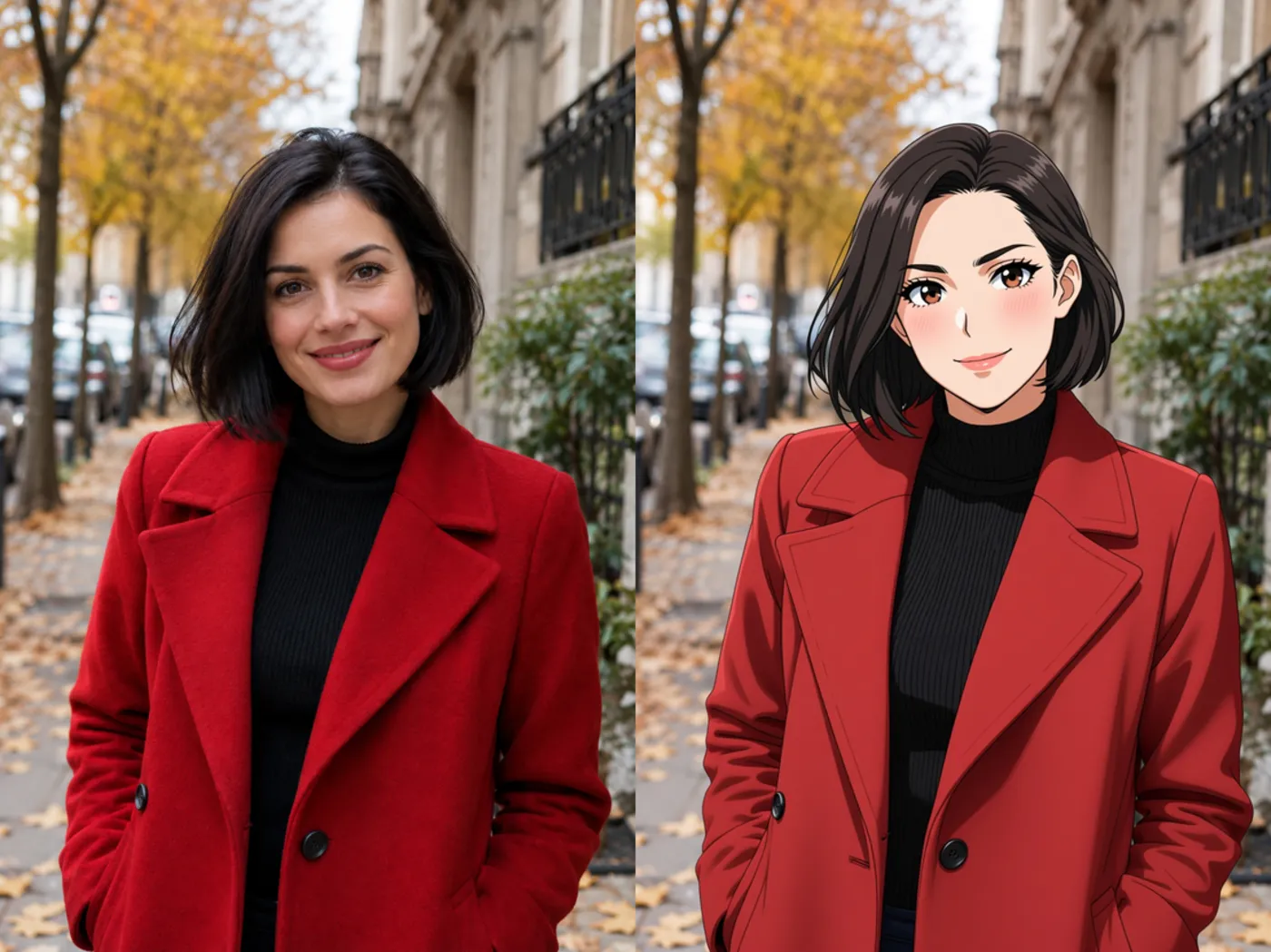
The original portrait is on the left; the anime result is on the right.
This portrait produced the strongest anime-character appearance among our people examples: big glossy eyes, blush and clean hair shapes. The black bob still framed the face, and the red coat and autumn street stayed in place. The background remained semi-photographic.
The face occupies more of the picture here than in the full-body scene. Across our runs, closer and larger faces tended to look more anime. This is why a portrait is the practical starting point if your main question is what your own face would look like, rather than how an entire holiday scene would change.
It took 26 seconds. We would choose this kind of framing for a first attempt: the result gives you enough facial detail to judge the transformation, while keeping the original clothing and setting easy to compare.
Friends at the beach: everyone changes, but small faces stay subtler
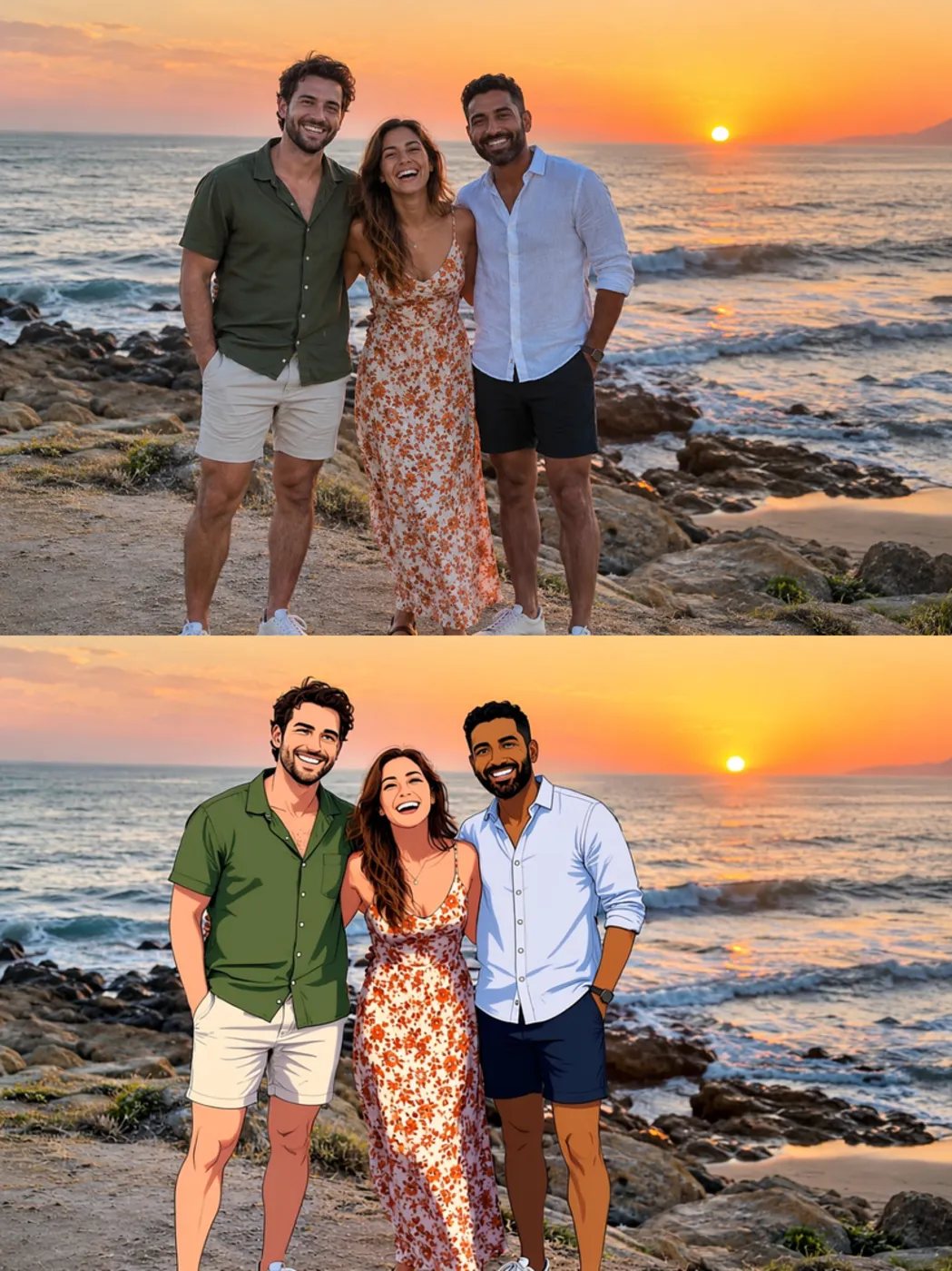
The original group photo is above; the result is below.
All three friends were redrawn and remained distinguishable from each other. Their hair, beard and skin tones carried over, with the poses and outfits unchanged. The sea and sunset stayed in the scene. This was a 22-second run.
The faces were small in the frame and came out less anime than the close portraits. That gives you a choice about what to prioritise. A group photo keeps the shared moment, but it may produce a subtler change to each person. A tighter picture of yourself is the more useful input when your own character appearance is the main subject.
The tool accepts couples and groups, but this example does not establish what happens with every group size or arrangement. The evidence here is the pictured group of three.
A cat: the most complete redraw of the set
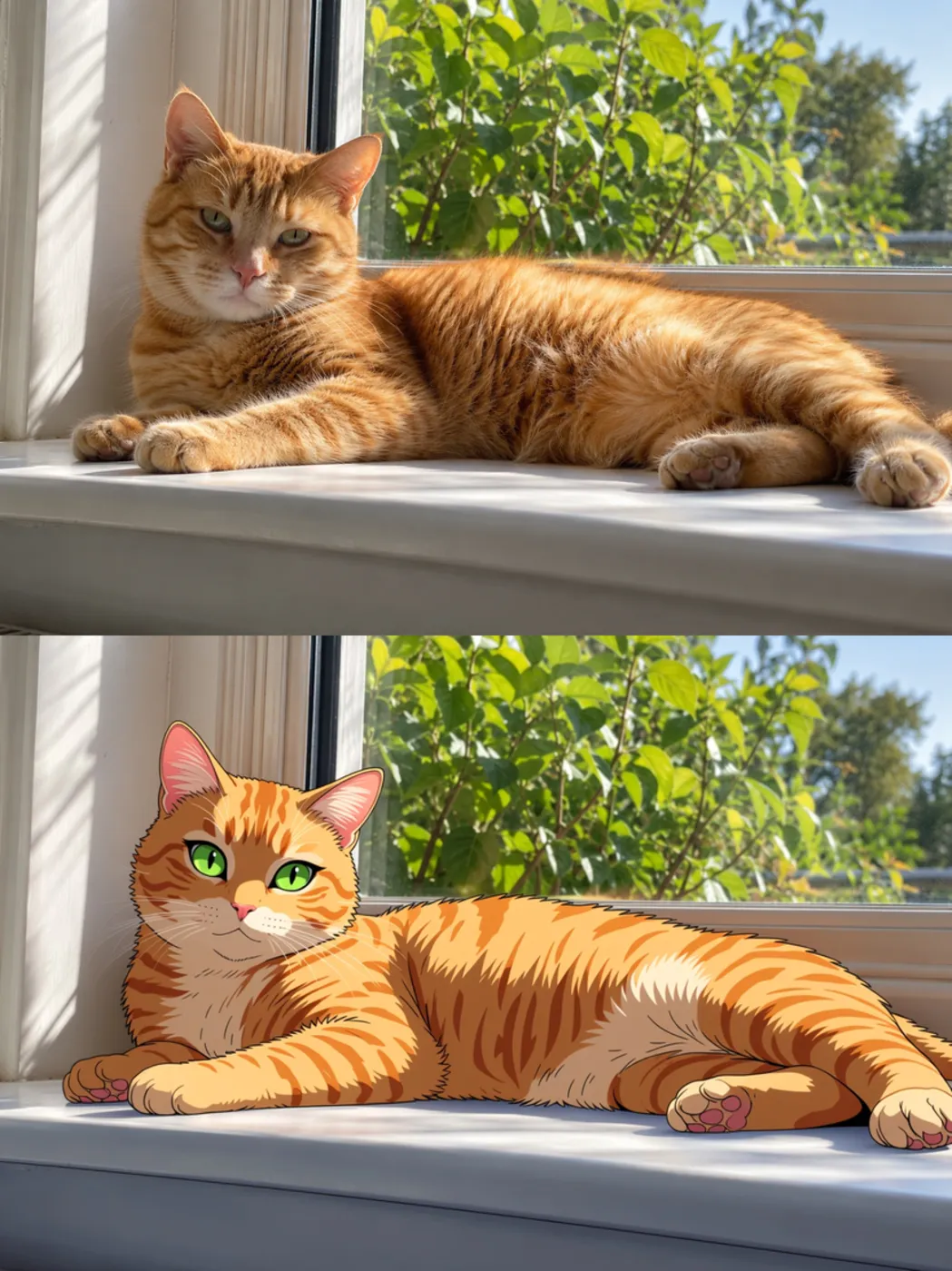
The original cat photo is above; the result is below.
The orange tabby and the background were fully redrawn as anime, including bright green eyes. This was the most complete transformation in our set, and it took 22 seconds. Pets are supported, so the same tool can also answer the question for your cat.
Notice how different this is from the rainy street: the cat picture changed throughout the frame, whereas the street retained much of its photographic look. These examples show variation in how much gets redrawn. The cat result does not promise an equally complete background change for a human portrait.
The prompt does not change the style in our matched test
We repeated the selfie with the same seed and this extra instruction:
keep his curly hair and the grey hoodie, soft 90s cel-shaded TV anime look
The output was almost identical to the no-prompt version, and took 20 seconds. In this comparison, requesting a particular period and look did not switch the art style. The useful role of the optional prompt is to protect a detail, rather than select a different drawing style.
Keep that instruction short and concrete. “Keep his beard and the olive jacket” is the kind of detail-preservation direction the tool supports. It gives you a way to call attention to something that should survive the redraw. Our test gives no basis for promising a different aesthetic by making the style request longer.
If your goal is to invent a new character from words instead of redraw your picture, Anima Turbo serves that different task. For the pictured-photo workflow, start with the input composition before spending time on style wording.
How to get a more anime-looking result
Make the face large and clear. Use a sharp, high-resolution photo with good light and a front or slight angle. The close portrait and the small faces in the beach picture illustrate why framing matters. Choose the photo where you can easily see the features you want the drawing to preserve.
Simplify the setting when the background matters. A tighter crop or a simpler background is the practical next attempt if you want a more consistently anime-looking picture. That is a preparation tip grounded in the pattern we saw, rather than a tested guarantee that cropping alone will redraw every background.
Keep the starting photo's shape unless you need another composition. Leaving the aspect ratio empty preserves the photo's shape at about one megapixel. Our portrait outputs were 832 × 1248 and landscape outputs were 1248 × 832, so do not expect the exact original pixel dimensions to survive.
Use a detail prompt sparingly. Mention the hair, glasses or jacket colour you want to keep. Judge whether that detail survived before changing the instruction again. The matched selfie is a reason to avoid treating the prompt as a menu of drawing styles.
Try it with your photo in 3 steps
- Choose your picture. Use a JPEG, PNG or WebP file up to 10 MB, with a clear, well-lit face. Use photos of yourself or people who agreed to the edit.
- Open the tool page and add the photo. Leave the prompt empty for your first attempt, as we did in the main examples, or add a short detail to preserve. Leave the aspect ratio empty to keep the original shape.
- Run it and compare the result. Look at your hair, facial features, outfit and surroundings. If the face looks too close to a photo, try a sharper or tighter input before adding more style instructions.
The price is a flat $0.05 per image; aspect ratio and output format do not change it, and failed requests are not charged. Our six images, including the repeated selfie, cost $0.30 in total and took 17–26 seconds each. Those are observed times for this set.
FAQ
Will I still look like myself?
Our selfie retained recognisable curls, stubble and clothing, while other faces changed more strongly. Expect a drawn interpretation with familiar details; exact resemblance varies across these examples.
Can I choose a particular anime style?
Our same-seed style-prompt test barely changed the result. Use the prompt for a detail you want preserved, rather than expecting it to select an art style.
Can I use a group photo or a pet picture?
Yes. Our group retained distinguishable people, and the cat picture was fully redrawn. Small group faces looked less anime than close portraits.
Can I turn the drawing back into a realistic picture?
Anime to Real works in the reverse direction. The drawing-to-realistic-photo guide explains that workflow; we did not test a round trip here.