Introduction
Describe a scene, a poster, or a character and receive finished stills. Choose the resolution tier, the shape, and how many independent takes you want from each request.
| Field | Value |
|---|---|
| Input | Text |
| Output | Image |
| Publisher | Kling |
| Release date | November 17, 2026 |
| Tasks | Text to image; image editing |
| Prompt length | 1 to 21,000 characters |
| Resolution tiers | 2k (default), 4k, 8k |
| Independent outputs | 1 to 9 per request; default 1 |
| Output aspect ratios | auto (default), 16:9, 9:16, 1:1, 4:3, 3:4, 3:2, 2:3, 21:9 |
| Editing references | 1 to 10 images, cited in upload order |
| Reference formats | JPG or PNG |
| Reference file size | Up to 30 MB per image |
| Reference dimensions | At least 300 px per side; ratio between 2:5 and 5:2 |
| Billing basis | Per delivered image by resolution; editing also charges per reference image |
Key features & highlights
A correct title with extra copy to catch
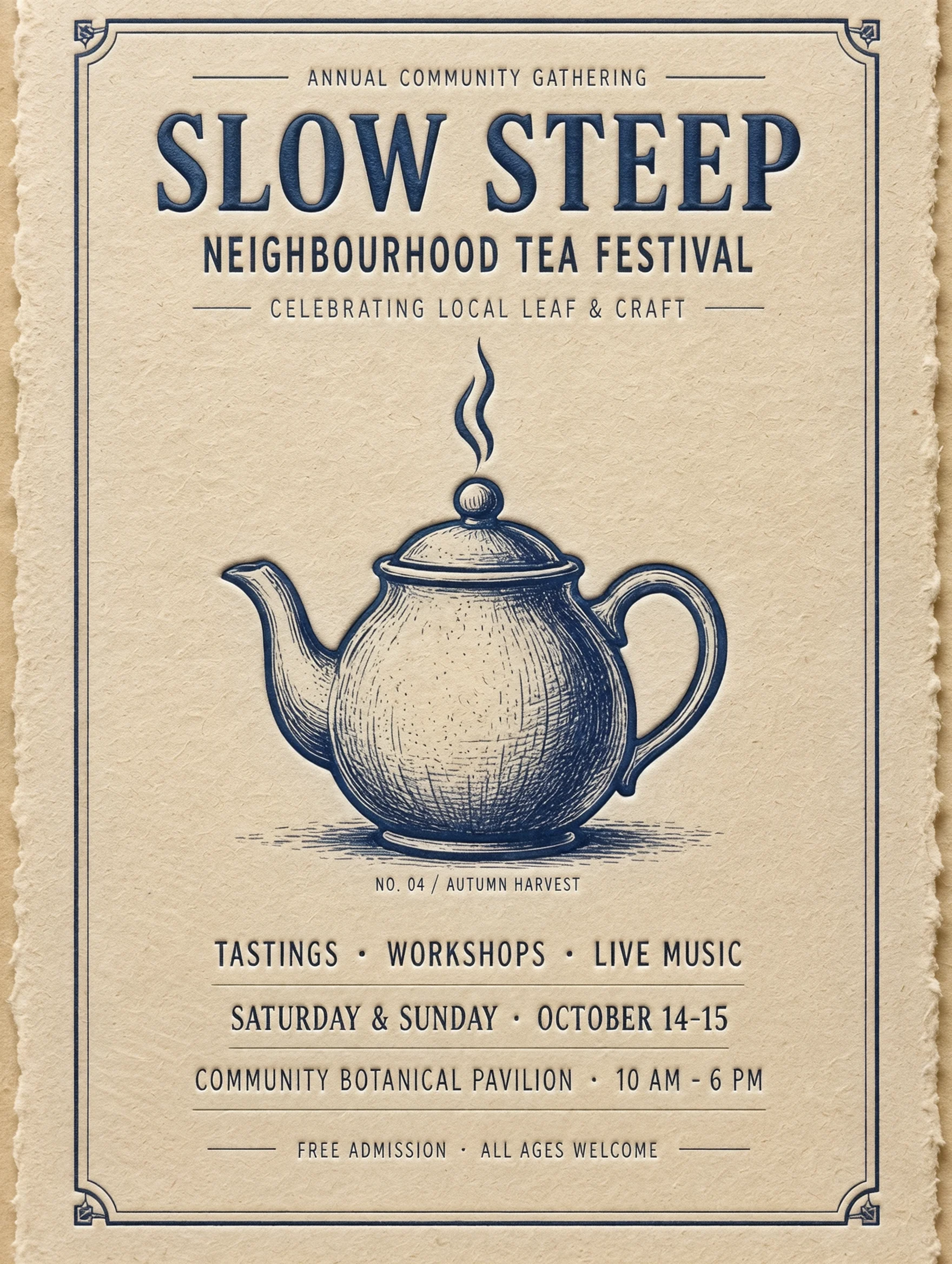
The SLOW STEEP run put the requested heading above an indigo engraved teapot on cream paper. It also invented supporting lines. This 2k result shows why a poster brief should define both the words to include and the boundary around additional text.
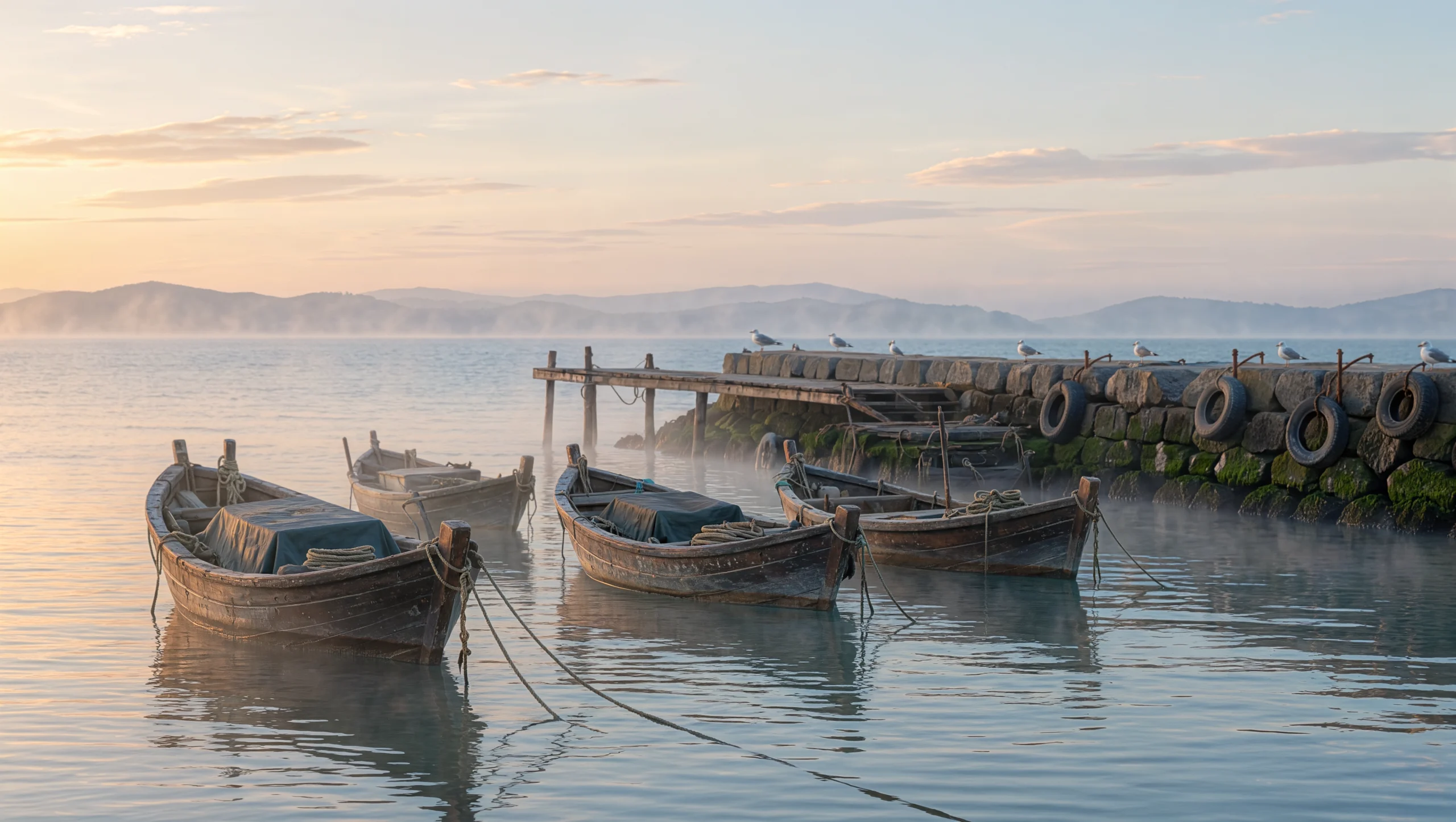
Boats and dawn mist at 4k
Our harbour prompt named wooden fishing boats, mist, and pale gold light. The result brought those elements into a wide dawn scene, returned as a 5440 x 3072 PNG at the 4k tier. Inspect the boats and soft light in the example when planning an editorial image.
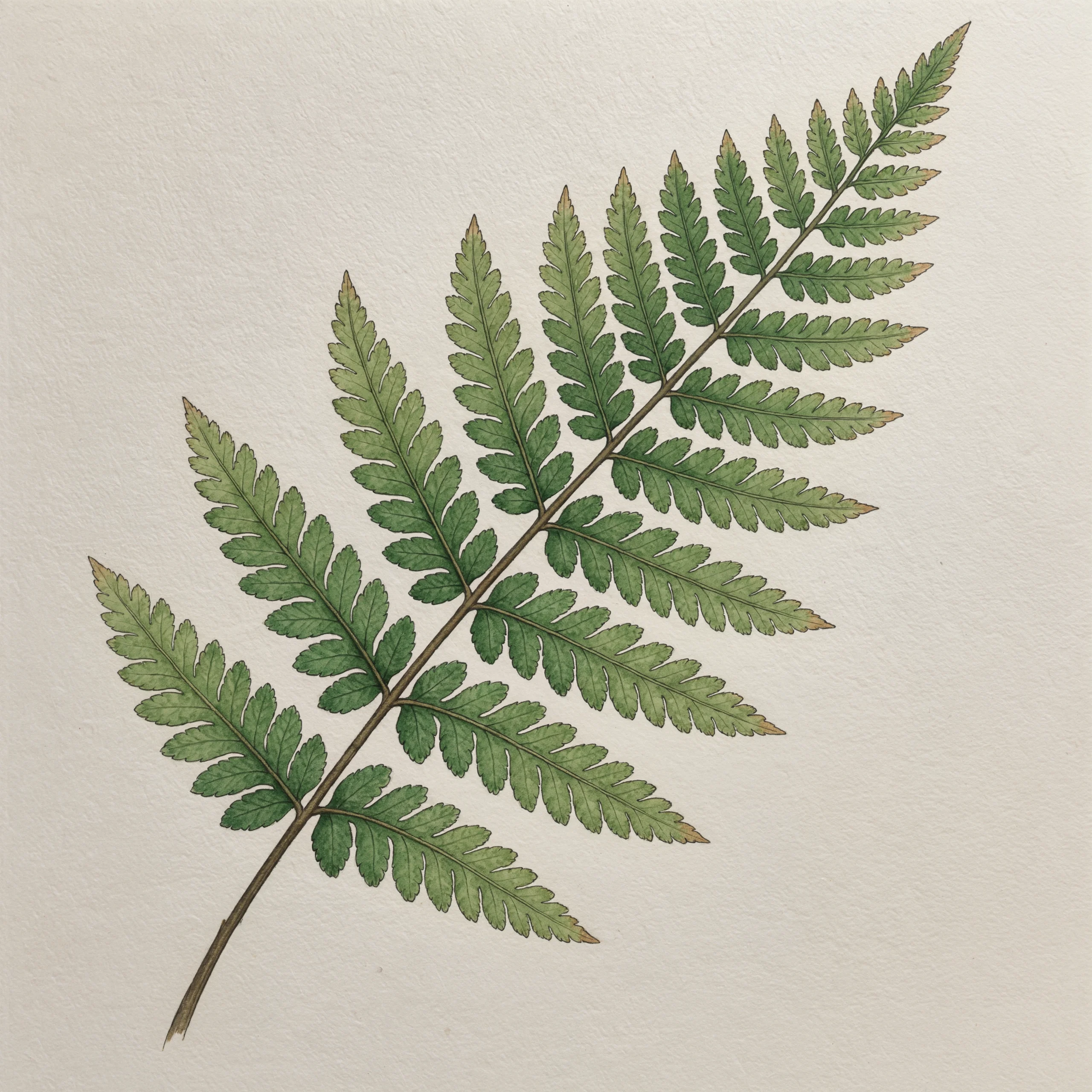
An 8192-pixel fern illustration
Our botanical run returned an 8192 x 8192 PNG of fine ink lines and muted green watercolour on off-white paper. Explore the fern example to see its square composition and the combination of drawn outlines with a watercolour treatment.
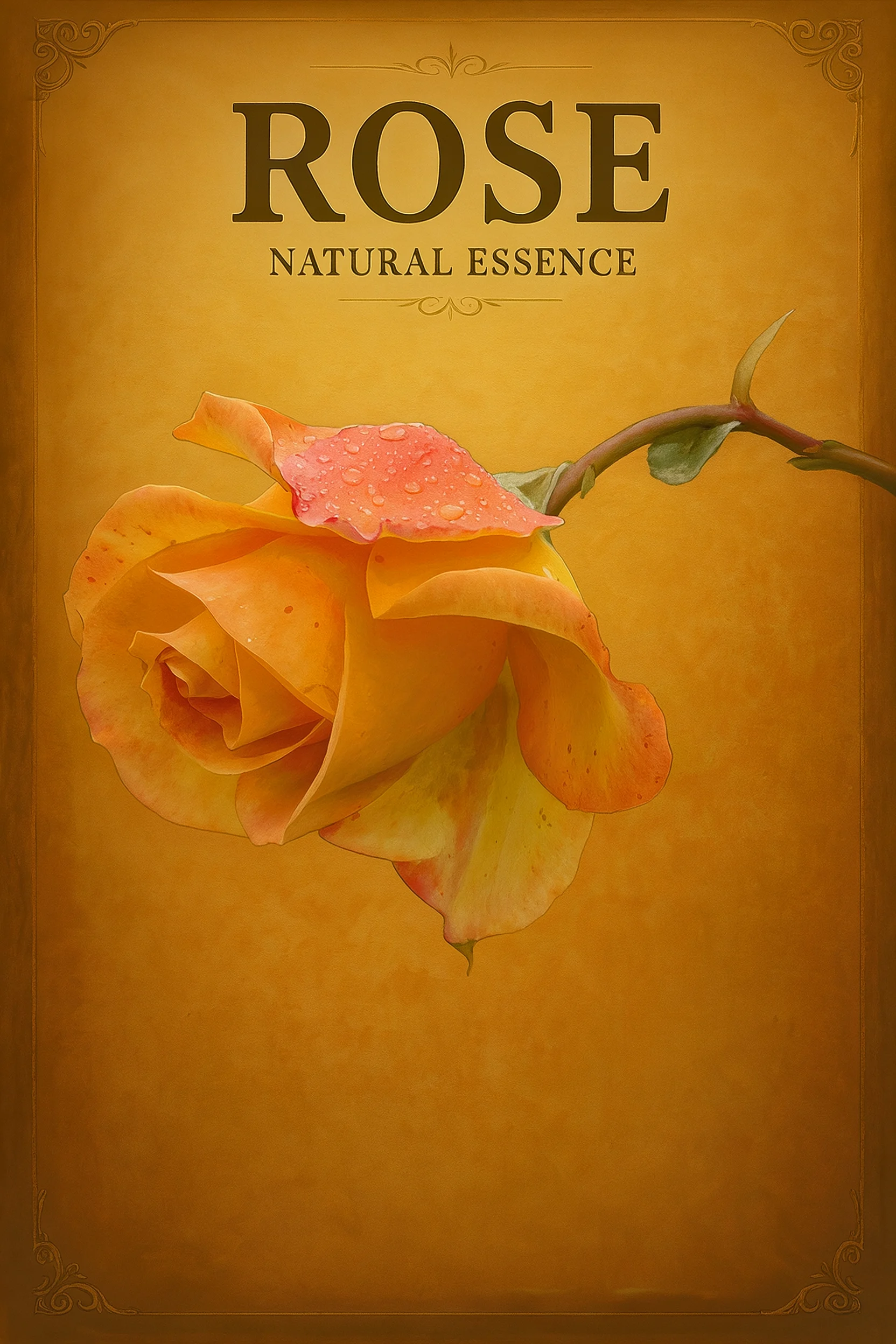
A rose repainted on amber
Image editing kept the reference rose recognisable while changing its treatment to a hand-painted vintage advertisement. The result also introduced ROSE and NATURAL ESSENCE without a request for those words. Review added copy as carefully as subject preservation.
Request parameters
| Parameter | Required | Description |
|---|---|---|
prompt | Yes | Required, up to 21,000 characters. State the subject, action, setting, camera, and lighting, and put any words to render in quotation marks. at least 1 characters · at most 21000 characters |
num_outputs | No | Number of independent takes, from 1 to 9. The default is 1, and each delivered image is charged. |
resolution | No | Output tier: 2k, 4k, or 8k. The default is 2k, and a higher tier costs more per image. |
aspect_ratio | No | Picture shape: auto, 16:9, 9:16, 1:1, 4:3, 3:4, 3:2, 2:3, or 21:9. The default is auto, which lets the model decide. |
Pricing
Each delivered image is charged at the rate of the chosen resolution. Aspect ratio does not change the price.
| Specification | Price |
|---|---|
| $0.063 / image |
| $0.094 / image |
| $0.157 / image |
Use cases
Tea festival posters
Give a community event a quoted title, paper colour, and central illustration. Our 2k SLOW STEEP poster rendered the title correctly above an indigo teapot but added supporting lines, making copy review part of the design handoff.
Harbour images for editorial layouts
Describe a location through its visible objects and light, then select a wide frame for the intended placement. Our 4k harbour run returned wooden fishing boats, mist, and pale dawn light in a 5440 x 3072 PNG.
Botanical artwork for large layouts
Specify the plant, paper, line work, and colour treatment before choosing the resolution tier. The square 8k fern illustration returned as an 8192 x 8192 PNG with ink and muted green watercolour on off-white paper.
Reference-led advertising concepts
Bring an existing product picture into image editing and describe the new visual treatment. In our rose edit, the subject stayed recognisable on an amber ground, while added ROSE and NATURAL ESSENCE wording required review.
Prompt guide & pro tips
Choose the starting material
Use text to image for a written scene, or image editing when an existing picture supplies the subject or visual direction.
Describe the scene or the change
Name the subject, setting, lighting, and exact wording to draw. For edits, assign sources by upload order with @
image_1and @image_2, then state what should change and what should remain.Choose the frame and output count
Select 2k, 4k, or 8k and a supported aspect ratio, or leave the ratio on auto. Request one to nine independent images and check the displayed price for your selected tier and reference inputs.
Review wording alongside image detail
Compare lettering with your supplied copy and compare edited objects with their references. Our tea poster and rose advertisement both gained unrequested text, so add "no other words" when the layout must stay strict and proofread the result.
Turn a written brief into a still image
Use this endpoint when the scene can be described without an uploaded source picture. Kling Image 4.0 takes a required prompt and offers 2k, 4k, and 8k output tiers, with one to nine independent images per request. Our runs include a tea festival poster, a harbour at dawn, and an ink-and-watercolour fern.
A batch gives independent alternatives from the same instruction. Choose an output count that gives you a manageable set to review, and use the related Set family when the deliverable needs a coordinated collection.
Request controls
The prompt is the required field. The other controls set the output count, resolution tier, and shape; leaving them out uses the defaults below.
| Parameter | Accepted input | Default | Practical role |
|---|---|---|---|
prompt | Required string, 1 to 21,000 characters | None | Describe the subject, setting, lighting, and exact words to draw. |
num_outputs | Integer from 1 to 9 | 1 | Request independent images from the same brief. |
resolution | 2k, 4k, 8k | 2k | Choose the output tier and its associated image price. |
aspect_ratio | auto, 16:9, 9:16, 1:1, 4:3, 3:4, 3:2, 2:3, 21:9 | auto | Choose a fixed frame or let the model interpret the brief. |
Choose the resolution tier for the intended delivery and the aspect ratio for the placement. Check the returned file dimensions when preparing the image for your layout; the examples below show the sizes returned by our requests.
Give the model a composition to draw
Start with a visible subject and its setting, then specify the light and visual treatment. The harbour brief names wooden fishing boats, dawn mist, and pale gold light. The fern brief names a plant, off-white paper, fine ink lines, and muted green watercolour. Each describes what should be visible rather than relying on general praise for image quality.
Make lettering a separate instruction
For a poster, quote the intended title and locate it in the frame. Separate the required wording from the illustration direction, and add "no other words" when extra copy would create a problem. Proofread the full returned image, including smaller lines you did not request.
Kling says a picture can contain up to 2,000 characters of generated text. Keep this separate from the 21,000-character prompt limit: one concerns the lettering drawn in the picture, while the other covers your full description. Group titles and supporting lines by their intended position so the layout instructions stay readable.
Align the scene with the frame
Choose a fixed ratio when the destination is known: a tall poster and a wide editorial scene have different framing needs. Use auto when you want the prompt to guide the shape. If you change the resolution after reviewing a draft, inspect the new image again rather than assuming that the earlier composition and lettering carried over unchanged.
What our November 18 runs returned
Our three text-to-image runs used different subjects, resolution tiers, and frame shapes. Review the examples for composition, surface treatment, and lettering as you plan your own image.
Tea poster at 2k
The SLOW STEEP request used a 3:4 frame and returned one 1760 x 2336 PNG. The title was spelled correctly above an indigo engraved teapot on cream paper. The model also invented supporting lines. Check the supporting text as well as the headline before using the poster.
Harbour at 4k
The dawn harbour request used 16:9 and returned one 5440 x 3072 PNG showing wooden boats, mist, and pale dawn light. The wide frame gives the boats, mist, and surrounding harbour space within the composition.
Fern at 8k
The square botanical request returned one 8192 x 8192 PNG of an ink-and-watercolour fern on off-white paper. Kling says its 8k tier uses native generation. Inspect the example for its fine line work, colour treatment, and square framing.
Price and review decisions
See the price shown on this page for the resolution you select. Each delivered image is charged at that tier; requesting more independent outputs means more delivered images to bill and review. Aspect ratio does not change the price. Review the layout at a chosen tier before deciding whether another resolution or another batch is useful.
Scope and related families
This endpoint accepts text rather than a source image. Use image editing on this page when an existing object or photograph needs to guide the result.
Kling says series generation coordinates related images and long-image generation makes product-detail or webpage visuals. Choose Kling Image 4.0 Set (kling/image-4.0-set) for a coordinated collection, or Kling Image 4.0 Long (kling/image-4.0-long) for that page-shaped deliverable. The independent still-image controls here serve a different output structure. When comparing candidates, use the same intended composition, exact copy, and delivery requirements, then review the images at the size you plan to use.
API quick start
# Generate the idempotency key once; reuse it when retrying after a lost response.
export SPICY_IDEMPOTENCY_KEY="${SPICY_IDEMPOTENCY_KEY:-$(uuidgen)}"
curl -X POST https://api.spicyapi.ai/api/v1/jobs/createTask \
  -H "Authorization: Bearer $SPICY_API_KEY" \
  -H "Content-Type: application/json" \
  -H "Idempotency-Key: $SPICY_IDEMPOTENCY_KEY" \
  -d '{
  "model": "kling/image-4.0/text-to-image",
  "input": {
    "prompt": "A ceramic teapot on a linen cloth, soft window light, muted palette",
    "resolution": "2k",
    "num_outputs": 1,
    "aspect_ratio": "auto"
  }
}'

# Copy data.taskId from the response into TASK_ID, then poll the status.
TASK_ID="TASK_ID_FROM_RESPONSE"
curl "https://api.spicyapi.ai/api/v1/jobs/recordInfo?taskId=$TASK_ID" \
  -H "Authorization: Bearer $SPICY_API_KEY"
See the API reference for authentication, the complete schema, polling, and error handling.