Introduction
Provide image_url for the source and describe the requested change. A white-on-black mask can identify the edit region, references can supply style or content, and high edit precision limits the extent of the change.
| Field | Value |
|---|---|
| Input | Image |
| Output | Image |
| Publisher | Ideogram |
| Supported tasks | Text-to-image generation; image-to-image editing |
| Prompt allowance | Up to 10,000 characters; quote the lettering to appear |
| Generation quality tiers | low, medium (default), high |
| Editing quality tiers |
|
| Resolution | 1k or 2k; the quality-tier rate is unchanged by size |
| Aspect ratios | 1:1, 4:3, 3:4, 3:2, 2:3, 16:9, 9:16 |
| Edit guidance | Optional black-and-white mask; white marks the area to change |
| Reference allowance | Up to four style or content images; up to three with a mask |
| Edit precision | regular or high; high makes changes more restrained |
| Billing basis | Per image by quality; size, ratio, and reference count do not change the rate; failures are unbilled |
| File retention | Generated files are deleted after 14 days |
Key features & highlights
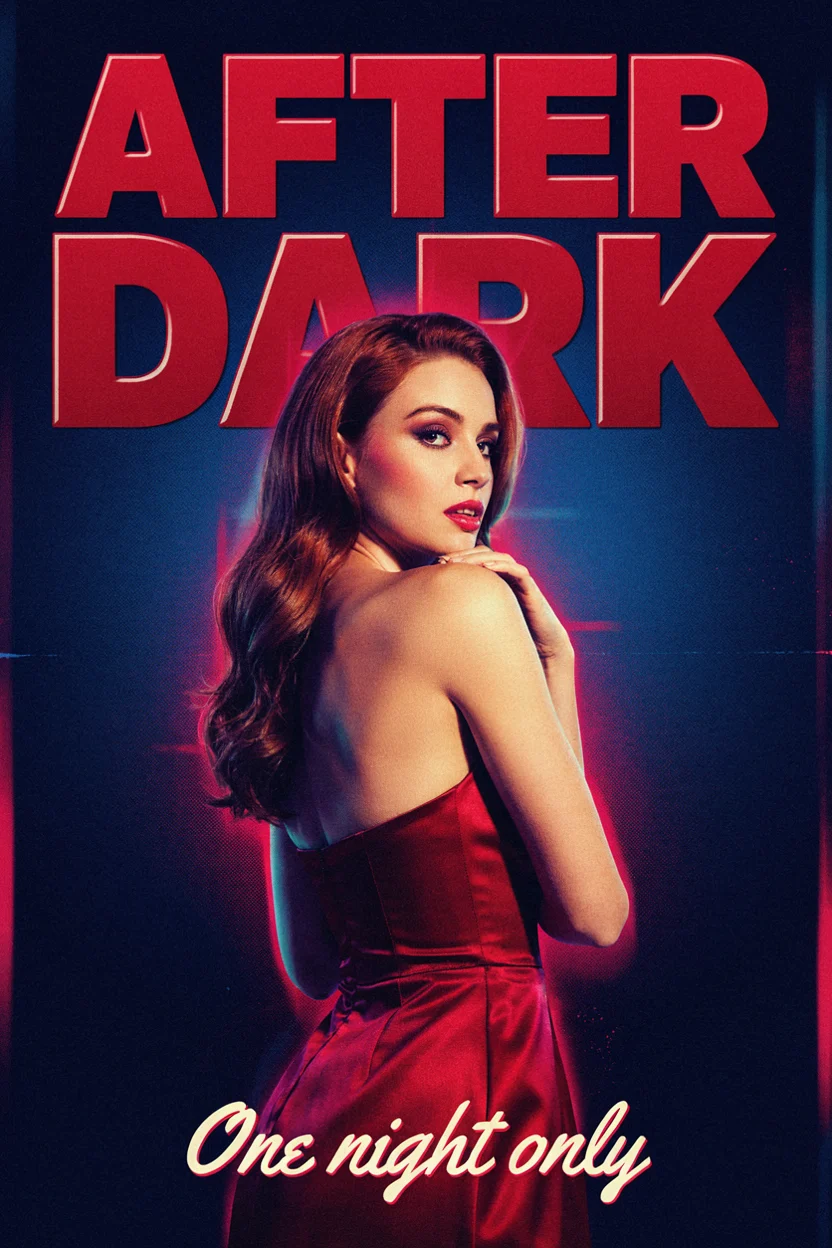
AFTER DARK with its supporting line intact
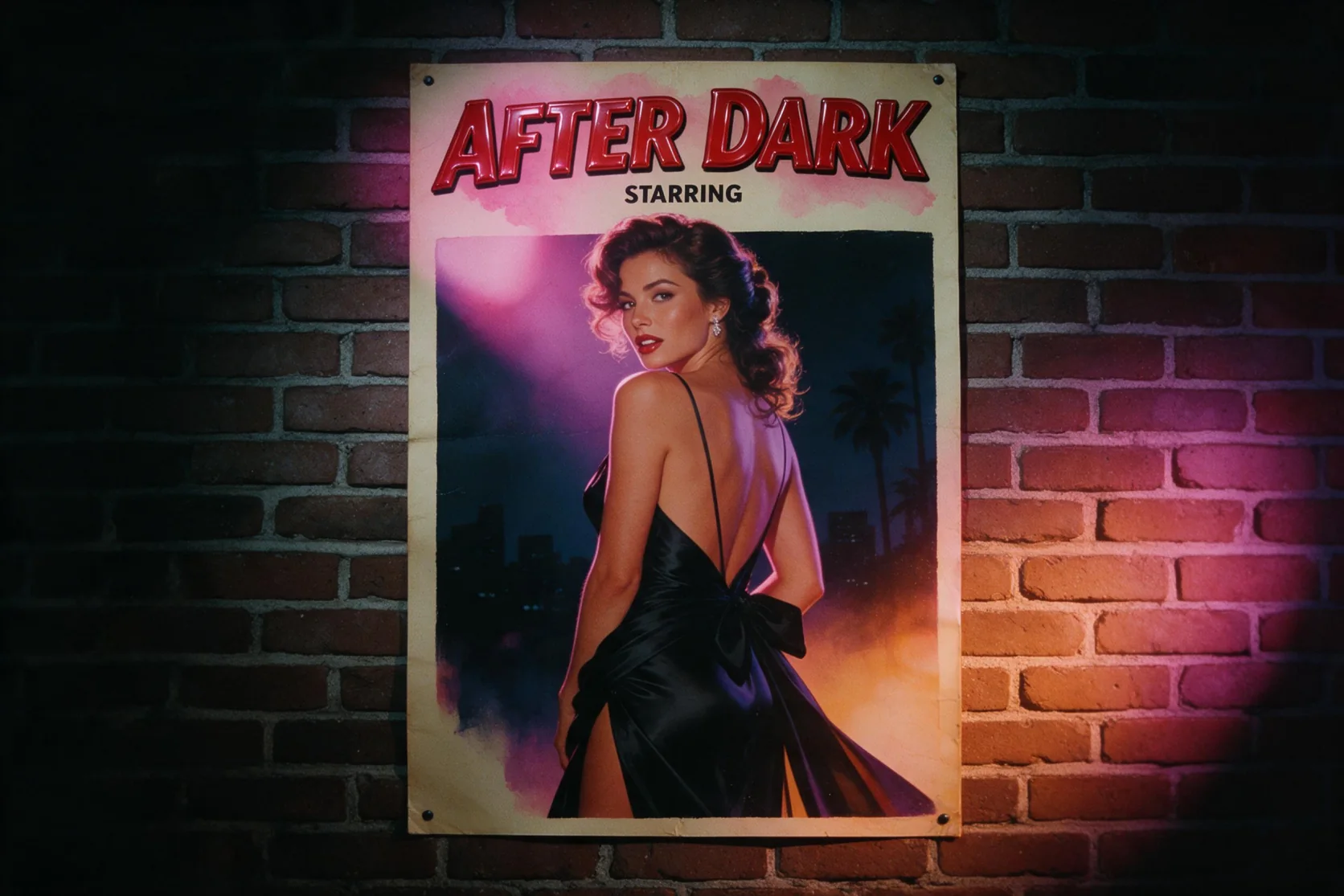
The new poster pairs glossy red title lettering with the line One night only below a woman in a satin gown. Both strings were spelled correctly in the medium-quality, 1k, 2:3 result. Use that hierarchy as a starting point: assign each quoted line a location, then describe the figure, neon light, and print texture around it. This is a measured example of two supplied text blocks, so check the words in your own returned design.
A destination name above festival details
Our LUMEN BAY poster test combined a large destination title with the smaller Summer Festival · July 12–14 line. Both remained clear in the seaside composition with sailboats and a striped lighthouse. Give the headline and event information distinct positions in your prompt so their roles are defined before you describe the illustration. Quality selects the billing tier, while 1k and 2k share that tier's rate.
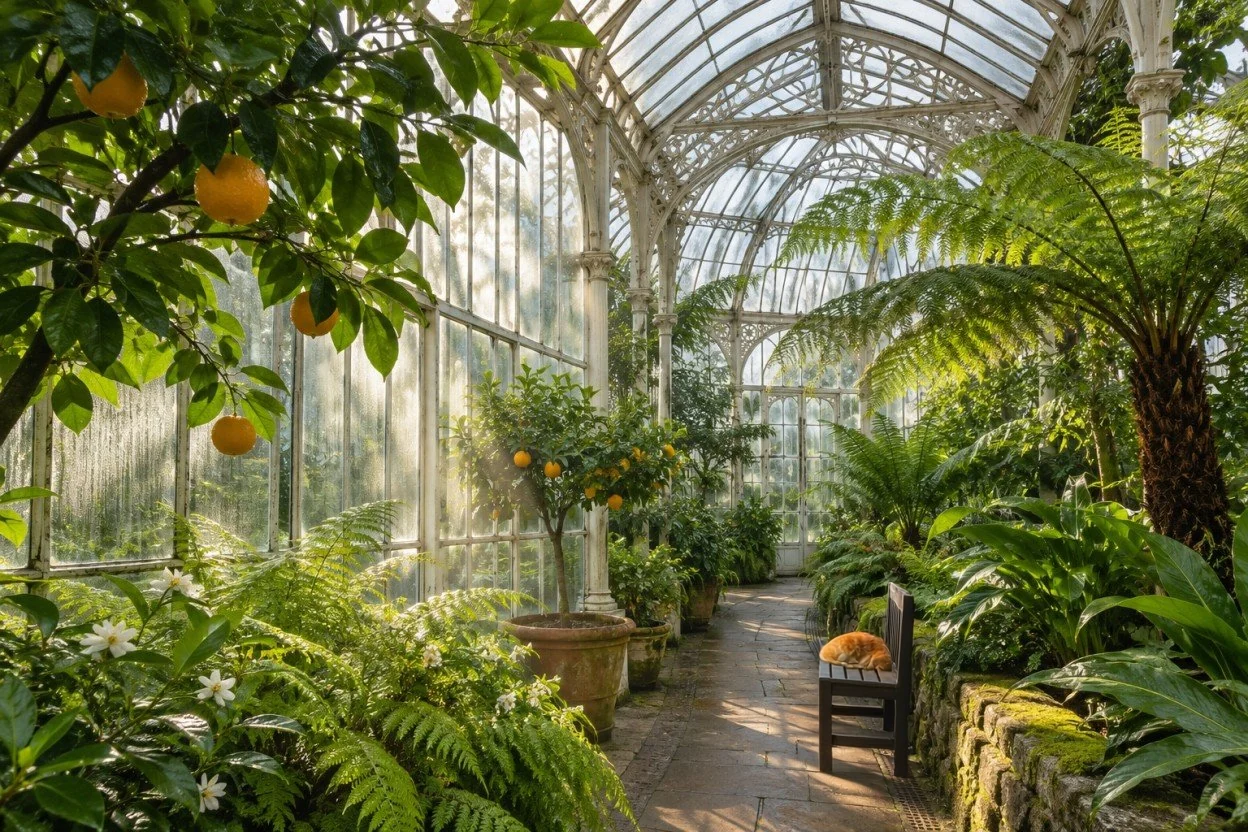
Add a place for the greenhouse cat
A wooden bench and a sleeping orange cat appeared on the greenhouse walkway in our edit, with the surrounding plants and lighting unchanged. The request names the additions and keeps the rest of the scene as a preservation goal. For a change confined to a region, use an optional mask with white marking that area. References and high edit precision also took effect in our tests, but each returned edit still needs a visual check.
Request parameters
| Parameter | Required | Description |
|---|---|---|
prompt | Yes | Write the requested modification in at most 10,000 characters and quote any lettering to add; these instructions do not alter the quality-based rate. at least 1 characters · at most 10000 characters |
image_url | Yes | Supply the picture to modify in this field; the source image does not add a separate charge. at least 1 characters |
mask_url | No | Optionally supply a black-and-white mask, with white indicating what to change; using a mask does not change pricing. at least 1 characters |
reference_image_urls | No | Attach up to four content or style references, or up to three with a mask, and identify them as Image 1 and onward; reference count does not affect the bill. at most 4 items |
aspect_ratio | No | Set the edited canvas to 1:1, 4:3, 3:4, 3:2, 2:3, 16:9 or 9:16; all seven ratios use the chosen quality rate. |
quality | No | Editing accepts |
resolution | No | An edited result can use 1k or 2k, without a size-related price increase. |
edit_precision | No | Select regular or high, where high keeps the modification more restrained; this choice does not set an additional rate. |
Pricing
Editing charges follow quality, including the lower-priced very_low option; image size, ratio and reference count add nothing, and failed edits are unbilled.
| Specification | Price |
|---|---|
| $0.0096 / image |
| $0.036 / image |
| $0.072 / image |
| $0.264 / image |
Use cases
Retro film and evening-event posters
Build a composition around a quoted headline and a separate event line. Our AFTER DARK result spelled both requested lines correctly at medium quality, 1k, and 2:3, with a satin-gown figure and a retro poster treatment.
Travel and festival artwork
Arrange a destination name above an illustrated scene and put event details below it. The LUMEN BAY test kept its large title and smaller festival copy clear alongside a seaside illustration.
Small additions inside an existing scene
Introduce a named object while asking for the surrounding location and light to stay. Our greenhouse edit added a wooden bench and sleeping orange cat while leaving the rest of the scene unchanged.
Reference-directed design revisions
Supply pictures that establish a palette, material, style, or content, then explain which role each reference plays. Editing accepts four references, reduced to three when a mask is also supplied.
A controlled region within a composition
Mark the requested change in white on a black-and-white mask and describe that region in the instruction. High edit precision offers a more restrained change; our tests confirmed that masks and this precision control took effect.
Prompt guide & pro tips
Choose a new image or an edit
Begin with text-to-image for a composition described in words. Select image-to-image when an existing picture should supply the scene, then provide it in
image_url.Separate copy from art direction
Quote each title and supporting line, and say where it belongs. Describe the setting, wardrobe, light, or graphic texture around that lettering.
Pick quality and canvas settings
Choose a quality tier for the per-image rate, then select 1k or 2k and a supported aspect ratio. Medium is the default quality; editing also offers
very_low.Guide the change and review it
For an edit, add an optional white-region mask and number any references by role. Inspect lettering and preserved details, then download the accepted file within its 14-day storage period.
Revise a supplied picture
Ideogram 4.5 image-to-image takes the picture in image_url and applies the modification described in prompt. This endpoint fits a scene that already exists: add an object, revise a detail, or bring visual guidance into a design. Name the intended change and the elements you want to retain so both parts of the brief are clear.
Our greenhouse test added a wooden bench and a sleeping orange cat to a stone walkway while leaving the surrounding plants and lighting unchanged. Separate tests confirmed that masks, references, and high edit precision took effect. Those observations support the editing controls described here without establishing perfect preservation across every request.
Editing parameters
| Parameter | Supported values or allowance | Role |
|---|---|---|
image_url | Source picture | Identifies the image being modified. |
| prompt | Up to 10,000 characters | States the change, preserved details, and any quoted lettering. |
mask_url | Optional black-and-white mask | White marks the region to change. |
reference_image_urls | Up to four references; up to three with a mask | Supplies visual style or content, identified as Image 1 and onward. |
edit_precision | regular or high | High makes the modification more restrained. |
| quality | very_low, low, medium, high; medium by default | Determines the per-image rate. |
| resolution | 1k or 2k | Selects the output size. |
aspect_ratio | 1:1, 4:3, 3:4, 3:2, 2:3, 16:9, 9:16 | Sets the edited canvas shape. |
Quality and edit precision answer different questions. Choose quality for the billing tier and edit_precision for how restrained the change should be. Selecting high precision is not the same instruction as choosing high quality.
Build the instruction around the source
Separate the change from preservation
Begin with a direct action: add the bench, repaint the label, or change a named item. Follow it with the details to retain, such as the existing plants, table, lighting, or object shape. Avoid making the reader infer which parts of the source matter from a general request to improve the picture.
For the greenhouse pattern, a focused brief identifies the bench's location and the sleeping cat, then preserves the surrounding scene. When adding lettering, quote the exact wording and specify its position. Inspect any existing text that you asked to keep as well as the newly requested text.
Use a mask to identify a region
The optional mask is black and white, with white indicating the area requested for editing. Describe what should happen within that region and what should remain around it. Our tests confirmed that a supplied mask took effect; the measured result does not mean every boundary or surrounding detail will be identical on every run.
Count references again when adding mask_url. An unmasked request allows four visual references, while a masked request allows three. This reduction concerns the reference list; image_url still identifies the source being edited.
Give references separate roles
A source picture and a reference have different jobs. The source defines what you are revising; a reference can supply the desired visual style or content. Identify attached references as Image 1, Image 2, and onward, then describe what each contributes. A botanical palette reference, for example, can guide a product label without asking to replace the product's shape.
Use a short mapping in the prompt when several references are attached: one may guide a material and another a color scheme. Finish with the details that should remain from the source. The supplied tests confirm that references worked, rather than proving that every detail from every reference will transfer.
Review an edit before continuing
Compare the result with the source at the points named in the brief: the new object, the preserved scene, the wording, and the intended canvas. Our greenhouse result retained its plants and lighting around the added bench and cat. Use that as a concrete example of an individual change, without extending it into a guarantee about a long series.
For several planned revisions, keep an accepted version and make the next instruction specific. Check each returned picture before using it for another step. If an input contains people, use photos you have the right to use, depict adults, and do not impersonate anyone.
What determines the bill
Editing is charged per image according to quality, with very_low available as the lower-priced editing tier. Higher quality tiers raise the rate. Output size, aspect ratio, and reference count do not change it; edit precision does not add a separate rate. A failed edit is unbilled.
Consult the Ideogram 4.5 model page for current prices. Choose 1k or 2k and the canvas shape for the intended use, then select quality for the budget. A mask or additional reference is guidance for the task, rather than a new billing unit.
Boundaries and related tools
Ideogram applies its own content filter, and flagged requests are refused without a charge. Save accepted output files within 14 days because they are deleted after that period.
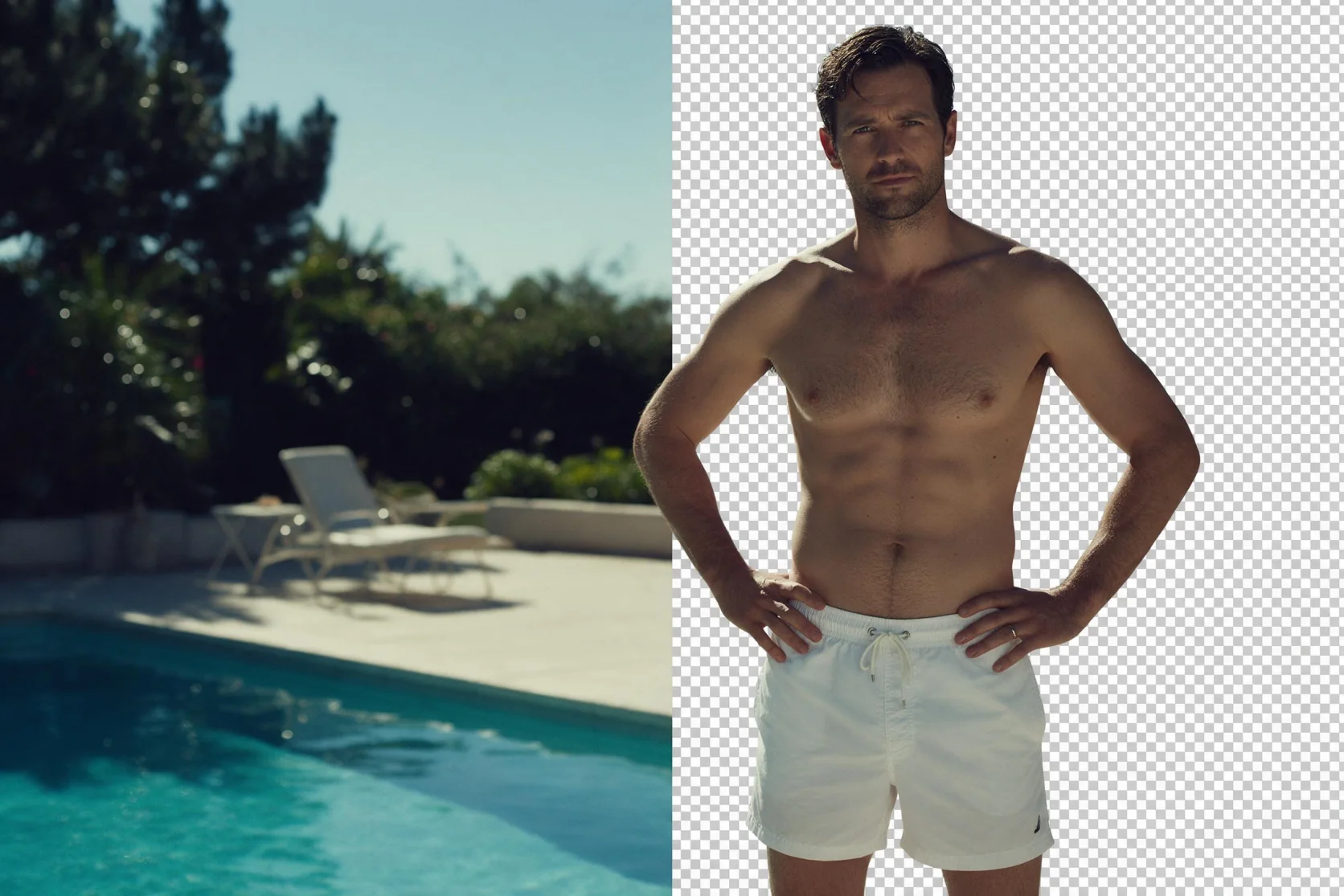
Return to text-to-image when you need a new picture from a written scene. Use Ideogram Remove Background for a photo cutout, or Ideogram Vector 1 when SVG is the required deliverable. Select the workflow by its input and output rather than assuming that an editing instruction changes the file type.
API quick start
# Generate the idempotency key once; reuse it when retrying after a lost response.
export SPICY_IDEMPOTENCY_KEY="${SPICY_IDEMPOTENCY_KEY:-$(uuidgen)}"
curl -X POST https://api.spicyapi.ai/api/v1/jobs/createTask \
  -H "Authorization: Bearer $SPICY_API_KEY" \
  -H "Content-Type: application/json" \
  -H "Idempotency-Key: $SPICY_IDEMPOTENCY_KEY" \
  -d '{
  "model": "ideogram/4.5/edit",
  "input": {
    "edit_precision": "regular",
    "image_url": "https://example.com/reference.png",
    "prompt": "A ceramic teapot on a linen cloth, soft window light, muted palette",
    "quality": "medium",
    "resolution": "1k"
  }
}'

# Copy data.taskId from the response into TASK_ID, then poll the status.
TASK_ID="TASK_ID_FROM_RESPONSE"
curl "https://api.spicyapi.ai/api/v1/jobs/recordInfo?taskId=$TASK_ID" \
  -H "Authorization: Bearer $SPICY_API_KEY"
See the API reference for authentication, the complete schema, polling, and error handling.