Introduction
Send the composition in prompt, including quoted words for the design. Choose the quality tier separately from image size and ratio; prompt expansion can elaborate a short brief.
| Field | Value |
|---|---|
| Input | Text |
| Output | Image |
| Publisher | Ideogram |
| Supported tasks | Text-to-image generation; image-to-image editing |
| Prompt allowance | Up to 10,000 characters; quote the lettering to appear |
| Generation quality tiers | low, medium (default), high |
| Editing quality tiers |
|
| Resolution | 1k or 2k; the quality-tier rate is unchanged by size |
| Aspect ratios | 1:1, 4:3, 3:4, 3:2, 2:3, 16:9, 9:16 |
| Edit guidance | Optional black-and-white mask; white marks the area to change |
| Reference allowance | Up to four style or content images; up to three with a mask |
| Edit precision | regular or high; high makes changes more restrained |
| Billing basis | Per image by quality; size, ratio, and reference count do not change the rate; failures are unbilled |
| File retention | Generated files are deleted after 14 days |
Key features & highlights
AFTER DARK with its supporting line intact
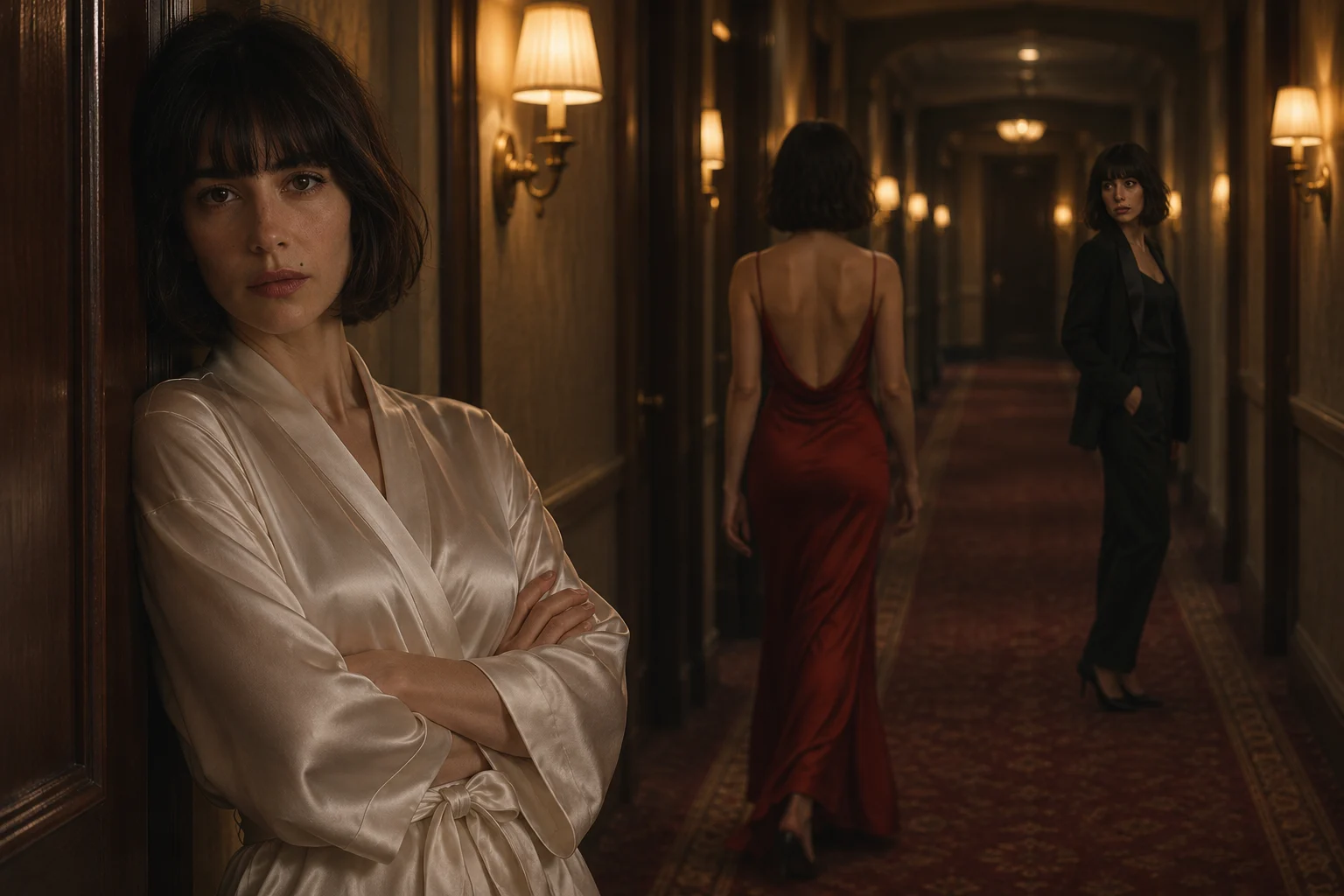
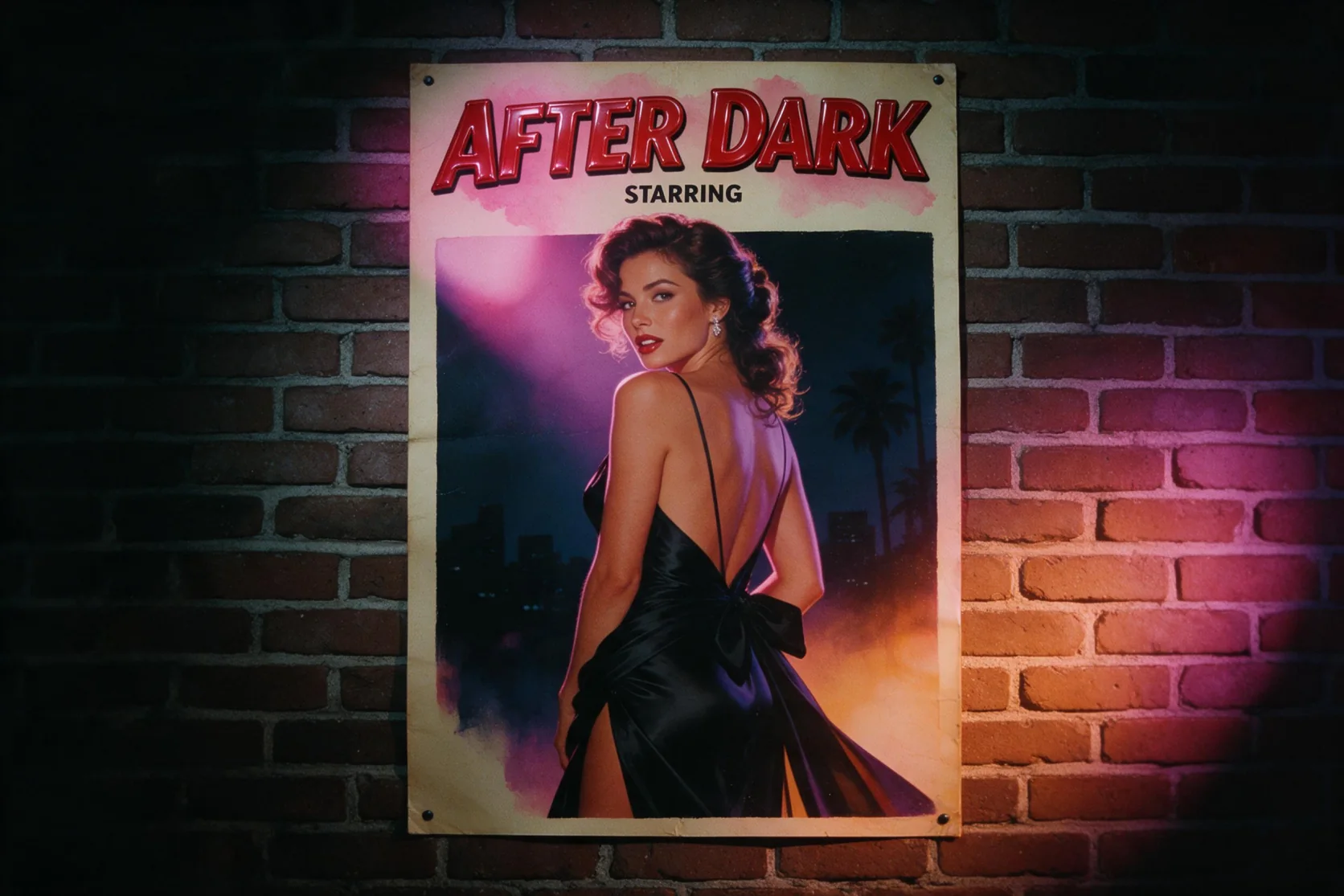
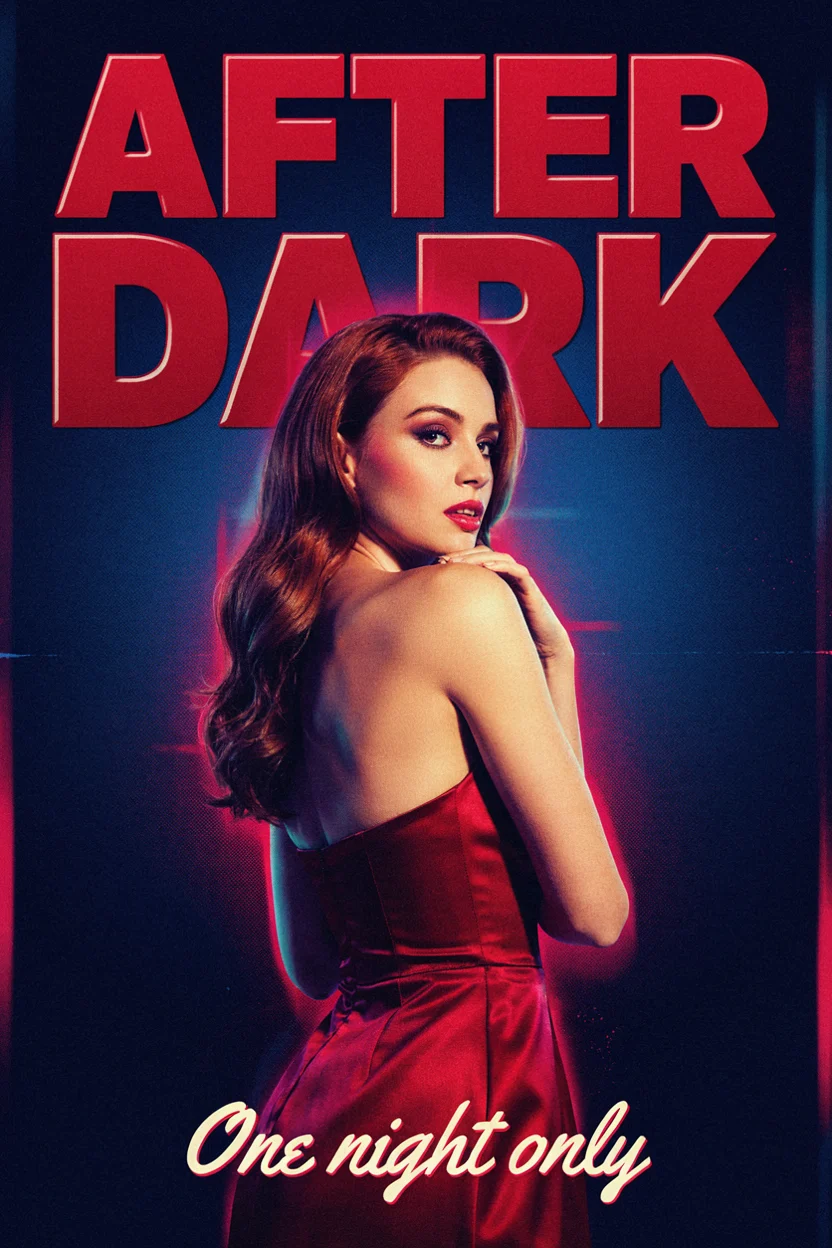
The new poster pairs glossy red title lettering with the line One night only below a woman in a satin gown. Both strings were spelled correctly in the medium-quality, 1k, 2:3 result. Use that hierarchy as a starting point: assign each quoted line a location, then describe the figure, neon light, and print texture around it. This is a measured example of two supplied text blocks, so check the words in your own returned design.
A destination name above festival details
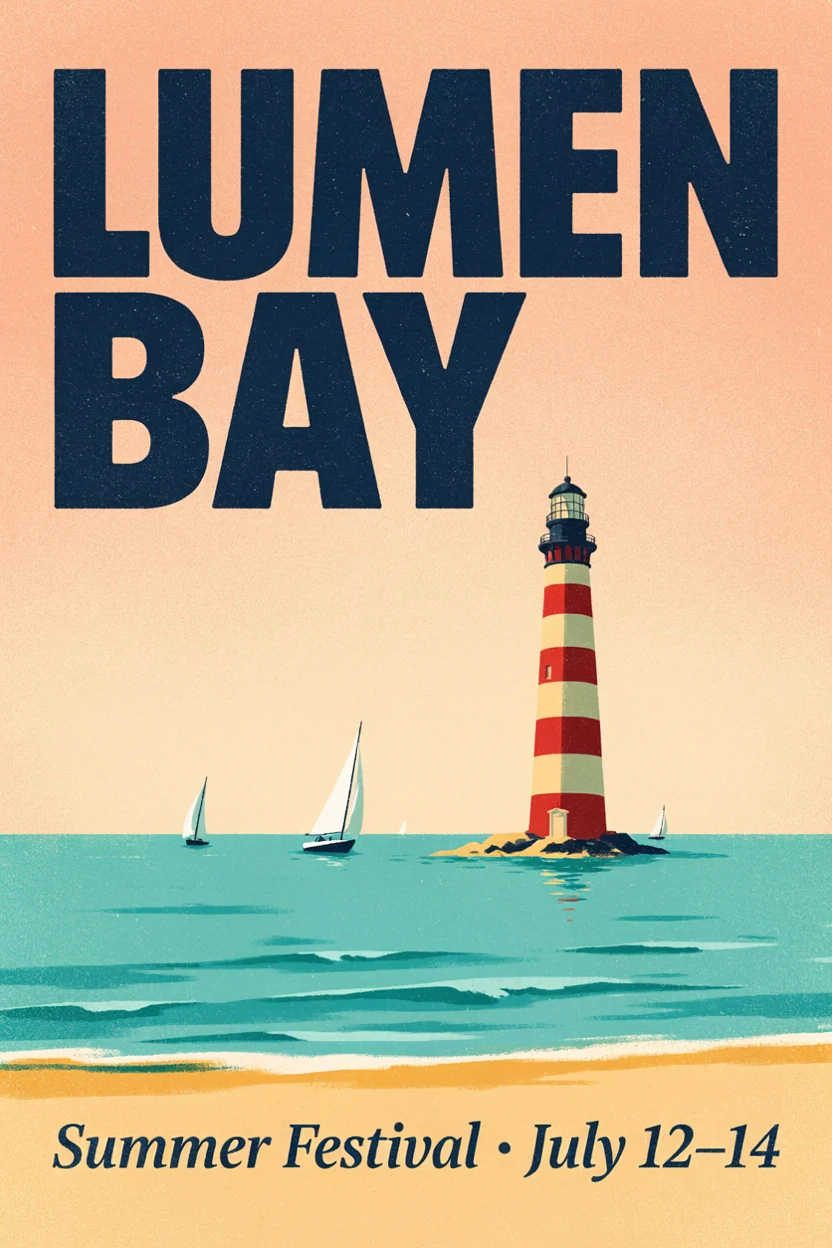
Our LUMEN BAY poster test combined a large destination title with the smaller Summer Festival · July 12–14 line. Both remained clear in the seaside composition with sailboats and a striped lighthouse. Give the headline and event information distinct positions in your prompt so their roles are defined before you describe the illustration. Quality selects the billing tier, while 1k and 2k share that tier's rate.
Add a place for the greenhouse cat
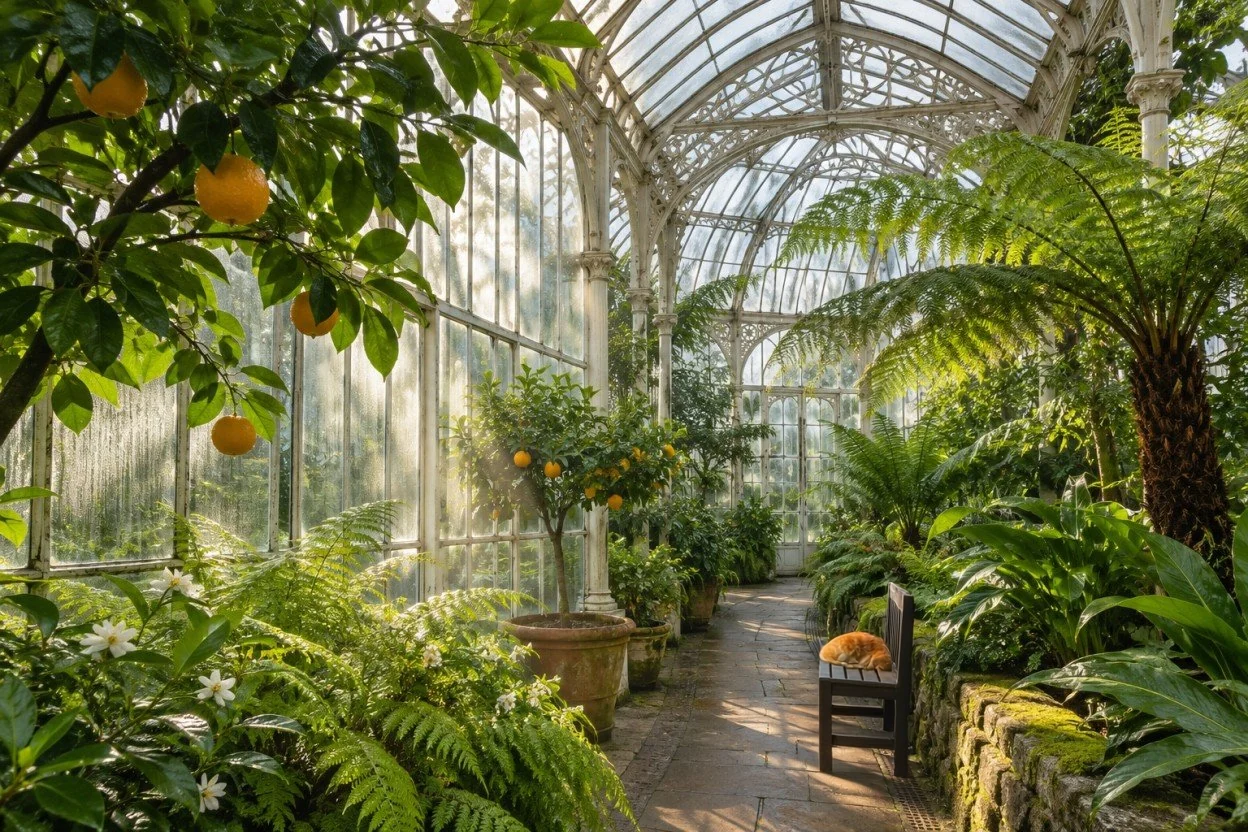
A wooden bench and a sleeping orange cat appeared on the greenhouse walkway in our edit, with the surrounding plants and lighting unchanged. The request names the additions and keeps the rest of the scene as a preservation goal. For a change confined to a region, use an optional mask with white marking that area. References and high edit precision also took effect in our tests, but each returned edit still needs a visual check.
Request parameters
| Parameter | Required | Description |
|---|---|---|
prompt | Yes | Describe the image in up to 10,000 characters, putting intended lettering in quotes; prompt length does not set the price. at least 1 characters · at most 10000 characters |
aspect_ratio | No | Choose 1:1, 4:3, 3:4, 3:2, 2:3, 16:9 or 9:16 to set the composition; the ratio adds no fee. |
quality | No | Choose low, medium (default) or high for generation; higher quality tiers cost more per image. |
resolution | No | Select 1k or 2k for the image size, with no change to the quality-tier charge. |
enable_prompt_expansion | No | Enable this option to let the model expand a short instruction before generation; billing remains tied to quality. Default: |
Pricing
Each generated image is billed at its selected quality tier; resolution and ratio do not change that rate, and unsuccessful requests incur no charge.
| Specification | Price |
|---|---|
| $0.036 / image |
| $0.072 / image |
| $0.264 / image |
Use cases
Retro film and evening-event posters
Build a composition around a quoted headline and a separate event line. Our AFTER DARK result spelled both requested lines correctly at medium quality, 1k, and 2:3, with a satin-gown figure and a retro poster treatment.
Travel and festival artwork
Arrange a destination name above an illustrated scene and put event details below it. The LUMEN BAY test kept its large title and smaller festival copy clear alongside a seaside illustration.
Small additions inside an existing scene
Introduce a named object while asking for the surrounding location and light to stay. Our greenhouse edit added a wooden bench and sleeping orange cat while leaving the rest of the scene unchanged.
Reference-directed design revisions
Supply pictures that establish a palette, material, style, or content, then explain which role each reference plays. Editing accepts four references, reduced to three when a mask is also supplied.
A controlled region within a composition
Mark the requested change in white on a black-and-white mask and describe that region in the instruction. High edit precision offers a more restrained change; our tests confirmed that masks and this precision control took effect.
Prompt guide & pro tips
Choose a new image or an edit
Begin with text-to-image for a composition described in words. Select image-to-image when an existing picture should supply the scene, then provide it in
image_url.Separate copy from art direction
Quote each title and supporting line, and say where it belongs. Describe the setting, wardrobe, light, or graphic texture around that lettering.
Pick quality and canvas settings
Choose a quality tier for the per-image rate, then select 1k or 2k and a supported aspect ratio. Medium is the default quality; editing also offers
very_low.Guide the change and review it
For an edit, add an optional white-region mask and number any references by role. Inspect lettering and preserved details, then download the accepted file within its 14-day storage period.
Make a composition from words
Ideogram 4.5 text-to-image starts with a scene description and can place supplied lettering inside the picture. Use it for a new poster, illustrated cover, or event graphic when you have a written brief. Quoted copy tells the generator which words should appear; art direction describes the image around them.
Two measured poster results anchor this endpoint. LUMEN BAY combined a clear destination title with a smaller festival line. AFTER DARK carried a glossy red headline and the line One night only into a retro composition with a woman in a satin gown. These results show particular layouts, rather than a promise about every phrase or arrangement.
Parameters and their roles
| Parameter | Choices or allowance | How to use it |
|---|---|---|
| prompt | Up to 10,000 characters | Describe the composition and quote required lettering. |
| quality | low, medium, high; medium by default | Select the per-image billing tier. |
| resolution | 1k or 2k | Choose image size without changing that tier's rate. |
aspect_ratio | 1:1, 4:3, 3:4, 3:2, 2:3, 16:9, 9:16 | Set the shape for the intended placement. |
enable_prompt_expansion | Optional prompt expansion | Let the model elaborate a short instruction before generation. |
Generation does not include the editing tier very_low. A request that needs a source picture belongs in image-to-image, whose controls also include masks, visual references, and edit precision.
Pricing by quality
Each delivered image is priced according to quality. Moving from low to medium or high raises the per-image rate; switching between 1k and 2k does not. The seven aspect ratios also use the same selected quality rate. Prompt length is an allowance for your brief, rather than a billing unit.
See the Ideogram 4.5 model page for current prices before choosing a tier. An unsuccessful request carries no charge. Pick quality and canvas settings as separate decisions: one selects the rate, while the others select the size and shape of the image.
Write lettering as part of the layout
Give each text block a job
Decide the wording before you describe decorative details. A useful order is the headline, the supporting line, their positions, and then the surrounding scene. For the AFTER DARK pattern, place the quoted title above the figure and assign the shorter event line to the lower margin.
Keep the complete string inside its quotation marks, including punctuation that matters. Say which line should dominate and which should be smaller. This gives the image brief a hierarchy instead of a collection of equally weighted words. Compare the returned title and supporting line with the supplied copy before using the design.
Direct the scene with concrete details
Describe the subject, wardrobe, setting, mood, and light when people appear. For example, an adult in her late thirties in a satin evening gown outside a neon-lit cinema defines a different picture from an unspecified portrait. A man in his forties in an open-collar shirt on a station platform gives another direction. Keep people in suggested scenes in their thirties or older.
Choose a graphic treatment that supports the brief, such as screen-print texture and a limited color palette for a retro poster. Select the aspect ratio in the controls as well as describing where the text belongs. A tall poster can use 2:3; a wide placement can use one of the supported landscape ratios.
Use expansion for a short starting brief
The enable_prompt_expansion setting lets Ideogram expand a short instruction before making the image. Our tests confirmed that this control took effect. Write the exact title and event copy yourself even when using expansion, since the intended wording is a design decision you can supply directly.
What our tests showed
- The LUMEN BAY poster rendered its title and Summer Festival · July 12–14 line clearly.
- At medium quality, 1k, and 2:3, AFTER DARK spelled its headline and One night only footer correctly and showed the satin-gown figure glancing back.
- Prompt expansion took effect in testing; this observation does not establish an improvement for every prompt.
Review small lettering as carefully as the headline. The examples support the shown text arrangements, with no measured success rate for unrelated designs or longer copy.
Limits and the next workflow
Ideogram screens requests on its own side, and anything it blocks is refused without a charge. Generated files are deleted after 14 days, so download the chosen image and keep its prompt and settings with it.
Choose image-to-image on this model page when an existing picture should define the scene you are changing. For an SVG deliverable, continue to Ideogram Vector 1. For a photo whose background needs removing, open Ideogram Remove Background. Those tasks have different starting materials and outputs from a newly generated poster.
API quick start
# Generate the idempotency key once; reuse it when retrying after a lost response.
export SPICY_IDEMPOTENCY_KEY="${SPICY_IDEMPOTENCY_KEY:-$(uuidgen)}"
curl -X POST https://api.spicyapi.ai/api/v1/jobs/createTask \
  -H "Authorization: Bearer $SPICY_API_KEY" \
  -H "Content-Type: application/json" \
  -H "Idempotency-Key: $SPICY_IDEMPOTENCY_KEY" \
  -d '{
  "model": "ideogram/4.5/text-to-image",
  "input": {
    "prompt": "A ceramic teapot on a linen cloth, soft window light, muted palette",
    "quality": "medium",
    "resolution": "1k",
    "aspect_ratio": "1:1"
  }
}'

# Copy data.taskId from the response into TASK_ID, then poll the status.
TASK_ID="TASK_ID_FROM_RESPONSE"
curl "https://api.spicyapi.ai/api/v1/jobs/recordInfo?taskId=$TASK_ID" \
  -H "Authorization: Bearer $SPICY_API_KEY"
See the API reference for authentication, the complete schema, polling, and error handling.