Introduction
Provide the subject, setting and appearance, then select one of fourteen fixed ratios.
| Field | Value |
|---|---|
| Input | Text |
| Output | Image |
| Publisher and model | Google; Gemini 3.1 Flash Lite Image |
| Workflows | Text to image and image to image |
| Output tier | 1K; approximately one million pixels |
| Prompt capacity | Up to 20,000 characters |
| Fixed aspect ratios | 1:1, 2:3, 3:2, 3:4, 4:3, 4:5, 5:4, 9:16, 16:9, 21:9, 1:4, 4:1, 1:8, 8:1 |
| Generation default | 1:1 |
| Editing ratio option | auto, in addition to the fourteen fixed ratios |
| Editing inputs | 1 to 10 images; identify them as Image 1, Image 2 and onward |
| Billing basis | Fixed price per image; failed requests are not charged |
| Content filter | The publisher applies its own content filter; requests it flags are refused and not charged |
| File retention | 14 days, then generated files are deleted |
Key features & highlights
The same couple across changing poses
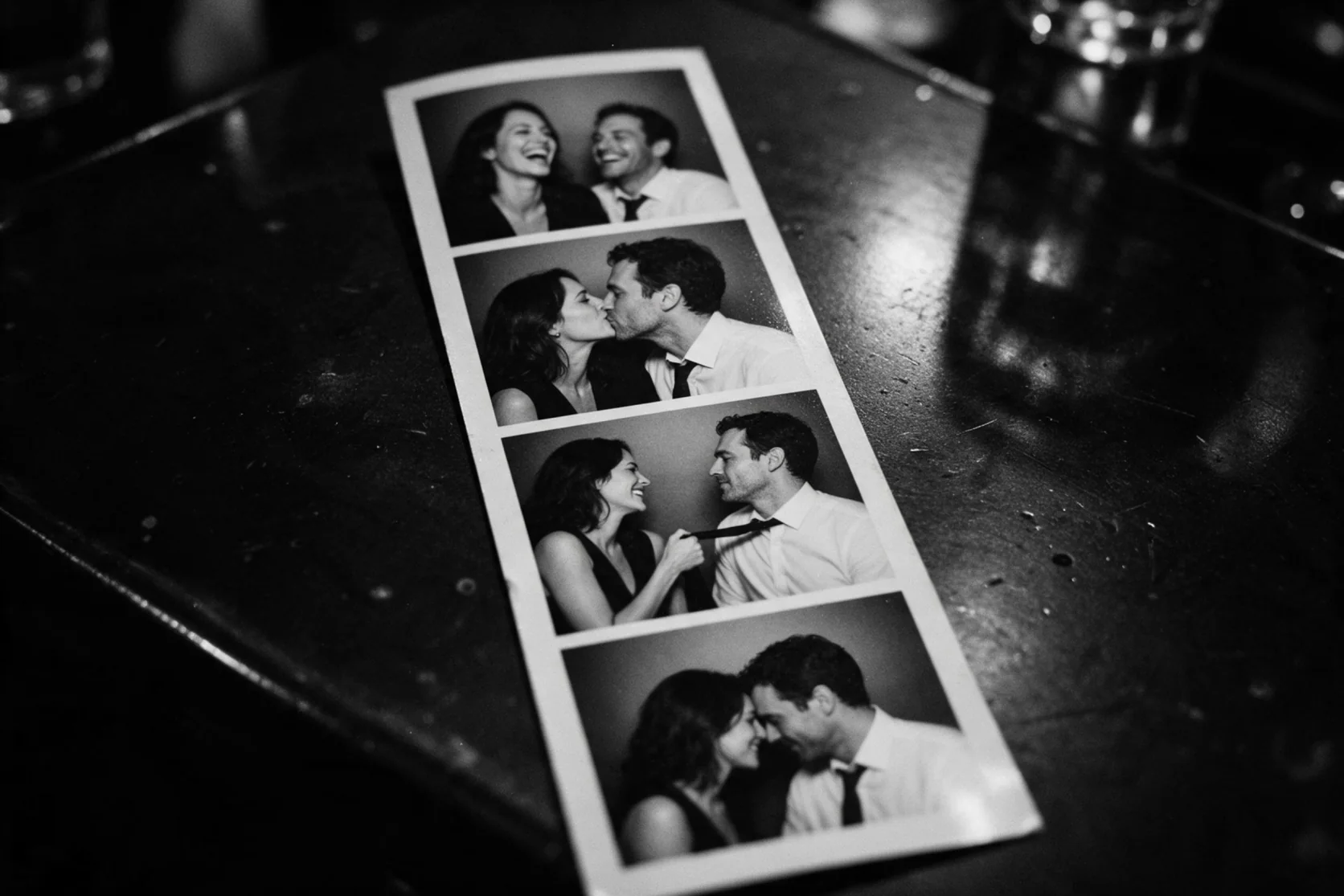
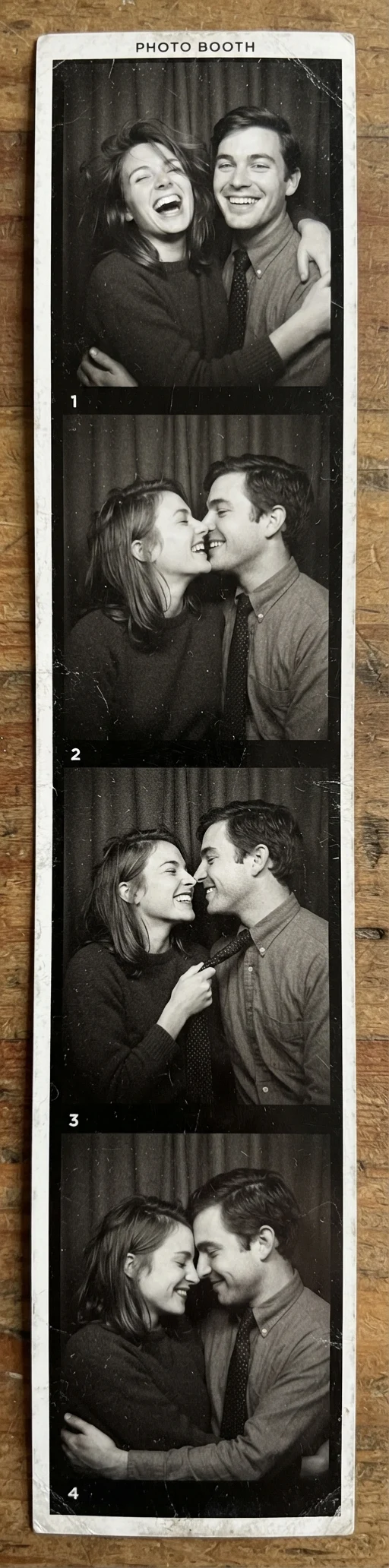
Our 1:4 generation produced a black-and-white photo booth strip with four frames: laughing, kissing, a playful pull on a tie and foreheads touching. The couple stayed consistent across the sequence. Write the moments in their intended order and select the narrow ratio in the controls; the result is one composed image, with its four frames inside it. This sample demonstrates that particular sequence rather than a promise for every cast or layout.
A reading corner inside a carriage
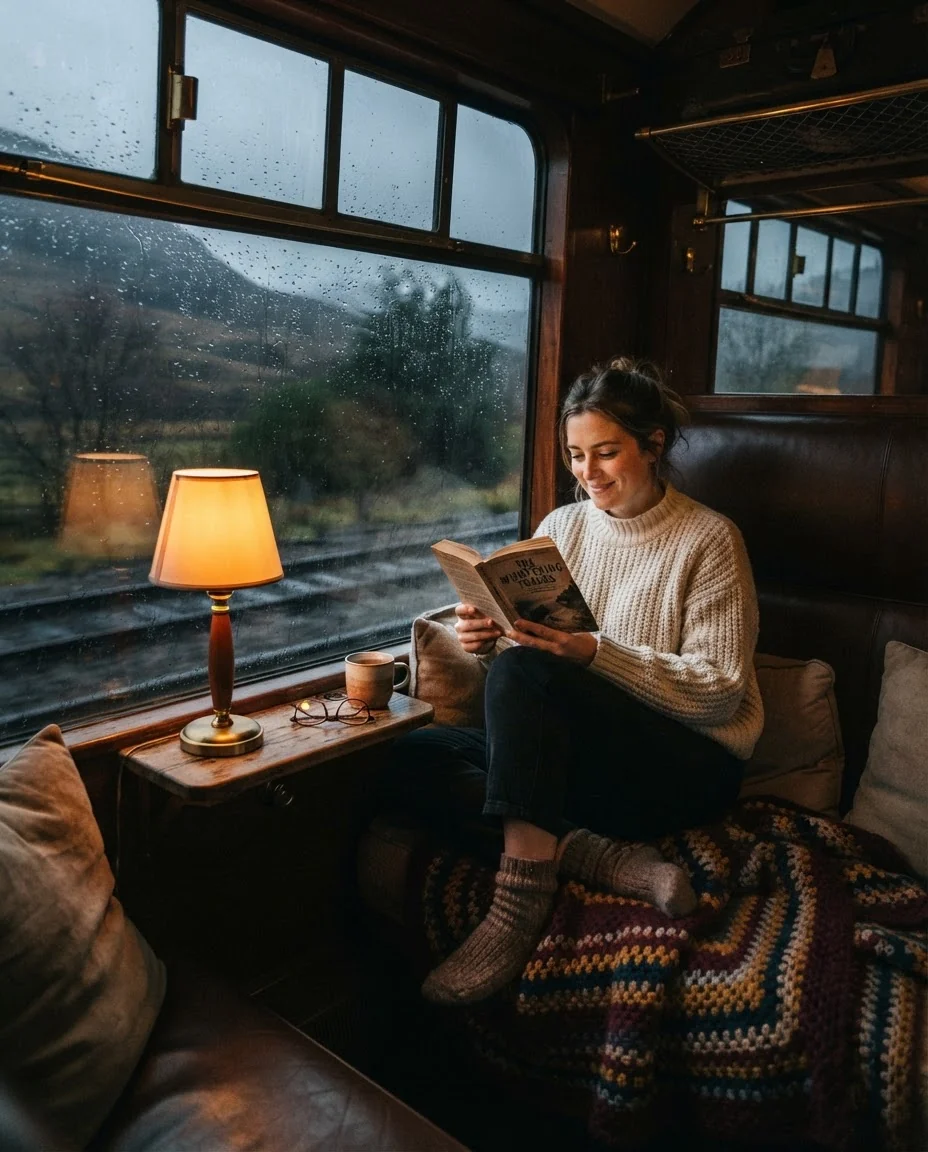
The train example begins with a place and a contrast in atmosphere: a cozy reading nook inside, rain outside. Our test produced the carriage reading corner. Use concrete furnishings and a lighting direction to explain the scene you want, then choose proportions that leave room for the window and seat. The 1K output is suited to reviewing that composition before deciding whether a larger version is needed.
Winter light around living green plants
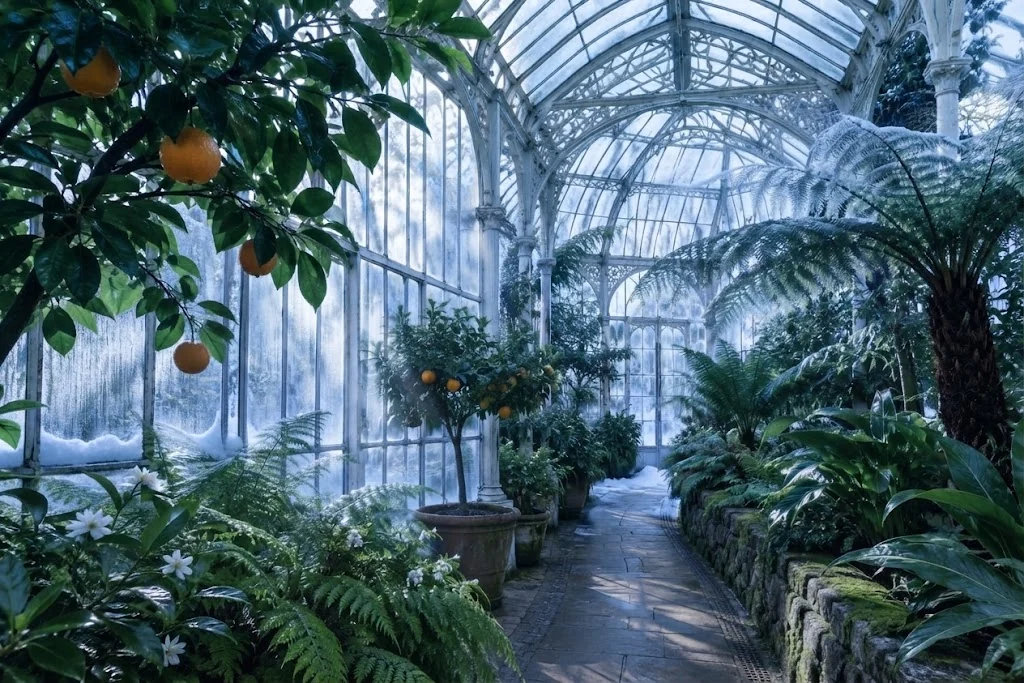
A sunny greenhouse became a winter morning in our editing test. Frost appeared on the glass and the light turned cold, while the indoor plants remained green. That contrast makes the requested change easy to inspect: compare the glass and lighting, then check the plants separately. Name the greenhouse as Image 1 and state both the seasonal change and what should remain, rather than leaving preservation to an implied instruction.
Request parameters
| Parameter | Required | Description |
|---|---|---|
prompt | Yes | Describe the scene in up to 20,000 characters; the prompt has no separate price tier. at least 1 characters · at most 20000 characters |
aspect_ratio | No | Select 1:1, 2:3, 3:2, 3:4, 4:3, 4:5, 5:4, 9:16, 16:9, 21:9, 1:4, 4:1, 1:8 or 8:1; generation defaults to 1:1 and every ratio keeps the fixed Lite image price. |
Pricing
$0.027 / image
Lite text generation bills each image at a fixed rate; proportions do not change the charge, and failed tasks are unbilled.
Use cases
A photo-strip story
Arrange a couple across four moments in a narrow 1:4 composition. Our black-and-white photo booth result kept the same couple recognizable while their poses changed between frames.
An interior mood study
Explore warm light against rainy surroundings before developing a room concept. The train-carriage test brought a reading nook into that setting.
A seasonal location revision
Ask for a winter atmosphere while naming the indoor details that should remain. Our greenhouse edit added frosted glass and cold light with the plants still green.
A canvas for an unusual placement
Select 1:8, 8:1 or another supported ratio when a layout needs a narrow or panoramic image. These shapes change the composition without adding a larger resolution tier.
A brief with numbered references
Use one to ten sources when an edit needs existing visual material. Explain the role of each image and review the returned details against those sources.
Prompt guide & pro tips
Choose a starting point
Open text to image for a scene described in words, or image to image for a picture you want to revise. For photos of people, use adults and images you have the right to use; do not impersonate anyone.
Give the scene a clear direction
Name the setting, light and visible action. In an edit, connect each input to Image 1, Image 2 and onward, then separate the requested changes from the details to retain.
Choose the canvas proportions
Select a fixed ratio for generation, such as 1:4 for a vertical photo strip. Editing also offers auto to follow source proportions; every selection stays at the 1K tier.
Review and download the result
Compare faces, objects and framing with your brief before accepting the image. Save the file within 14 days, together with the prompt and settings you used.
A written scene at the 1K tier
Nano Banana 2 Lite text to image creates a picture from a scene description. Its output is 1K, approximately one million pixels, across fourteen canvas ratios. Use this endpoint when the starting material is an idea: a room, a portrait, a landscape or a photo-strip layout. Existing pictures belong in the image-to-image workflow when they need to guide a revision.
Google says Lite targets low latency and low cost. Our notes do not include measured generation times, so treat that as publisher positioning rather than a delivery estimate. The documented samples show a train-carriage reading nook and a four-frame photo booth strip.
Parameters and canvas choices
| Parameter | What to send | Behavior |
|---|---|---|
| prompt | A scene description, up to 20,000 characters | State the subject, setting, action and light |
aspect_ratio | 1:1, 2:3, 3:2, 3:4, 4:3, 4:5, 5:4, 9:16, 16:9, 21:9, 1:4, 4:1, 1:8 or 8:1 | Defaults to 1:1; each choice uses 1K output |
The shape control determines proportions. Writing "tall photo strip" explains your composition, but select 1:4 as well when that is the intended canvas. A panorama can use 8:1, while 1:8 gives a narrow vertical frame. These choices redistribute the image across a different shape; they do not add a 2K or 4K tier. Text generation has no auto ratio option.
Write a prompt that can be inspected
Define the visible scene
Describe the central subject before adding atmosphere. For a carriage interior, name the window seat, reading material and room lighting, then explain the rainy surroundings. Concrete objects give you something to compare with the returned picture. A long list of mood words leaves those visual decisions less clear even though the prompt allowance is generous.
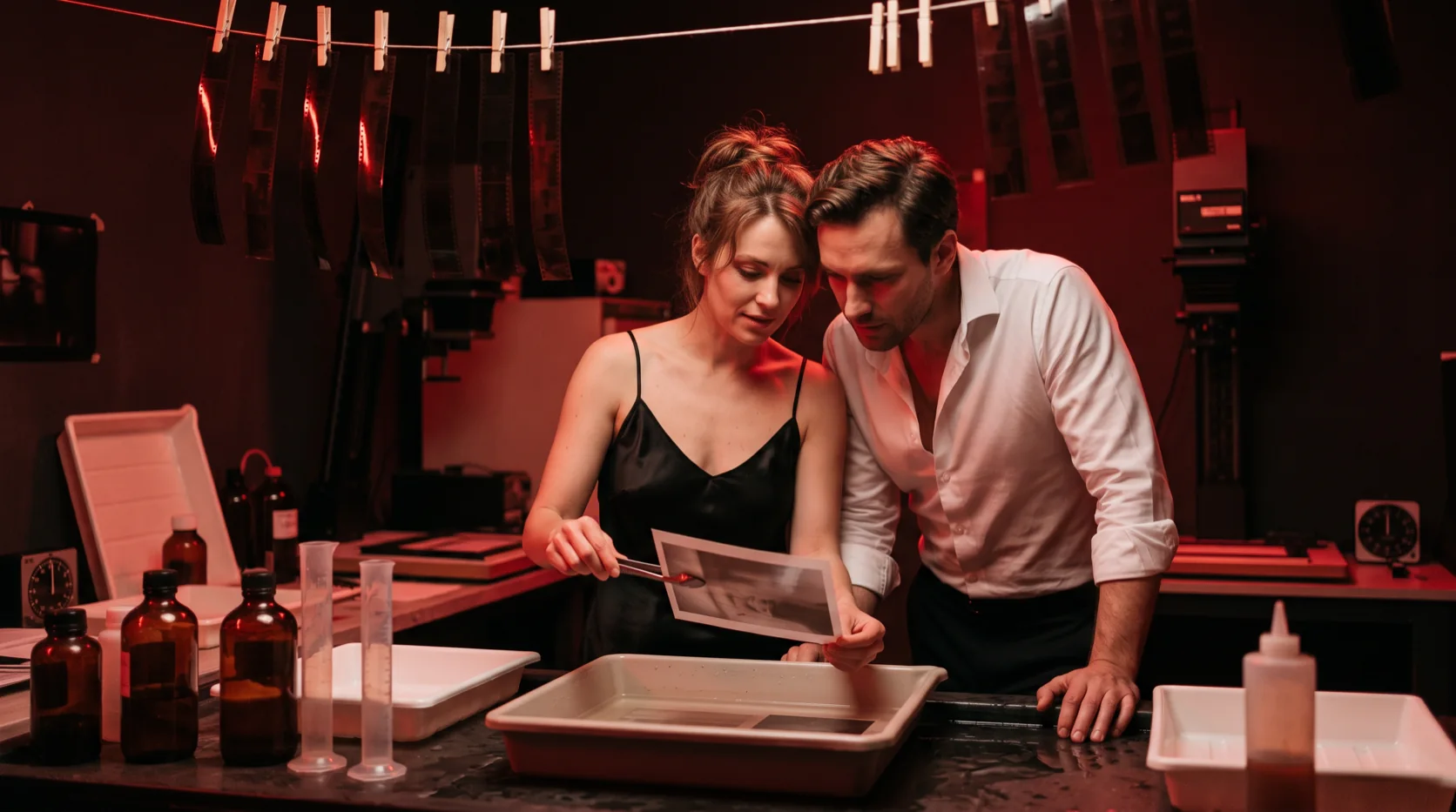
For people, state adults in their thirties or older, clothing, expression and location. For example, a couple in their late thirties can wear an evening dress and a suit in a softly lit photo booth. Describe their shared action without adding unrelated settings or competing lighting instructions.
Order a sequence within one picture
A photo strip needs an arrangement as well as a cast. Say that the frames stack vertically, name the same couple throughout, and write the intended actions in order. Keep clothing and photographic treatment consistent across the sequence. The output remains a single image containing its frames; this request does not create a collection of separate photographs.
A useful direction is: "Four vertically stacked booth frames of the same couple in their late thirties, laughing, sharing a brief kiss, drawing closer by a tie, then touching foreheads; black-and-white film grain." Pair the scene with aspect_ratio 1:4. Review the frame count, ordering and recognizable appearance before accepting it.
Keep a record of a useful variation
When exploring a concept, change a specific part of the brief, such as the lamp color or the couple's expressions. Save the prompt and selected ratio with each accepted image so you can identify which direction you preferred. The examples here document particular results, rather than a guarantee of identical faces or composition in another request.
What our samples show
- The carriage test produced a reading nook inside a train, grounding the room concept in a recognizable setting.
- The photo booth test used 1:4 and returned four black-and-white frames. The couple laughed, kissed, pulled a tie and touched foreheads, with consistent appearance across frames.
- These observations concern the displayed compositions. They do not establish performance across every multi-panel story or supply a measured turnaround time.
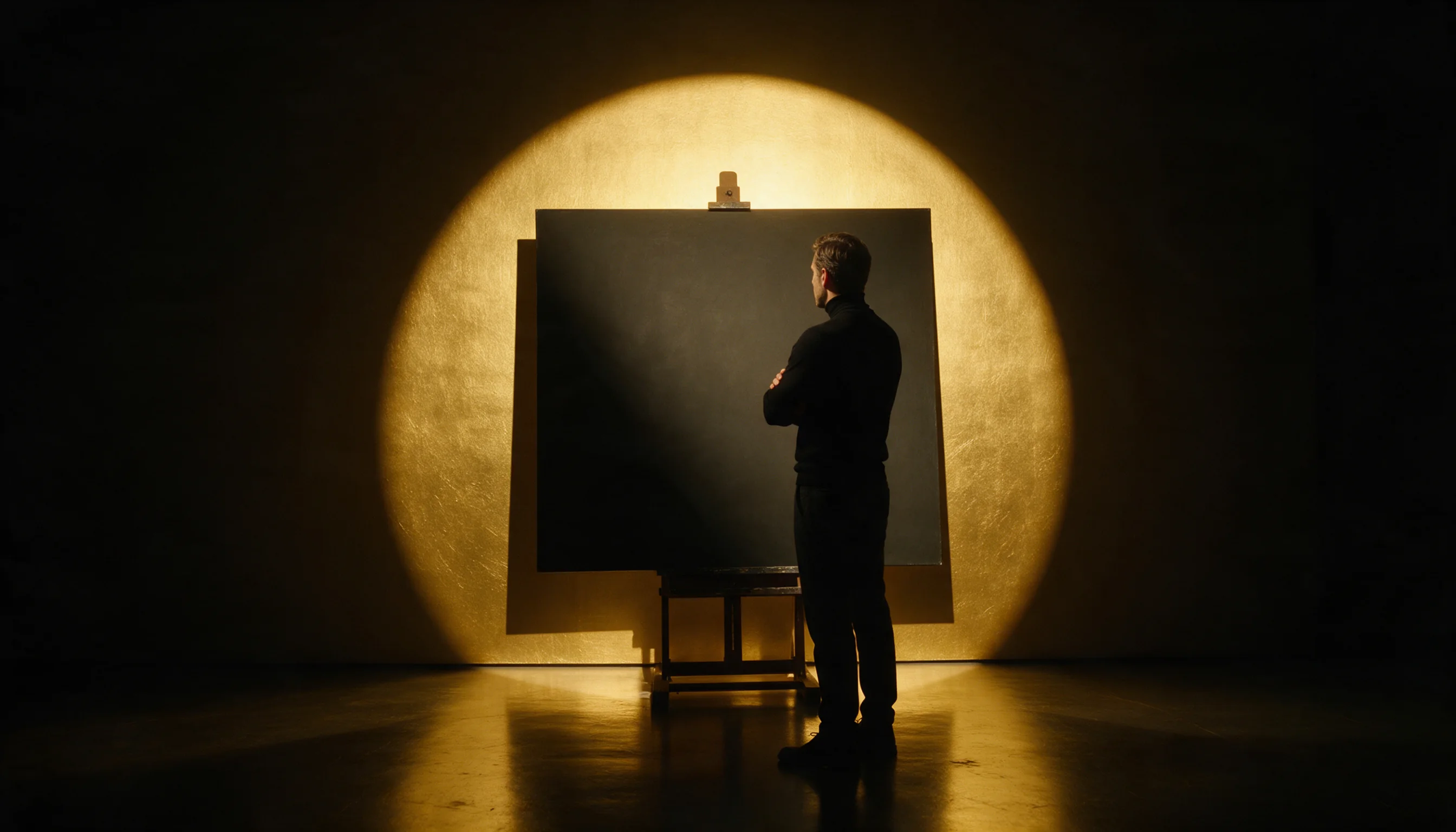
The new photo booth cover is an illustration, separate from the generated strip sample. Use the sample and its settings when judging the model's observed output.
Price, filtering and file retention
Billing uses a fixed price per generated image. The chosen aspect ratio does not change that price, and failed requests are not charged. Consult the Nano Banana 2 Lite model page for the current rate before planning a set of generations; this guide describes the charging rule without freezing an amount.
The publisher applies its own content filter; requests it flags are refused and not charged. Acceptance of a shown example does not establish acceptance of another prompt. Generated files remain available for 14 days and are deleted afterward, so download anything you intend to keep.
Choose the workflow for the next step
Stay with text to image while you are defining a new 1K composition. Switch to Lite image editing when a supplied picture should anchor a change; that endpoint accepts one to ten inputs and adds an auto ratio option. For a larger output, Nano Banana 2.1 offers 2K and 4K, while Lite has a lower per-image price. Decide by the required output tier and starting material rather than expecting a different ratio to increase resolution.
API quick start
# Generate the idempotency key once; reuse it when retrying after a lost response.
export SPICY_IDEMPOTENCY_KEY="${SPICY_IDEMPOTENCY_KEY:-$(uuidgen)}"
curl -X POST https://api.spicyapi.ai/api/v1/jobs/createTask \
  -H "Authorization: Bearer $SPICY_API_KEY" \
  -H "Content-Type: application/json" \
  -H "Idempotency-Key: $SPICY_IDEMPOTENCY_KEY" \
  -d '{
  "model": "google/nano-banana-2-lite/text-to-image",
  "input": {
    "prompt": "A ceramic teapot on a linen cloth, soft window light, muted palette",
    "aspect_ratio": "1:1"
  }
}'

# Copy data.taskId from the response into TASK_ID, then poll the status.
TASK_ID="TASK_ID_FROM_RESPONSE"
curl "https://api.spicyapi.ai/api/v1/jobs/recordInfo?taskId=$TASK_ID" \
  -H "Authorization: Bearer $SPICY_API_KEY"
See the API reference for authentication, the complete schema, polling, and error handling.