Introduction
Create an MP4 by supplying a portrait and an audio recording to the talking-avatar task. Optional text directs visible performance, while resolution and seed provide output-tier selection and comparison control.
| Field | Value |
|---|---|
| Input | Image, Audio |
| Output | Video |
| Model selection | ByteDance OmniHuman 1.5; talking-avatar |
| Required image file | JPEG / PNG / WebP, up to 30 MB |
| Required audio file | MP3 / WAV, up to 15 MB; 1–60 seconds |
| Prompt limit | 2,000 characters; optional visual direction |
| Resolution default and options | 1080p default; 720p also accepted; equal rates |
| Seed values | 0–2147483647; optional comparison aid |
| Audio billing | Rounded upward to whole input-audio seconds |
| Completion and file format | Task identifier, polling or callback; MP4 |
| Storage period | 14 days before generated files are deleted |
Key features & highlights
A palm-up gesture accompanies the line
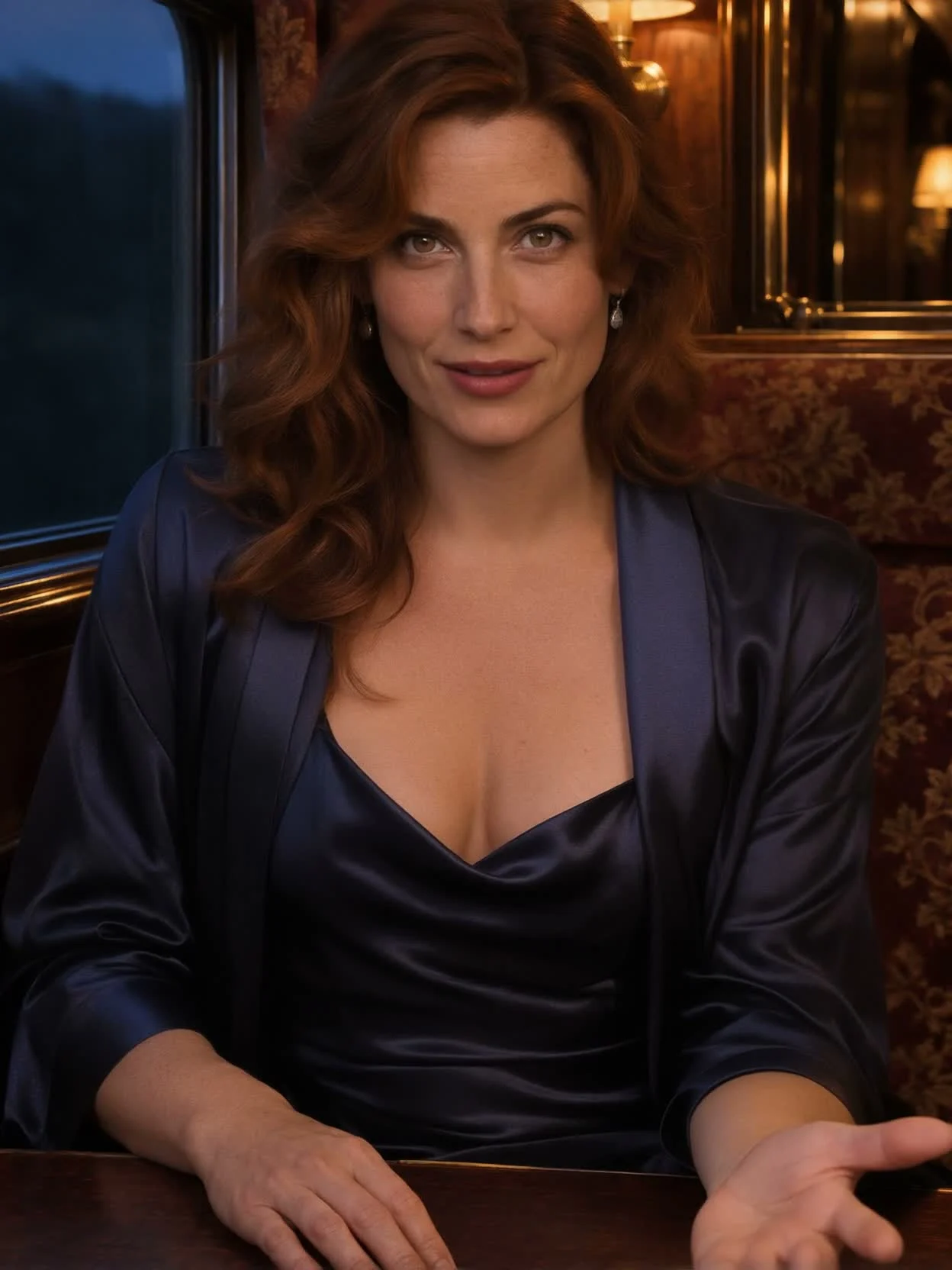
In our sleeper-train test, the still portrait became a speaking performance: she raised one hand palm up, nodded, and smiled. The 1080p request paired a 6.35-second recording with written movement direction.
The portrait returned in a 3:4 frame
The 1024×1536 train portrait produced a 1248×1664 video at 25 fps, showing the speaker from the waist up. Even with a prompt asking to keep the camera locked, the framing changed; inspect the result before placing it in an edit.
Separate what is said from how it looks
The audio file supplies the actual voice and dialogue. ByteDance says a prompt can guide gestures, mood, and camera movement while the recording drives the performance; this endpoint does not clone the speaker's voice.
Resolution is a picture choice
The endpoint defaults to 1080p and also accepts 720p. Both use the same per-second price, calculated from the input recording and rounded upward rather than from the final video measurement.
Request parameters
| Parameter | Required | Description |
|---|---|---|
image_url | Yes | Required for talking-avatar: JPEG, PNG, or WebP up to 30 MB, with a clear frontal face. Include the upper body and hands for gestures. at least 1 characters |
audio_url | Yes | Required for talking-avatar: MP3 or WAV up to 15 MB and 1–60 seconds, supplying speech or singing. No default; its duration rounds upward for billing. at least 1 characters |
prompt | No | Optional talking-avatar direction for action, expression, scene, and camera, limited to 2,000 characters. at least 1 characters · at most 2000 characters |
resolution | No | For talking-avatar, choose 720p or 1080p; omitting the field selects 1080p. The two tiers carry the same rate, and measured output dimensions vary with the generated composition. |
seed | No | Optional talking-avatar integer from 0 through 2147483647; no default is specified. |
Pricing
$0.144 / second
The charge counts input audio duration, rounded upward to whole seconds, for recordings of 1–60 seconds. Both 720p and 1080p share the rate; image choice, prompt text, and seed do not change it.
Use cases
Stage a short character invitation
Use a portrait with room for the hands and a recorded invitation. The sleeper-train example demonstrates a raised palm, nod, and smile accompanying the supplied speech.
Record a presenter explanation
Pair an authorized presenter portrait with a finished explanation and request a small nod or open-hand gesture. Keep the face clear and review the movement against the important words.
Animate a singing portrait
Supply a sung recording instead of speech for the same photo-input task. ByteDance lists singing as a supported use; our documented runs here used spoken lines.
Try alternate acting directions
Keep the portrait and recording steady while changing one expression or movement cue. Reuse a seed to help compare the change, then assess each video rather than expecting matching frames.
Prepare a portrait for a vertical edit
Our two measured results retained vertical compositions, with different dimensions from their source images. Check the returned crop and visible gesture area before fitting a clip into your layout.
Prompt guide & pro tips
Validate both media files
Check the portrait format and 30 MB limit, then verify MP3 or WAV audio within 15 MB and 1–60 seconds. Confirm the right to use the pictured person and supplied voice.
Send the portrait task inputs
Use the model name bytedance/omnihuman-1.5/talking-avatar with
image_urlandaudio_url. Add performance direction or a seed if needed and select 720p or the default 1080p.Compare sound, gesture, and frame
Track completion using the task identifier, retrieve the MP4, and check it against the original recording and requested actions. Save the finished file before retention ends after 14 days.
Portrait animation with directed movement
ByteDance's OmniHuman 1.5 turns a portrait and recorded speech or singing into an MP4. ByteDance says expression, gesture, and body movement respond to the recording's emotion and meaning. An optional text prompt adds instructions for visible action, expression, scene, and camera behavior.
Use bytedance/omnihuman-1.5/talking-avatar for this photo-input workflow. The recording supplies the voice and words; the endpoint does not clone a voice or read a dialogue script from the prompt. Prepare the complete audio before requesting the video.
Request fields
| Field | Requirement and accepted value | Default and billing effect |
|---|---|---|
image_url | Required portrait; JPEG, PNG, or WebP, up to 30 MB. Favor a clear frontal face. | No default image; billing measures the audio. |
audio_url | Required MP3 or WAV, up to 15 MB, lasting 1–60 seconds. Speech and singing are accepted. | No default recording; duration rounds upward to whole billable seconds. |
prompt | Optional direction, up to 2,000 characters, for movement, expression, scene, or camera. | No default text is specified; adding direction does not change the rate. |
resolution | Optional 720p or 1080p. | 1080p when omitted; both selections share one rate. |
seed | Optional integer from 0 through 2147483647 for comparisons. | No default value is specified; it has no price effect. |
These five fields apply to the talking-avatar task. A portrait that includes the upper body and hands gives the requested gesture space in the image. There is no separate aspect-ratio field among these controls; inspect the returned composition rather than assuming an exact crop.
Prepare the portrait, recording, and direction
Choose the visible performance area
Select a sharp portrait with the face looking toward the viewer. Include the hands when a palm-up invitation or another hand gesture matters to the scene. Check permission for the likeness and voice separately: every person shown must be an adult, and the result must not impersonate anyone.
Keep the portrait within the image format and file-size limits. Match the direction to that portrait so the movement you intend to assess is clear: a nod, an open palm, or a smile as the line ends. Review the generated framing as well as the action.
Finish the sound before the text prompt
Listen to the entire MP3 or WAV and measure its length. ByteDance recommends recordings of 15 seconds or less for quality, although the accepted range extends to 60 seconds. Audio length determines the intended clip duration and the billable quantity, so trim any portion you do not intend to use.
Write performance instructions in prompt, leaving the dialogue in audio_url. ByteDance lists Chinese, English, Japanese, Korean, Spanish, and Indonesian for prompt text. That list describes prompt languages; it is not a measured list of spoken languages tested here.
For a controlled comparison, reuse a seed while revising one instruction and keeping the remaining inputs steady. The seed helps isolate a change; it cannot guarantee matching video on repeated requests.
Calculate the audio duration charge
Billing counts input audio seconds and rounds upward to the next whole second within the 1–60 second range. Selecting 720p instead of the default 1080p does not reduce the rate. Neither the portrait nor optional prompt or seed changes that audio-second rule. Consult the OmniHuman 1.5 model listing for the current price.
The sleeper-train example used 6.35 seconds of audio, so its billable quantity was 7 seconds. Its returned video measured 6.44 seconds; billing still used the submitted recording rather than the rendered duration. Keep those measurements separate when reconciling a request.
Observed gesture and framing
Our sleeper-train-stay example combined a 1024×1536 portrait of an auburn-haired woman in navy silk in a train compartment with a short invitation. The request selected 1080p and asked for a smile, an inviting hand movement, open palms, and a nod while keeping the camera steady.
In our tests, she raised one hand palm up, nodded, smiled, and spoke in sync with the recording. The result was 1248×1664 at 25 fps, lasting 6.44 seconds. The image became a 3:4 composition showing her from the waist up. The recorded observation confirms the raised hand and nod; it does not establish that every requested action or framing constraint landed exactly.
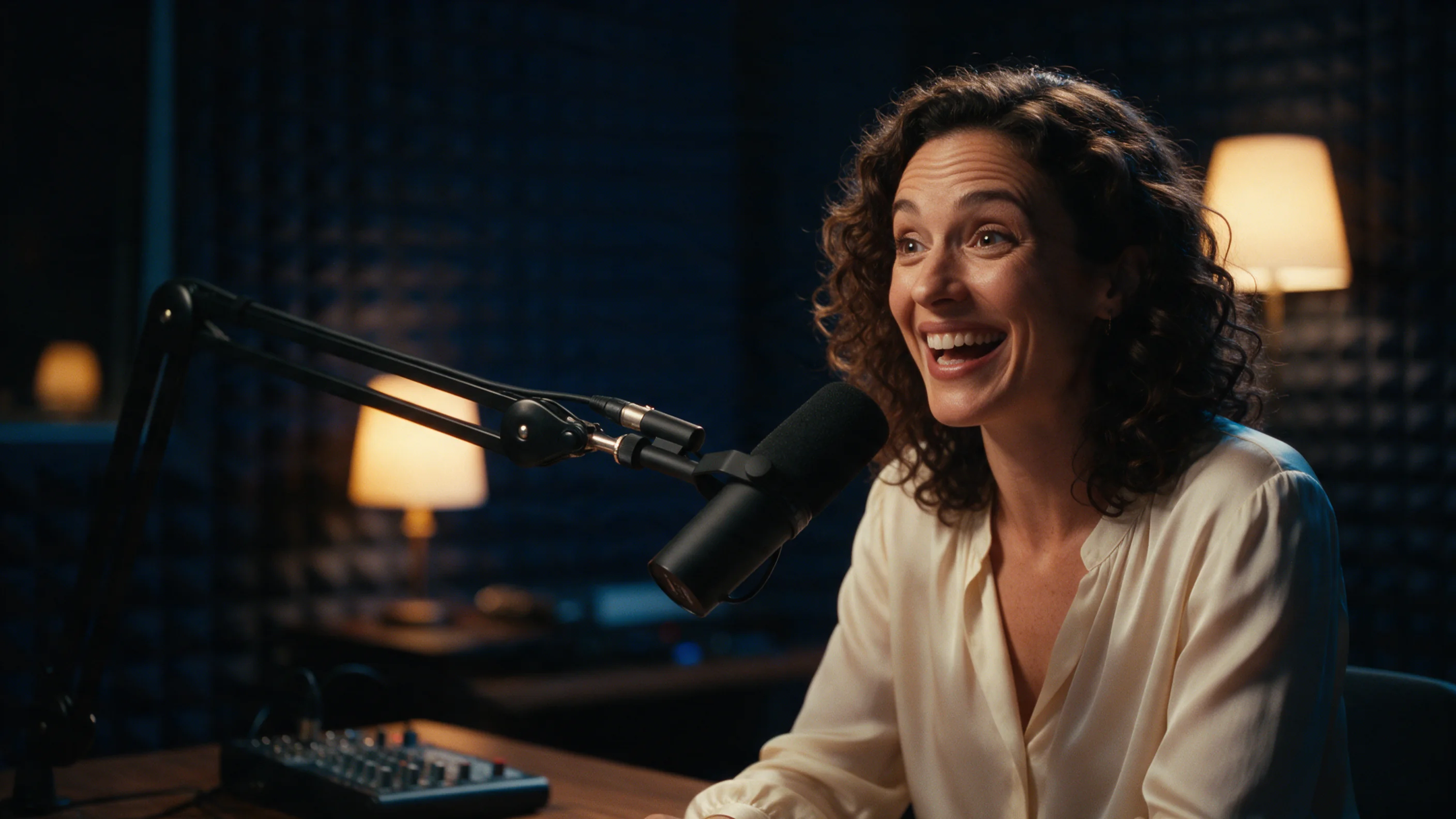
A separate 720p run paired an 832×1248 portrait with 4.55 seconds of speech. The result measured 832×1120 at 25 fps and 4.52 seconds, retaining a vertical composition. These dimensions describe two measured results, not fixed pixel dimensions promised by either resolution label.
Submit, retrieve, and retain
Tasks run asynchronously: submission returns a task identifier, and polling or a callback supplies completion information. Retrieve the MP4 after the task finishes, then watch the hand movement, face, framing, and final moment alongside the original recording.
Storage ends after 14 days, when the generated files are deleted. Download an accepted clip during that window and save its input settings if you will revisit the performance.
For another OmniHuman option, review OmniHuman 2.0. InfiniteTalk and VEED Fabric 1.0 are related portrait-animation pages. Check their stated inputs and limits before choosing; our OmniHuman 1.5 runs do not establish a quality or processing-time ranking against them.
API quick start
# Generate the idempotency key once; reuse it when retrying after a lost response.
export SPICY_IDEMPOTENCY_KEY="${SPICY_IDEMPOTENCY_KEY:-$(uuidgen)}"
curl -X POST https://api.spicyapi.ai/api/v1/jobs/createTask \
  -H "Authorization: Bearer $SPICY_API_KEY" \
  -H "Content-Type: application/json" \
  -H "Idempotency-Key: $SPICY_IDEMPOTENCY_KEY" \
  -d '{
  "model": "bytedance/omnihuman-1.5/talking-avatar",
  "input": {
    "audio_url": "https://example.com/reference.mp3",
    "image_url": "https://example.com/reference.png",
    "resolution": "1080p"
  }
}'

# Copy data.taskId from the response into TASK_ID, then poll the status.
TASK_ID="TASK_ID_FROM_RESPONSE"
curl "https://api.spicyapi.ai/api/v1/jobs/recordInfo?taskId=$TASK_ID" \
  -H "Authorization: Bearer $SPICY_API_KEY"
See the API reference for authentication, the complete schema, polling, and error handling.