SpicyAPI has lower quoted per-image prices than HotAPI for the three comparable named tasks examined here: Z-Image Spicy generation, Z-Image Spicy Pro generation and Qwen Image Spicy editing. A hypothetical batch of 100 Z-Image Spicy concepts plus 30 one-image Qwen Spicy edits costs $5.00 on HotAPI versus $2.375 on SpicyAPI, before additional attempts and other expenses.
For an NSFW character project, the next question is whether the output keeps the person and actually follows the scene you requested. This article does not have a paid, same-character output comparison between the two services, so it cannot honestly name a visual winner. It compares their public prices, exposed controls and published filtering rules, then explains how to choose for a real adult character workload.
There is a meaningful policy difference to understand early: HotAPI describes uncensored models, while its acceptable-use policy also describes automatic request prescreening. SpicyAPI's acceptable-use policy says it does not perform per-request content review. Neither statement guarantees that a model will deliver every lawful NSFW brief.
What you actually pay for the closest named tasks
The table compares one completed, billable image at the stated settings. HotAPI's figures come from its exact public task pages; SpicyAPI's figures were also checked with the corresponding input settings in its price estimator. They are retail task prices, not a comparison of internal costs.
| Image task | Settings compared | HotAPI | SpicyAPI | Cost for 100 images, HotAPI / SpicyAPI |
|---|---|---|---|---|
| Z-Image Spicy generation | 1024 × 1536; SpicyAPI prompt expansion off | $0.026 | $0.01235 | $2.60 / $1.235 |
| Z-Image Spicy Pro generation | 1536 × 2560 | $0.030 | $0.019 | $3.00 / $1.90 |
| Qwen Image Spicy editing | One source image and one edit instruction | $0.080 | $0.038 | $8.00 / $3.80 |
The relevant primary pages are HotAPI Z-Image Spicy, Z-Image Spicy Pro and Qwen Image Edit Spicy, alongside the corresponding SpicyAPI generation, Pro generation and Spicy editing pages.
A similar public model name makes the job category comparable; it does not establish identical weights, hosting configuration or visual results. The price difference is supported. A claim that the cheaper service makes the same picture is not.
HotAPI expresses these prices as 26, 30 and 80 credits respectively, with 1,000 credits equal to $1. Converting to dollars makes the comparison readable: a larger credit number on one platform is not, by itself, a larger image allowance. Use the dollar amount of the specific task rather than comparing credit balances across brands.
For the ordinary SpicyAPI Z-Image Spicy task, enabling prompt expansion changes the quote from $0.01235 to $0.0133. Across 100 calls that is $0.095 extra. More important creatively, expansion is an additional rewrite of your wording. When you have already written an intentional character brief, leave it off for the first comparison so you know what instruction you are evaluating. This is a suggestion for a controlled comparison, not a measured quality advantage.
A realistic NSFW character batch costs more than the first portrait
Imagine a creator preparing a fictional adult character for a companion product: profile images, evening outfit variations and a small private gallery. The public preview assets are fully clothed. The private creative direction still needs a model whose policy and behavior suit the intended NSFW scene.
The creator first generates 100 candidates, selects promising faces and compositions, then runs 30 edits against selected source images. Using the Z-Image Spicy and Qwen Spicy rates above:
| Stage | HotAPI | SpicyAPI |
|---|---|---|
| 100 initial Z-Image Spicy images | $2.60 | $1.235 |
| 30 one-source Qwen Spicy edits | $2.40 | $1.140 |
| Total of 130 billable outputs | $5.00 | $2.375 |
This is a spending example, not a claim that 100 candidates produce 100 usable characters or that every edit succeeds. A face you discard, an outfit that looks wrong and an image that misses the intended adult creative direction can all be completed outputs. They still belong in the project bill.
That distinction changes the buying decision. If one service produced ten acceptable final images from its batch and the other produced five, divide each actual bill by its accepted finals. In this particular hypothetical, $5 divided by ten is $0.50 per accepted image; $2.375 divided by five is $0.475. The cheaper generation rate would produce only a small advantage at those assumed acceptance counts. Those counts are examples, not observed results.
There is also a point at which price stops being the main problem. Spending another dollar on random generations may not recover an approved character's face. If your brief already has a reference image, buying an appropriate editing task is more relevant than searching for the cheapest text-to-image task.
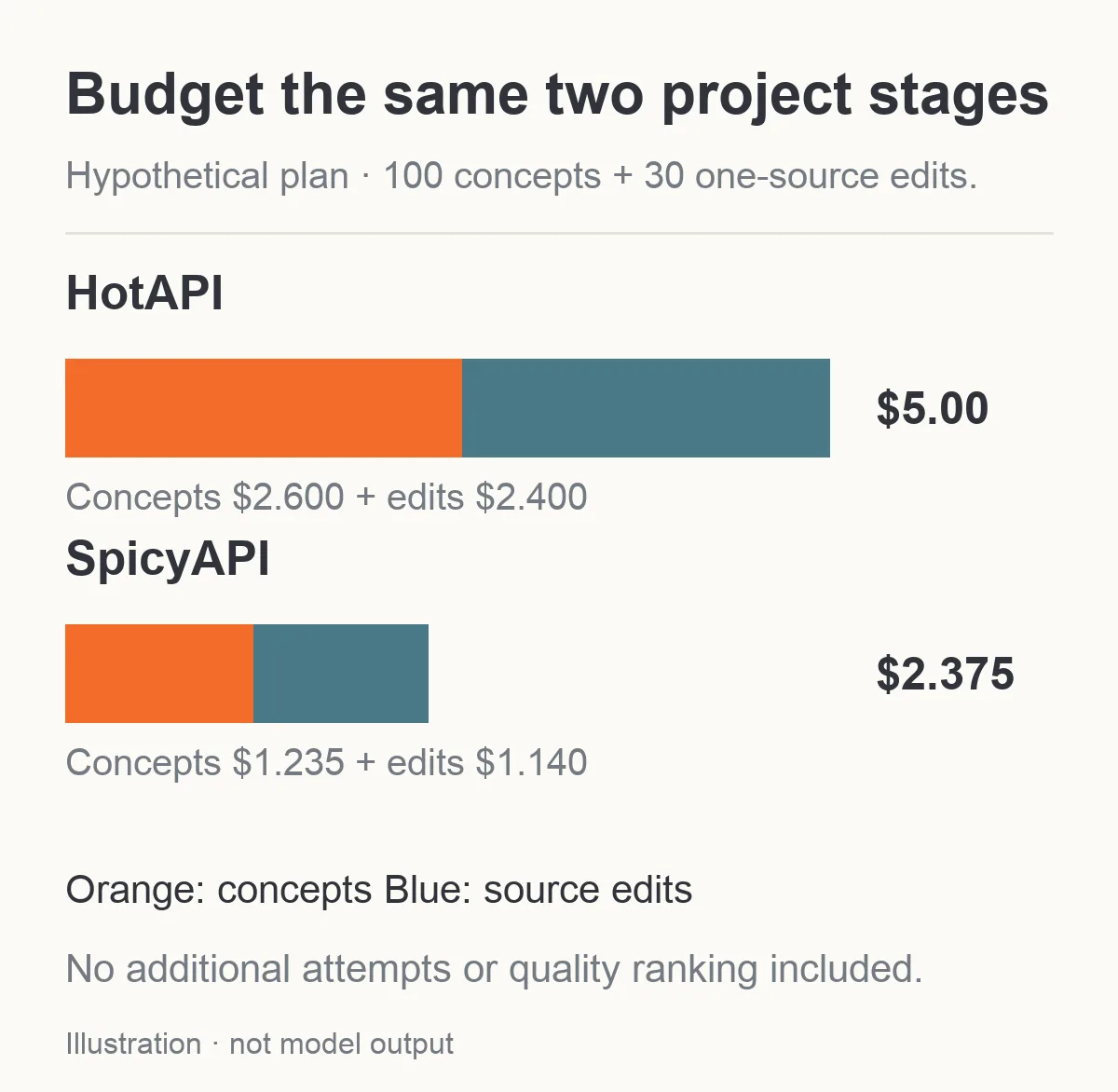
The example bill covers 100 concepts and 30 one-source edits. Additional attempts are excluded; this is not a quality ranking.
“Uncensored” can describe the model without describing every platform rule
HotAPI's acceptable-use policy says requests undergo automated keyword and pattern prescreening. A local policy match can return HTTP 400 with content_policy_violation, without a generation job or credit charge. The policy separately says a model service may refuse, alter or soften a request, and that processing may be billable when the service is charged. Its restrictions also cover age, consent and rights.
The useful distinction is between a platform prescreen and a model's own response. A model page describing no model content filter does not cancel the platform's published prescreening policy. For an adult application, that difference can affect a user's prompt before image generation starts.
SpicyAPI's acceptable-use policy states that there is no content-mode request flag and no per-request content review. Customers remain responsible for lawful use, clearly adult subjects and authorized source material. Account enforcement following a report is separate from request forwarding. A model can still return an unsuitable result; no platform scan is not an image-quality or completion guarantee.
For a fictional adult character project, choose the specific image task whose current description fits the intended content. Do not interpret a general NSFW label as permission for every use, and do not transfer an observed result from one route to another. If a service declines the intended work, resolve the policy question rather than disguising the request to defeat its controls.
Which service helps you keep the same character?
This is the part a simple price comparison misses. A new image that looks attractive is not necessarily useful when it depicts a different person from the approved character. For a recurring character, inspect the face at the actual delivery crop: eye shape, hairline, jaw, distinctive features and proportions should remain recognizable across the set.
Text-to-image is useful when you have not chosen the character yet. It is a weaker fit for a request such as “keep this exact face and change the jacket.” Neither of the two Z-Image Spicy generation pages reviewed here accepts a reference image. You can generate a written description, but those particular tasks do not accept a portrait to preserve.
Once you have selected a source, both services offer a one-source Qwen Spicy editing task. A practical first edit is narrow:
Use the fictional adult character in the source image. Keep the face, short dark hair, head angle and framing. Replace the black jacket with a burgundy evening jacket. Keep the room and warm window light.
That is a public-safe example of the same preservation problem that appears in an NSFW series. It separates the requested change from the approved details. Trying to replace the wardrobe, pose, camera angle, background and lighting in one instruction makes it harder to determine why a result no longer looks like the selected character.
Neither the existence of an editing endpoint nor the phrase “keep the face” proves identity preservation. Compare the delivered image with its source. If the change requires a different pose and substantially different framing, treat it as a more difficult case with its own attempt budget.
Repeated seeds are not a portable identity file. An integer seed from one provider cannot be assumed to reproduce a face on another, and a seed does not replace saving the approved image. Your important asset is the source you selected. Our character reference workflow explains how to carry that source into later revisions.
When a single-image editor is too limited
The reviewed Qwen Spicy tasks suit a simple input: one approved picture plus an instruction. SpicyAPI also exposes a separate Qwen Image 2.1 editing task, with up to ten sources and a mask option when there is exactly one source. Those are additional controls on that exact task; they are not evidence that it preserves a face better than HotAPI.
The difference can matter for a character scene. Suppose you already have an approved fictional character portrait, a licensed outfit reference and a room reference. A multi-source editor can accept those separately. State which image contributes the person, which contributes the outfit and which contributes the setting. Combining contradictory faces or garments without naming their roles creates an ambiguous brief rather than stronger character guidance.
A mask has a different purpose. For a localized revision, it gives you an explicit region to request changes in. It does not make an edited frame pixel-identical outside that region. Check the protected parts of the output as well as the changed part. The Qwen Image 2.1 mask constraint also means you cannot assume the same masked request works with three references.
For custom adapters, SpicyAPI has a separate Z-Image Turbo LoRA task that accepts adapter weights. The reviewed HotAPI Z-Image Spicy generation contracts do not expose a user-supplied LoRA field. That is a comparison of those particular task surfaces, not a claim that HotAPI can never support an adapter elsewhere.
The decision is straightforward: if your project depends on a mask, several source roles or a compatible character adapter, investigate the task that exposes that control before spending on a simpler generation task. If one-source edits already give you acceptable images, more fields are not automatically worth a migration.
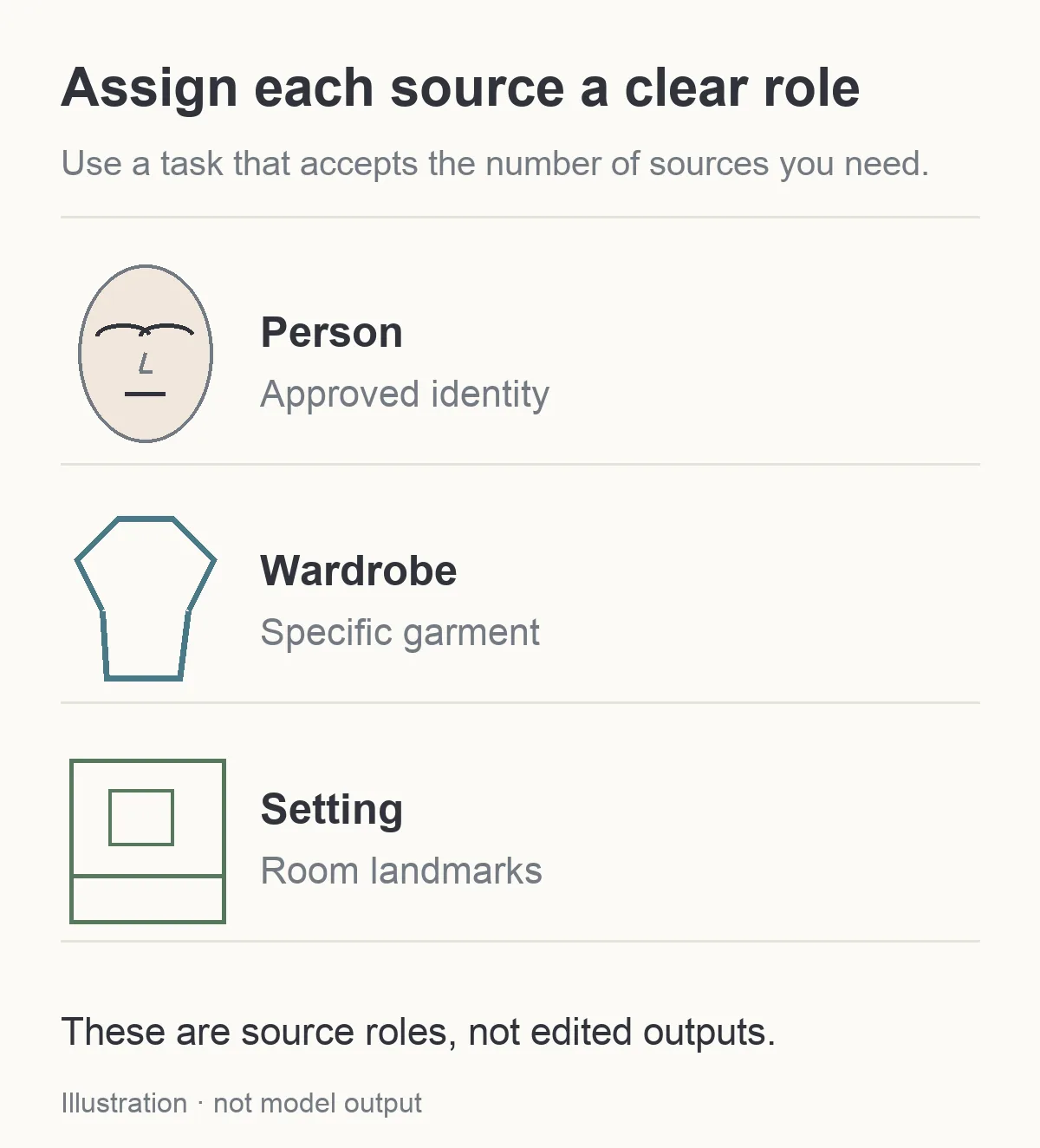
Illustration: separate the source roles. These inputs do not show an editing result.
Higher resolution does not repair a wrong face
Both reviewed Z-Image Spicy tasks support explicit pixel dimensions. The ordinary tier allows each side up to 1536 pixels; Pro extends that ceiling to 2560. On the Pro tasks, the two providers' public prices are flat per image within the declared range. Set the intended width and height, because a model being capable of a large frame does not mean every default request uses it.
For an adult character card, choose the delivery shape before generating the whole batch. A portrait intended for a tall profile card has different framing requirements from a wide gallery header. If you only check the full picture and later crop the face at an awkward point, you may discard an otherwise good image.
A bigger output can provide more pixels for inspection, but it cannot make a different person become the approved character. First decide whether the face and composition fit. Then check the details that matter at the placement: hands, accessory shapes, fabric edges, shadow transitions and distracting background objects.
It is also easy to create a false price comparison by substituting a different packaged model. HotAPI's Seedream 5.0 Lite Spicy page exposes its own resolution options. That does not make it interchangeable with SpicyAPI's ordinary Seedream Lite task. If you need that route, compare the exact input settings and policy descriptions separately rather than declaring one brand cheaper from the word “Lite.”
Completed-but-unusable images are part of the budget
HotAPI's refund policy distinguishes a failed task from a completed output you do not like. Failed tasks receive credit refunds, but a completed result that is aesthetically unsuitable does not become refundable merely because you reject it. A billed model-service refusal is also not automatically free.
SpicyAPI's refund policy likewise says completed results are billed, including results that miss expectations. Failed tasks normally release the held amount, with exceptions for delivered usage and models that explicitly bill failed or rejected requests. Paid balance does not expire, while top-ups are non-refundable.
For a character creator, the costly category is often a valid file that cannot be used: the face changed, the wardrobe detail missed, or the scene lost the intended adult tone. Count it as an unsuccessful creative attempt without confusing it with a technical job failure. This lets you estimate the actual cost of a publishable gallery rather than the cost of receiving any image URL.
Do not immediately submit the same job again because a page is slow to update. First check the existing task's final status and whether an output already exists. A second independent generation attempt can produce a second bill, and it still may not fix the creative problem.
Does the saving justify changing a working integration?
Scale the example to your actual monthly work. At 1,000 Z-Image Spicy concepts and 300 Qwen Spicy edits, the same quoted rates produce $50 on HotAPI and $23.75 on SpicyAPI: $26.25 difference. At 10,000 concepts and 3,000 edits, the arithmetic becomes $500 versus $237.50, a $262.50 difference. These are hypothetical volumes with the same completed-call mix, not forecasts of accepted images.
For a small creator already getting reliable results, that first difference may be less important than the time required to change the integration and retest a character series. For a product with a larger recurring workload, the second difference is a more substantial reason to evaluate the alternative. Include revision attempts in the monthly mix; an application that mostly edits existing images should use the editing line rather than the generation rate.
Keep the comparison tied to the work you actually buy. A low text-to-image price is not a meaningful saving if every customer request starts from an uploaded character reference. Conversely, a developer exploring new characters may not need the extra controls of a multi-source editor for the first selection pass.
A small comparison you can finish before migrating
If you are already using HotAPI successfully, the quote table is a reason to evaluate SpicyAPI, not evidence that replacing a working route will improve your images. Keep the existing integration available while checking a small representative set.
Use one fictional adult character brief with a fixed framing and art direction. Generate a limited set on each relevant text-to-image task. Then select an authorized source and run the same narrow edit on both one-source editors. Use the size and source type each task actually supports; do not copy an unsupported request body across APIs.
Compare the result on the questions your users notice:
- Does the character remain recognizable after the edit?
- Does the intended scene survive, or does the result quietly move toward a different creative direction?
- Are the pose and hands usable at the display size?
- Does the delivered crop fit the profile card or gallery placement?
- What was the total bill for the images you actually kept?
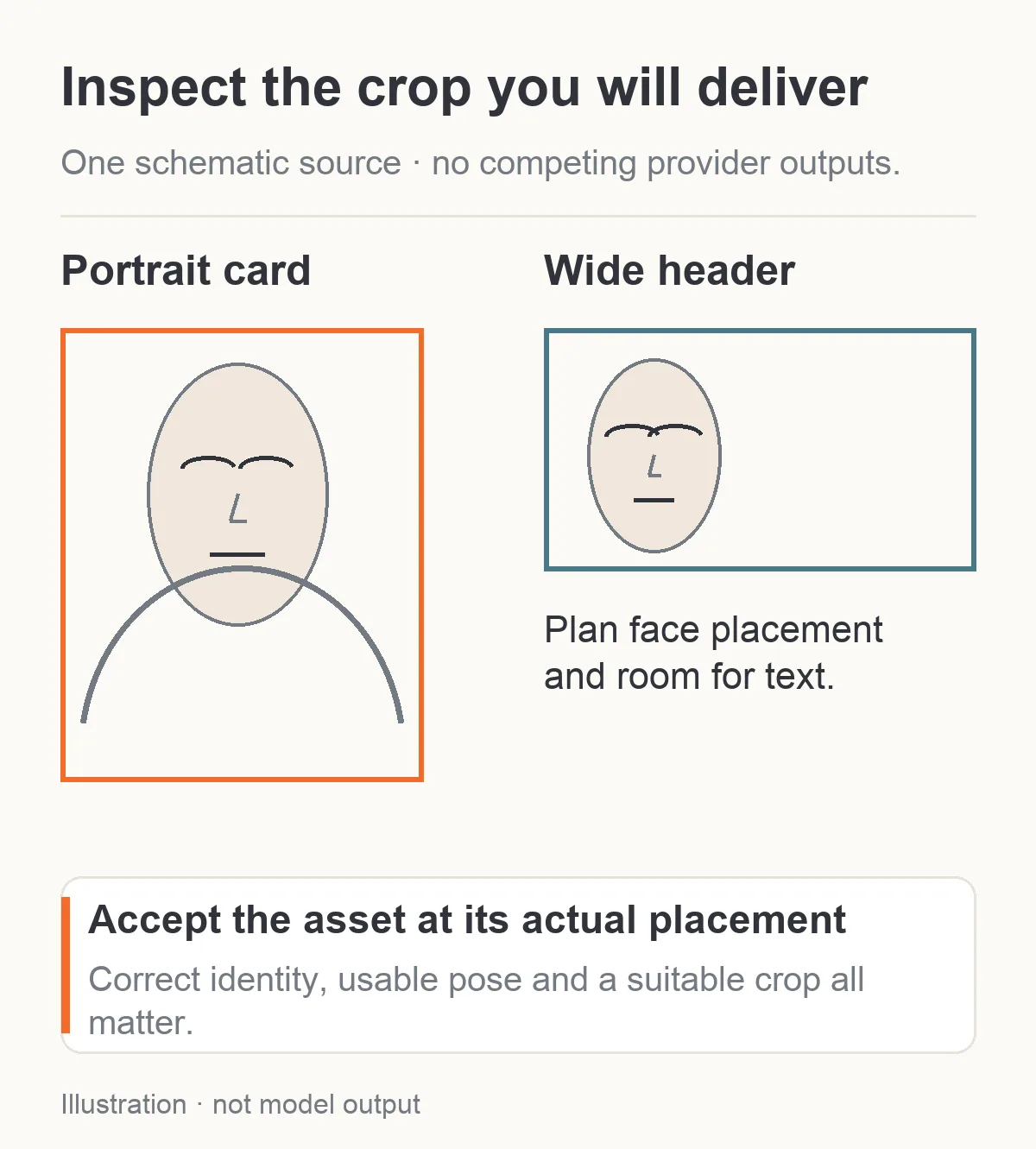
Illustration: inspect the intended display crop before accepting an asset. No provider outputs are compared here.
For a new project, start with the cheaper quoted task that also accepts the inputs you need. For a reference-heavy project, start with the editing controls, then compare the accepted-image bill. For an existing HotAPI project with good output, switch only if the small comparison shows enough benefit to justify the change.
The supported conclusion is specific: SpicyAPI's quoted retail prices are lower for the three studied image tasks, and its published platform screening policy differs from HotAPI's. Which one makes your particular adult character better still requires an output comparison. Start with a small image set, save the selected source and spend the next dollar on the revision that has a clear purpose.