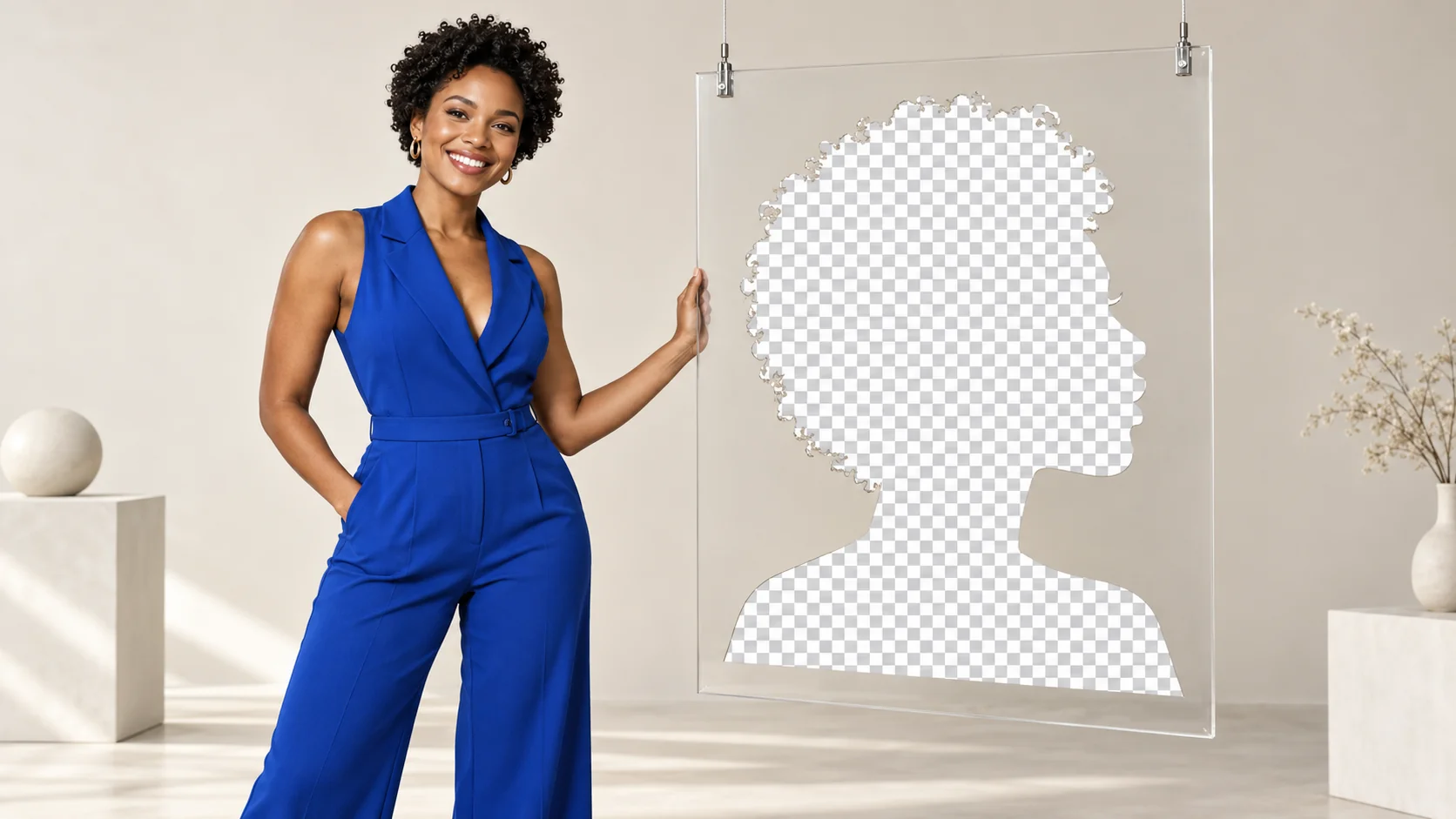
An adult character portrait can look crisp in your editor and strangely smooth in the customer gallery. A transparent character cutout can arrive with a solid white rectangle. A downloaded preview can be much smaller than the image you paid to generate. Those are different problems, and changing models is not necessarily the fix.
For most NSFW character workflows, keep the highest-quality original you actually receive, use PNG or lossless WebP when preserving pixels or transparency matters, and create a smaller JPEG or lossy WebP copy for browsing. Offer the original as a separate download. A gallery thumbnail should not quietly become the creator's master file.
There is no file format that unlocks NSFW generation or makes a model interpret an adult-oriented brief more accurately. PNG, JPEG and WebP describe image encoding. Content behavior, identity preservation, pose and scene quality depend on the model and request. Format selection happens alongside those choices, rather than replacing them.
Choose the format for the job the image has next
| Your next use | A sensible starting choice | Why |
|---|---|---|
| Keep a master for future edits | Original output; PNG or lossless WebP when available | Avoid adding another lossy encoding step |
| Browse a large private character gallery | Resized WebP, or JPEG for broad tool compatibility | Reduce transfer size without delivering full masters on every scroll |
| Put a character cutout over different backgrounds | PNG or WebP with a real alpha channel | Preserve transparency at the silhouette |
| Send a file into an editor with uncertain format support | PNG or JPEG, according to the editor's documented support | Browser support does not prove that another application's importer supports WebP |
| Deliver an image the customer may print or crop closely | Original pixel dimensions and a clearly labeled master download | A compressed thumbnail cannot recover details discarded earlier |
| Share a SFW promotional preview of a mature project | A separate flattened export | Keep publication, crop and metadata choices separate from the private original |
The first decision is not “which format is best?” It is “am I saving the source, displaying a preview, or handing off an editable asset?” A single picture can legitimately have several files for those different jobs.
What SpicyAPI's image models actually let you request
Do not copy an output_format value from one model into every other request. These are the current text-to-image choices for three specific endpoints:
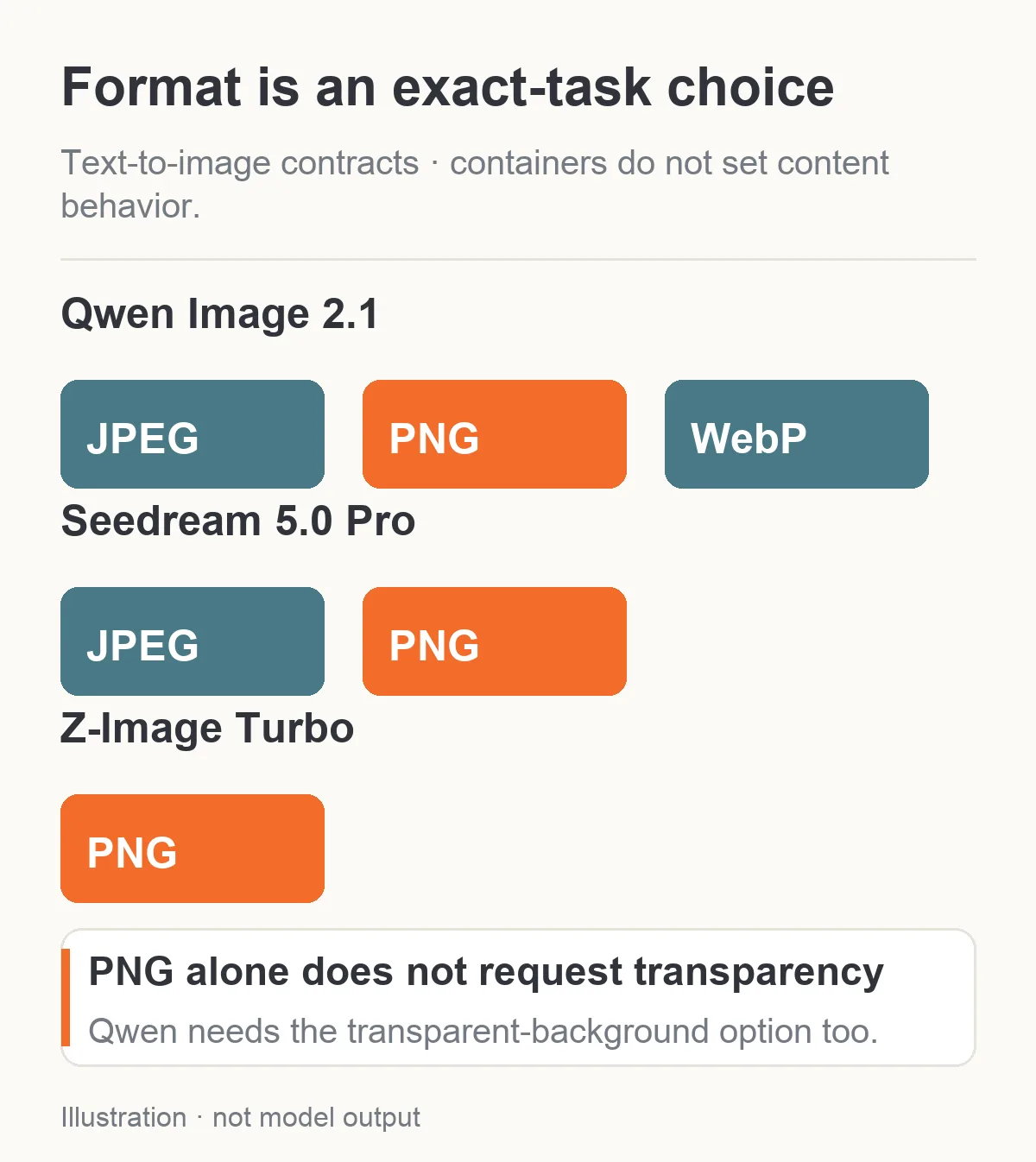
Format choices belong to the exact task. PNG support alone does not imply native transparent generation.
| Exact text-to-image model | Allowed output_format values | Default | Transparent-output control |
|---|---|---|---|
| Qwen Image 2.1 | jpeg, png, webp | jpeg | background: transparent, with PNG or WebP |
| Seedream 5.0 Pro | jpeg, png | jpeg | No background input in this endpoint's schema |
| Z-Image Turbo | png | png | No background input in this endpoint's schema |
For Qwen Image 2.1, the documented transparent background option returns the subject on an alpha channel and requires a format that supports it. Selecting PNG by itself still leaves the ordinary opaque background default. For the other two endpoints, accepting PNG does not imply that they offer native transparent generation.
Seedream 5.0 Pro also has a separate layer-decomposition task whose layers are transparent PNG. That is a different operation, not a hidden effect of setting the ordinary text-to-image output to PNG. Similarly, an image editor may support references or format choices that differ from a generation task. Read the task you will actually submit.
The three ordinary choices above are examples of output contracts, not a ranking of mature-content quality. A model's content behavior still needs evaluation for the specific adult-oriented task. If you need background removal after generating a portrait, budget and select that separate operation instead of promising an automatic cutout.
PNG keeps pixels; it does not invent missing detail
PNG uses lossless compression. When you save an already decoded image as PNG without changing its pixels, encoding does not discard additional image information. That makes it useful for character masters, line art, transparent cutouts, and images you will edit repeatedly.
But “saved as PNG” is not the same as “never compressed before.” If a model or previous tool gave you a JPEG, converting that file to PNG preserves the JPEG's decoded pixels, including any existing artifacts. It cannot recover texture that was discarded earlier. Renaming a file to .png does not even perform a conversion.
For a realistic fictional adult portrait, this distinction shows up in hair strands, eye makeup edges, patterned fabric and smooth shadow transitions. A PNG copy can preserve the available detail for subsequent edits. It cannot repair a face the model drew incorrectly or reveal finer detail that was never present in the source.
Keep PNG when the next stage needs that pixel fidelity. A character portrait that will be cropped into a profile icon, a banner and a close detail may justify a larger master. A 300-pixel card that is viewed once on a phone usually does not need the full-size PNG sent on every page load.
Also distinguish lossless encoding from other export changes. Reducing a 2K image to a 600-pixel PNG still discards spatial information through resizing. Exporting a true-color image into a limited color palette may change its colors before the lossless encoding begins. The extension does not describe every operation that happened to the image.
JPEG is practical for photographs, with a quality tradeoff
JPEG is widely supported and usually a practical delivery choice for opaque photographic images. It is lossy, so the encoder trades some image information for smaller files. It does not support an alpha channel. These distinctions are documented in MDN's image format guide.
For an adult character photo set, a well-chosen JPEG export may look entirely acceptable at the size customers actually view it. Problems become visible when compression is pushed too far: fine texture softens, high-contrast edges can develop halos, and delicate color transitions can break into less natural patches. Whether those issues matter depends on the picture, dimensions, encoder and display size.
Use the source as your comparison, rather than deciding from the quality number alone. A quality value of 85 in one encoder is not a universal quality standard shared by every service. Nor is a 200 KB file inherently better than a 400 KB file. The two could have different dimensions, different content or different compression settings.
Avoid repeatedly opening a JPEG derivative, editing it, and exporting another JPEG derivative as the new source. Every lossy re-encoding is an opportunity to discard more information. Return to the retained original for each new export. If you edit the master, keep the edited master separately and derive previews from that.
For flat graphics or a character card containing thin lettering, inspect the text and contrast boundaries as well as the face. A JPEG that works for a softly lit portrait can be a poor choice for a sharp interface badge. The intended use should decide the export, rather than one global setting applied to the entire library.
WebP can be lossy or lossless
WebP supports both lossy and lossless compression, and it can carry transparency in either mode. Calling a file WebP does not tell you which compression mode was used. Its format is therefore useful for both small gallery previews and lossless assets, but those are different exports.
Google's WebP documentation describes these modes and reports size reductions in its comparisons. Those published figures are format benchmarks, not a guarantee that your particular NSFW portrait will shrink by the same percentage. A flat-color illustration, a detailed photograph and a noisy low-light image have different compressibility.
For a private adult-character gallery, lossy WebP is a sensible format to try for previews because modern major browsers support it. Keep a supported fallback where your intended viewers or downstream software require one. A customer being able to see a WebP in their browser does not mean their design editor, printing service or messaging app will import it correctly.
Qwen Image 2.1 accepts output_format: webp, but its public request schema does not expose a lossy-versus-lossless switch or a WebP quality setting. Do not tell a customer that choosing WebP on that model guarantees lossless output. If your workflow specifically needs an independently controlled encoding mode, obtain the source and handle that export in your own image-processing workflow.
That conversion is separate from generation. SpicyAPI accepting one model's output_format field does not imply a universal compression endpoint, a free post-processing service, or an unlimited library of format transformations. Your own conversion, storage and delivery can have their own compute and bandwidth costs.
Transparent PNG: request alpha, then inspect alpha
A transparent character asset needs more than a transparent-capable container. The image must actually have non-opaque alpha values. A PNG can be completely opaque, and a checkerboard pattern can be painted into an opaque image.
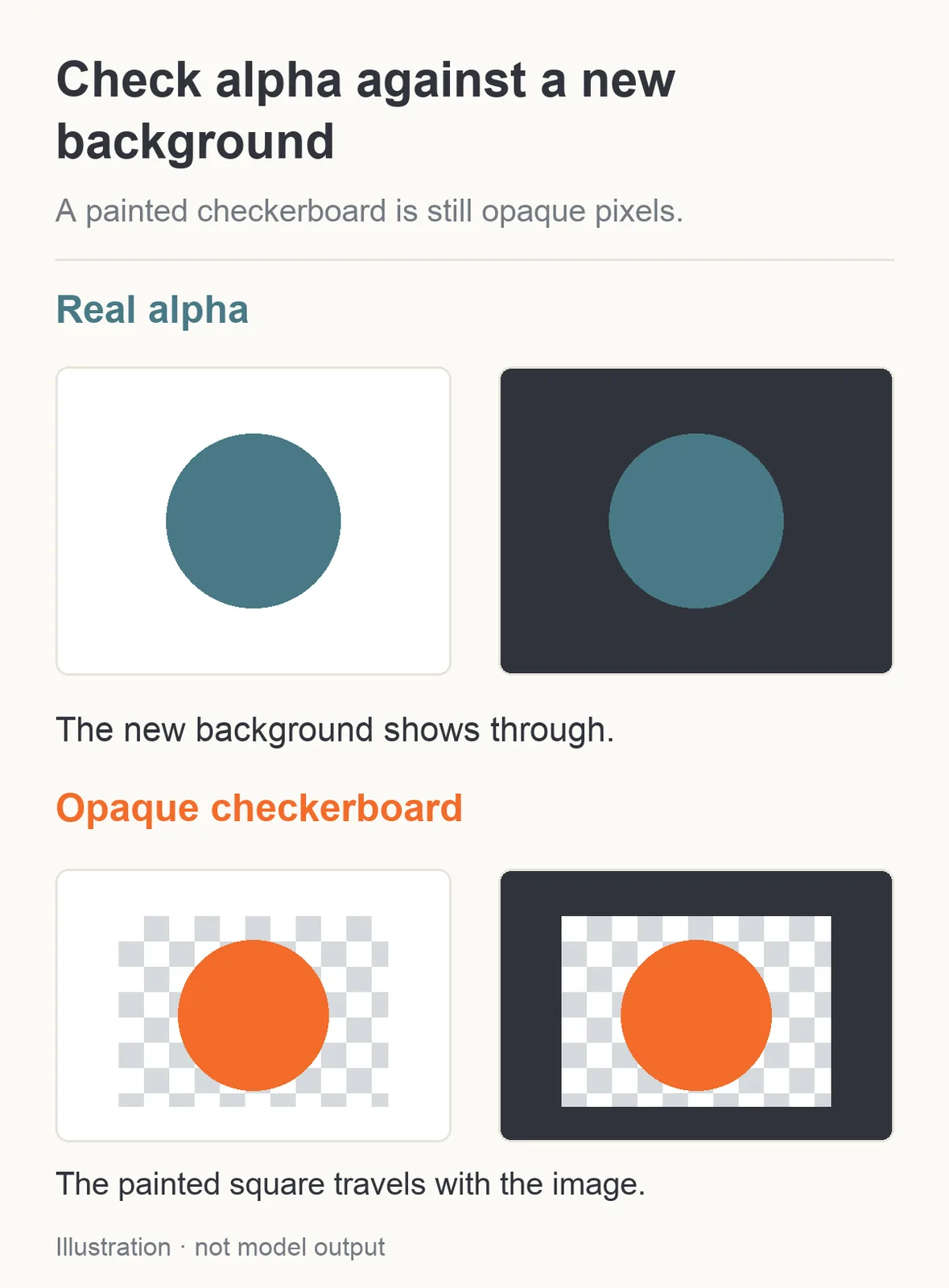
Illustration: a transparent-capable file can still contain only opaque pixels. A painted checkerboard is not proof of alpha.
For a Qwen Image 2.1 cutout workflow, select background: transparent and output_format: png or webp. Describe one clearly adult fictional character with a simple, readable silhouette. A fully covered portrait in a dark suit is enough to test the delivery workflow; there is no need to use an explicit example to check transparency.
After downloading, place the image over both a light background and a dark background in an editor. If it is a real cutout, the new background should show through around the character. Inspect hair, sleeves and accessories for halos, missing edges or remnants of the old backdrop. A file having alpha tells you transparency exists; it does not tell you the cutout is clean.
If the character has a pale fringe around dark hair, changing PNG to WebP is unlikely to solve the underlying edge. Check the extraction or generation stage and how the image was composited. If a fully opaque white rectangle surrounds the character, check whether transparency was requested and whether a later export flattened it.
To create a JPEG, choose the final background deliberately and flatten the image onto it. Otherwise, an exporter may insert a background you did not intend. This matters when a character library supports both light and dark themes: a cutout flattened against white can look like a sticker with a visible box in the dark theme.
For models without a native transparent-background control, use an appropriate background-removal workflow. Treat removal as a separate step and check its result, particularly around detailed clothing and hair. Do not rerun the image generator solely to change a delivery container.
Separate the master, the gallery preview and the customer download
Here is a practical delivery plan for a fictional adult character's six-image set. It is a proposed workflow, not a claim that this article generated a new set.
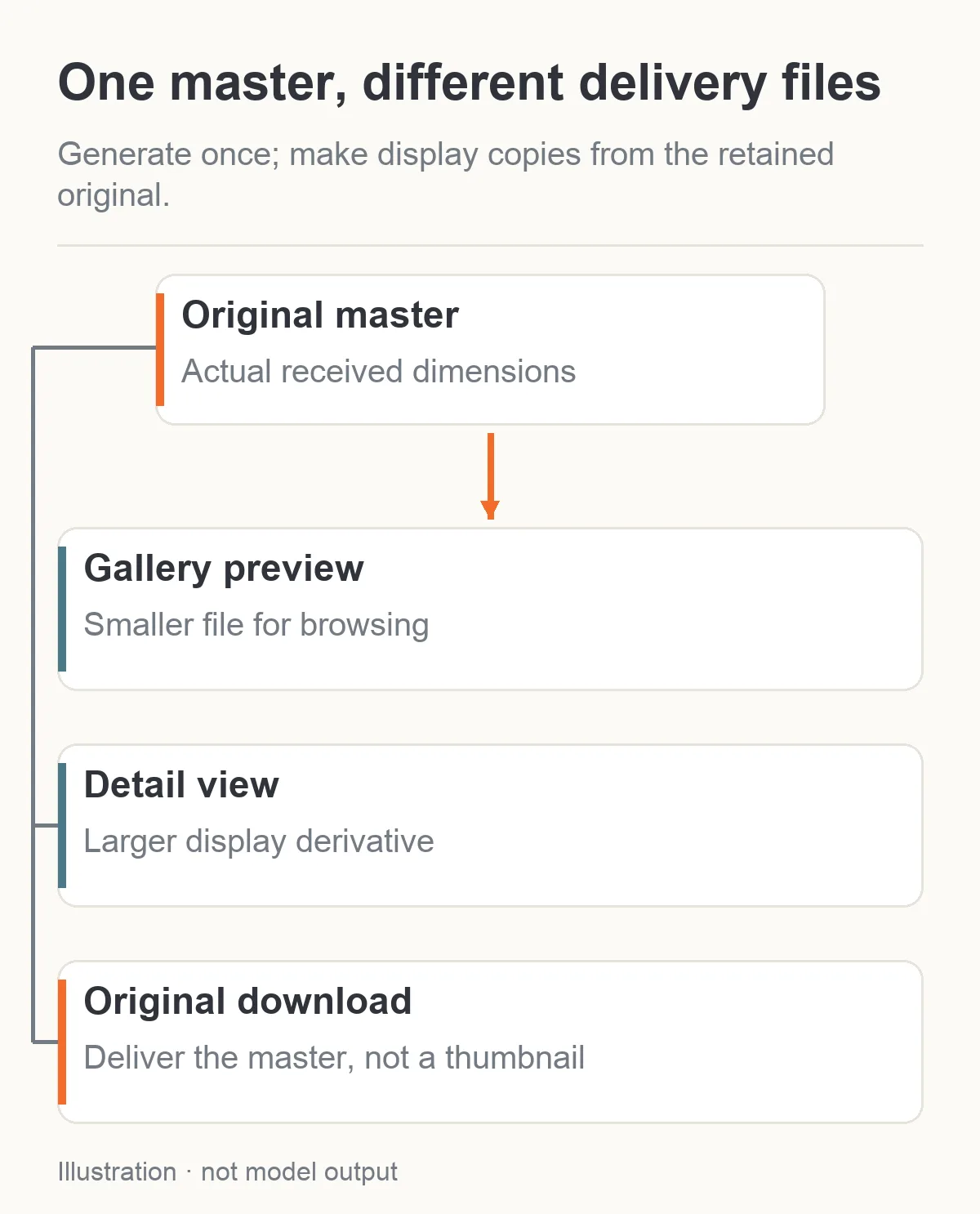
Derive display previews from the retained master; keep the original download separate.
First, retain each successful original at its actual pixel dimensions. Record the model/task identity and the intended character version separately from the file. Do not overwrite that original with a thumbnail export.
Next, make gallery derivatives from those originals. One portrait might need a small square crop for a character list and a taller preview for the private gallery. The crop positions should preserve the face and other details the customer needs to evaluate. A center crop that cuts off a character's head is a layout failure, regardless of format.
Finally, offer a clear Download original action. If you offer additional formats, label them: for example, Original PNG, Web preview, or JPEG export. A creator should not have to discover after download that the supposedly full image was actually the 512-pixel card.
A sensible starting trial might compare a 600-pixel preview and a 1200-pixel detail view, then adjust for your actual layout. Those are design suggestions, not model limits. They do not change the generation dimensions. For high-density displays, check whether the displayed pixel width needs a larger derivative, while avoiding full master files for small cards.
Keep the source and derivative paths distinct. If your media layer optimizes browser display automatically, confirm that the download button requests the intended asset rather than whatever optimized image the browser currently displays. Downloading a preview and then converting it to PNG makes a larger file with the same preview limitations.
How to inspect quality without blaming the wrong stage
Start with one source image and create the candidate exports from that same source. Comparing independent generations confounds file encoding with a changed pose, lighting or character. You cannot learn whether WebP preserved skin texture by comparing it to a different PNG portrait.
Inspect the exports at their intended display size first. Then check a few details at 100%: hair against the background, soft cheek shadows, fine fabric, eyelashes, jewelry edges, and any lettering. Use the same viewing application and avoid changing zoom independently between files. Extreme zoom can expose differences a gallery visitor will never see; tiny previews can hide differences a paying creator will notice when editing.
Compare decoded pixel dimensions and bytes, not just the extensions. A sharper-looking PNG may simply be twice as wide. A softer JPEG might be the resized gallery derivative rather than the generator's original. Fixing the dimensions or selecting the proper download may resolve the apparent model-quality problem immediately.
If the original is already smooth or blurry, another container is not the remedy. Check the generation resolution, the input reference and whether an earlier resize removed useful information. If only the gallery is blurry, review your crop, derivative size and compression. If only a messenger copy is blurry, that application may have processed the upload after your export.
This sequence gives you a specific next action: repair generation, repair delivery, or choose a different export. It avoids buying another image every time a downstream thumbnail looks disappointing.
Does choosing PNG or WebP change the generation price?
For these specific starting configurations, the accepted format selection does not change the quoted generation price:
| Configuration | Supported format choice | Generation price |
|---|---|---|
| Qwen Image 2.1 text-to-image, 1K, opaque background | JPEG, PNG or WebP | $0.024 per image |
| Seedream 5.0 Pro text-to-image, 1K explicitly selected | JPEG or PNG | $0.036 per image |
| Z-Image Turbo text-to-image, prompt expansion off | PNG only | $0.010 per image |
These prices describe the input configurations in the table. They do not imply that every model treats formats identically. Seedream 5.0 Pro defaults to 2K, billed at $0.072 per image. Z-Image Turbo with prompt expansion enabled is $0.016. Qwen Image 2.1's resolution tiers also change its quote. File format and resolution are separate decisions.
Generating 100 Qwen portraits at the specified 1K setting costs $2.40 if all 100 are charged. Making preview exports from those completed files in your own application does not submit another image-generation request. It does, however, use whatever processing, storage and delivery service your application chooses.
For bandwidth planning, use measured file sizes from your own exports. If your 100 previews average 150 KB and each is delivered 1,000 times, that is 15 GB of transferred image bytes before protocol overhead, using decimal units. It is a hypothetical arithmetic example, not a measured compression result or a hosting bill. Turning those bytes into dollars requires the delivery provider's pricing and caching behavior.
File metadata deserves attention in adult creator projects
An image can carry information beyond visible pixels. Depending on the generating or editing tool, it may contain prompts, workflow details, software identifiers or other metadata. A local AI workflow may rely on that information for reproduction; a public preview may not be the place to share it.
In an original Stable Diffusion community discussion, users distinguish a platform-generated WebP preview from a source PNG that may carry a workflow. The useful lesson is that a preview and an original can differ in metadata as well as pixels. It does not establish that every WebP strips metadata or every PNG includes it.
For a private NSFW character project, retain the creative settings securely if you need them, and make a separate publication export when you intend to share a SFW preview. Inspect that export rather than assuming conversion removed sensitive text. WebP, JPEG and PNG can all carry metadata, with different containers and tool conventions.
SpicyAPI's public output_format choice is not a promise to embed a complete ComfyUI workflow in each output. Keep the generation settings your own product needs in its project record. Do not depend on an image file as the only place where your character references, model selection and prompt revision are preserved.
Likewise, converting a private original into a smaller file does not make it safe to publish automatically. Keep access controls and publication decisions separate. A signed download URL, a private character master and a deliberate public preview serve different audiences.
A format choice you can make now
For a realistic opaque portrait, start with the original output and trial a WebP or JPEG preview at your gallery's intended dimensions. For a cutout, choose PNG or WebP plus an actual transparency-producing operation, then inspect it against light and dark backgrounds. For future edits, preserve the source rather than repeatedly converting the preview.
Use the exact model's supported values, and label downloads honestly. The creator should get the master they expect, the gallery visitor should get a fast usable preview, and a transparent character should remain transparent after delivery. Those are practical reasons to choose a format; NSFW support itself remains a model-and-task question.