Wan 2.7 Pro can generate a new adult-character image or edit an existing one, but those tasks have different content limits.
In our September 2026 tests, text generation softened every advanced NSFW request. Editing delivered suggestive and moderate requests and two of three specialist adult requests, but softened all three higher-intensity edits. It is not consistently uncensored across tasks.
Both image tasks have a listed price of $0.075 per image. Text generation offers 2k or 4k. Editing produces a fixed 2k result and accepts one to nine sources. Choose Pro for those image requirements; paying for a larger canvas does not unlock a more permissive content mode.
NSFW results differ between generation and editing
The combined adult-content tests contain 14 generations and 12 edits:
| Category | Text to image | Editing |
|---|---|---|
| L1: suggestive imagery | 3 delivered | 3 delivered |
| L2: moderate NSFW imagery | 3 delivered | 3 delivered |
| L3: advanced NSFW imagery | 2 softened | Not sampled |
| L4: higher-intensity adult scenes | 3 softened | 3 softened |
| L5a: specialist adult scenes | 3 softened | 2 delivered; 1 softened |
“Softened” matters because the task can complete and return an image. In these text-generation records, the model added clothing rather than fulfilling the requested content. In the L4 edits, important requested details were obscured. That is different from refusing to make any image, and it is different from successfully following the brief.
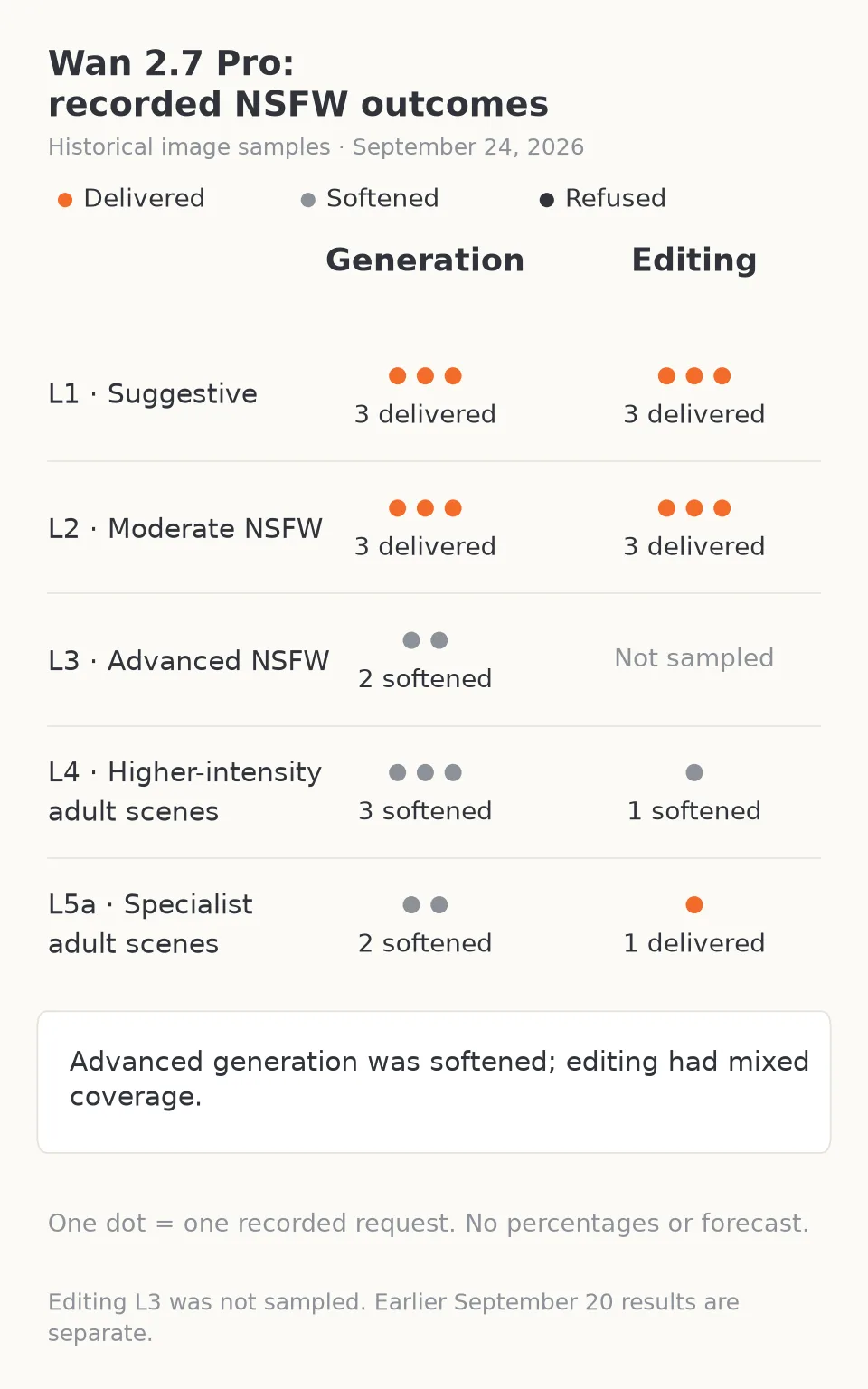
This chart shows one test subset. The combined table above includes the additional generation and editing runs; gray dots mean softened output, not refusal.
For an adult creator, the practical conclusion is clear. Text generation is a reasonable candidate for suggestive and moderate NSFW concepts; the recorded behavior makes it a poor first choice when advanced NSFW content must be delivered exactly. Editing can preserve or produce content that text generation reduces, but the available editing samples are too mixed to call it consistently unrestricted. The Wan 2.7 Pro review provides the published model assessment alongside its content observations.
Why an “uncensored” editor can still miss the brief
Wan 2.7 Pro editing is labelled uncensored; its text-to-image task is labelled softened. The recorded edit cases above are an example: some adult requests were fulfilled and others were softened, with no hard refusal in those particular samples.
Inspect three requirements separately:
- Content: did the intended adult-content level survive?
- Character: is it still the approved person or couple?
- Edit: did the requested garment or scene change happen?
A polished picture can pass one and fail another. Task completion answers none of these visual questions by itself.
Likewise, a switch mentioned on another website may not exist here. The public Pro tasks expose no NSFW switch and no manual thinking-mode field. There is no documented setting that turns the recorded softened text-generation behavior into a guarantee of advanced NSFW output.
Use fictional adult subjects, or real adult references with explicit permission for the intended transformation.
Know which image task you are opening
Use Wan 2.7 Pro text to image to create a new composition from words. Use Wan 2.7 Pro editing when an existing image supplies the character, composition or material you need to keep.
| Requirement | Pro generation | Pro editing |
|---|---|---|
| Starting material | Prompt | Prompt plus 1–9 source images |
| Output tier | 2k or 4k | Fixed 2k; no resolution selector |
| Output count | One image per call | One image per call |
| Relevant controls | Aspect ratio, palette, seed | References, optional edit boxes, palette, seed |
| Listed image price | $0.075 | $0.075 |
Alibaba's official Wan image reference limits Pro's 4k mode to text generation and describes multi-image references and region editing. Those capabilities explain when Pro may be useful. They do not establish its adult-content behavior on every service.
For an adult character cover, 4k can matter if you need a larger source for a crop or a final image with fine detail. It will not repair content that was softened at 2k. For a collection based on an approved character, editing is the relevant task even though its canvas is smaller.
A useful editing job: keep the character, change the garment
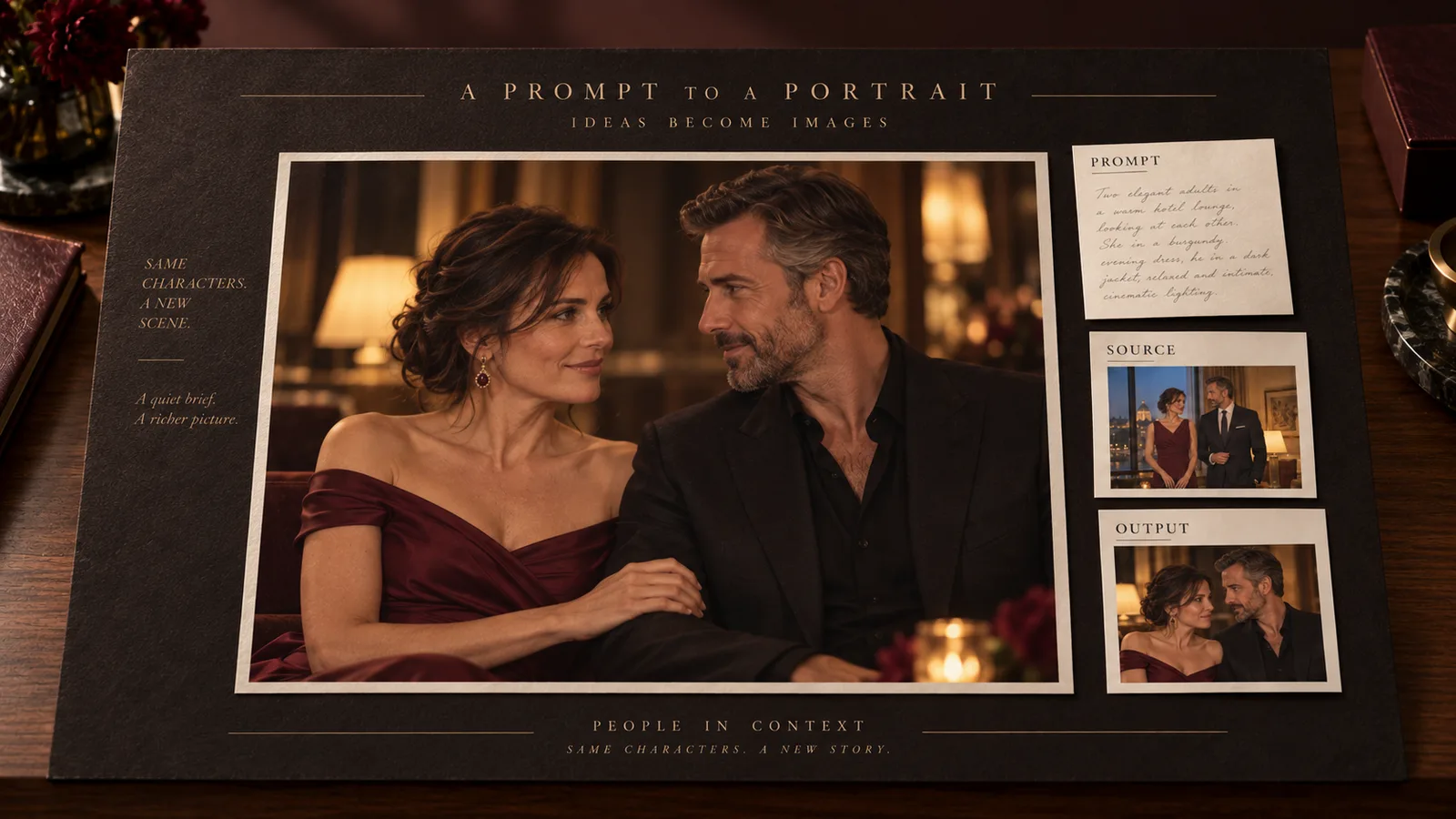
Suppose you have an approved SFW preview image of a fictional adult man aged 38 in a charcoal shirt, seated at a hotel window. You want a second preview in a specific burgundy jacket while retaining the face and camera angle.
Use the approved character as image 1. Add a clean garment reference as image 2 only if the jacket's collar, seams or silhouette are important. The instruction can be:
Keep the fictional adult man from image 1, including his face, closely cropped hair, apparent age, seated pose and camera angle. Replace only his charcoal shirt with the burgundy velvet jacket shown in image 2 over an opaque black top. Image 2 supplies the garment only; do not copy its person, pose or background. Retain the hotel window and cool evening light. No new people, logos or text.
For this edit, keep the source roles simple:
- Image 1 — identity and composition: the approved character, pose and camera angle.
- Image 2 — garment: a clear view of the desired collar, seams and silhouette.
For reliable source preparation, use JPEG or an opaque PNG, 240–8,000 pixels per side. Keep each under 10 MB for the Playground uploader; flatten a transparent garment cut-out onto a plain background.
For an adult woman or a couple, assign the identity source in the same way. If both people already appear together in an approved image, keep that source and state that both subjects must remain; separate identity photos may make an otherwise simple edit harder.
The settings that can cause a misleading failure
The public ratio choices are 1:1, 4:3, 3:4, 16:9, 9:16, 3:2 and 2:3. Text generation defaults to square. Editing follows the last source image's proportions if the ratio is omitted.
That last rule can surprise a creator. If the character source is vertical but the final upload is a square fabric swatch, omitting the ratio may give you a square composition. Prepare the last source in the required shape, or use a simple edit with an explicit ratio when you do not need the controls described next.
Some combinations are temporarily unavailable even though their fields appear in the schema. A free quote rejects Pro edit with a region box, seed and aspect_ratio: "2:3" with error 40004; the same box and seed quote successfully when the ratio is omitted. A ratio-only edit also quotes successfully. For text generation, palette + seed + 3:2 is rejected, while the same settings at 1:1 quote successfully. Use those supported combinations for now; a 40004 configuration error is not a content refusal.
bounding_boxes can identify an edit area using pixels from the original uploaded image. The image_index starts at one. Use a box around the garment you intend to replace, not around the entire person, if that is the only required change. Up to two boxes per source are available. A box guides an edit; it does not lock all the pixels outside it or guarantee that the face stays exactly identical.
If the displayed preview is half the original width and height, double its coordinates before entering a box. A region selected at (100, 200) in a 600 × 900 preview starts at (200, 400) in its 1200 × 1800 source. Measure again after a crop or resize. Incorrect coordinates can make an edit look unresponsive even though the task itself completed.
For the two-reference jacket example, begin with the ratio-only setup; omit the ratio when adding the tested box-and-seed combination. Add region control only if the result changes the wrong area. The general Wan 2.7 editing guide covers palettes and measured boxes in more detail.
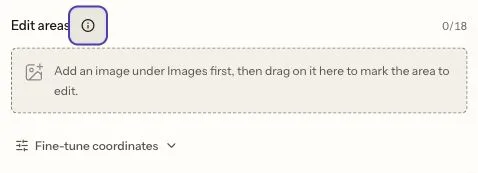
Upload the source, then mark the garment area. Fine-tune coordinates uses the original image’s pixels.
Costs and the point at which to switch models
At the listed $0.075 rate, four Pro images cost $0.30, ten cost $0.75 and twenty cost $1.50. One new concept followed by two editing attempts costs $0.225.
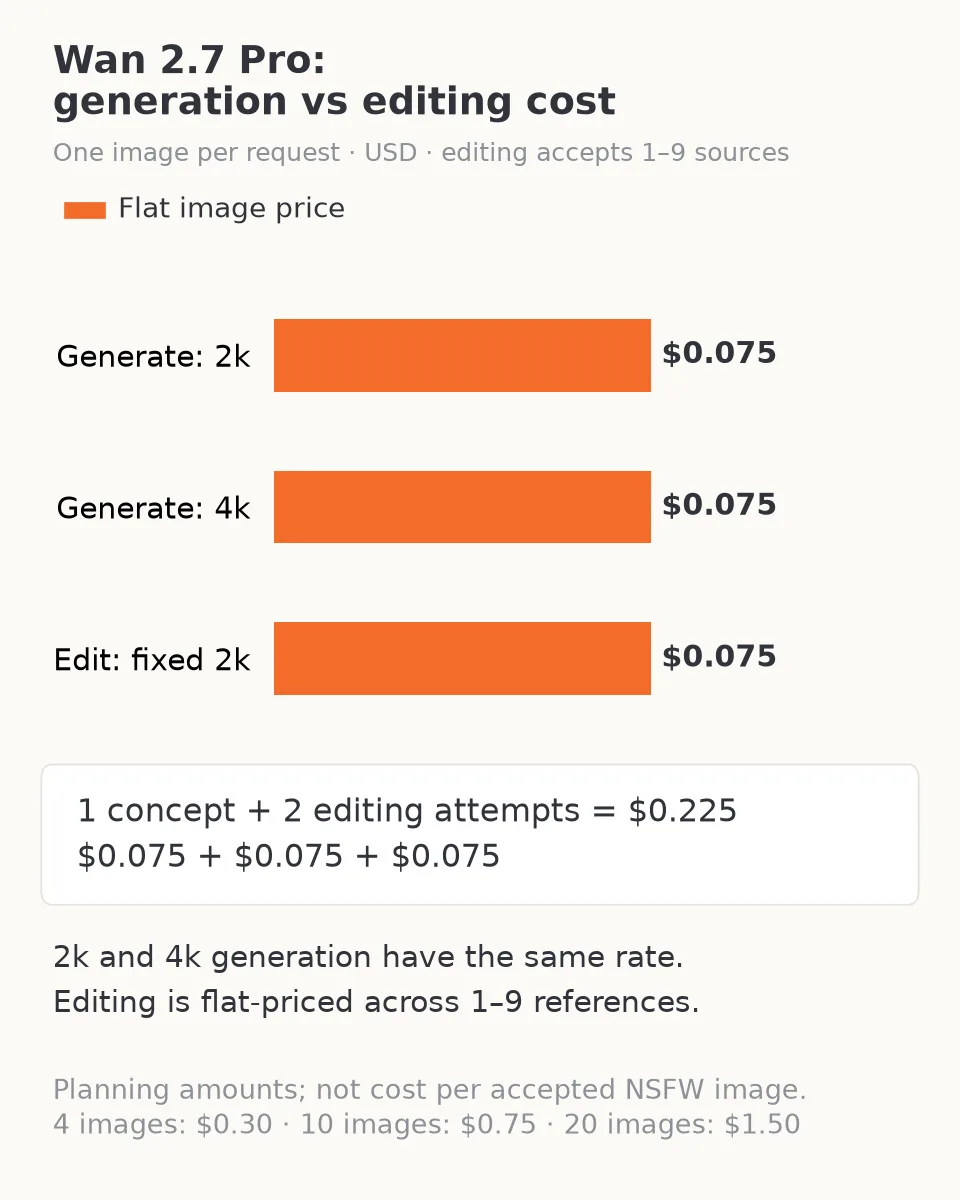
The larger generation canvas does not change the listed image rate. Editing is fixed at 2k, with no separate reference-count fee.
The recorded text-generation softening is a reason to set a limit on repeated attempts. If the output repeatedly adds clothing or changes the requested adult-content level, increasing resolution does not address the observed problem. Do not buy twenty 4k repeats because the first image looks polished.
If your priority is advanced NSFW generation or editing, Qwen Image 3.0 delivered the adult-oriented categories in both tasks. Its text-generation output is listed at $0.03; a one-reference 2k edit is $0.033 and a two-reference edit is $0.036. That makes Qwen Image 3.0 editing a sensible next candidate when content fidelity matters more than Pro's 4k generation or nine-reference capacity.
Qwen’s editor takes 1–3 references at 1k or 2k, with no edit boxes or palette. A four-to-nine-reference job therefore needs to be simplified before switching.
Stay with Wan 2.7 Pro editing when your approved source and multi-part edit fit its controls, and evaluate the actual output before making the rest of the set. If exact identity or background pixels are mandatory, keep the approved image and composite an accepted patch in a conventional editor. No NSFW label replaces that requirement.
Is Wan 2.7 Pro an unrestricted NSFW image model?
For text generation, the recorded answer is no: advanced categories were softened rather than fulfilled. For editing, the answer is sometimes capable, with mixed evidence, not a blanket guarantee. It can be useful for adult-oriented character work, but your decision should depend on the task you need and the specific visual content it returns.
Try one focused edit when its references and region controls solve a real problem. For a new advanced NSFW character scene, start with a model whose generation tests support that need instead of paying a Pro premium in the hope that it changes content behavior.
Frequently asked questions
Does Wan 2.7 Pro generate NSFW images?
It delivered the suggestive and moderate categories in the recorded generation tests. All eight generation requests across the three advanced categories returned softened images. That makes it a limited NSFW choice rather than an unrestricted generator.
Is editing more permissive than text generation?
Only partly: editing delivered two of three specialist-category requests but softened all three higher-intensity requests. Choose it for references and regional edits, rather than assuming every adult scene will be preserved.
Is a softened image the same as a refusal?
No. A softened request returns an image with reduced or substituted content; a refusal rejects the request. If the missing content is central to your brief, a softened result is still not a usable match.
Can I get a 4k edit or change the content limit with Pro settings?
Editing is fixed at 2k; 4k belongs to text generation. Neither output size, palette, seed nor edit boxes is an NSFW-permission switch. Choose those controls for resolution, composition and regional changes.
Should I use Wan 2.7 Pro or Qwen Image 3.0 for advanced NSFW work?
Start with Qwen Image 3.0 when delivery of the advanced content is the main requirement: its corresponding generation and editing categories were delivered. Wan Pro remains relevant when its 4k generation, up to nine sources or edit boxes solve a different requirement.