FLUX 3 image-to-video animates a first frame, with an optional last frame to move toward, adding synchronized sound, in clips of 5 to 20 seconds.

From $0.06/s

Workbench

Input

Image to video
338/5000
Up to 5,000 characters. Describe what happens after the opening image: the action, the camera move and a Sound: line. The picture already supplies the people and the setting. at least 1 characters ยท at most 5000 characters
1/1

Drop files or media links, paste, or browse ยท 1 file ยท Max 10 MB ยท JPG ยท PNG ยท WEBP ยท GIF

  • 1
1 / 1 files
The opening frame, uploaded or linked. The subject keeps its look from this image. at least 1 characters
0/1

Drop files or media links, paste, or browse ยท 1 file ยท Max 10 MB ยท JPG ยท PNG ยท WEBP ยท GIF

0 / 1 files
Optional closing frame. The clip moves from the opening image to this one; when the two differ a lot, the model may use a hard cut in between instead of a gradual change. at least 1 characters
One of 16:9, 9:16, 1:1, 4:3, 3:4, 21:9 or 2:1. Leave it out to follow the opening image. The shape does not change the price.
Qualityaffects price
StandardDraft
standard (default) renders at the resolution you choose; draft is a fast, lower-cost preview that is always 720p. It changes the price: draft is the lowest tier.
affects price
720p (default) or 1080p. 1080p costs more. Draft is 720p only, and draft with 1080p is rejected.
Durationaffects price
Length in whole seconds, 5 to 20; 5 by default. Billed per second, so it sets the price together with the tier. no lower than 5 ยท no higher than 20
Generate audio
Generate synchronized sound with the picture. On by default; off gives a silent file. The price is the same either way.
Safety checkerOff

SpicyAPI does not run a safety checker on this model. Your prompt and media go to the model as written, and the model itself decides what comes back.

Checking your account before enabling submission and pricing.

Output

Ready for a new run
Example result

Missing the model you need?

Tell us what to add and where you would use it. Requests go to the people who decide what gets onboarded next.

BLACK FOREST LABS VIDEO MODEL

FLUX 3 API at a glance

FLUX 3 from Black Forest Labs: video with synchronized sound, a cheap draft tier for testing shots, and extend and upscale tools for the clips you keep.

Endpoints
4
Text to video, image to video, video extend and video upscale.
Clip length
5-20 s
Whole seconds, with sound generated in the same pass.
Cheap preview tier
Draft
A fast, low-cost pass at 720p for checking a shot before a full render.
Largest upscale
3x
Enlarge a finished clip from 1.5 to 3 times, keeping its sound.

Results

What you can make with FLUX 3

  • Dialogue

    A spoken line that matches the prompt

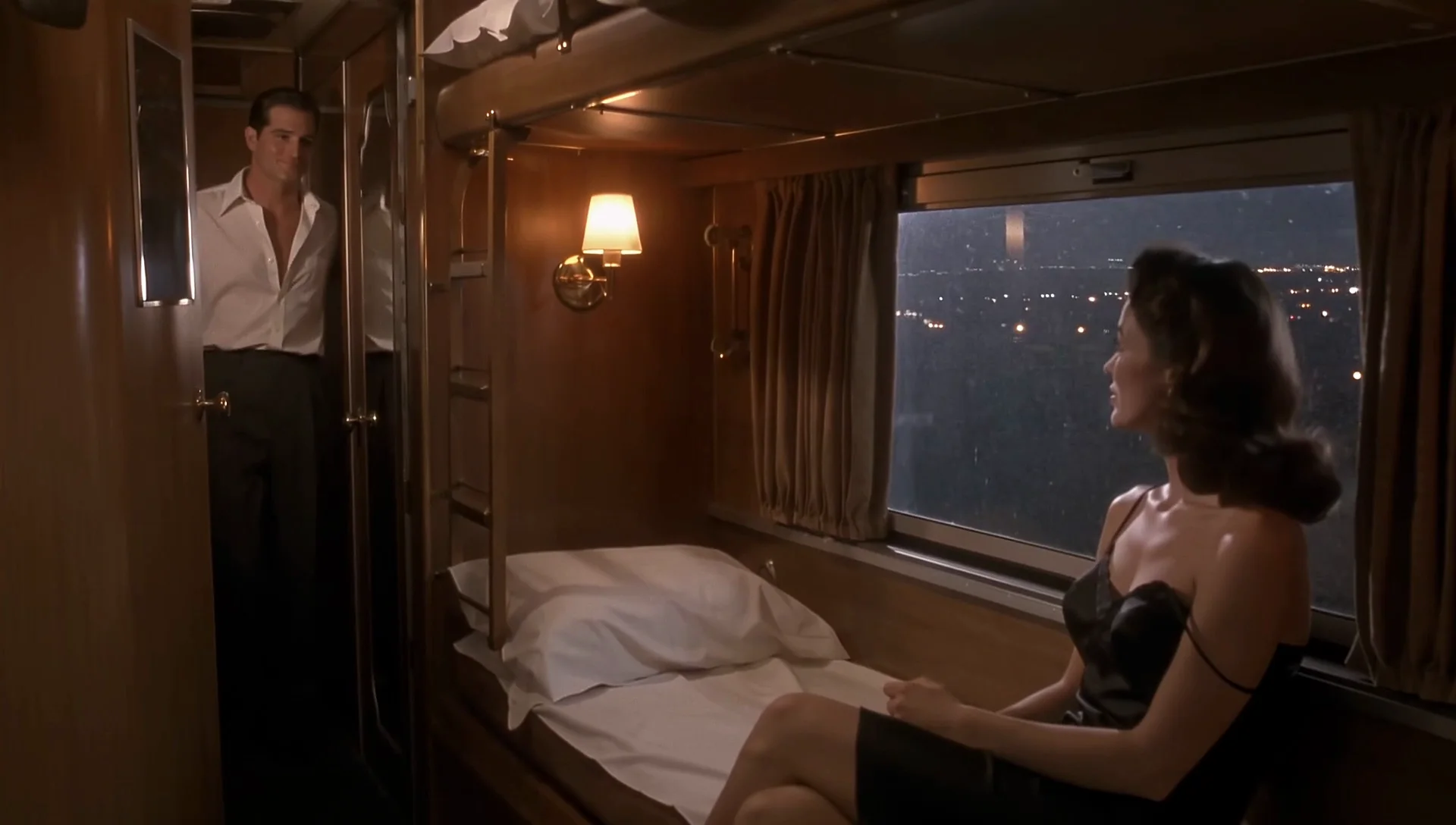
    A woman in a sleeper-car compartment says "You're late." and a man steps in to sit beside her, in 1080p. The line in the transcript is word for word the one in the prompt, over rail clatter and rain, with the camera pushing slowly in.

    Text to video, standard, 1080p, 16:9, 6 seconds, sound on.

  • Draft tier

    A low-cost preview that still looks clean

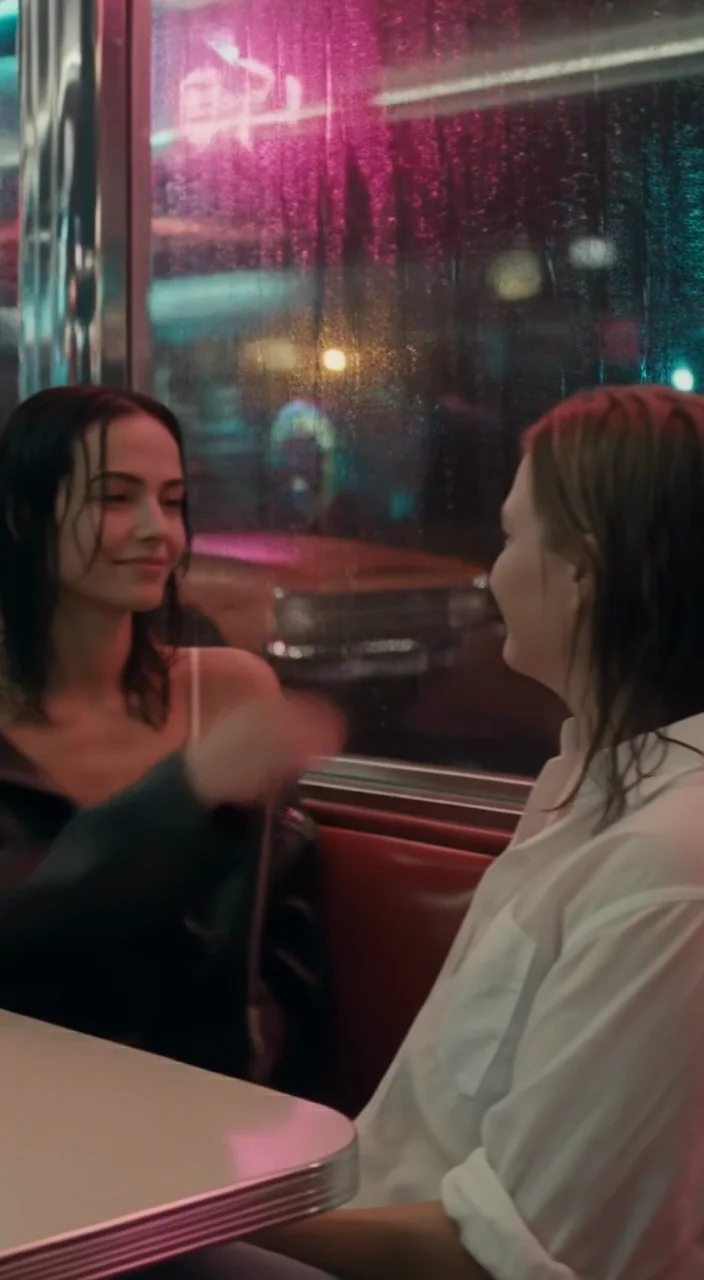
    Eight seconds of two women in a neon diner booth, rendered in vertical 9:16 at the draft tier. Detail is softer than standard, but the people and the neon reflections come out clean, which is enough to judge a shot before committing.

    Text to video, draft, 9:16, 8 seconds, sound on.

  • First and last frame

    Moving from one frame to another

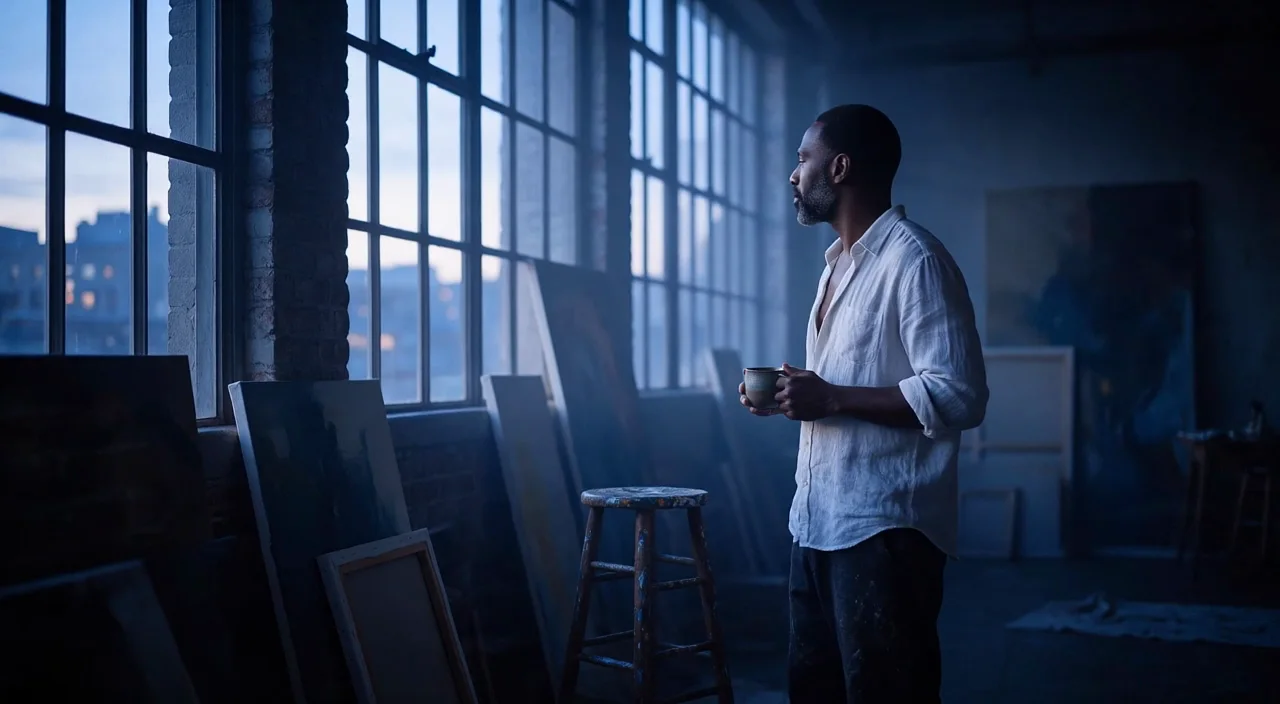
    A cool blue loft as the opening image and a golden sunrise as the closing image. The clip gets from one to the other, but it does so with a hard cut about two and a half seconds in, not a gradual change of light.

    Image to video with a first and a last frame, standard, 720p, 6 seconds, sound on.

  • Video extend

    Continuing a finished clip

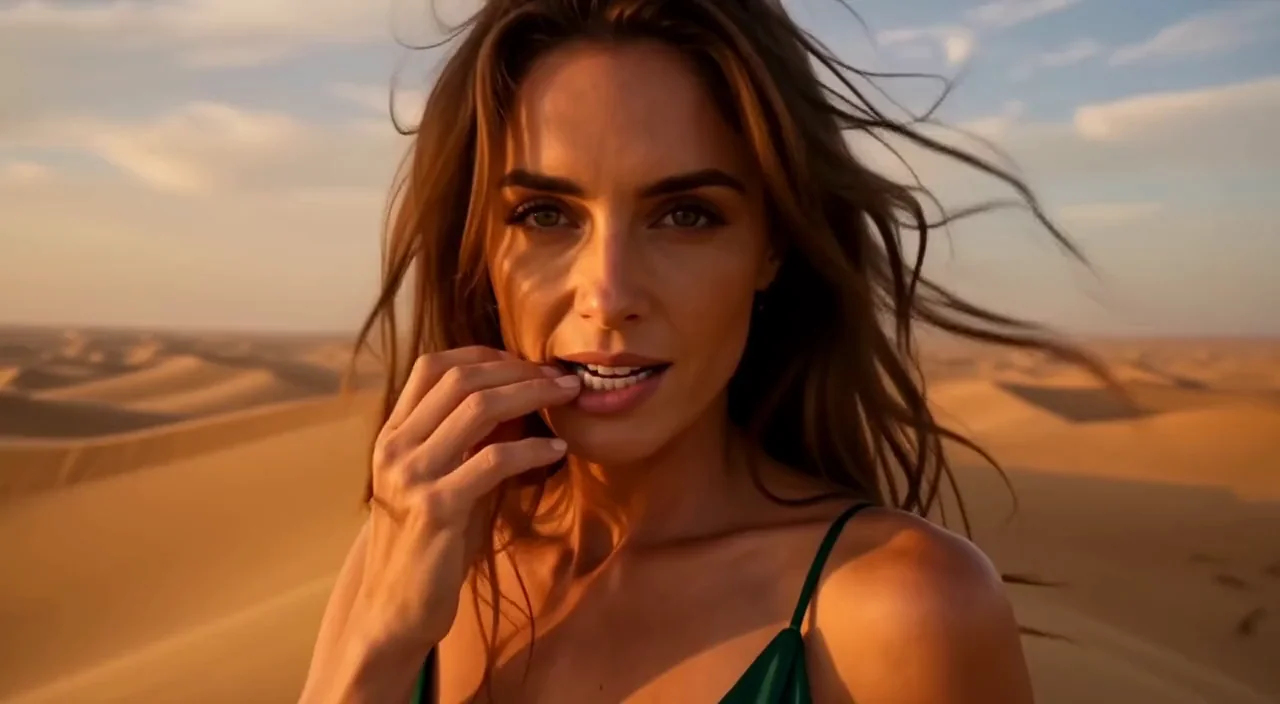
    A desert close-up continued by five seconds in the same shot, with no cut: her fingertip slides from her lip down to her collarbone while she holds the lens, then the sandstorm closes in and the light fades. The result holds only the new segment.

  • Upscale

    Twice the size, nothing invented

    The extended clip enlarged 2x in precise mode, from 1280 by 704 to 2560 by 1408 with its sound kept. Stubble, shirt folds and brush marks are visibly sharper, and the framing and motion are unchanged.

    Video upscale, 2x, precise mode, 2560 by 1408.

Content test

Is FLUX 3 uncensored? What we tested

We ran each level on our live setup and checked every clip frame by frame. A pass means the content was actually on screen, not just that the request went through.

Content levels tested on FLUX 3, by mode
LevelImage to videoVideo extensionText to videoVideo upscaling
MildThe lightest prompts in the test
Not tested yet
Not tested yet
Not tested yet
Not tested yet
ModerateWhere filtered models start to refuse
RefusedTested Oct 8, 2026
Not tested yet
StrongThe middle of the scale
RefusedTested Oct 8, 2026
RefusedTested Oct 9, 2026
RefusedTested Oct 8, 2026
RefusedTested Oct 9, 2026
Very strongWhere most models start to hold back
RefusedTested Oct 8, 2026
RefusedTested Oct 9, 2026
RefusedTested Oct 8, 2026
RefusedTested Oct 9, 2026
MaximumThe top of the scale
RefusedTested Oct 8, 2026
RefusedTested Oct 9, 2026
Not tested yet
Not tested yet

Renders: on screen as written. Softened: generated, but milder than what was written. Refused: rejected. Not tested yet: we have not run that level on that mode.

How each mode behaves

All modes
Black Forest Labs reviews every request, and only Mild-level requests come back. In our tests anything from Moderate up was refused, in standard and draft alike. Upscale is the exception, because it judges the clip you send: in our tests it enlarged one of three Moderate-level clips, one of three clips from one Maximum-level prompt and all three from the other, and refused every Strong and Very strong clip. Refused requests are not charged. The people in our examples are adults, and the examples stay suitable for general viewing.
Text to video
One of the two Maximum-level prompts is judged separately: it rendered on text to video in our tests, while the same request on image to video was refused.
All modes
Picture and sound come from the same pass. Spoken lines in quotes matched the prompt word for word in our dialogue tests, and ambient sound follows the Sound: line, but expect to regenerate if a clip comes back with the wrong mood.
All modes
Shots do not always stay unbroken. When a prompt asks for a big change, such as a cold blue room turning gold, the model sometimes cuts or dissolves instead of blending, and a face can drift a little over a long move. Ask for one continuous shot and it may still cut, so check the result.
All modes
Draft is always 720p and is a preview tier, with softer detail than standard. Standard 720p takes roughly one and a half to two minutes for a five-second clip, 1080p about two and a half, and a 20 second draft close to three. Clips run 24 frames per second, and 21 seconds or more is not accepted.
All modes
There is no seed and no negative prompt. The features of the official API beyond those listed on this page, such as resolutions above 1080p, are not offered here.

Use cases

What to build with the FLUX 3 API

  • Dialogue and mood scenes

    Short scenes where a character speaks one line over rain, engines or a crowd, with the voice and the room sound generated together.

  • Animating a still

    Bring a portrait, a location still or a product photo to life from its first frame, or give it a last frame to move toward.

  • Storyboards on a budget

    Draft each shot at the lowest price, keep the ones that work and re-render only those at standard quality.

  • Longer sequences and delivery

    Extend a clip a few seconds at a time, then upscale the keeper before it goes to the edit.

Prompts

FLUX 3 prompt examples you can copy

Paste one into the playground as it is, then change one thing at a time.

  • Text to video

    A line of dialogue over rain and rails

    Result from this prompt

    Night inside a 1950s sleeper train compartment with polished walnut panels. A woman in her early thirties in a black silk slip dress sits on the edge of the bunk, one strap slipping off her shoulder. A man in his late thirties in an unbuttoned white dress shirt leans in the doorway. She looks up at him and says softly, "You're late." He smiles, steps into the compartment and sits down beside her on the bunk. Warm amber reading-lamp light, town lights streaking past the rain-flecked window, slow push-in, shallow depth of field, 35mm film look. Sound: the steady clatter of the rails, rain on the glass, her quiet voice.

    Why it works. A short scene with one spoken line in quotes, a Sound: line for the room, and a named camera move. The line in the clip matched the prompt word for word, and the camera pushed in slowly.

    Try this prompt
  • Text to video

    Two people, one line, practical light

    Result from this prompt

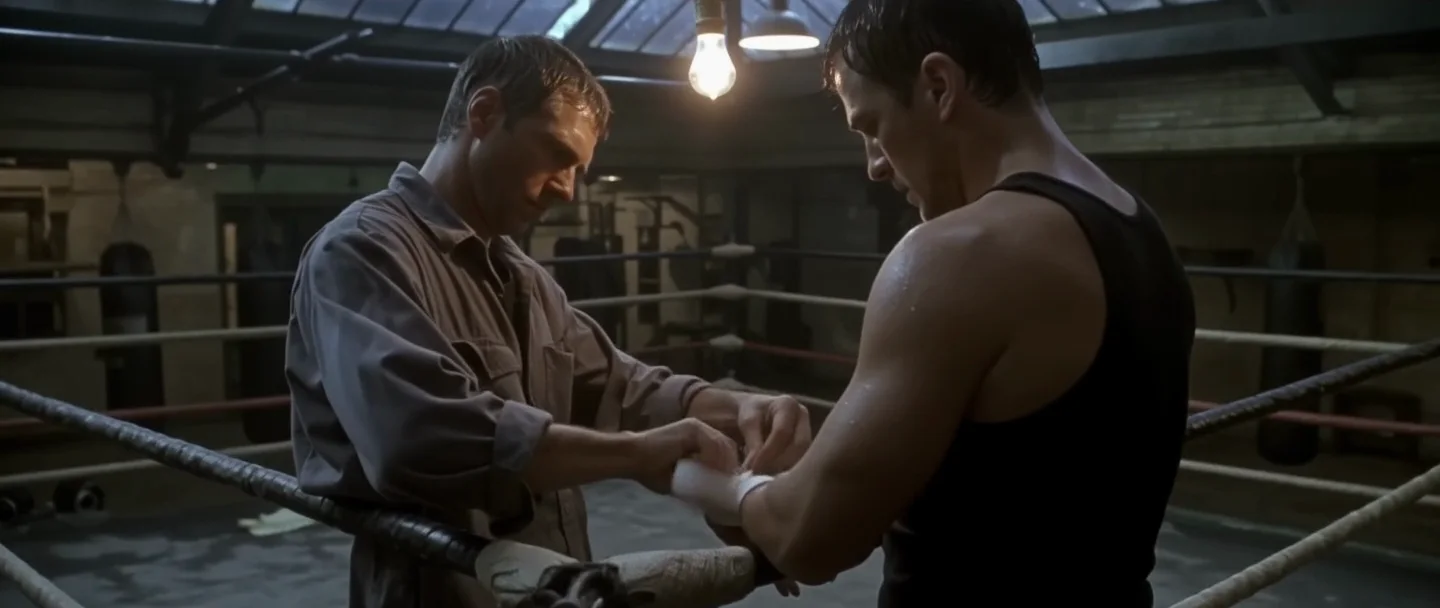
    An empty boxing gym after hours, rain drumming on the skylight. Two men in their forties face each other at the edge of the ring. One, in an unbuttoned grey work shirt, slowly wraps the other's hands with white tape; the other, in a damp black tank top, watches his face instead of his hands. A single hanging bulb sways overhead and throws moving shadows across them. He tightens the last wrap, holds on a moment longer and says in a low voice, "Don't hold back tonight." Slow handheld camera, warm tungsten light against cold blue window light, film grain. Sound: rain, the creak of the ring ropes, tape tearing, low voices.

    Why it works. Warm bulbs against cold window light set the look, and the sounds that matter (rain, rope creak, tape) are listed. The spoken line came through as written; the shirt came out open at the collar rather than fully open.

    Try this prompt
  • Text to video

    Preview a vertical shot at the draft tier

    Result from this prompt

    A rainy night in a chrome-and-neon roadside diner. Two women in their thirties share a red vinyl booth by the window: one in a satin camisole with a leather jacket slipping off her shoulders, the other in an oversized men's white shirt with the sleeves rolled up. One reaches across and tucks a strand of wet hair behind the other's ear; they both start laughing. Pink and teal neon reflects on the wet window, rain streaks down the glass, slow drifting handheld camera, vertical framing. Sound: rain, a jukebox playing a slow song, soft laughter.

    Why it works. The same kind of prompt at the cheaper draft tier. Detail is softer than standard, but framing, wardrobe and the neon on the glass are easy to judge before a full render.

    Try this prompt
  • Image to video

    One action from a still

    Result from this prompt

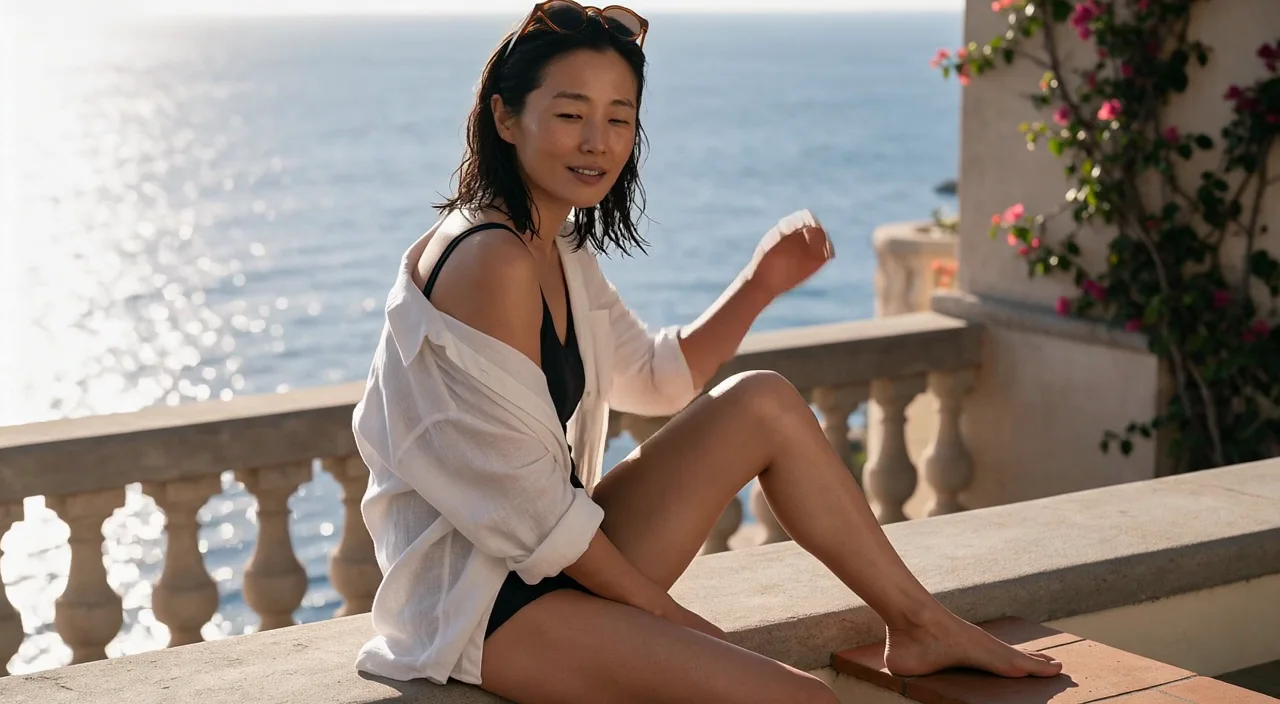
    She slides her sunglasses down over her eyes, turns her head toward the camera and breaks into a slow, easy laugh while the sea breeze lifts her damp hair and the loose linen shirt. The camera drifts in a slow arc around her as the golden light flares across the lens. Sound: waves breaking on the rocks below, distant gulls, a soft wind.

    Why it works. The photo supplies the person and the place, so the prompt only needs the action, the camera arc and the sound. Her face drifted slightly narrower after the sunglasses went on, and the first second or two has her hands covering it.

    This mode starts from your own image: add it in the playground before you run.

    Try this prompt
  • Image to video

    Go from one frame to another

    Result from this prompt

    He sets the coffee mug down on the windowsill, walks across the loft and sits on the paint-splattered stool, turning to face the camera as the first sunrise floods through the tall windows and turns the cool blue room warm gold. One continuous shot, the camera slowly pushing in. Sound: footsteps on old floorboards, birds outside, the city waking up.

    Why it works. With a first and a last image the clip travels between them. The light change was too big to blend, so the model cut hard partway through even though the prompt asked for one shot; keep the two frames closer if you need a smooth change.

    This mode starts from your own image: add it in the playground before you run.

    Try this prompt
  • Video extension

    Continue the same shot with the next gesture

    Result from this prompt

    The same close-up continues in one unbroken take, the camera stays on her face and shoulders the whole time. She slowly draws her fingertip from her lower lip down her throat to her collarbone, eyes locked on the lens, a slow knowing smile. Behind her a towering wall of sand rolls in across the dunes and swallows the setting sun, the light shifting from gold to deep amber, wind whipping her hair across her face. 35mm film grain, shallow depth of field, rising wind and sand hiss.

    Why it works. Describe what happens next, not the clip again, and keep the camera on the same framing. When we asked for a pull-back or a new angle, the segment cut to a different shot; staying in the close-up gave one continuous take.

    Try this prompt

Pricing

FLUX 3 API pricing

A 5-second clip starts at $0.3 at 1080p and $0.3 at 720p.

The playground shows the exact price for your settings before you run. Failed or timed-out tasks are usually not charged. Some models charge for content refusals as stated on their model page; check those billing terms before submitting.

See every price tier

Get started

How to use the FLUX 3 API in three steps

  1. Step 1

    Test the shot in draft first

    Draft costs a fraction of a standard render and finishes sooner. Settle the framing and the action there, then switch to standard for the final clip.

  2. Step 2

    Write the sound into the prompt

    Finish the prompt with a line that starts with Sound: and names the rain, the footsteps or the exact words a character says. Lines in quotes came back word for word in our tests.

  3. Step 3

    Keep one action per clip

    One clear move, one camera move and one light change give the cleanest results. Ask for a whole morning in six seconds and the model tends to cut.

Parameter reference and code samples are in the API and Readme tabs at the top of this page.

Why SpicyAPI

Why run FLUX 3 on SpicyAPI

  • No filter from us

    We add no content filter of our own. What the model renders is what you get back.

  • Tested, not guessed

    Content labels come from real generations we ran and checked, with the test date on the page.

  • Pay per result, in dollars

    No subscription and no credits. Failed or timed-out tasks are usually not charged. Some models charge for content refusals as stated on their model page; check those billing terms before submitting.

  • One key for every model

    One API key and balance cover image, video, audio and chat models, so you can explore more models from the same account.

FAQ

FLUX 3 API FAQ

About FLUX 3

FLUX 3 puts picture and sound in one pass, lets you test a shot in draft before paying for a full render, and carries a finished clip on through extend and upscale. Black Forest Labs' review keeps generation to the Mild level, so it suits trailers, dialogue scenes, product and mood pieces.

All FLUX models21

Video models1

  • FLUX 3CurrentText to video ยท Image to video ยท +2From $0.06per output second

Image models20

Related models and next tasks