Introduction
Wan 2.1 Image LoRA Image editing redraws your image from a prompt with up to three of your Wan LoRA files loaded on Alibaba's open 14B video model. It keeps the source's shape, costs one flat price per image and comes back without a content filter.
Choose a mode by starting material
| What you have | Mode |
|---|---|
| a written description | Wan 2.1 Image LoRA Text to image |
| an image to change | Wan 2.1 Image LoRA Image editing |
| a scene that should move | Wan 2.1 LoRA Text to video |
Key features & highlights
One strength control
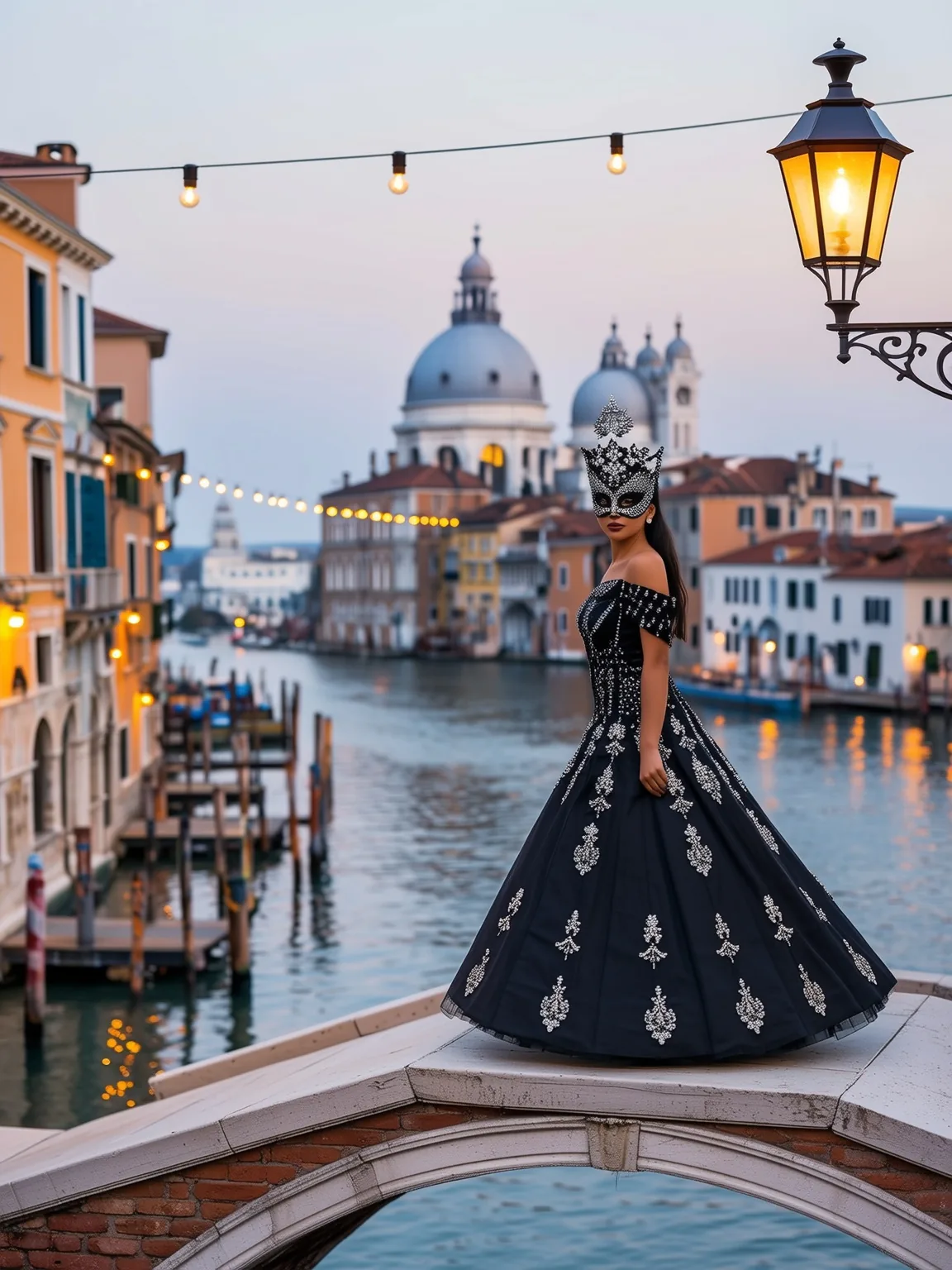
From a light touch-up to a full redraw: around 0.5 the source mostly stays, around 0.75 to 0.8 the outfit, the light and the setting follow the prompt. In our example a woman in a hoodie on a canal bridge became a masquerade guest at dusk.
Shape kept
The result has the source's proportions at 1024 or 1536 pixels on the long edge, at the same price for both.
Your LoRAs on your image
Wan 2.1 LoRAs apply to the redraw, with the same three-entry limit as text-to-image.
Uncensored with custom weights
LoRAs are not reviewed and the output is not filtered.
Request parameters
| Parameter | Required | Description |
|---|---|---|
prompt | Yes | Describe the image you want back, not only the change. Trigger words first if your LoRA has them. at least 1 characters · at most 5000 characters |
image_url | Yes | The source image. The result keeps its shape; a public, directly downloadable JPEG, PNG or WebP. at least 1 characters |
resolution | No | The long edge: 1k is 1024 pixels (the default), 1.5k is 1536. The other side follows the source's shape. |
strength | No | How far to move from the source, 0 to 1, default 0.6. Around 0.5 little changes; around 0.75 to 0.8 the outfit, the light and the face follow the prompt. |
loras | No | Up to three {path, scale} entries trained for Wan 2.1 14B; path is a public direct link to a .safetensors file, scale runs from 0 to 4 (1 by default). Default: |
output_format | No | jpeg (the default), png or webp. No effect on price. |
seed | No | Use it to compare runs; the same seed did not always return the same image in our test. |
Pricing
$0.03 / image
One flat price per image, the same as text-to-image, whatever the source, tier or LoRAs.
Use cases
Day to night, street to costume
Keep the place and the pose from an ordinary photo and change the hour, the wardrobe and the props: a daylight street shot becomes a lantern-lit carnival evening without restaging anything.
Variations of a frame
Make several alternatives of an opening frame at different strengths and seeds, then animate the one you like with Wan 2.1 LoRA image-to-video.
Unfiltered redraws for your platform
Redraw your own imagery with any LoRA at one flat price per image; everyone shown must be an adult.
Prompt guide & pro tips
Describe the result
Write the whole image as it should look, not only the change: the model redraws from your description and keeps the layout, the pose and the colours of the source. A prompt that only says "add a mask" leaves too much to guesswork.
Strength 0.75 for real changes
Below about 0.6 the source mostly stays. At 0.7 style prompts and style LoRAs did not override the source's colours in our tests; go to 0.75 or 0.8 for a stronger change and to 0.9 for a near-complete redraw.
Expect new faces
At strengths that change the scene, faces change too. This is a redraw, not identity-preserving editing, so keep the strength low when the person must stay recognisable.
Pick the long edge
1k gives 1024 pixels on the long edge and 1.5k gives 1536, at the same price; the short edge follows the source's shape and is rounded down to a multiple of 32.
API quick start
# Generate the idempotency key once; reuse it when retrying after a lost response.
export SPICY_IDEMPOTENCY_KEY="${SPICY_IDEMPOTENCY_KEY:-$(uuidgen)}"
curl -X POST https://api.spicyapi.ai/api/v1/jobs/createTask \
  -H "Authorization: Bearer $SPICY_API_KEY" \
  -H "Content-Type: application/json" \
  -H "Idempotency-Key: $SPICY_IDEMPOTENCY_KEY" \
  -d '{
  "model": "alibaba/wan-2.1-image-lora/edit",
  "input": {
    "image_url": "https://example.com/reference.png",
    "output_format": "jpeg",
    "prompt": "A ceramic teapot on a linen cloth, soft window light, muted palette",
    "resolution": "1k"
  }
}'

# Copy data.taskId from the response into TASK_ID, then poll the status.
TASK_ID="TASK_ID_FROM_RESPONSE"
curl "https://api.spicyapi.ai/api/v1/jobs/recordInfo?taskId=$TASK_ID" \
  -H "Authorization: Bearer $SPICY_API_KEY"
See the API reference for authentication, the complete schema, polling, and error handling.