Start with Flare for drafts, variations and anything a user waits for; use Sunburst for long edit chains, final campaign images, or an edit Flare keeps getting wrong. OpenAI's announcement makes Flare the default image model, at about half the latency of GPT Image 2, and Sunburst the slower one, built for tighter control across edits and polished product or campaign images. On SpicyAPI they cost the same and take the same fields, so Sunburst is not a paid upgrade; you pay for waiting longer. Neither is the model for adult images: both are labelled Filtered and refused our tested adult requests.
Which one for which job
| Your job | Start with | Why |
|---|---|---|
| Drafts, social or ad variations, many options per request, anything a user waits for | Flare, medium | Cheapest and fastest option: square 1k medium is $0.0109 against $0.0425 for high, and at 1k high Flare usually returns in 25 to 45 seconds |
| A product or portrait edit where one detail keeps changing (a joint, a face, a logo) | Flare, then the same inputs on Sunburst | OpenAI's pick when control across edits matters most |
| A long chain of edits on one image | Sunburst | OpenAI's pick for control across edits; run a few rounds on both and keep the one that holds your constraints |
| Final hero image for print or a campaign | Sunburst, xhigh or max | OpenAI positions it for production-ready campaign creative and polished product imagery |
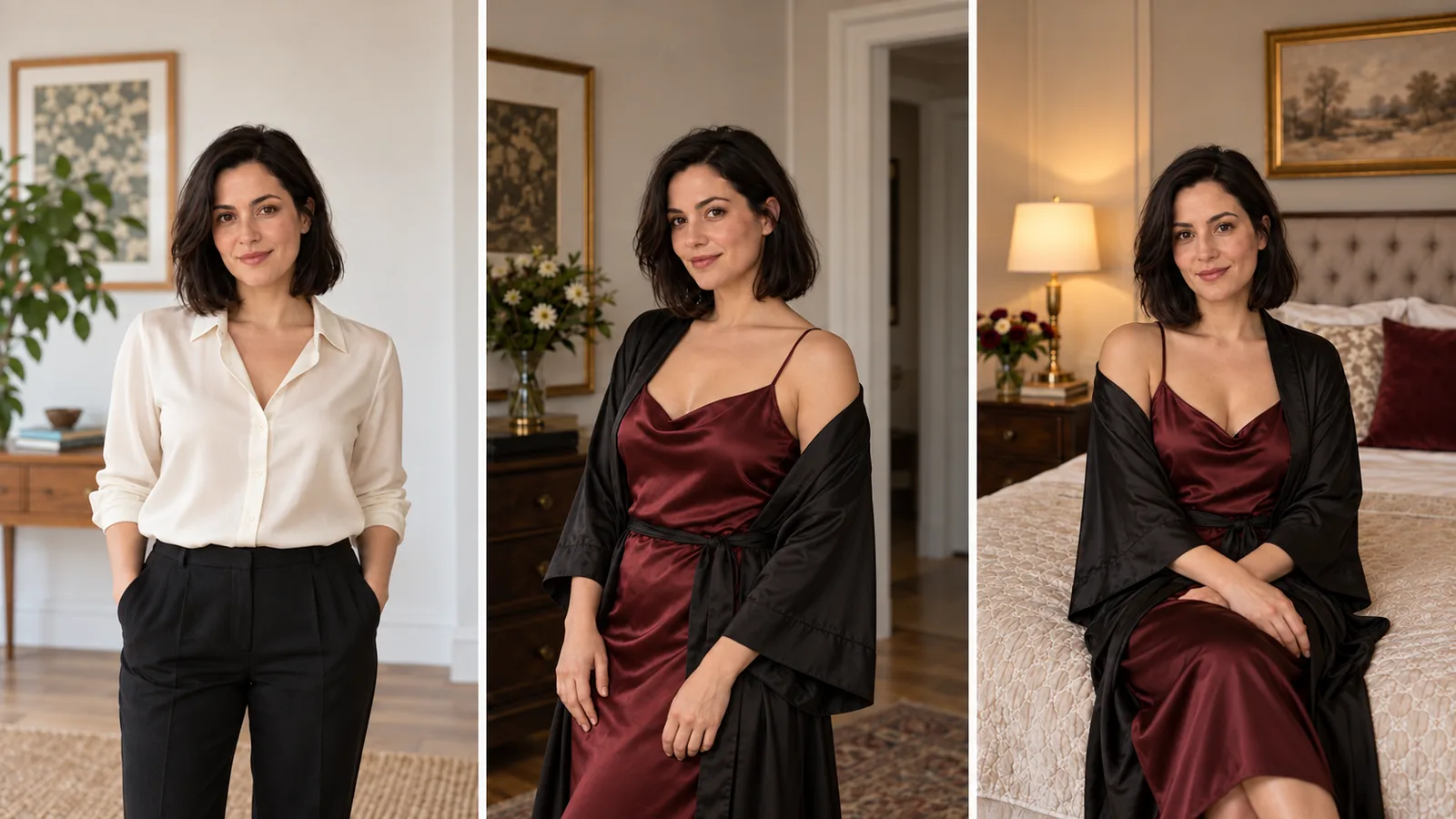
| Lingerie, intimate or explicit adult images | Neither | Both refuse; see the adult-content section |
Sunburst takes anywhere from about 25 seconds to over two minutes for similar requests, and max is the slowest setting on either model, so keep it for finals. When you compare the two, send both the same quality.
Same price, same fields
Both families have a text-to-image task and an edit task, and the two match on everything:
- Everything you set: 1 to 16 source images per edit (10 MB each, referred to as "the first image", "the second image"),
resolution1k, 2k or 4k, 15 aspect ratios from 1:3 to 3:1, fivequalitylevels fromlowtomax, and 1 to 10 outputs per request, each billed separately. - Mask: one optional PNG the same size as the first source (under Advanced parameters in the Playground).
- Edit-only controls:
input_fidelity(lowdefault,high) andbackground(auto,transparent,opaque). Text-to-image has no transparent option.
There is no seed field, so the same request returns a different image each time; if two results look close, run each model a few times before choosing.
What a request costs
Output price per image, USD, square frame (identical for Flare and Sunburst, 20% below OpenAI's list price):
| Quality | 1k | 2k | 4k |
|---|---|---|---|
| low | $0.005104 | $0.009928 | $0.016216 |
| medium | $0.010936 | $0.021808 | $0.035992 |
| high | $0.042544 | $0.086032 | $0.14272 |
| xhigh | $0.075328 | $0.152632 | $0.253408 |
| max | $0.168976 | $0.342928 | $0.569656 |
Three things move the number:
- Aspect ratio. Non-square frames are cheaper. At 1k
high, 4:5 costs $0.034504, 16:9 $0.023992 and 1:3 $0.01396, against $0.042544 for square. The cheapest start price on the model pages, $0.0018, islowat 1:3; an edit with one source starts at about $0.0116. - Source images. Every source adds $0.0098304 to every output. One source, 4:5,
high, 1k is $0.0443344; atmediumit is $0.0185584. Three sources and four outputs of thathighrequest is $0.2559808, against $0.138016 for four text-to-image outputs, so send only the references that matter. - Long prompts. The first 100 prompt tokens are included; extra tokens add a small charge once per request.
A refused request is not charged.
Adult content: both refuse
Based on our September 2026 tests, both models refused lingerie, intimate couples and advanced NSFW imagery, in generation and in editing. Clothed everyday requests such as dresses and portraits are normally fine, but a filtered model can still refuse a clothed prompt, and a refusal is not charged. Switching to Sunburst does not remove the content policy; use an uncensored editing route for adult work rather than treating the model switch as a way around a refusal. See Is GPT Image 2 uncensored? for the details and the uncensored image editor comparison for models that edit adult content. Use these two for public promotional images, clothed character art and scenery.
A first edit to run on both
Scenario: a homeware creator has an approved concept image of a copper-framed glass terrarium on a stone console and needs the wall behind it in sage green for a campaign banner.
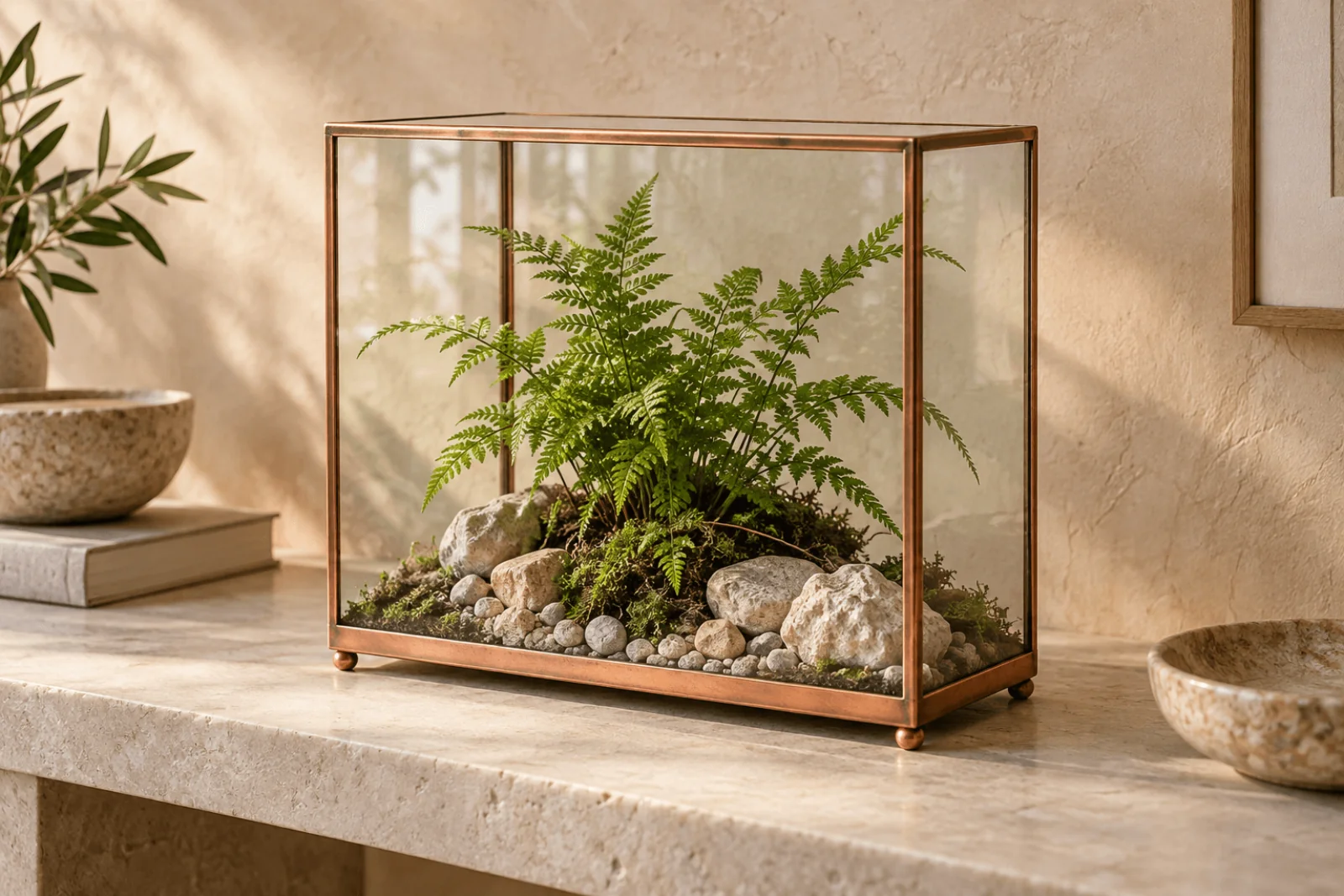
The source image for the example: one concept image, 3:2.
Try it in the Playground.
- Open Flare editing with the prompt below filled in → Stay on the Playground tab, in Form view, and sign in with a funded account to run.
- Under Images, replace the sample image with the source image so it is the only file.
- Set Aspect ratio to 3:2, Resolution to 1k and Quality to high; match the ratio to the source, because the result takes the shape you choose, not the shape of the source.
- Press Run model. With one output this costs $0.0378304; the price shows before you run.
- To compare Sunburst, open Sunburst editing and repeat the same prompt and settings.
The prompt:
Change the warm plaster wall behind the terrarium to a muted sage green. Keep the terrarium exactly as in the first image: straight copper frame, flat glass panels, the fern, moss and pale stones, the stone console and the light direction. Do not add text or other plants.
Check the straight copper uprights and base rail, the glass edges, the fern and the shadow on the console. If Flare fixed the wall but bent a joint or redrew the fern, open Sunburst editing (openai/gpt-image-2.5-sunburst/edit) and submit the original source, the same prompt and the same settings. Keep whichever result matches the source; a nicer wall on a different terrarium is a failed edit. If Flare's result already holds, stop there.
Then call it from code. Save the input and run it with the CLI (npx @spicyapi/cli works without installing; set SPICY_API_KEY):
cat > input.json <<'EOF'
{
  "prompt": "Change the warm plaster wall behind the terrarium to a muted sage green. Keep the terrarium exactly as in the first image: straight copper frame, flat glass panels, the fern, moss and pale stones, the stone console and the light direction. Do not add text or other plants.",
  "image_urls": ["https://cdn.spicyapi.ai/blog/authored/seo-next-twenty-2026-10-01/gpt-image-2-5-flare-vs-sunburst-workflow/body-1-gpt-image-8ed02d3a486d0aab.webp"],
  "aspect_ratio": "3:2",
  "resolution": "1k",
  "quality": "high"
}
EOF
spicyapi tasks create --model openai/gpt-image-2.5-flare/edit --input-file input.json --wait
Change the model id to openai/gpt-image-2.5-sunburst/edit for the comparison. Docs: generating and editing images.
Or let an Agent run it. Give the assistant the CLI above or the MCP server, where spicyapi_task_create shows the price and asks you to confirm before it runs. The Skill (npx skills add spicyapi-ai/spicy-skill) teaches a coding assistant the live schema and works alongside either one.

Illustration: check each returned image against the approved source and, for a real product, against the physical item.
When the edit changes more than you asked
- One change per request, then a protected list of what must stay (frame, fern, light, pose).
- People in the frame: set
input_fidelitytohighso faces and fabric stay closer to the source. It does not change the price and is not a pixel lock; if the exact face pixels must survive, composite the original foreground over a new background layer yourself. - Mask when the region is the problem. A PNG mask the size of the first source, transparent where the model may repaint and opaque everywhere else. A black rectangle on a white opaque PNG is not read as a mask, because the control reads alpha. Include the background visible between hair strands in the transparent region; a solid outline leaves a fringe of the old colour. A higher
qualitydoes not fix a mask that selects the wrong area. - Raise quality last:
xhighcosts about 1.8 timeshighandmaxabout 4 times.
Transparent cut-outs
For a cut-out, use an edit task with background: transparent and output_format png or webp. Both models return a real alpha channel; a checkerboard drawn into an opaque image is not one. Name the subject to keep and say the background should be fully transparent. Then place the result over the real page colour and look at hair, fine leaves and glass: panels can keep some of the old background's colour even when the area outside is clear. For a plain background removal without regeneration, see the background removal guide.
Use Flare for the first attempt and keep any result that meets the brief. Move to Sunburst when you can name the edit Flare keeps getting wrong, or for a final campaign image, and raise quality because the delivery needs it, not because the names imply different features.
FAQ
Does Sunburst give a higher resolution? No. Both offer 1k, 2k and 4k and five quality levels up to max.
Can I get a transparent PNG from a text prompt? Not in one step: background exists on the edit tasks only. Generate first, then edit with background: transparent.
Where does GPT Image 2 fit? It is the previous model with the same edit method; the GPT Image 2 editing guide covers its masks and settings, and the 2.5 models add the xhigh and max tiers.