Image editing on FLUX.1 Krea [dev], Black Forest Labs' photographic open-weights model made with Krea, with up to three of your own LoRAs and a strength control. One source image in, the same aspect ratio out at a 1k or 1.5k long side, and no filter on prompts, weights or results.

From $0.024/image

Workbench

Input

Image editing
341/5000
Describe the whole picture you want back, including who is in it, not just the change. Put a LoRA's trigger phrase first. Up to 5,000 characters. at least 1 characters · at most 5000 characters
1/1

Drop files or media links, paste, or browse · 1 file · Max 10 MB · JPG · PNG · WEBP · GIF

  • 1
1 / 1 files
The picture to redraw. The result keeps its aspect ratio; the resolution tier sets the long side.
1k returns a long side of about 1,000 pixels and is the default; 1.5k about 1,500. Both cost the same, and the aspect ratio always follows the source.
Transformation strength
How far to move from the source, 0 to 1; 0.8 by default. 0.5 changes details, 0.8 to 0.85 changes outfit or light in the same framing, 1 is a new picture. no lower than 0 · no higher than 1
Style LoRAs1/3

Midjourney Mix2

Up to three {path, scale} entries trained for FLUX.1 [dev] or FLUX.1 Krea [dev]; scale 0 to 4, 1 by default. Illustration LoRAs restyled our photos at 1.8. at most 3 items
Prompt adherence
How closely the result follows the prompt, 0 to 20; 3.5 by default. It does not change the price. no lower than 0 · no higher than 20
Output format
JPEGPNGWebP
JPEG by default, or PNG or WebP. The format does not change the price.
Seed
Keeps results comparable while you adjust strength or scale. No seed means a random one. no lower than 0 · no higher than 2147483647
Safety checkerOff

SpicyAPI does not run a safety checker on this model. Your prompt and media go to the model as written, and the model itself decides what comes back.

Checking your account before enabling submission and pricing.

Output

Ready for a new run
couple-into-the-shelvesExample result

Missing the model you need?

Tell us what to add and where you would use it. Requests go to the people who decide what gets onboarded next.

LORA IMAGE API

FLUX.1 Krea Dev LoRA API at a glance

FLUX.1 Krea [dev] with your own LoRAs: a photographic FLUX that skips the glossy AI look, and nothing filtered.

Parameters
12B
FLUX.1 Krea [dev], the open-weights version of Krea 1, tuned for photography.
LoRAs per call
3
Up to three weight files per image, each with its own strength from 0 to 4.
Aspect ratios
9
From 21:9 to 9:21 at about one megapixel; image editing keeps the source shape.
Guidance range
0 – 20
3.5 by default. Lower is softer, higher is harder and more contrasty.
Typical render
~13 s
Median text-to-image model time across our test runs; editing was about 8 seconds.
Content filter
None
No filter on prompts, weights or results.

Results

What you can make with FLUX.1 Krea Dev LoRA

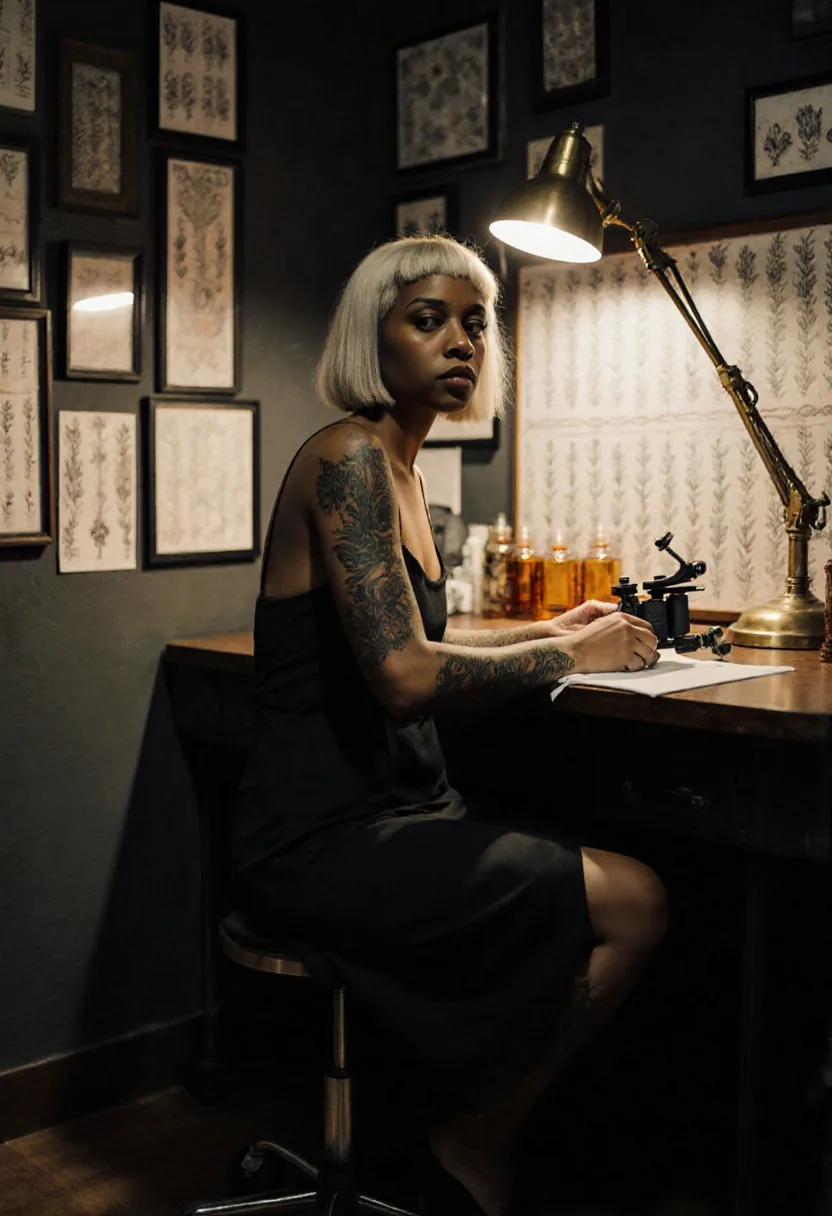
  • Film photograph of a Black woman with short bleached hair and tattooed arms sitting at a tattoo desk under a brass lamp, framed flash art on the wall

    Photographic

    A film still from one paragraph

    No LoRA loaded: a tattoo artist at her desk after hours, lit by one brass lamp. Muted colour, grain and skin texture come from the model itself.

    Text-to-image without a LoRA, 2:3.

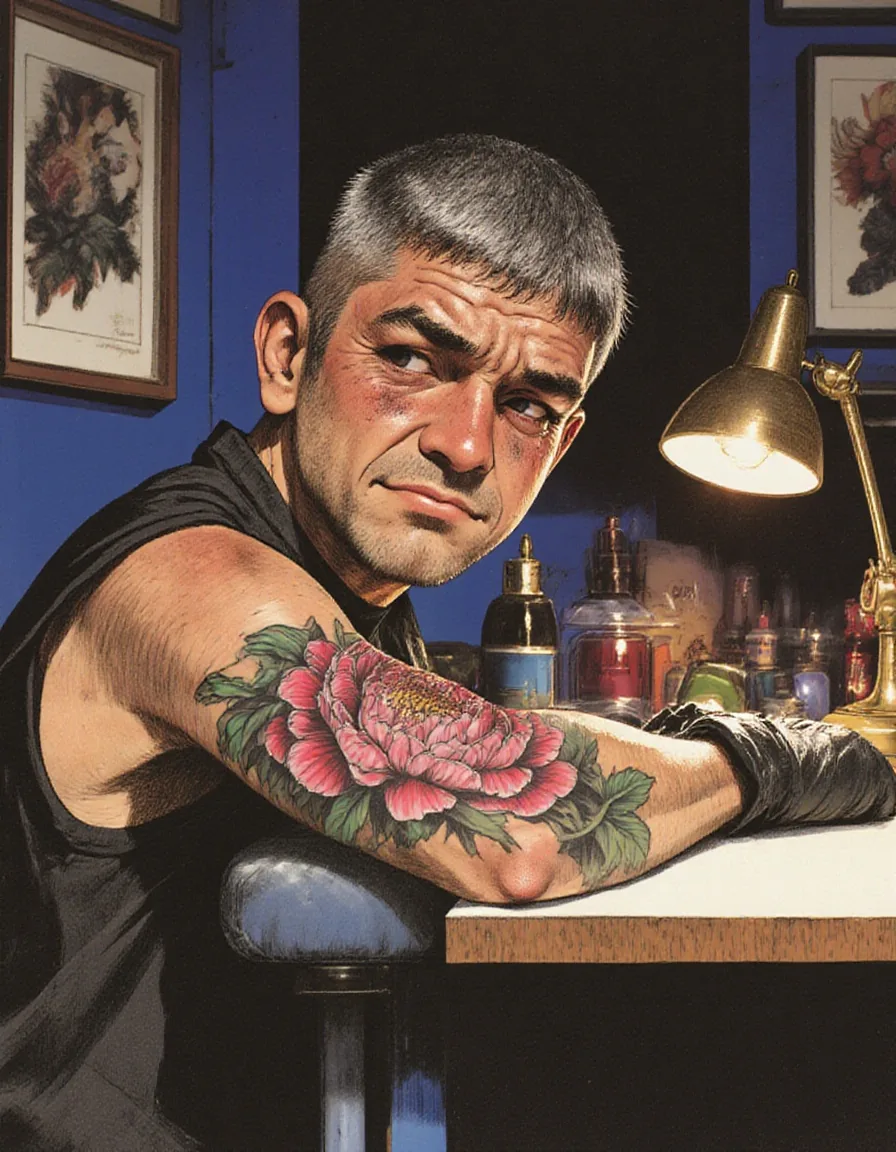
  • Illustration of a man in a black sleeveless shirt with a fresh peony tattoo on his forearm, looking up from a padded armrest under a brass lamp

    LoRA

    FLUX.1 [dev] LoRAs, turned up

    An illustration LoRA built for FLUX.1 [dev] at scale 1.8 redraws a late-night tattoo session in inked lines and flat colour. At scale 1 the same file only nudged the photo.

    Illustration LoRA at 1.8, 3:4.

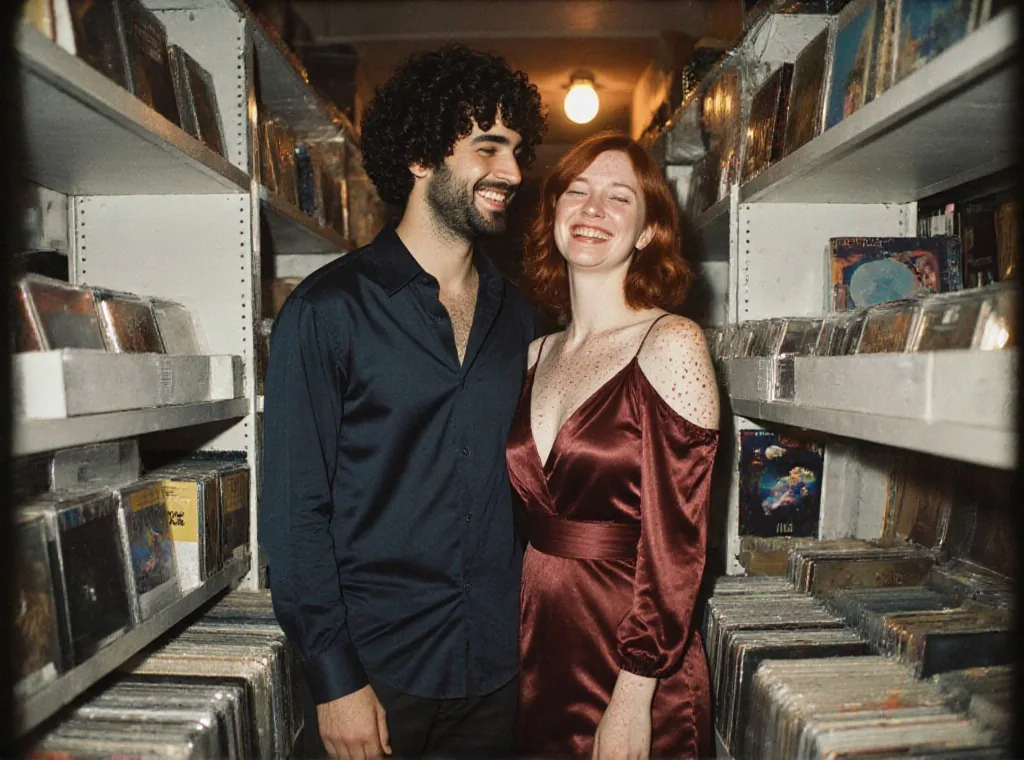
  • A curly-haired man in a dark shirt and a red-haired woman in a burgundy satin dress standing close and laughing between record shelves at night

    Editing

    Daylight street to a night in the shop

    A snapshot of a couple outside a record shop, redrawn at strength 0.85 between the shelves at night: she in burgundy satin, he in an open-collar shirt, both still laughing.

    Image editing with a Midjourney-style LoRA, strength 0.85.

More clips made with FLUX.1 Krea Dev LoRA

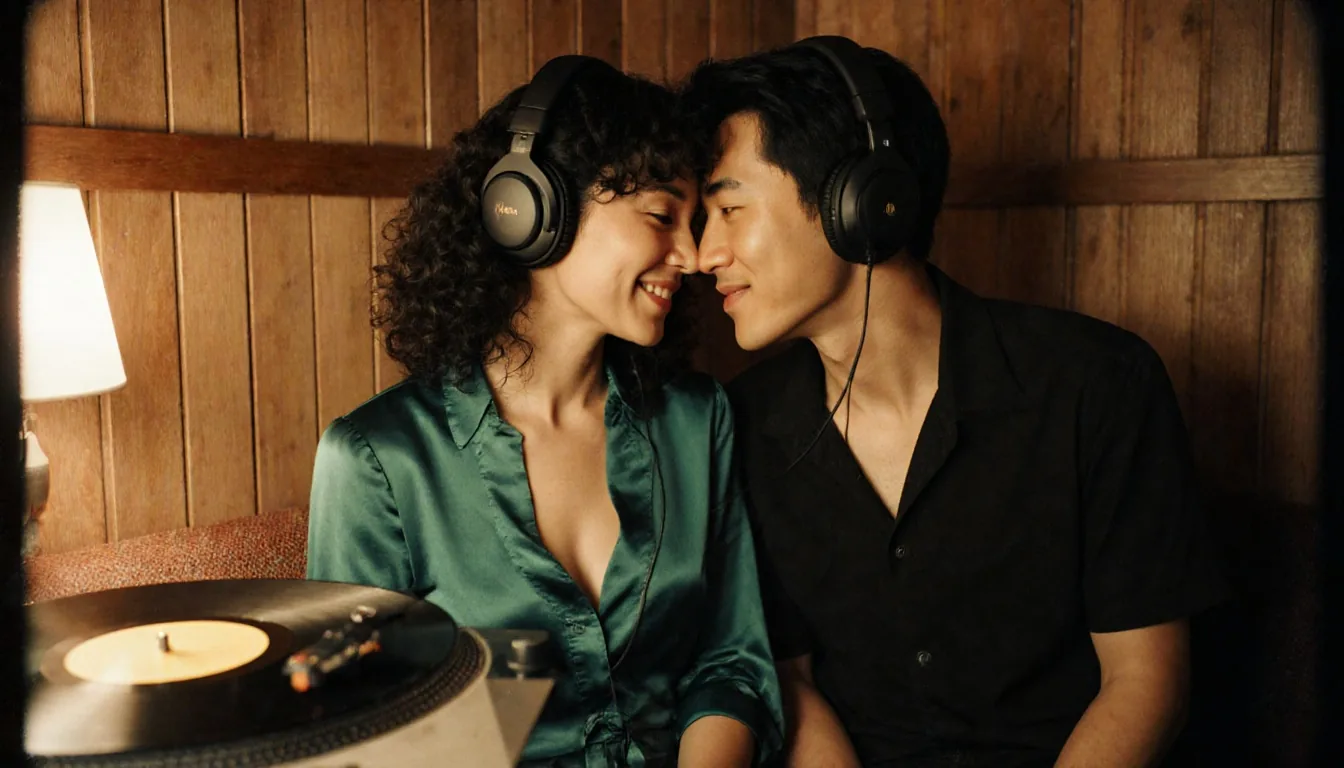
  • Film photograph of a woman with curly hair in an emerald satin blouse and a man in a black shirt touching foreheads in a wood-panelled listening booth, a record on the turntable
    Text-to-image without a LoRA, 16:9.
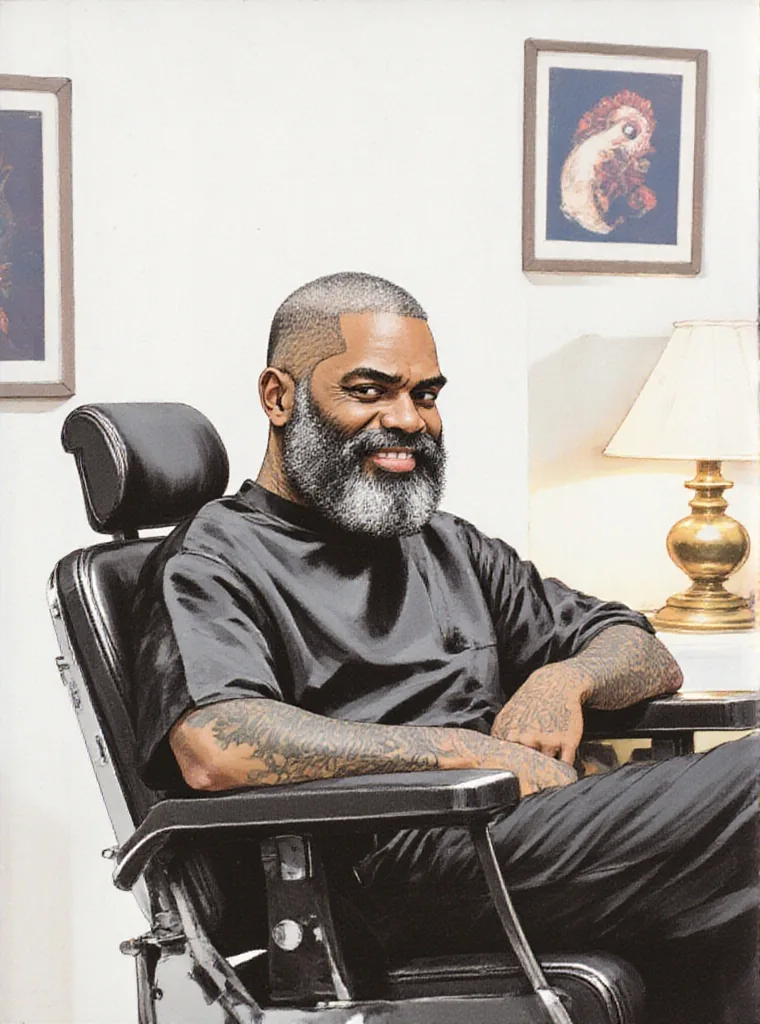
  • Illustration of a smiling man with a grey beard in a black shirt sitting in a tattoo chair beside a brass lamp, redrawn from a photograph
    Image editing with an illustration LoRA at 1.8, strength 0.85.
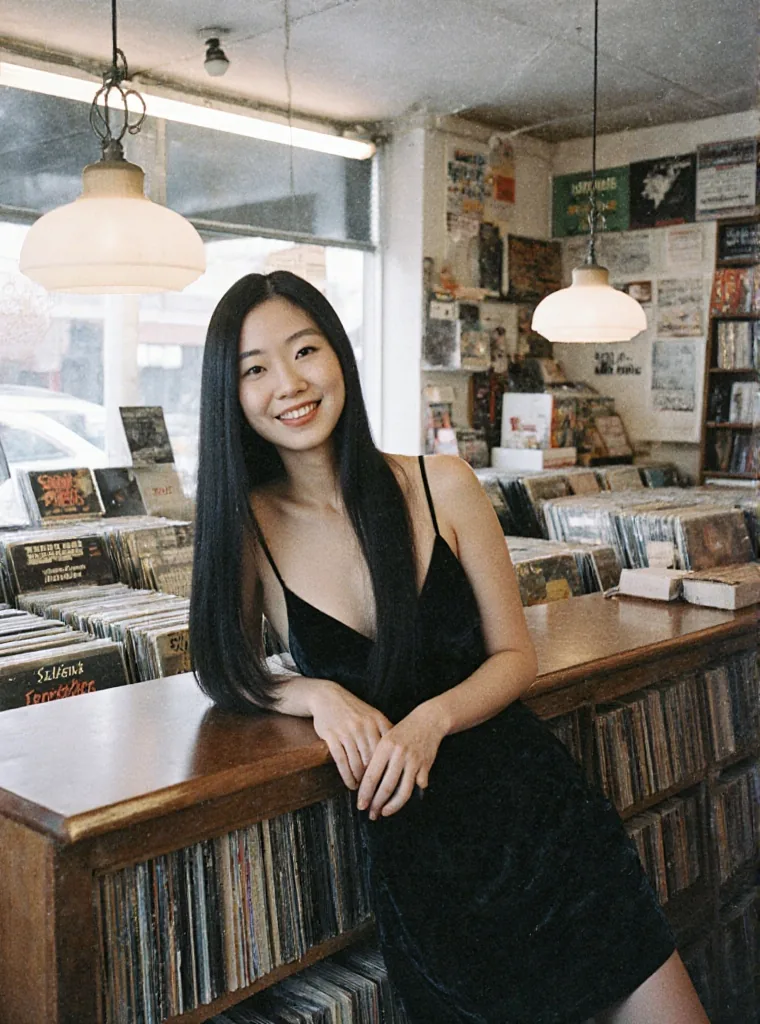
  • A woman with long straight black hair in a black velvet dress leaning on a record shop counter and smiling
    Image editing without a LoRA, strength 0.8.
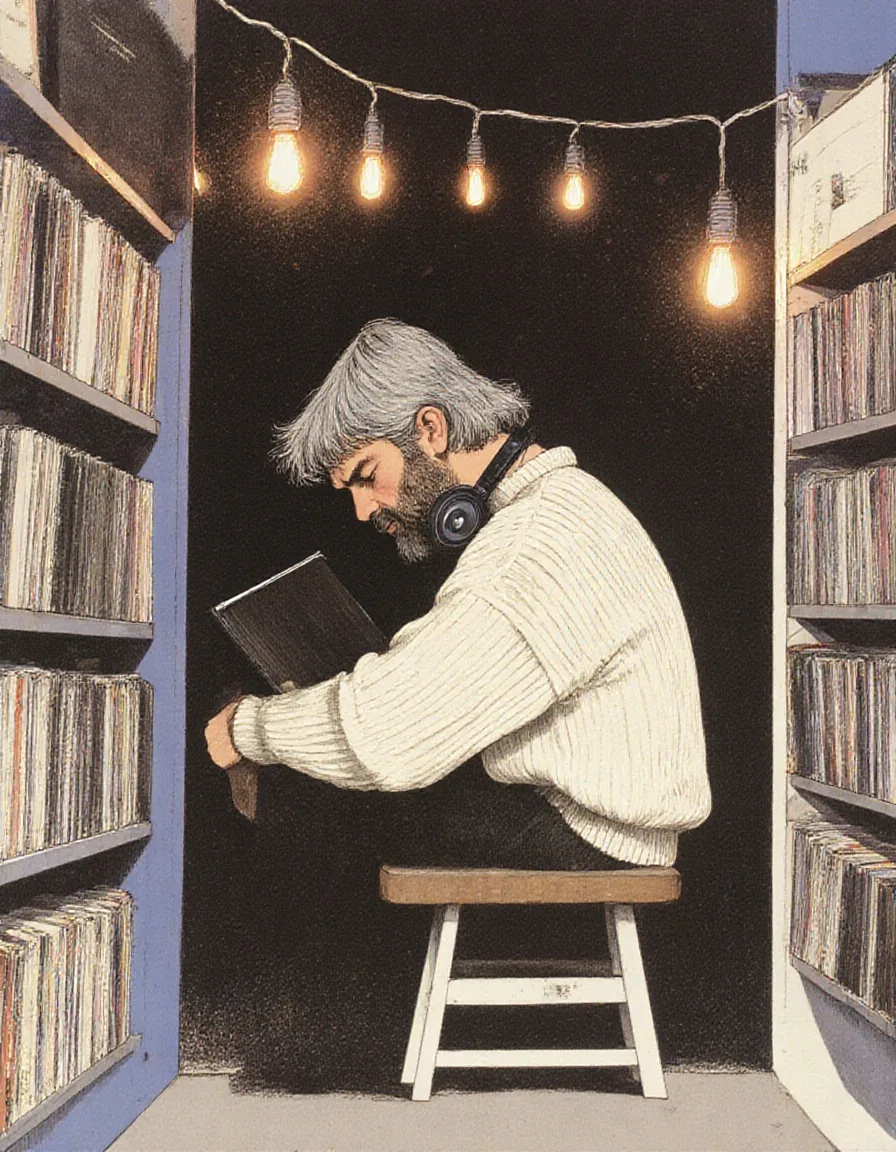
  • Illustration of a grey-haired man in a cream sweater sitting on a stool between record shelves, headphones on, a record sleeve held to his chest under warm bulbs
    Illustration LoRA at 1.8, 3:4.

Content test

Is FLUX.1 Krea Dev LoRA uncensored? What we tested

We ran each level on our live setup and checked every clip frame by frame. A pass means the content was actually on screen, not just that the request went through.

Content levels tested on FLUX.1 Krea Dev LoRA, by mode
LevelImage editingText to image
MildThe lightest prompts in the test
RendersTested Oct 9, 2026
ModerateWhere filtered models start to refuse
RendersTested Oct 9, 2026
StrongThe middle of the scale
RendersTested Oct 9, 2026
Very strongWhere most models start to hold back
Not tested yet
Not tested yet
MaximumThe top of the scale
RendersTested Oct 9, 2026

Renders: on screen as written. Softened: generated, but milder than what was written. Refused: rejected. Not tested yet: we have not run that level on that mode.

How each mode behaves

All modes
Use LoRAs trained for FLUX.1 [dev] or FLUX.1 Krea [dev]. A LoRA for another model family, or a popular realism LoRA saved in a key format the loader does not read, ran without an error and changed nothing in our tests. Style LoRAs land softer than on FLUX.1 [dev]; raise the scale. A link that needs a login or points to a web page fails the request. Sides are capped at 1,536 pixels and there is no step control.
All modes
On its own the model often toned down Strong-level requests; an unfiltered LoRA changed that. In two tries even with that LoRA it did not deliver the Very strong level, so it is not the pick for that level. Small fake lettering can appear on props.
Image editing
Image editing redraws the whole frame; there is no mask. Above strength 0.85 faces and clothing drift unless you describe them. The output keeps the source aspect ratio at a long side of about 1,000 or 1,500 pixels.
All modes
Every person you describe must be an adult. You are responsible for the lawfulness of what you generate and publish, including the rights of anyone in a source image. Generated media is retained for 14 days and then deleted.

Use cases

What to build with the FLUX.1 Krea Dev LoRA API

  • Photographic stills without the AI sheen

    Interiors, portraits and night scenes with muted colour, grain and believable skin from a few sentences.

  • FLUX LoRAs on a photographic base

    Run the FLUX.1 [dev] LoRAs you already use and get a quieter, more filmic finish.

  • Restyling photos

    Image editing with an illustration LoRA turns a set of photos into matching illustrations while the framing stays.

  • Uncensored stills

    Unfiltered LoRAs load without review and the output is not filtered. Load one when you need more than the base model draws on its own.

Prompts

FLUX.1 Krea Dev LoRA prompt examples you can copy

Paste one into the playground as it is, then change one thing at a time.

  • Text to image

    Tattoo studio after hours

    Cinematic 35mm film still inside a cramped tattoo studio at night. A dark-skinned Black woman in her late thirties with short bleached curls and fine-line botanical tattoos down both arms sits on a rolling stool in a black slip dress with thin straps, one strap sliding off her shoulder, wiping down a tattoo machine under a brass desk lamp. Framed flash sheets crowd the wall behind her, ink caps glow amber, she gives the camera a slow sideways glance. Warm practical lamps, deep shadow, shallow depth of field, soft film grain.

    Why it works. No LoRA: one paragraph naming the person, the dress, the desk lamp and the film look. The grain and muted colour are the model on its own.

    Try this prompt
  • Image editing

    A couple among the record shelves

    MJ v6, the same couple, a Middle Eastern man with short curly dark hair and a red-haired white woman with freckles, standing close between tall record shelves inside the shop at night, she in a burgundy satin dress with bare shoulders and her hair loose, he in a dark open-collar shirt, both laughing, warm amber lamps, cinematic film grain.

    Why it works. A daylight street snapshot redrawn at strength 0.85 with a Midjourney-style LoRA at 1. The prompt describes both people again, which kept them recognisable.

    This mode starts from your own image: add it in the playground before you run.

    Try this prompt
  • Text to image

    The listening booth

    Film photograph inside a wood-panelled listening booth at the back of a vinyl record shop. A Latina woman in her thirties with olive skin and dark curly hair, in an emerald satin blouse with a low neckline, and an East Asian man in his thirties in an open-collar black shirt share one pair of smooth matte black headphones, foreheads almost touching, a record spinning on the turntable beside them. Amber lamp light, warm shadows, intimate smiles, Kodak Portra grain.

    Why it works. No LoRA, 16:9. The light sources named in the prompt, a wall lamp and wood panelling, set the warm palette.

    Try this prompt

Pricing

FLUX.1 Krea Dev LoRA API pricing

One image starts at $0.024.

The playground shows the exact price for your settings before you run. Failed or timed-out tasks are usually not charged. Some models charge for content refusals as stated on their model page; check those billing terms before submitting.

See every price tier

Get started

How to use the FLUX.1 Krea Dev LoRA API in three steps

  1. Step 1

    Use FLUX.1 [dev] or Krea [dev] LoRAs

    Krea [dev] shares the FLUX.1 [dev] architecture. In our tests LoRAs trained for either loaded; an SDXL LoRA ran without an error and changed nothing.

  2. Step 2

    Raise the scale for styles

    Krea keeps its own photographic look. Start style LoRAs at 1.5 and compare against scale 0 on the same seed; our illustration examples ran at 1.8.

  3. Step 3

    Name the light

    Write the light source into the prompt: a brass desk lamp, a string of warm bulbs, a window at dusk. The model renders practical light well.

Parameter reference and code samples are in the API and Readme tabs at the top of this page.

Why SpicyAPI

Why run FLUX.1 Krea Dev LoRA on SpicyAPI

  • No filter from us

    We add no content filter of our own. What the model renders is what you get back.

  • Tested, not guessed

    Content labels come from real generations we ran and checked, with the test date on the page.

  • Pay per result, in dollars

    No subscription and no credits. Failed or timed-out tasks are usually not charged. Some models charge for content refusals as stated on their model page; check those billing terms before submitting.

  • One key for every model

    One API key and balance cover image, video, audio and chat models, so you can explore more models from the same account.

FAQ

FLUX.1 Krea Dev LoRA API FAQ

About FLUX.1 Krea Dev LoRA

FLUX.1 Krea Dev LoRA puts FLUX.1 Krea [dev], Black Forest Labs' photographic open-weights model made with Krea, behind your own LoRAs: text-to-image in nine aspect ratios and image editing with a strength control, up to three weight files per request and one flat price per image. FLUX.1 [dev] LoRAs load without review, and nothing is filtered.

All FLUX models21

Image models20

Related models and next tasks